Import reviews via marketplace
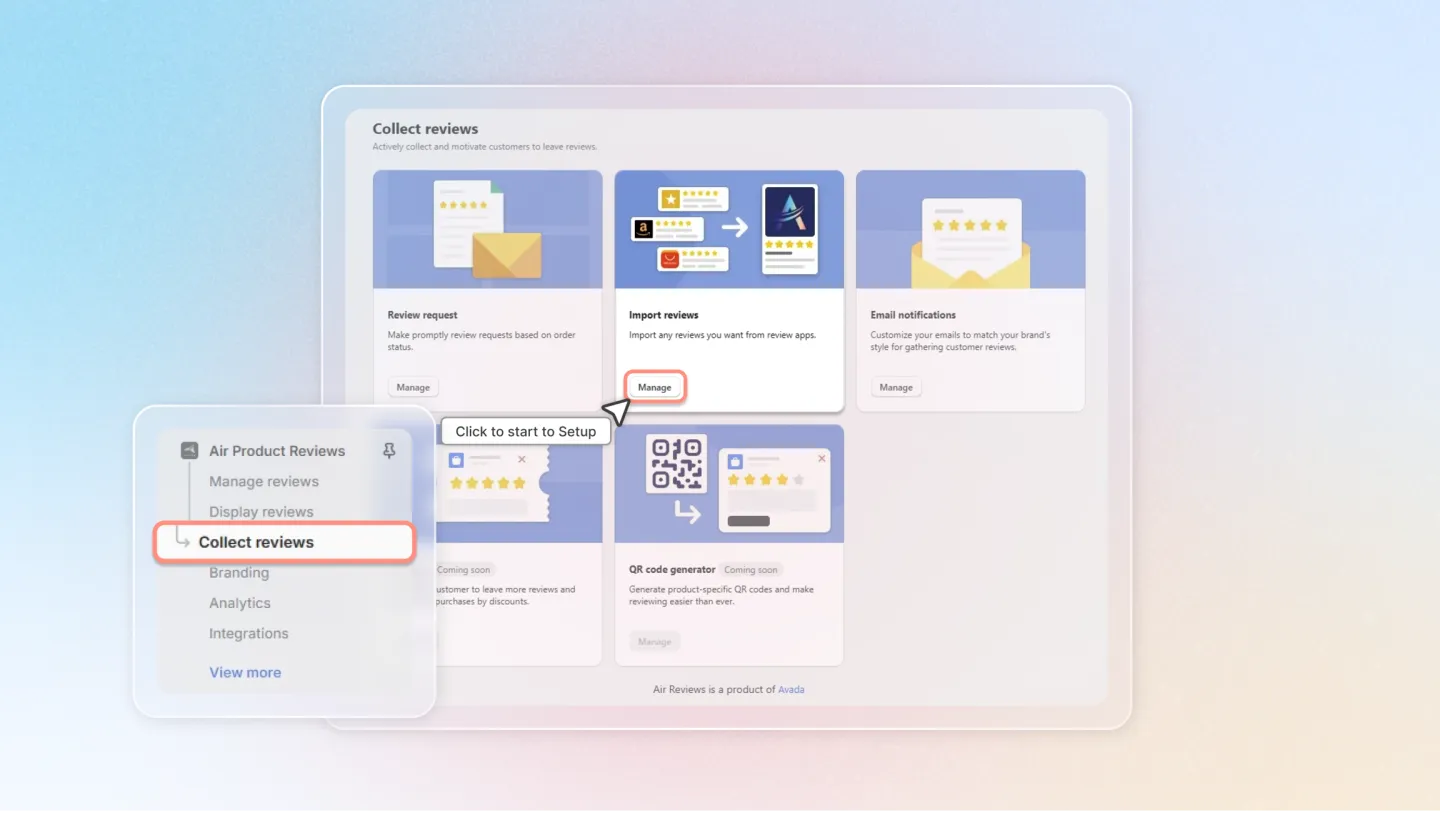
Access the Feature
In the left menu, select Collect reviews.
Click on Import reviews.
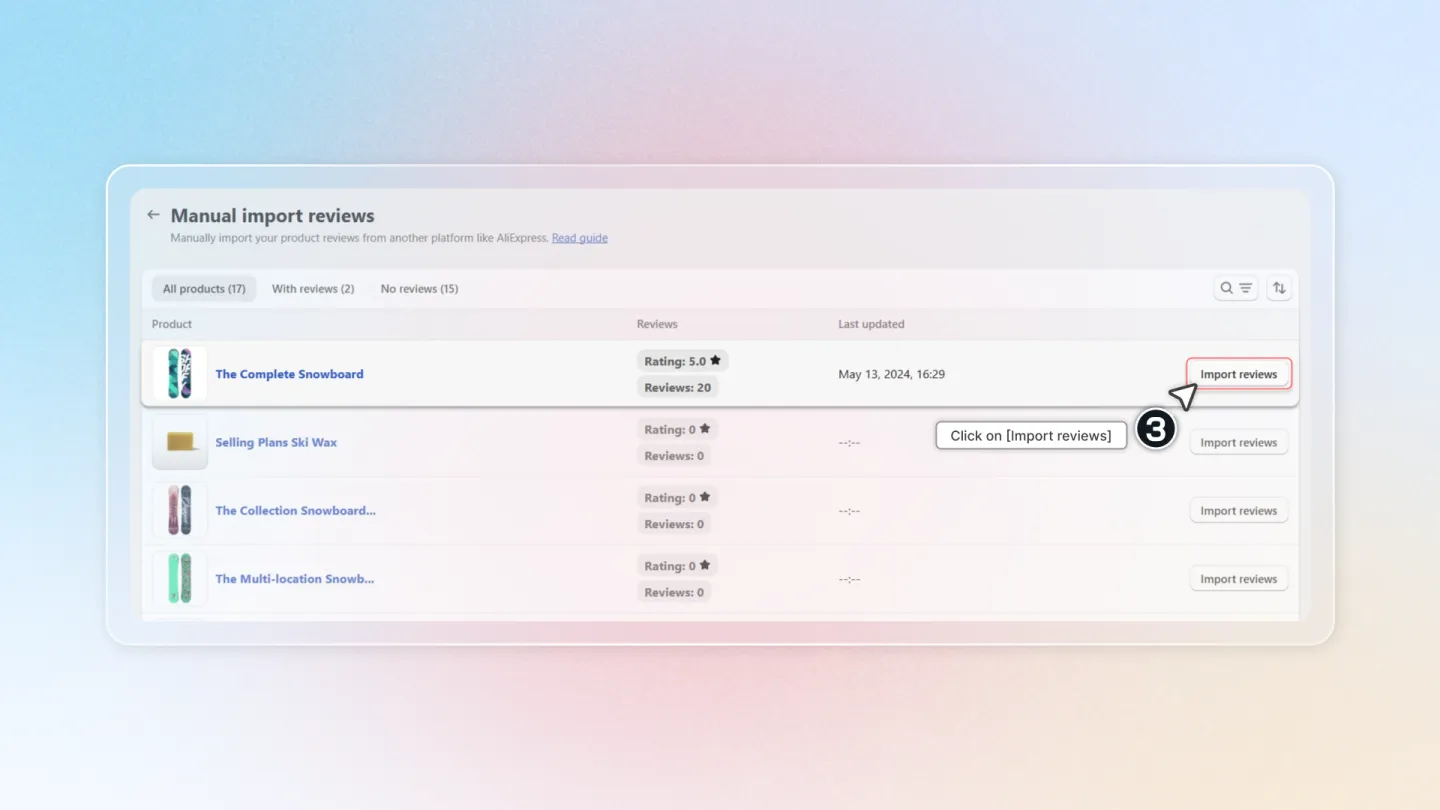
Select Your Product
Find the product you want to import reviews for and click the "Import Reviews" button.
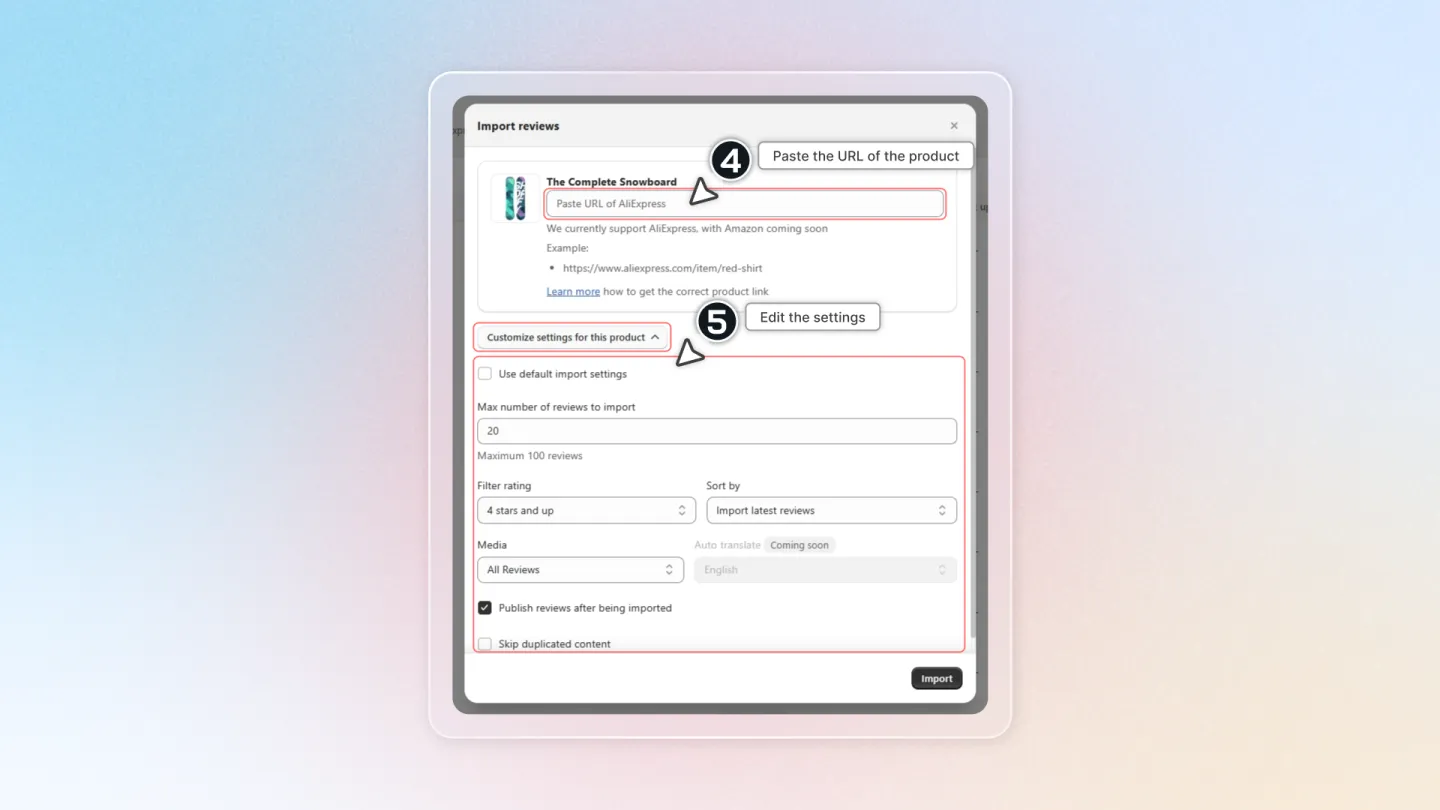
Paste the product link
Grab the link from the AliExpress product page that has the reviews you want.
Paste it in and customize any settings for your product.
⚠️
Note: The "Skip duplicate content" option only checks for duplicates if your product has fewer than 100 reviews.
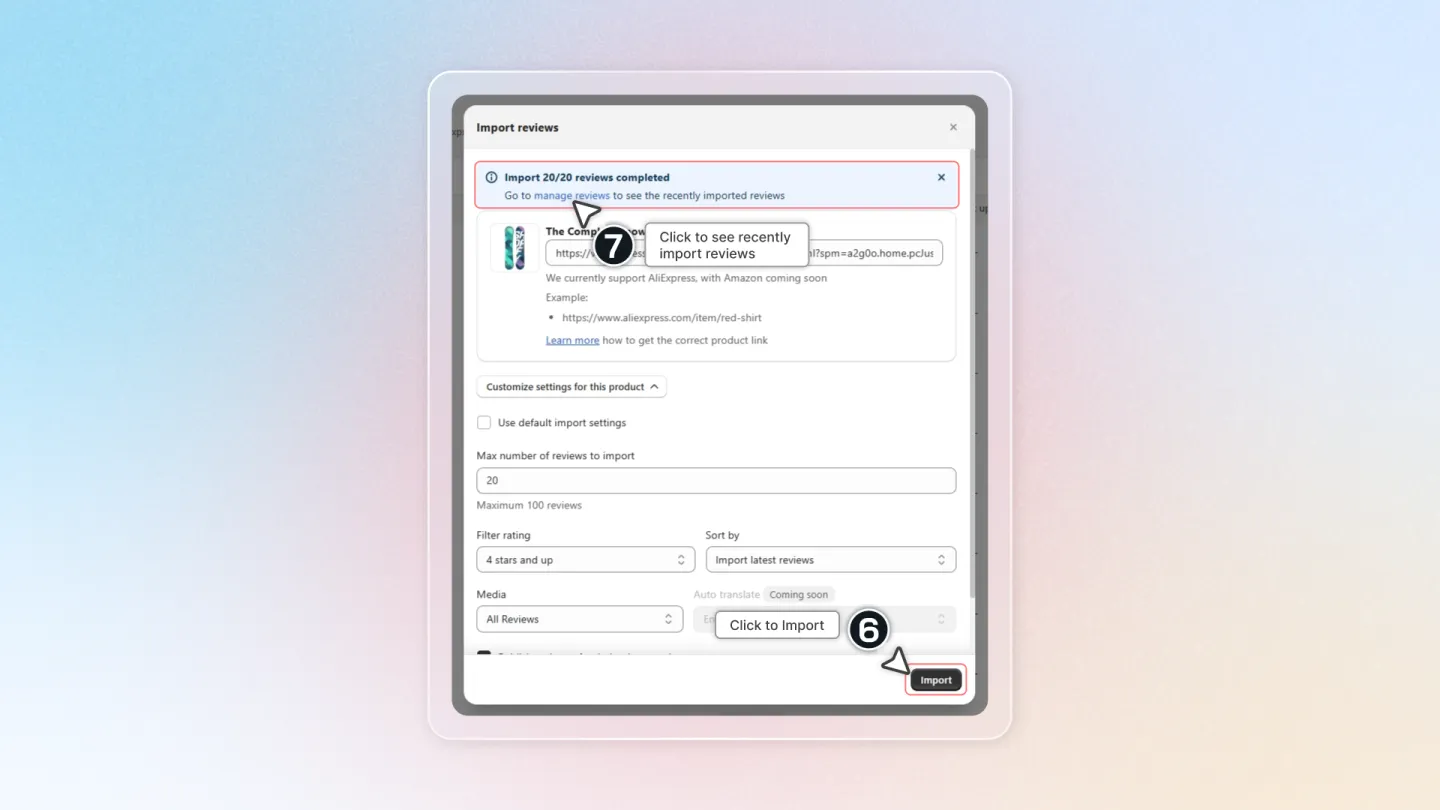
Import and Manage Reviews
Click the "Import" button. Once the import is complete, go to "Manage Reviews" to see the newly imported reviews.
That’s all there is to it! Importing reviews manually from AliExpress is quick and easy, helping you build trust with new customers by showcasing real feedback!