Foxify Smart Pagebuilder
I. Install the Foxify Smart Pagebuilder app
If you have already installed the app, you can skip this step.
Here is the URL to the Foxify app: https://apps.shopify.com/foxify-builder (opens in a new tab)
II. Use Air Product Reviews in Foxify Smart Page Builder
Here’s how you can insert Air Product Reviews inside the Main product information section, or Featured product section.
Air Reviews has been integrated as a built-in extension in Foxify Smart Pagebuilder, so all you need to do is:
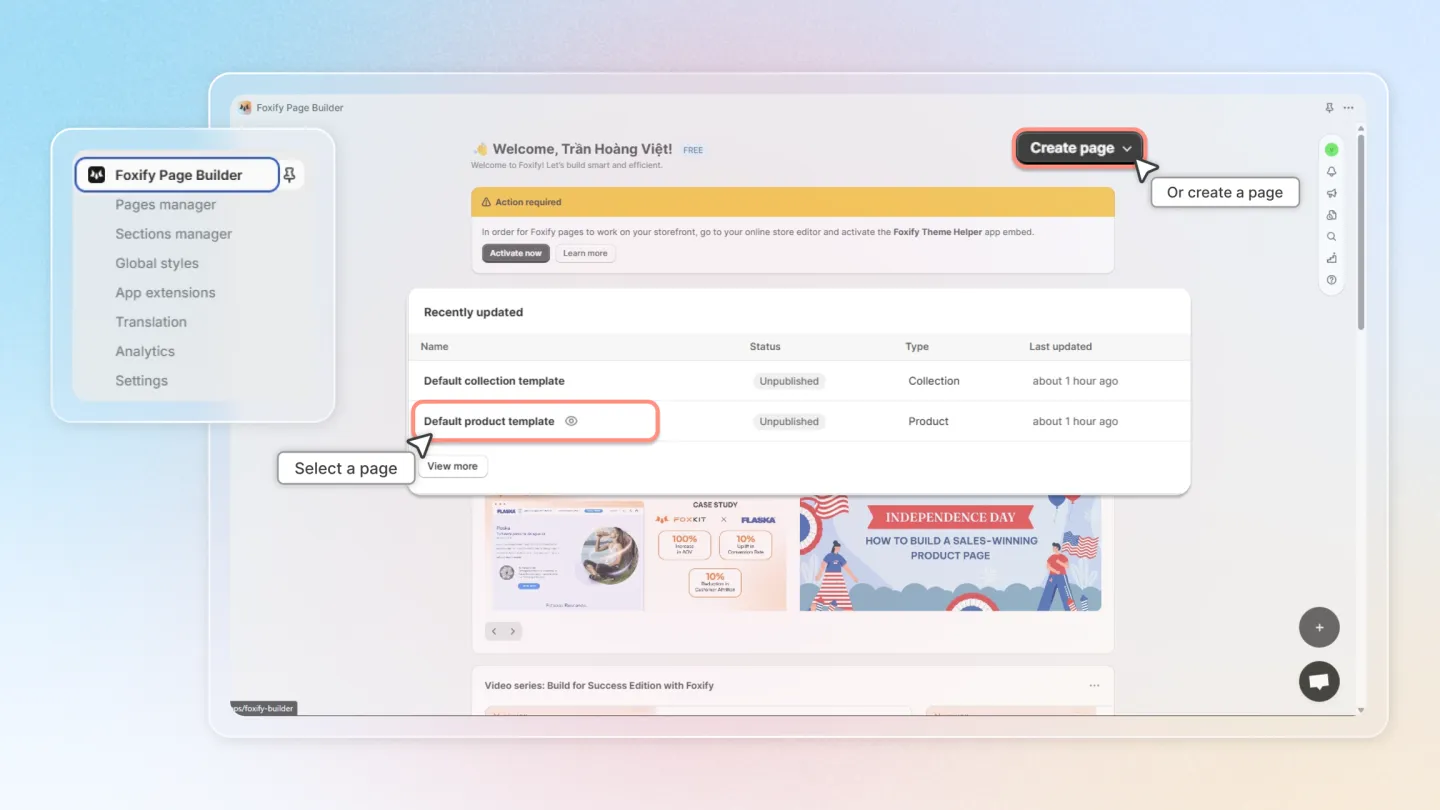
- In your Foxify dashboard, open a page (or create a new one) in which you want to embed Air Reviews feature.
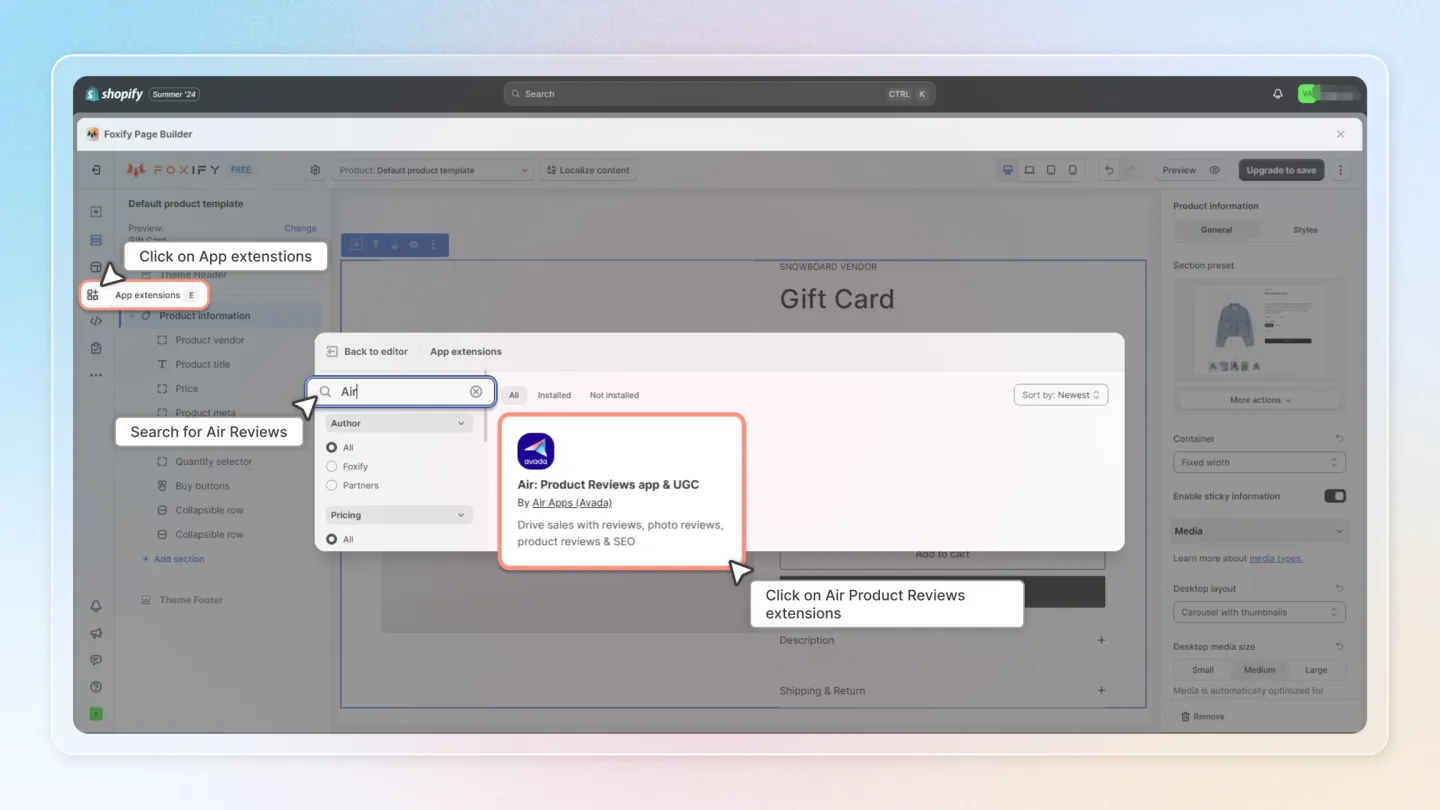
- On the left sidebar, select App Extensions; or press [E].
- Filter for Author: Partner, look for Air Product Reviews.
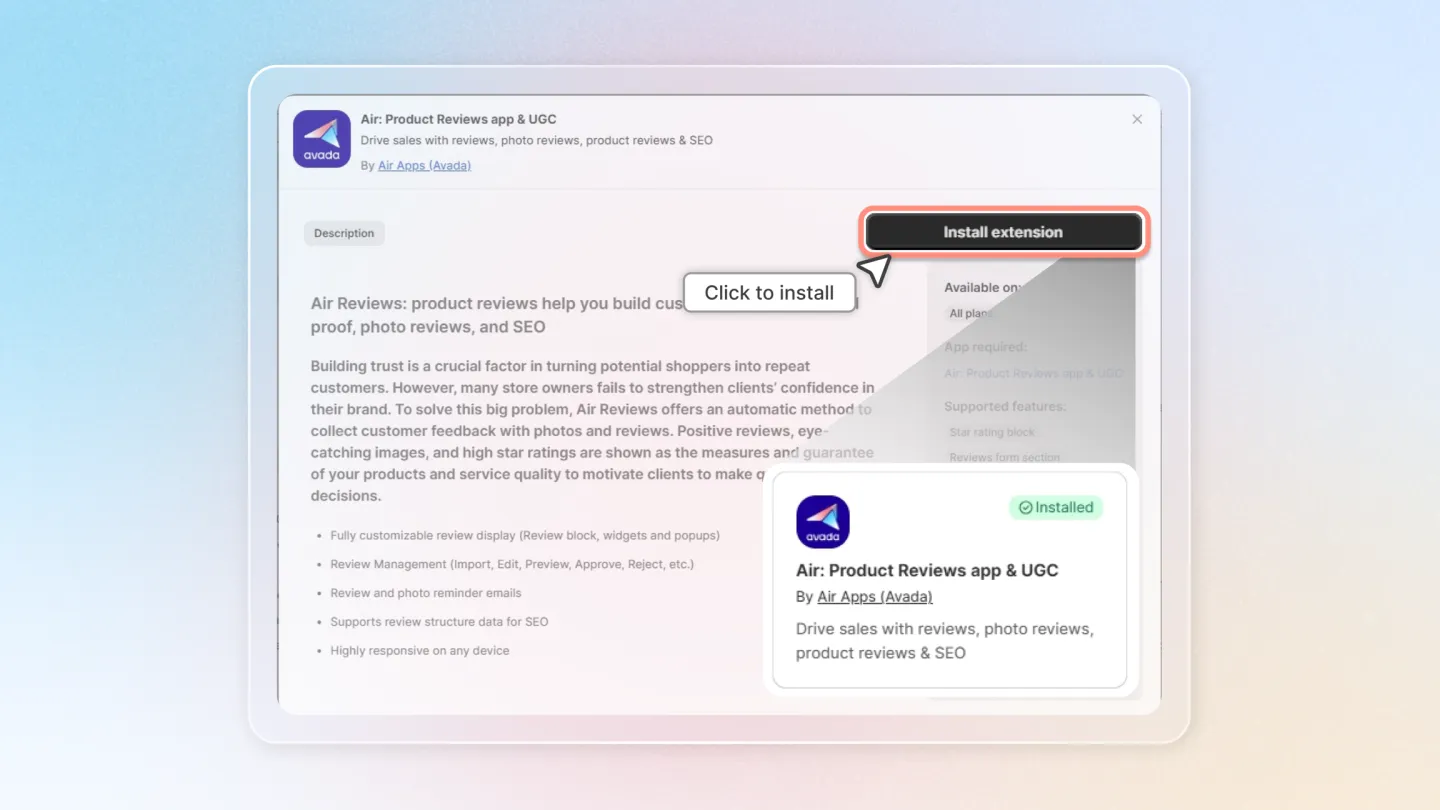
- Choose Install Extension
Once you see a green checkmark next to Air Product Reviews, it means Air Product Reviews has been activated and is now ready to be featured
In Foxify editor > App extensions, you can find Air Product Reviews (and all other extensions) installed.
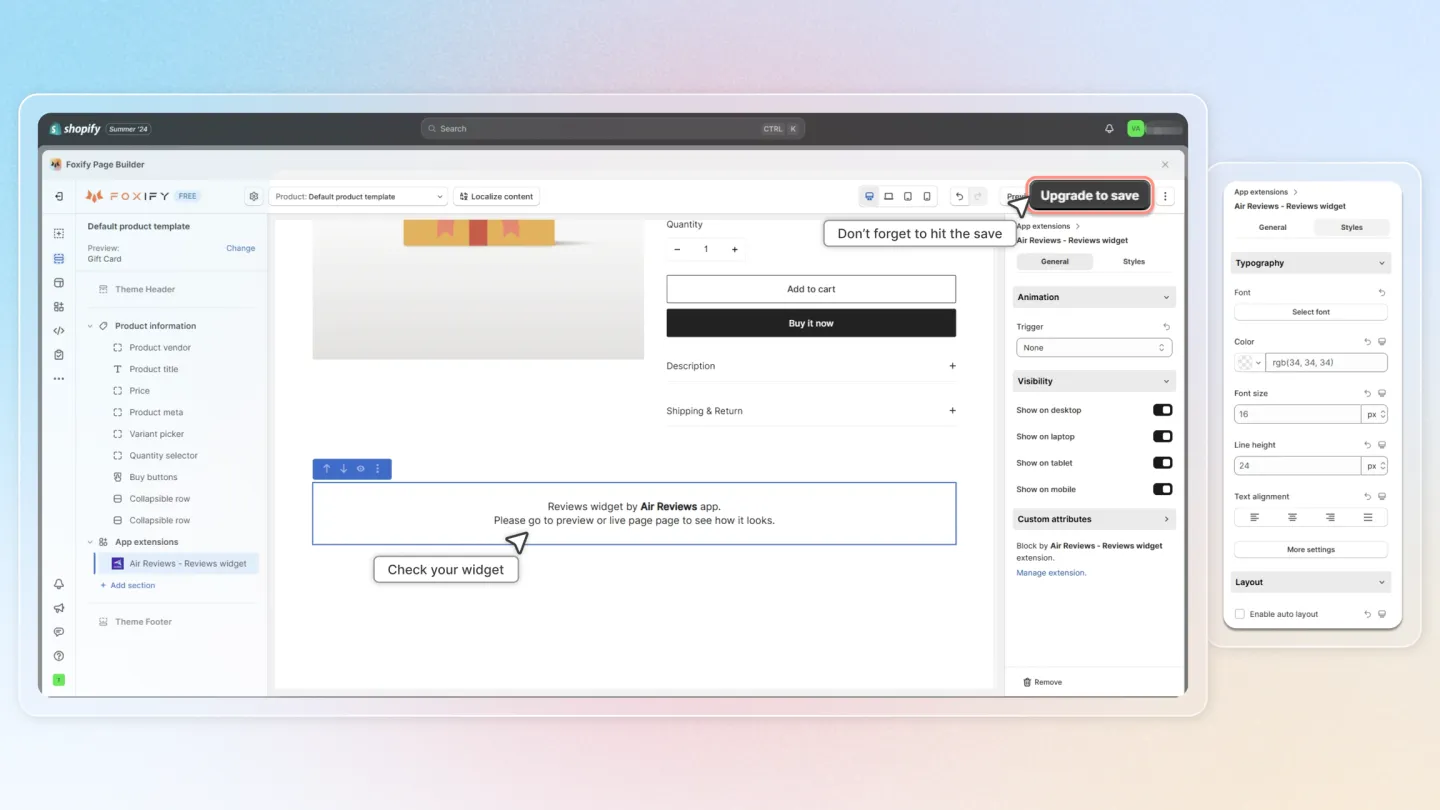
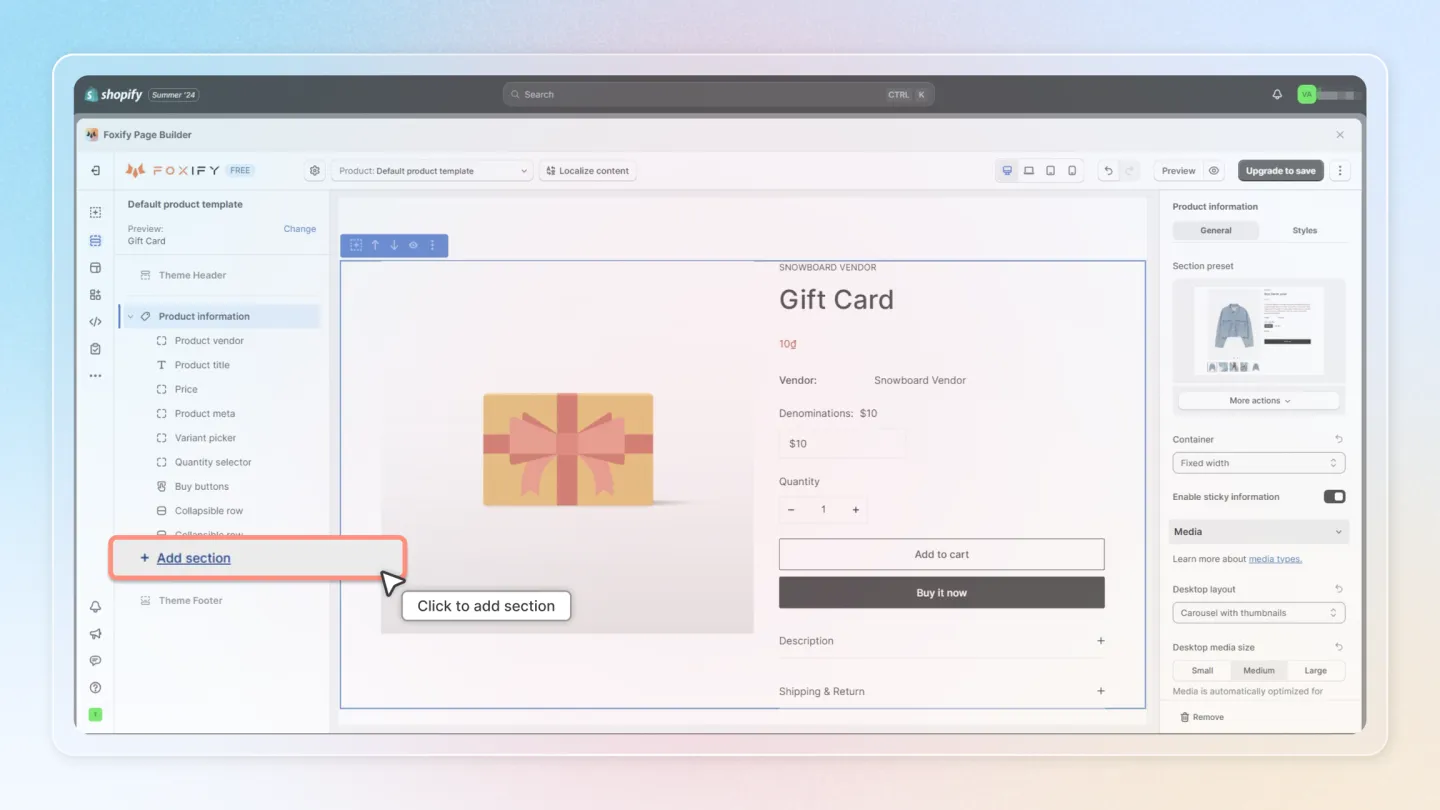
In the section (here we use the Main Product section), select Add section [+].
Navigate to Extensions and click on Air Reviews - Reviews Widget.
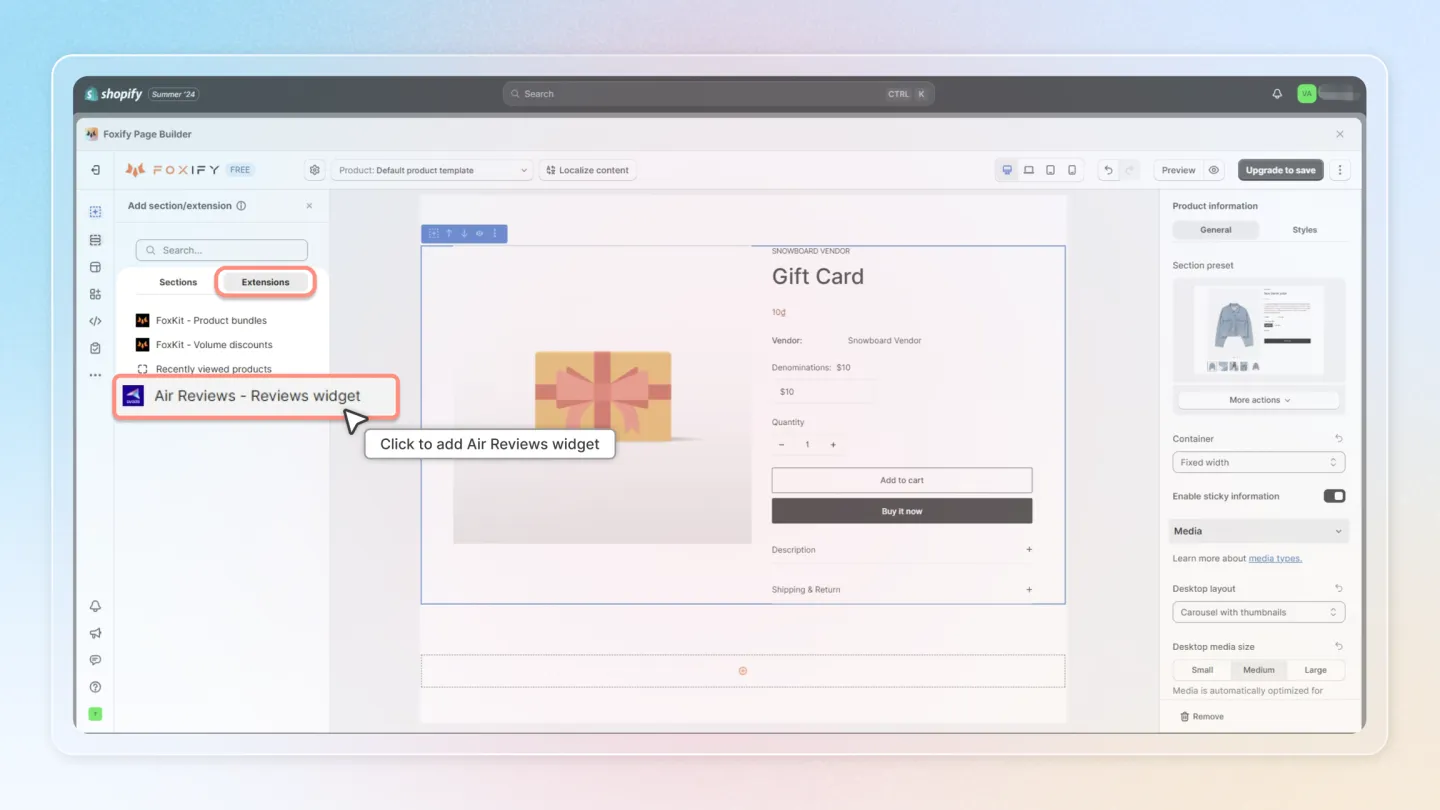
Have a look at the widget you just added. Update any settings on the right hand menu if necessary.
Don’t forget to hit the Save button for changes.