Review popup
1. Enable Review popup
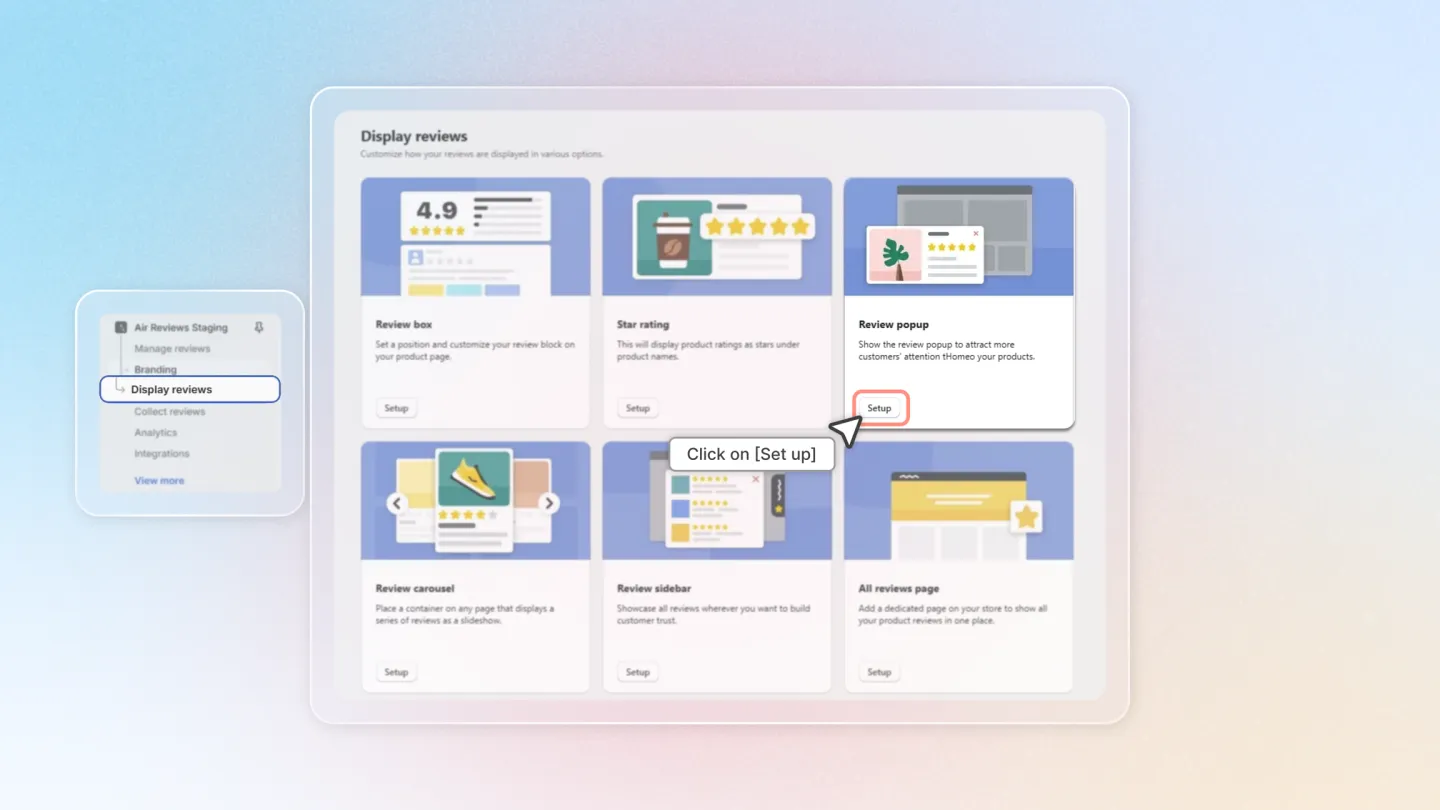
Head to "Display reviews" section on the left side menu.
Locate the "Review popup" feature under the Advanced group, and click "Setup".
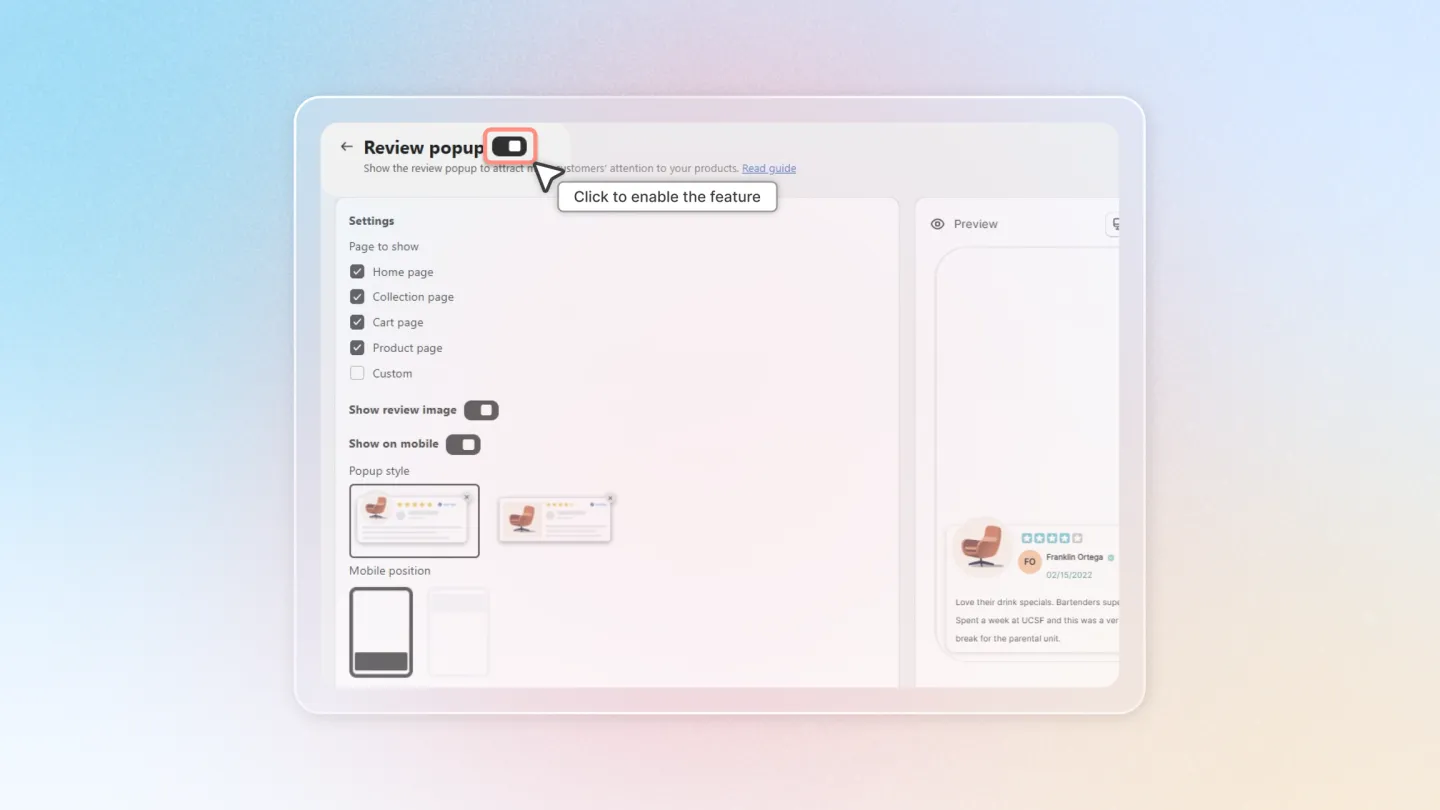
Toggle the switch in the page header (next to the Review popup title) to enable the widget.
2. Settings
2.1 Page to show
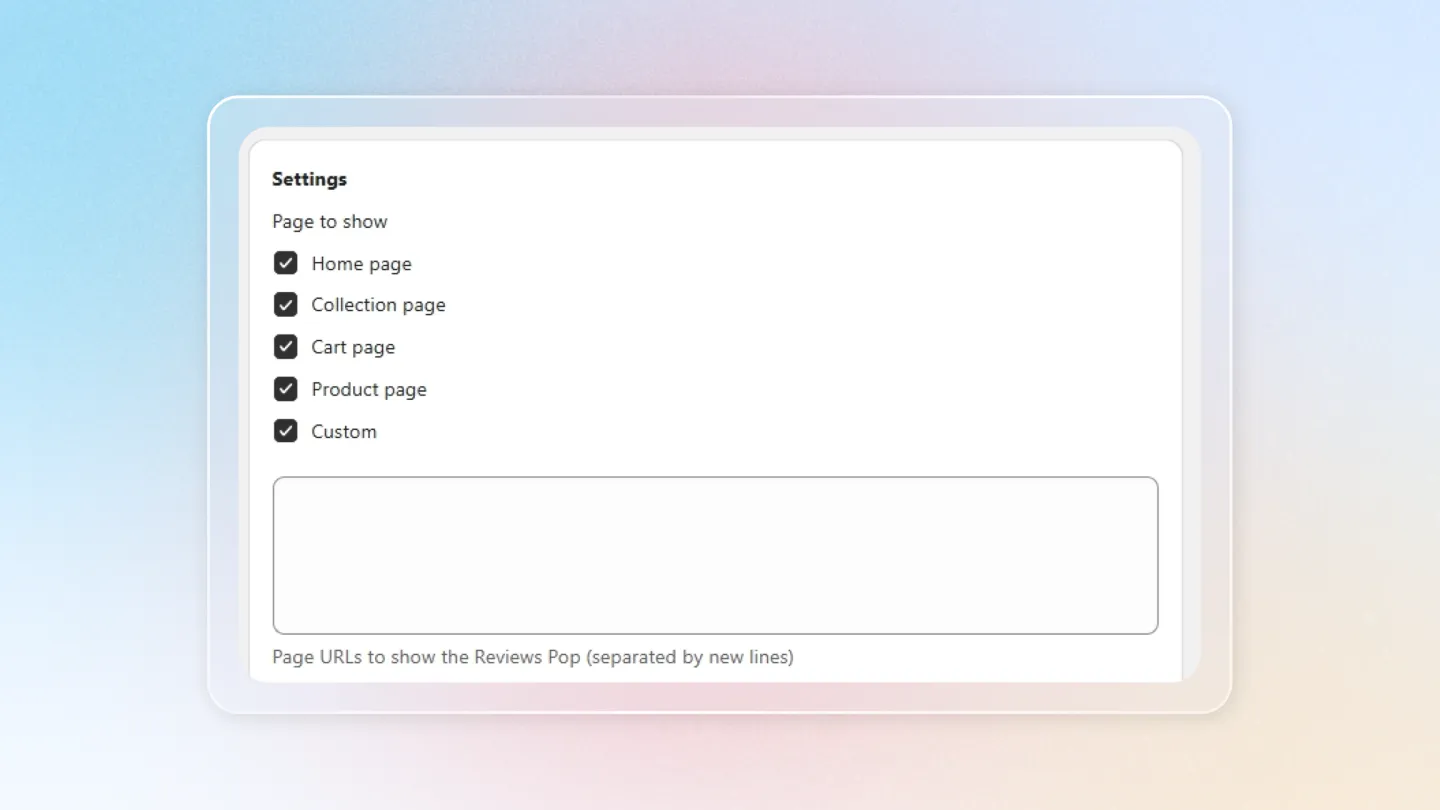
Pick which pages the popup appears on. Tick any combination of:
- Home page
- Collection page
- Cart page
- Product page
- Custom — enter specific page URLs to target instead of (or on top of) the standard pages.
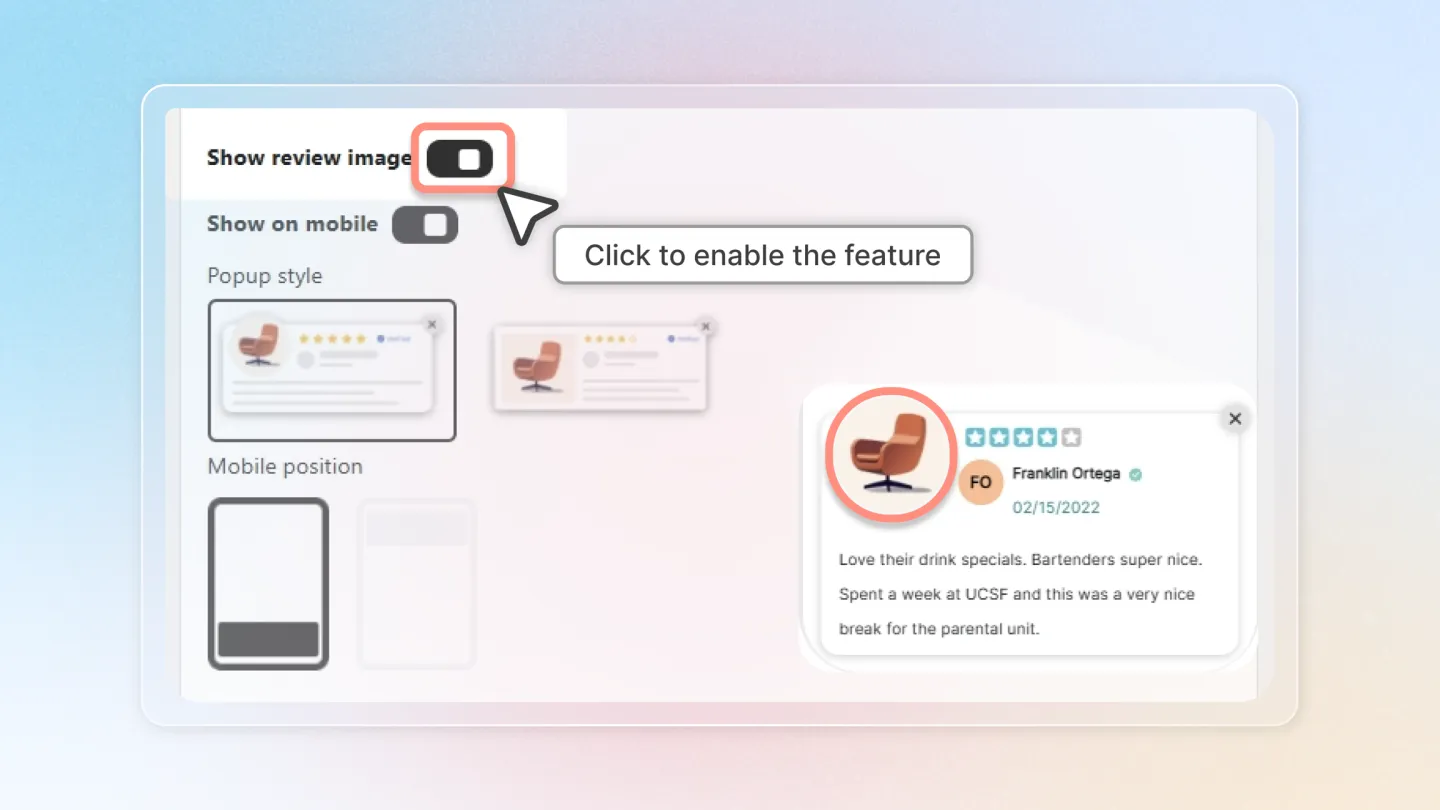
2.2 Show review image
Tick to display the customer's review photo inside the popup. Applies to both mobile and desktop.
2.3 Show on mobile
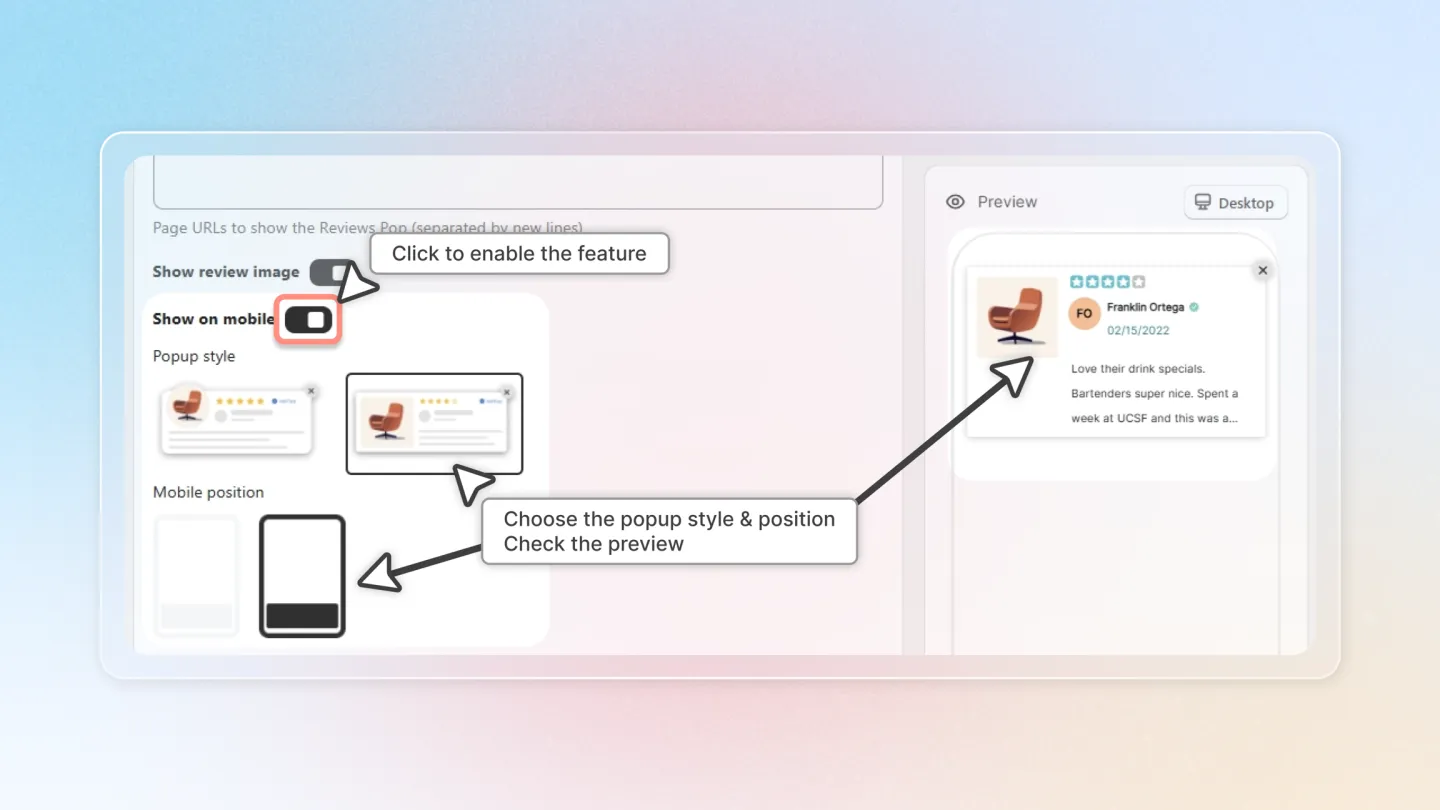
Toggle on to display the popup on mobile devices, then choose:
- Popup style — pick one of two preset card layouts.
- Mobile position — pick where on the screen the popup anchors (one of two positions).
2.4 Show on desktop
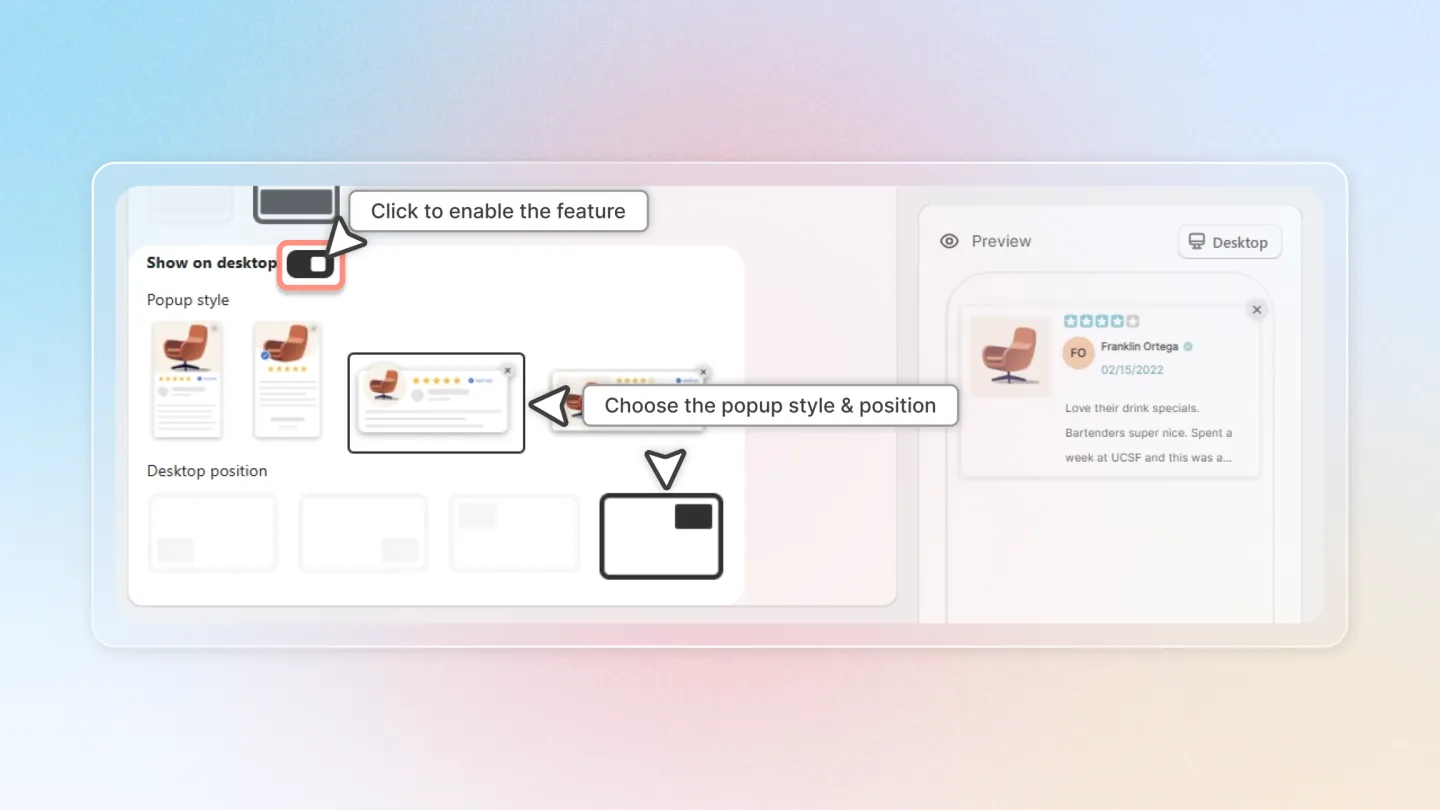
Toggle on to display the popup on desktop, then choose:
- Popup style — pick one of four preset card layouts.
- Desktop position — pick where on the screen the popup anchors (one of four positions, e.g. bottom-left, bottom-right).
3. Advanced settings
Open Advanced settings at the bottom of the page to fine-tune visibility and styling.
- Excluded pages — paste page URLs (one per line) where the popup should NOT appear. Useful for hiding the popup on checkout, policy, or landing pages even if their type is enabled in section 2.1.
- Custom CSS — paste your own CSS to style the popup beyond the built-in style presets. Best for merchants comfortable with CSS.
This guide aims to provide a clear and easy-to-follow process for setting up and customizing the Review Popup on your Shopify site, ensuring your customer reviews are both seen and impactful.