Joy Loyalty
Make sure that you have both apps on your store
1. Connect Air Reviews to Joy Loyalty
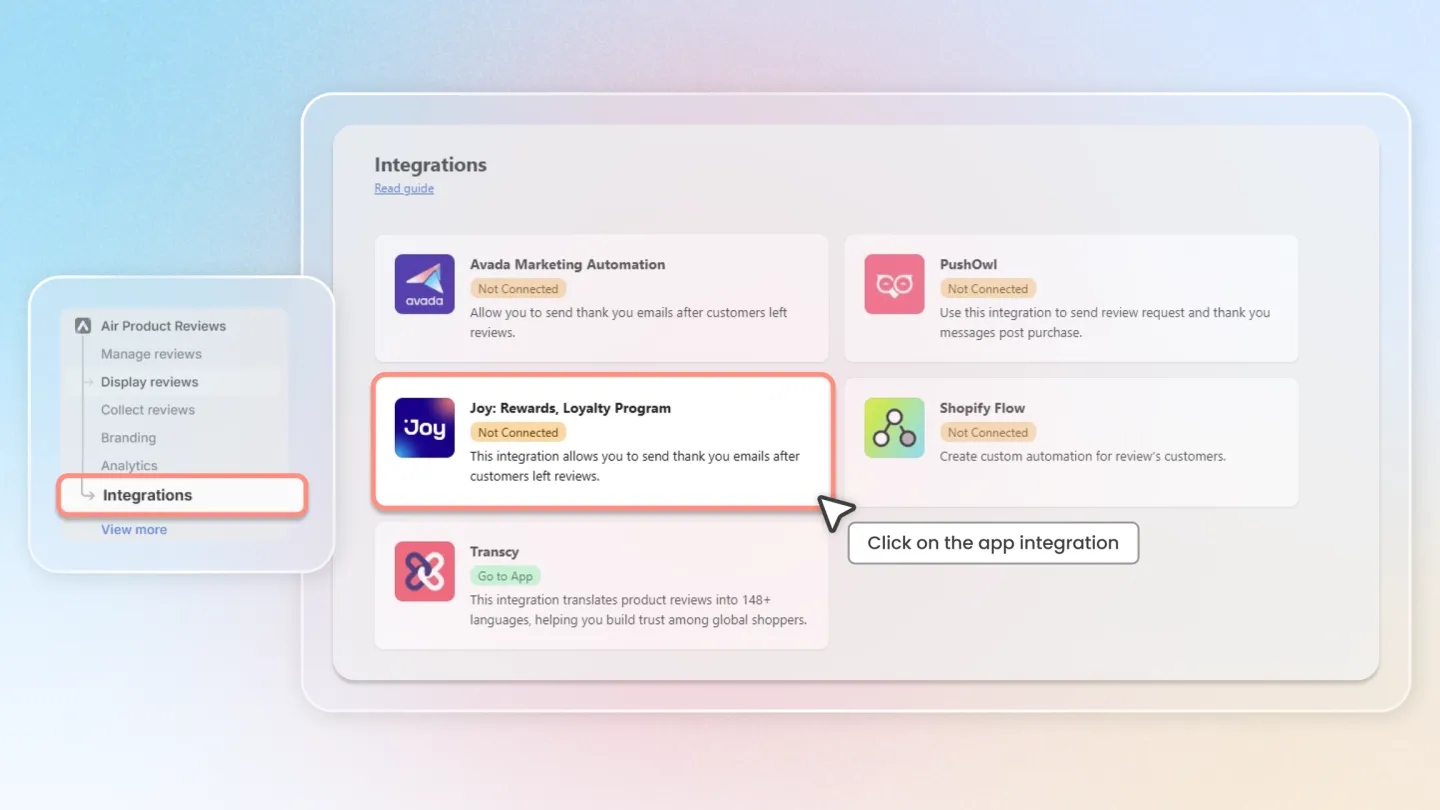
Open the Air Reviews app.
From the left menu, select 'Integrations' and then choose 'Joy Loyalty'.
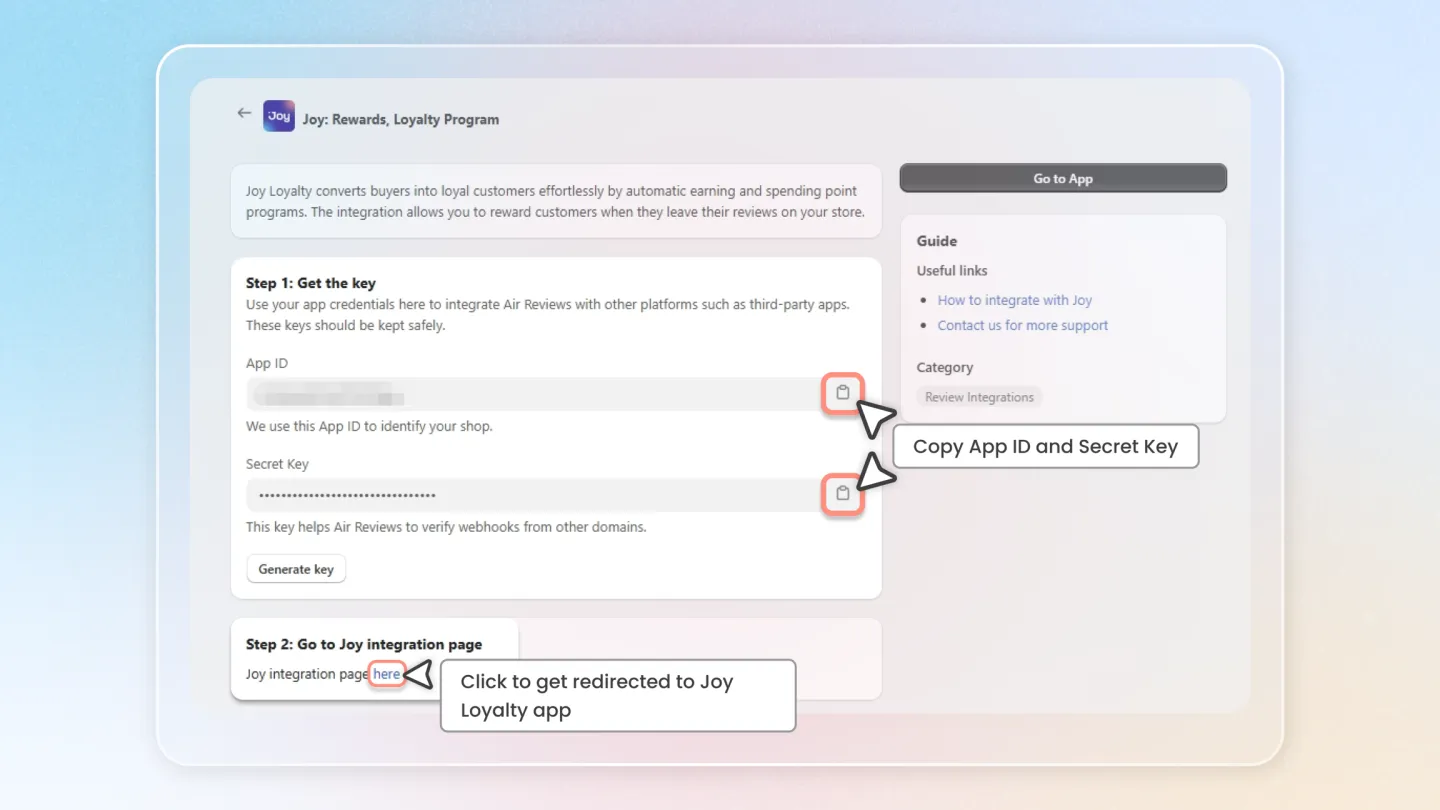
At Step 1, Copy the App ID and Secret Key provided.
At Step 2, click the embed link to be directed to Joy Loyalty app.
2. Connect in Joy Loyalty app
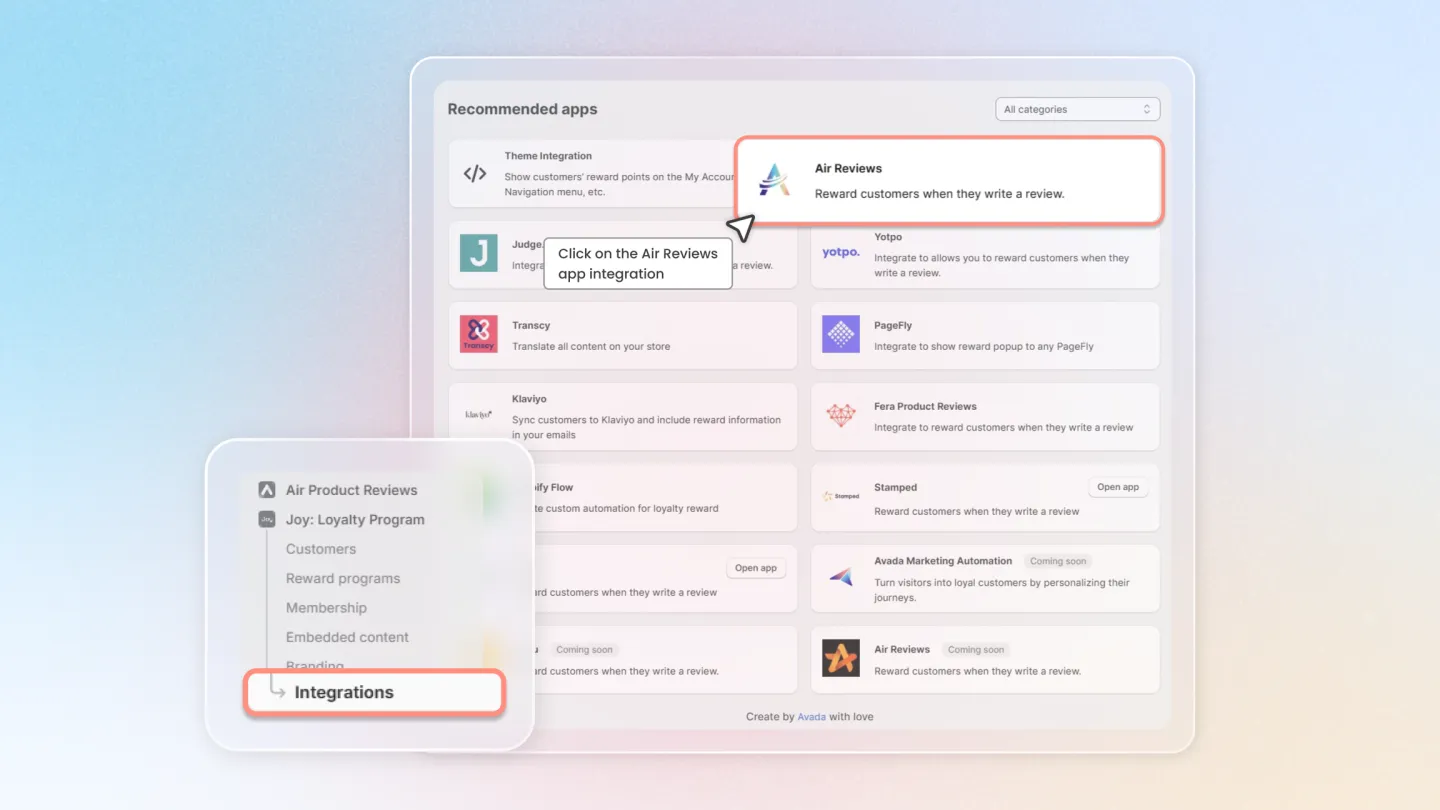
In the Integration menu of Joy Loyalty app, click on the Air Reviews app box.
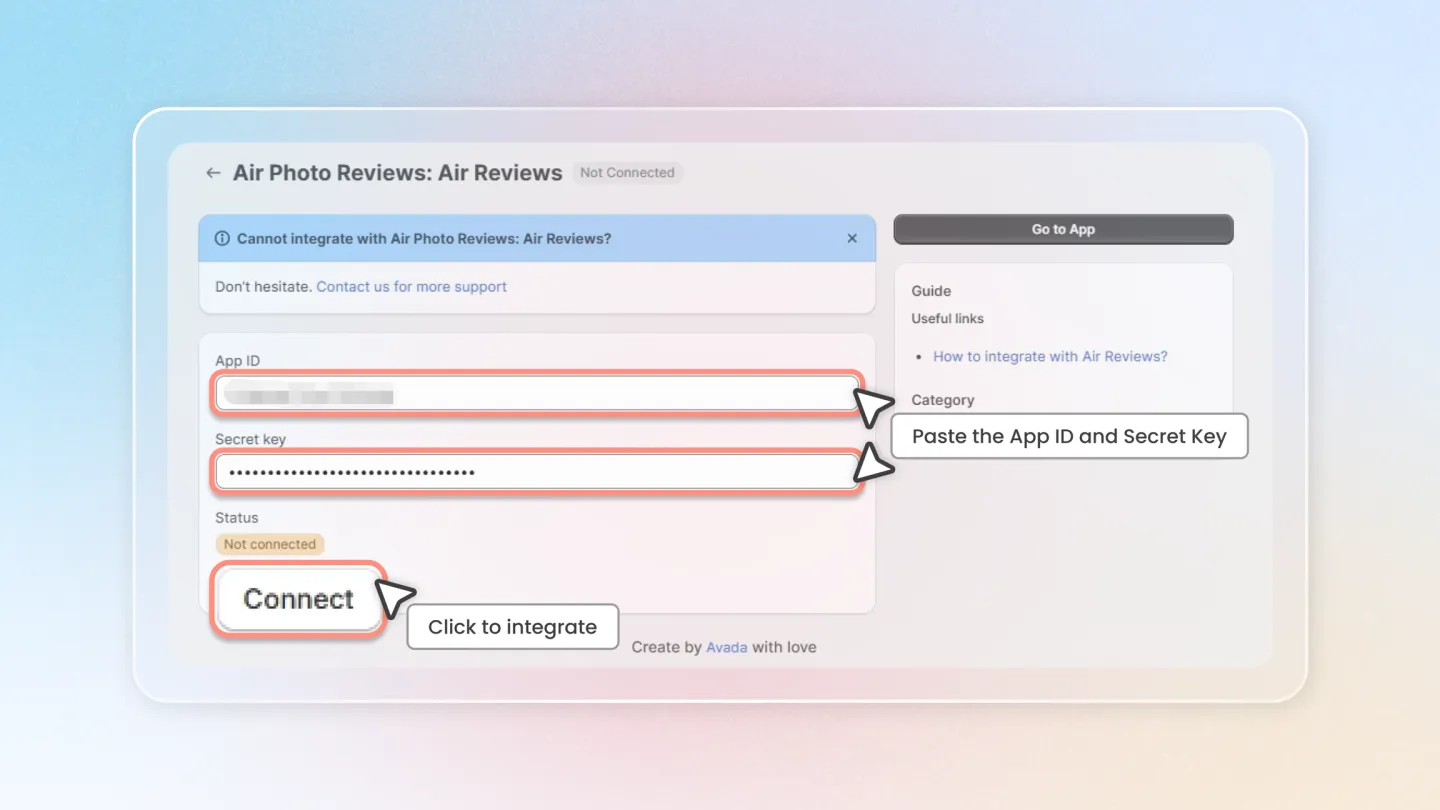
Paste the App ID and Secret Key just copied from the Air Reviews app into the corresponding box.
Click "Connect' button to finish integrating.
3. Set up reward program for reviews
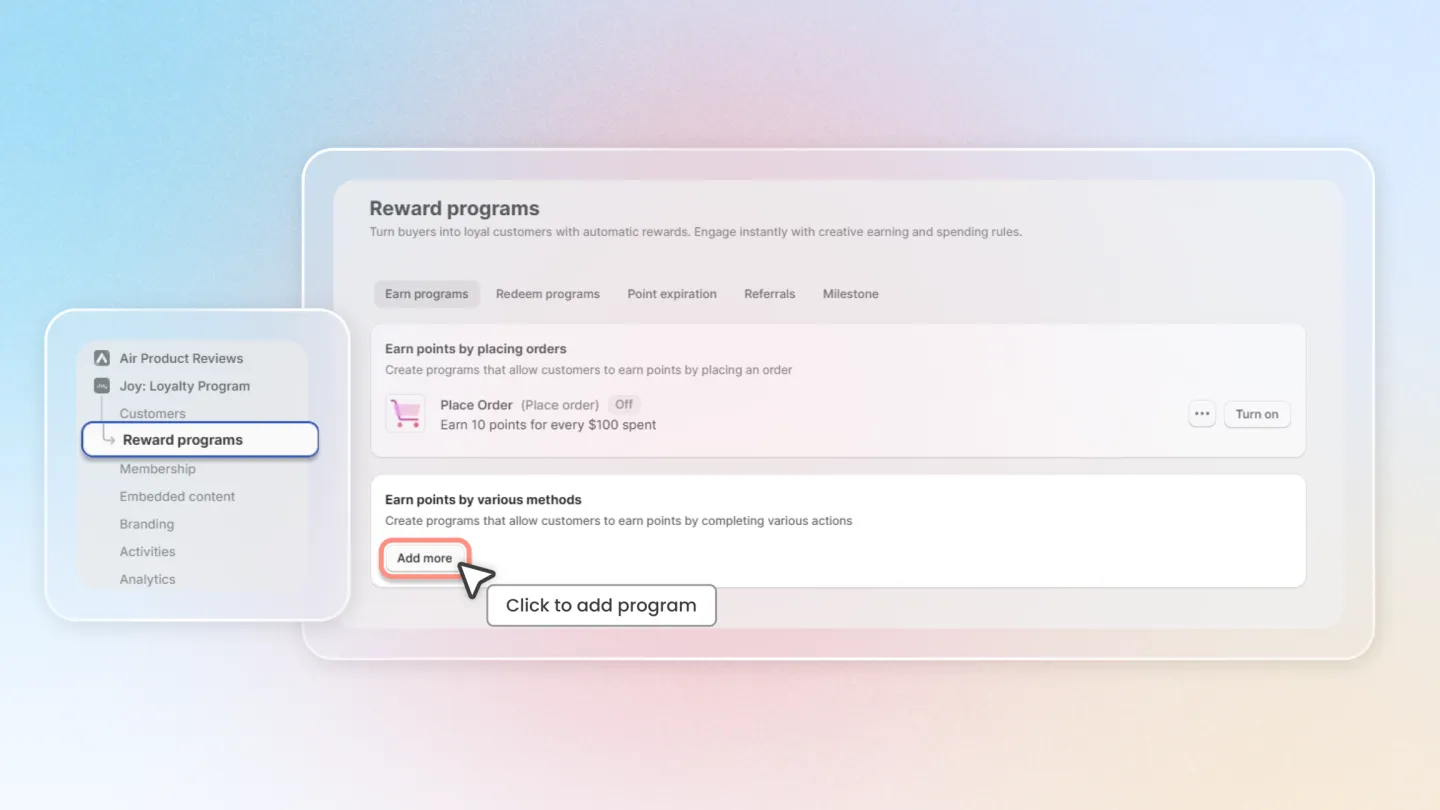
Head to the "Reward programs" on the left hand menu.
Click on "Add more" button if you have not set up Write review reward program.
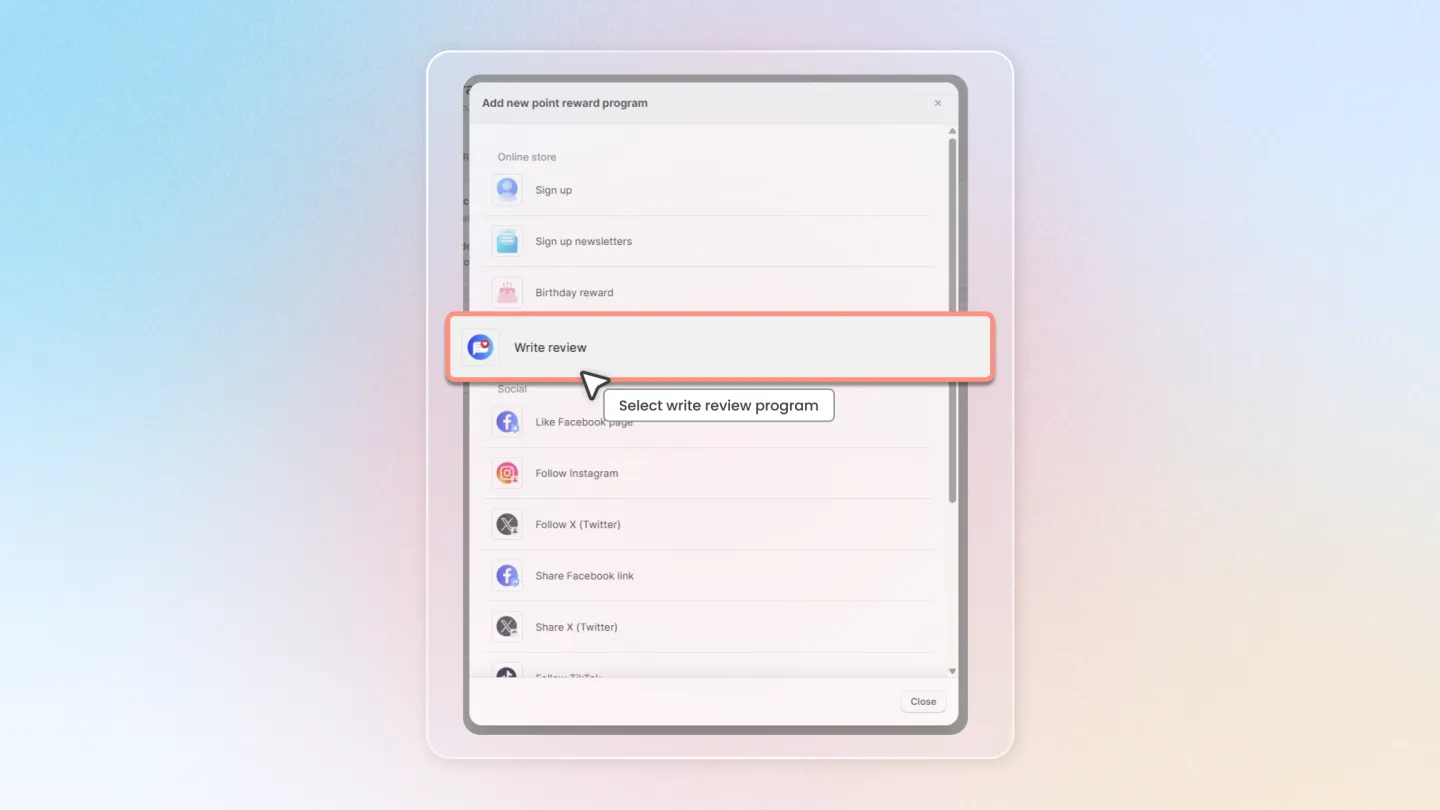
Select Write review program.
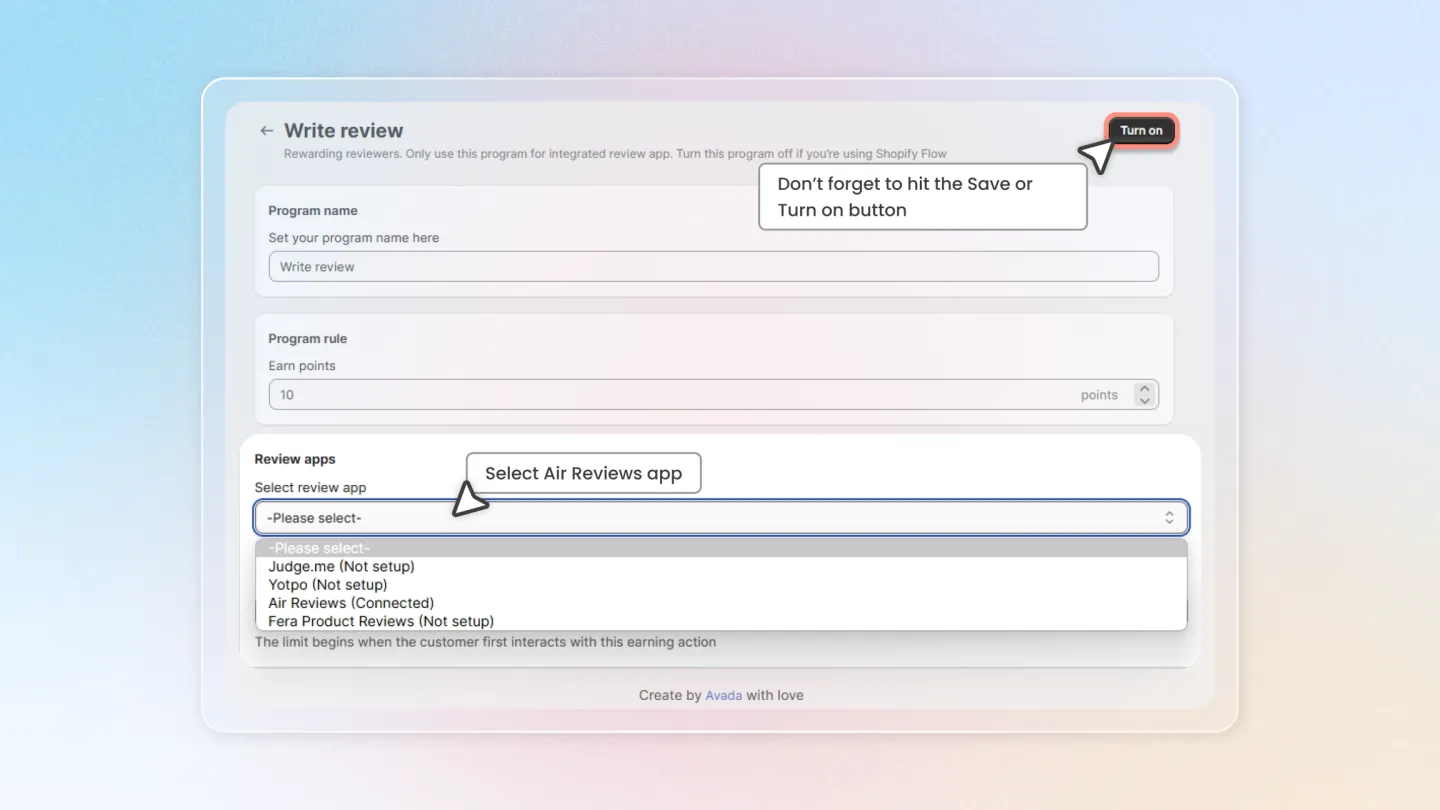
Head to Reviews app section, select Air Reviews app and update other settings as you wish.
Don’t forget to hit the Save or Turn on button.
By following these steps, you can automatically reward your customers with different points for the reviews they leave, which can enhance your review conversion rates.