Create All Reviews Page
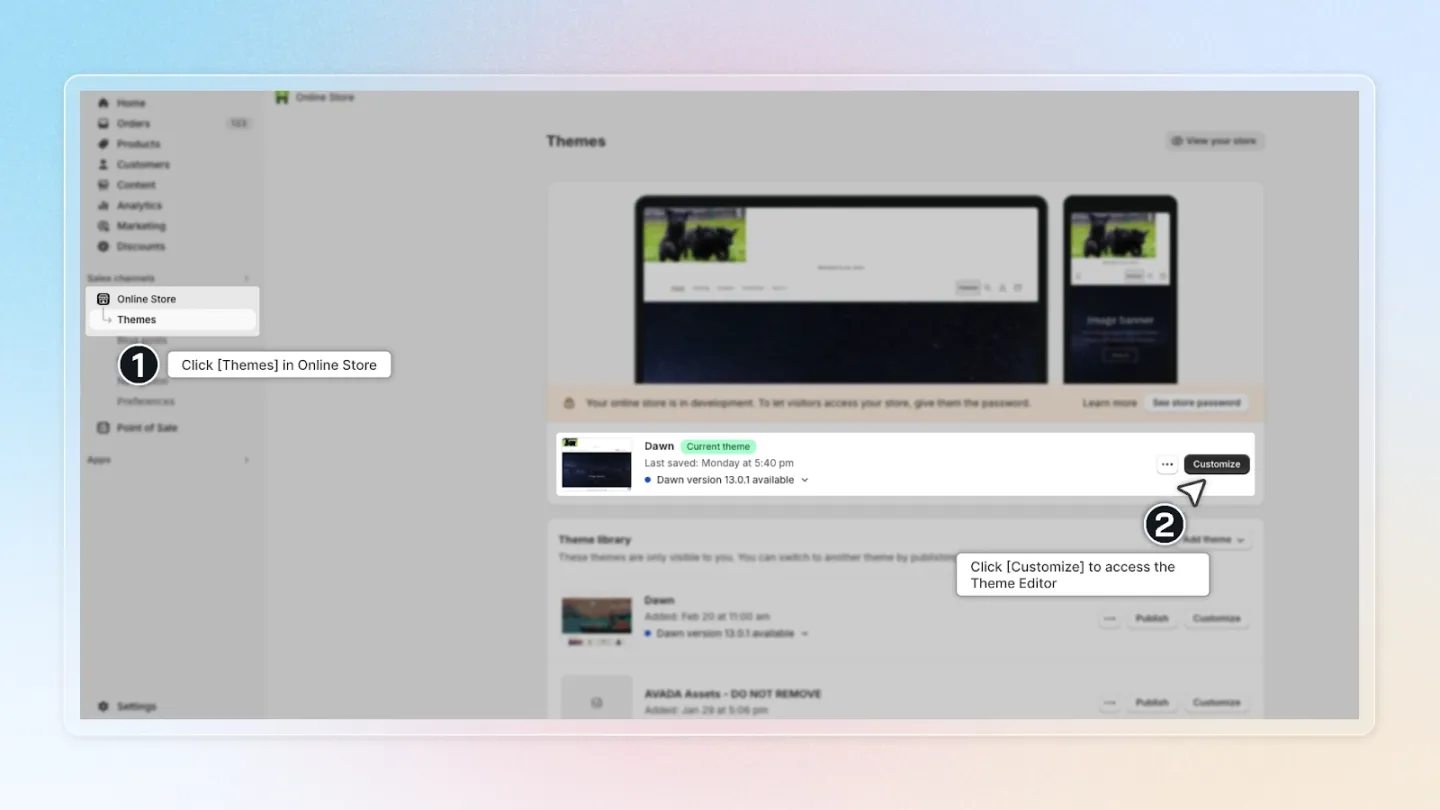
1. Opening the Theme Editor
Firstly, please navigate to your Shopify Themes menu.
- Here, you'll find an option labeled "Customize". Please click on this to open up the Theme Editor.
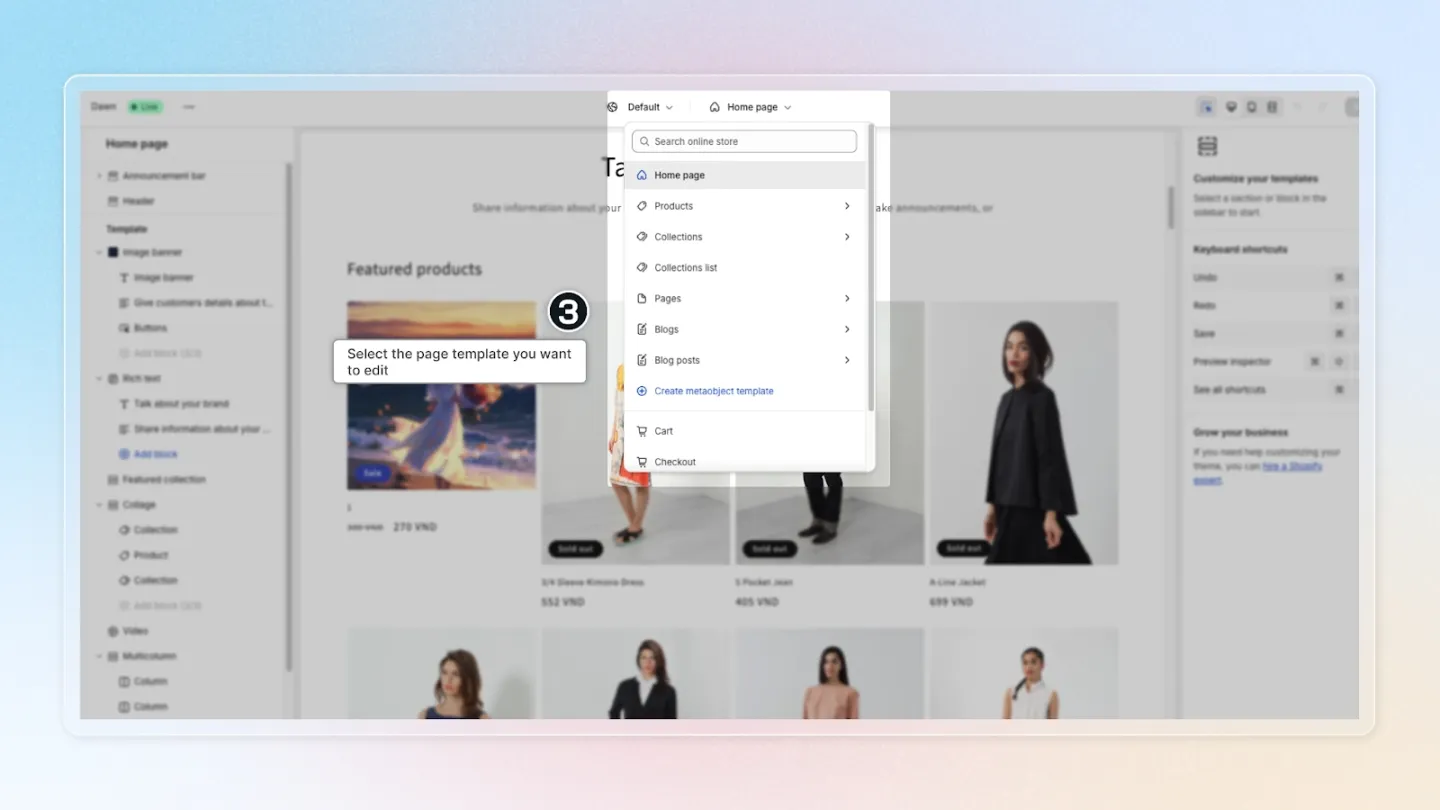
2. Selecting the Page Template
Now that you're inside the Theme Editor, please look for the page template dropdown menu and click on it.
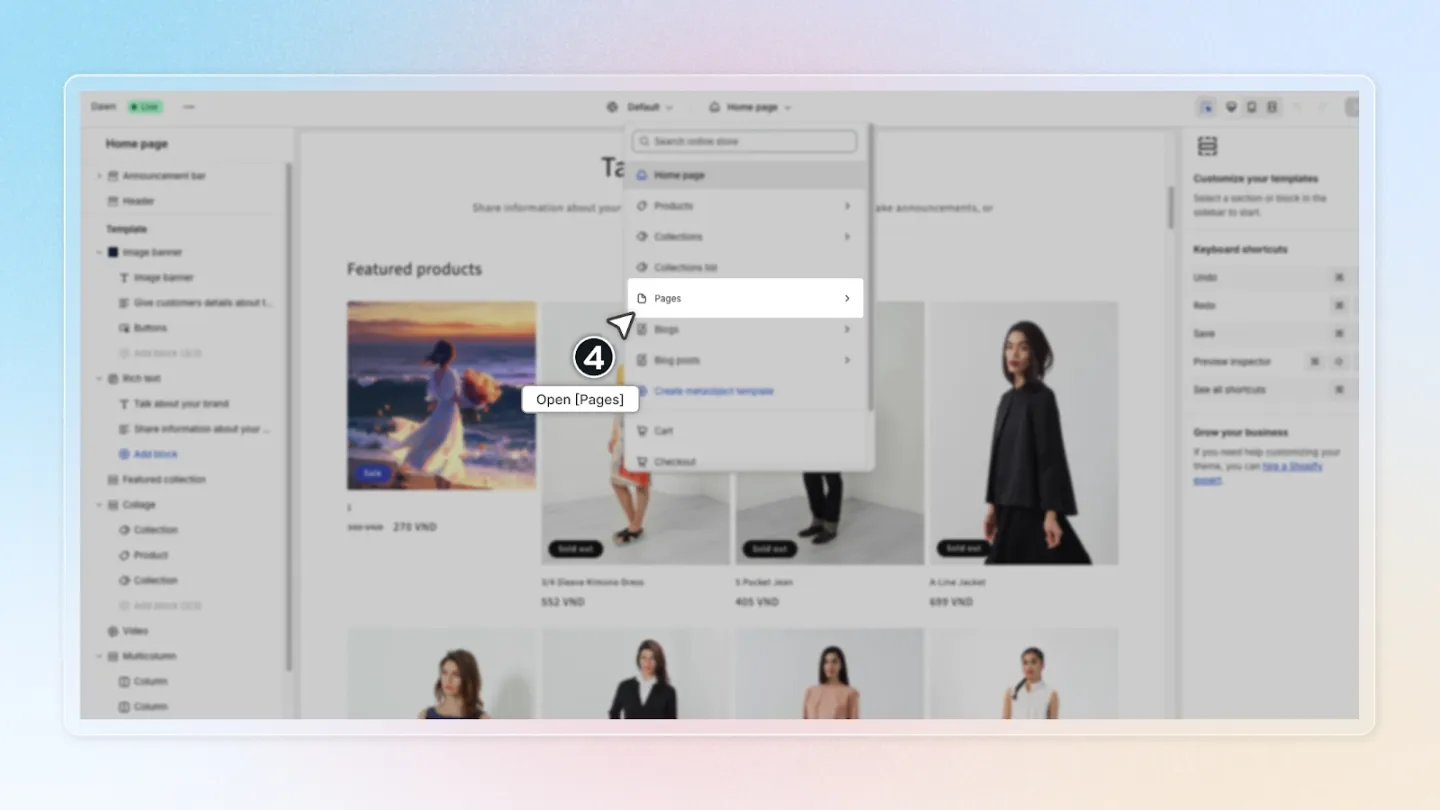
3. Opening "Pages"
Next, please find and open the "Pages" section.
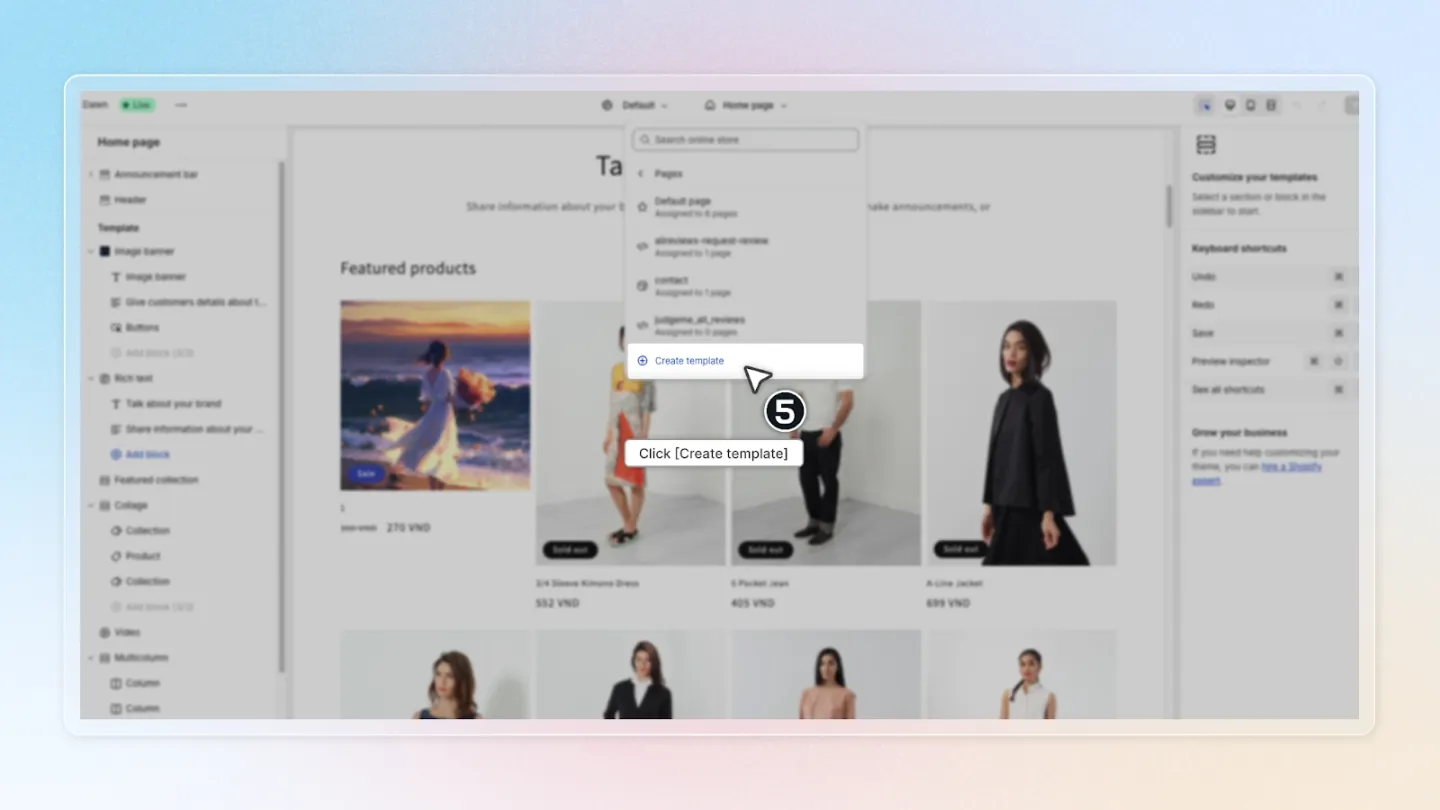
4. Creating a New Template
In the "Pages" section, you'll see an option to "Create template". Please click on this.
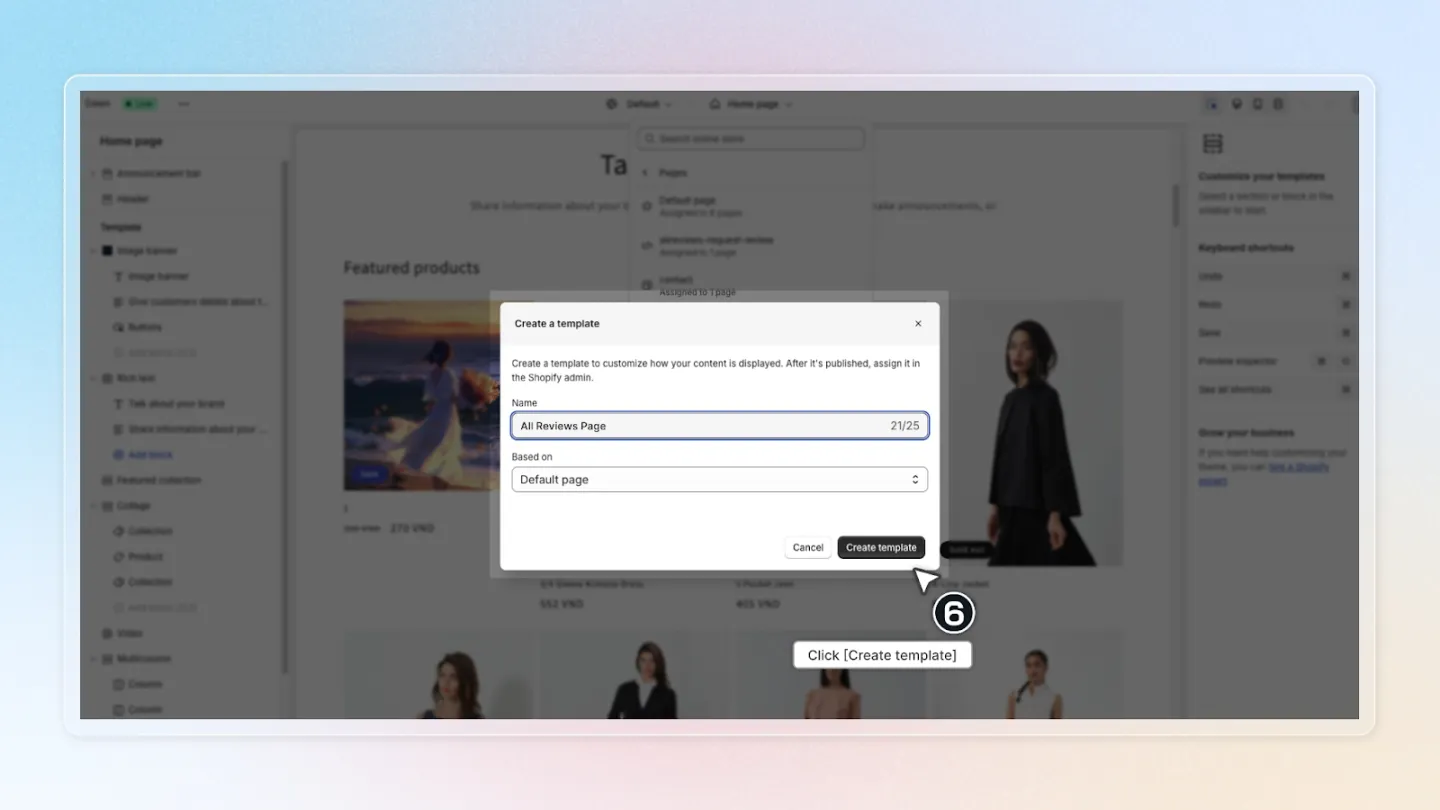
5. Naming the New Template
Now, you'll be asked to name your new template. Please copy the exact text "All reviews page" into the input field and then click "Create template".
6. Verifying the Template Name
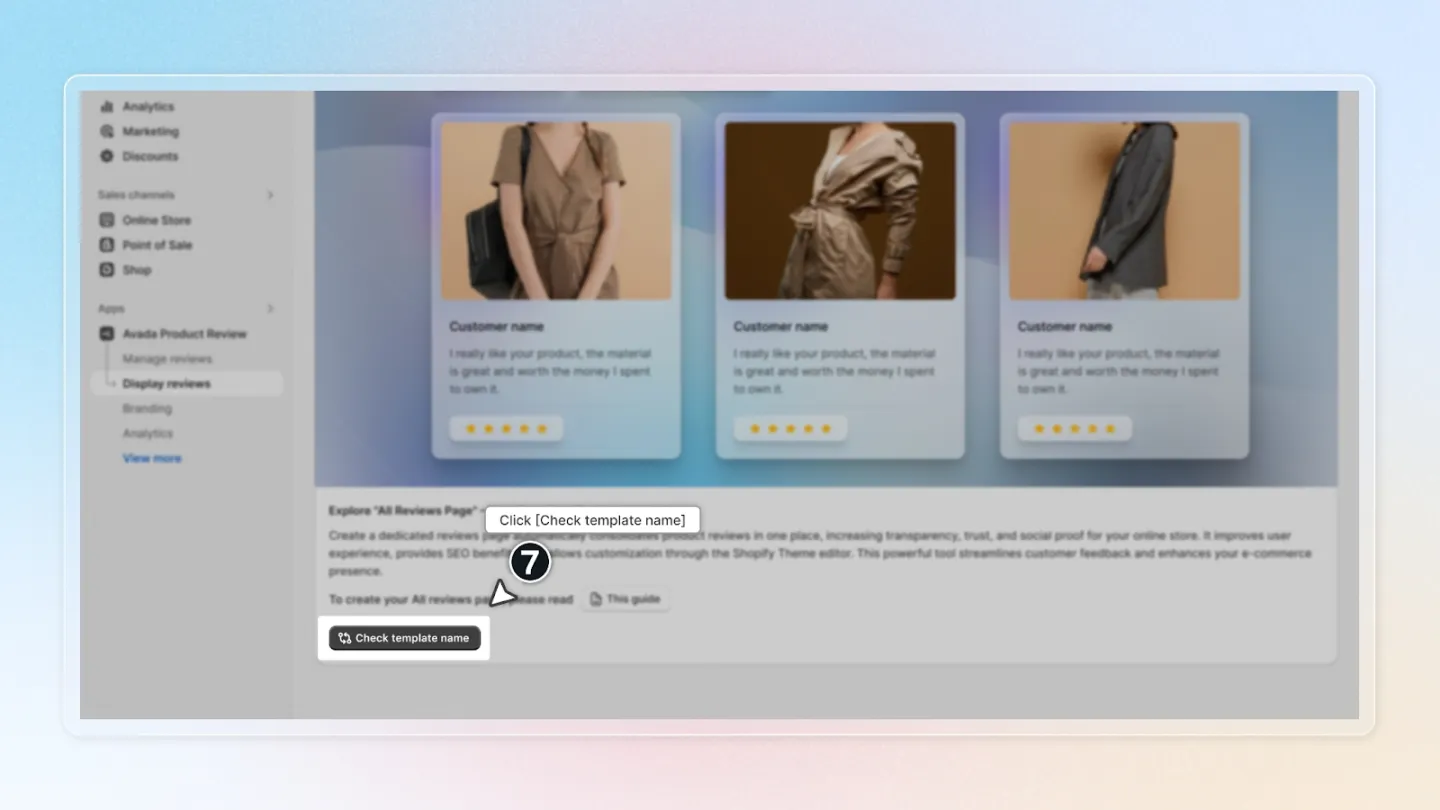
Once you've created the template, please return to the app. Here, you'll see a "Check template name" button. Click on this to verify if you've correctly named your template.
7. Creating the All Reviews Page
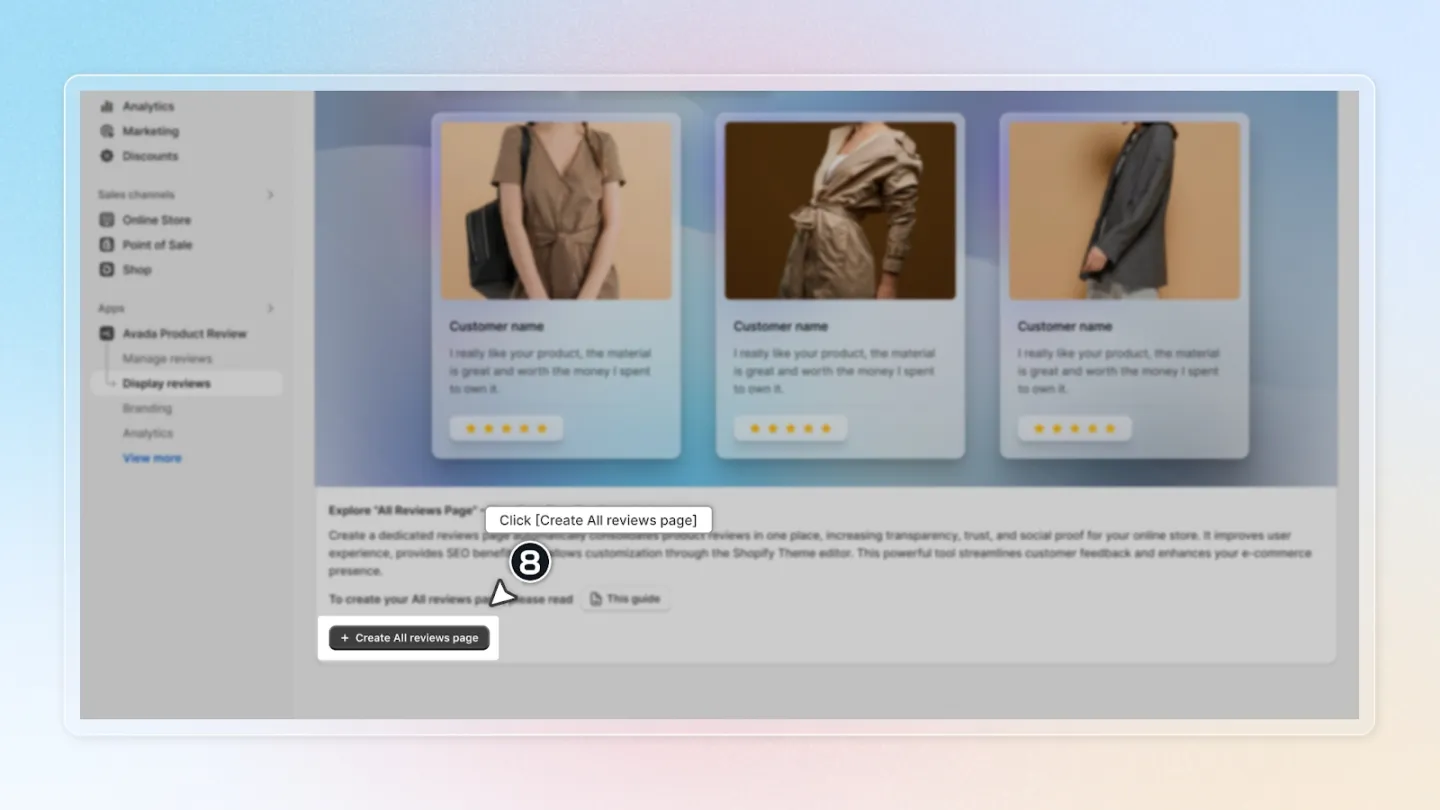
After verifying the correct name, you're almost done! Now, please click the "Create All reviews page" button. This will create the page and allow you to customize it as you wish.
That's it! You've successfully navigated through the process. If you have any questions or need further assistance, feel free to reach out. We're here to help!