Reply to reviews
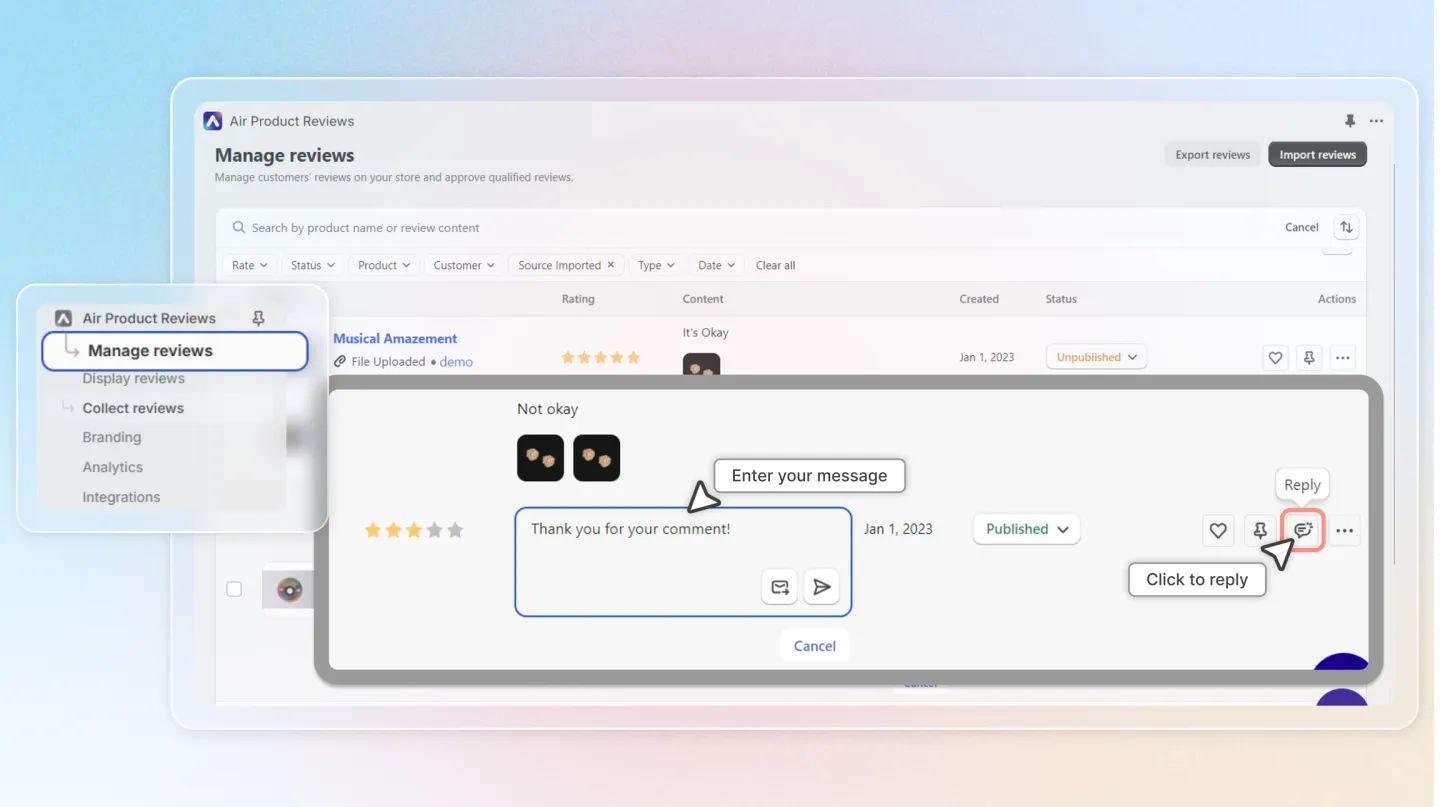
1. Direct to Manage Reviews and locate the published review to reply
Select "Manage Reviews" from the left-hand menu.
Locate the published review you'd like to reply to.
Click the "Reply" button within the Actions menu and enter your thoughtful and personalized reply to the customer's review.
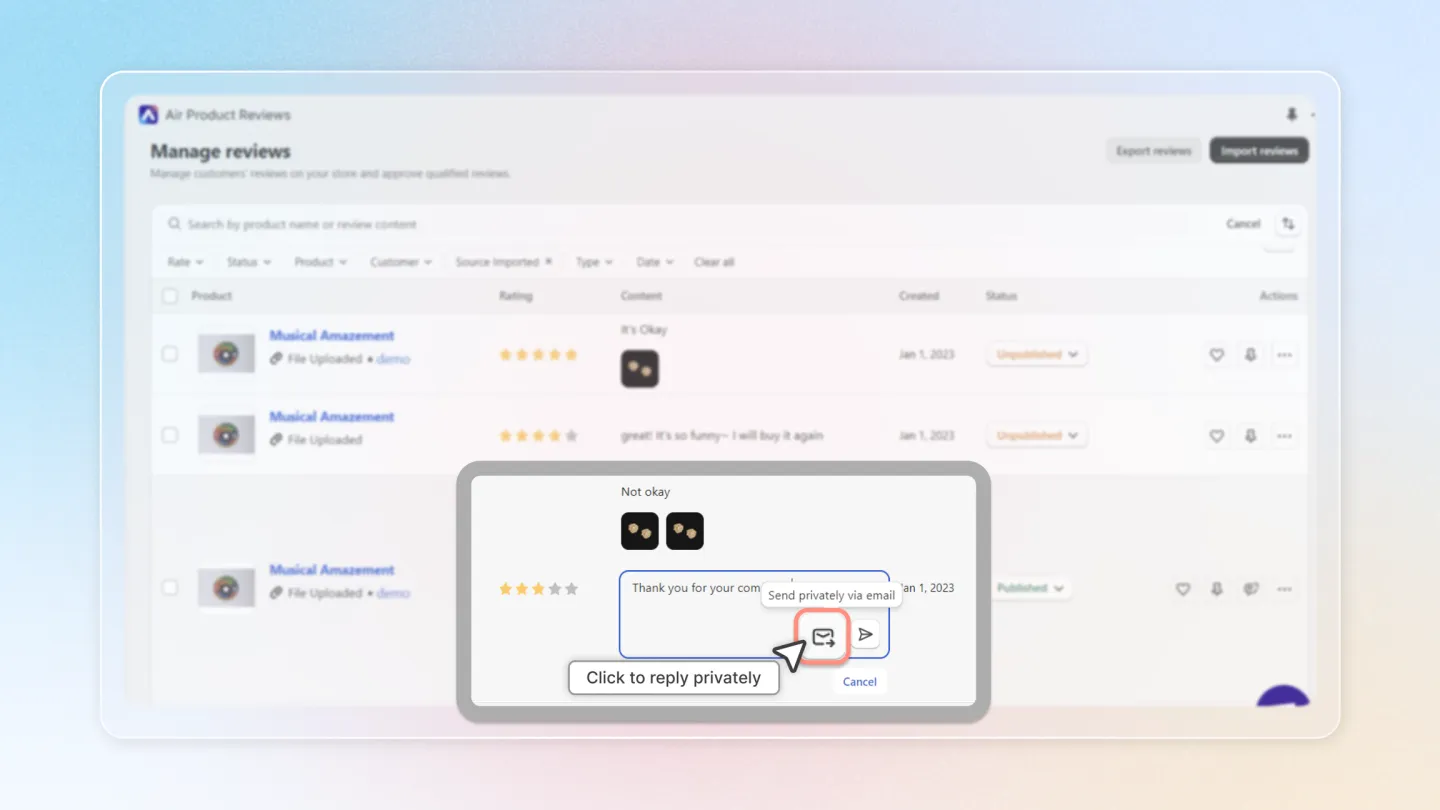
2. Privately reply to the review
To send your reply privately via email, click Send privately via email. This reply will not be shown on your store
⚠️
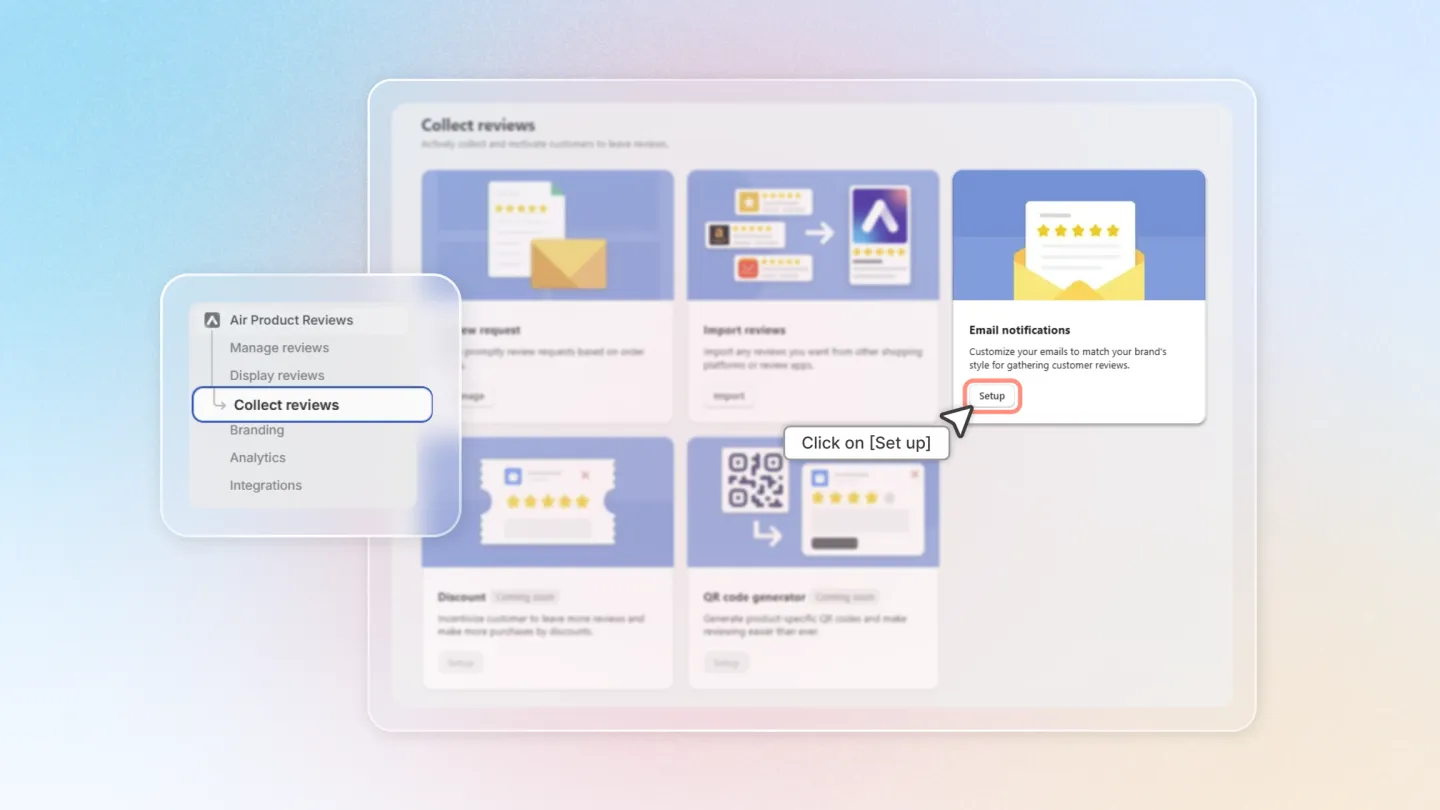
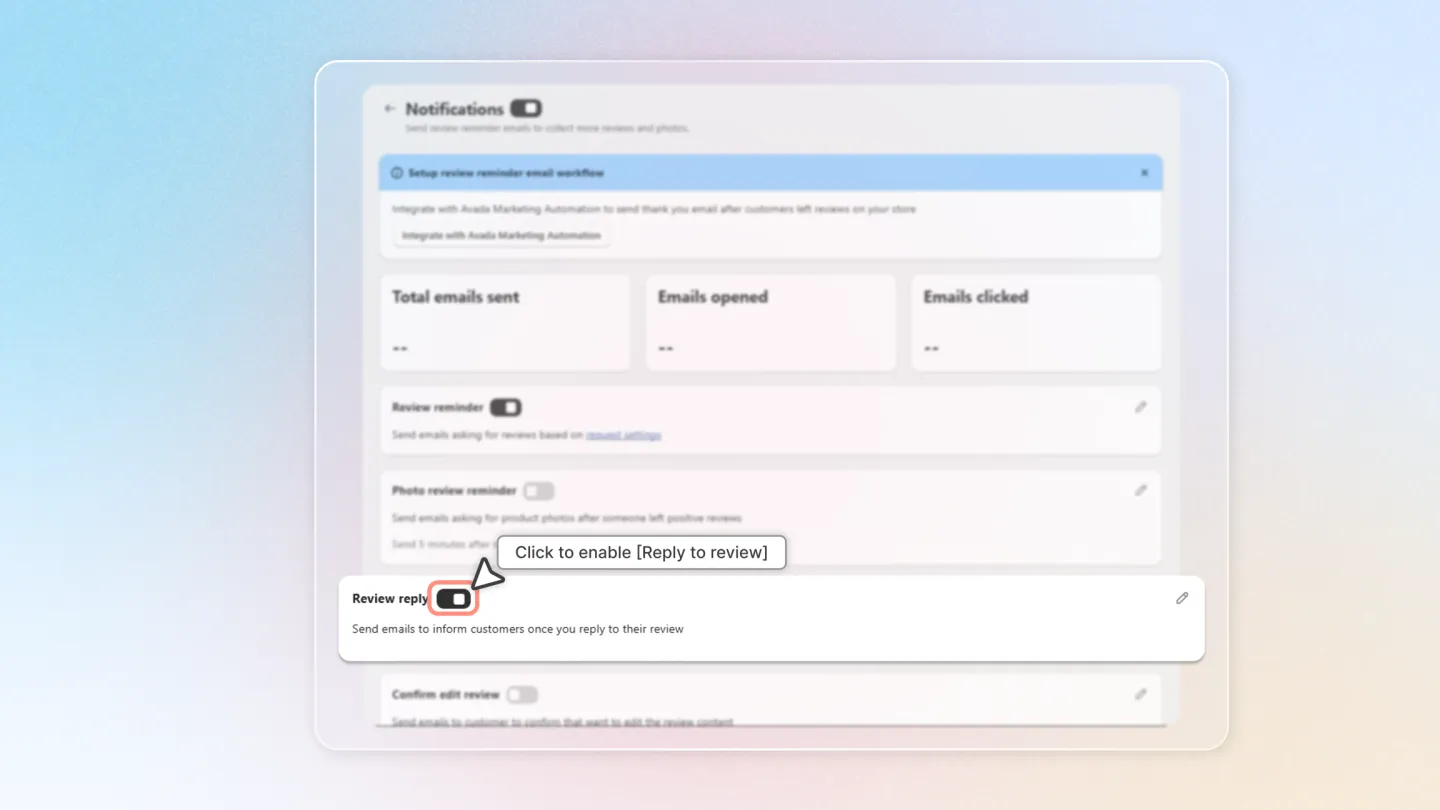
Note: To send a reply privately via email, you need to enable Review reply in the Notifications settings. Please follow the guide below:
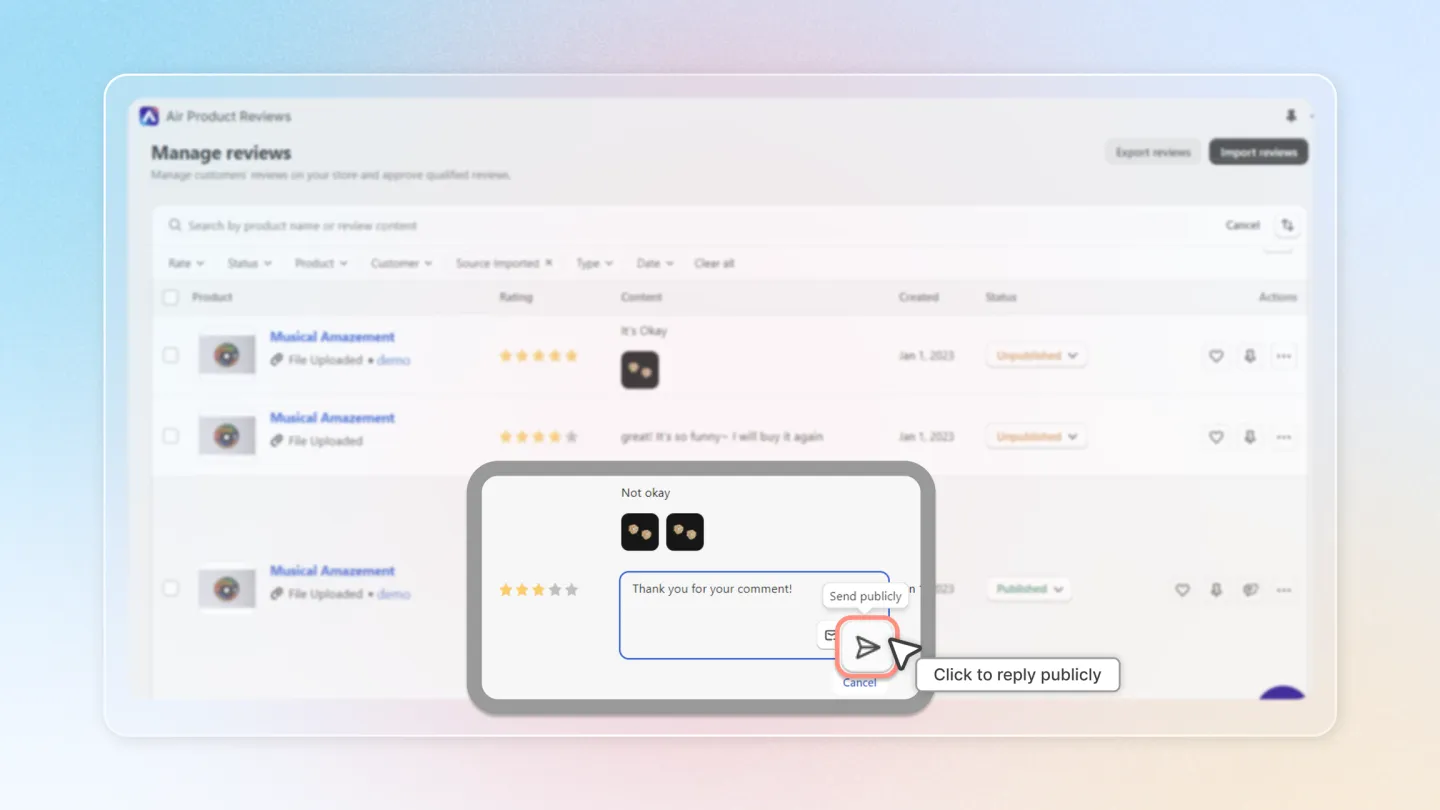
3. Publicly reply to the review
- To send your reply publicly, click Send publicly. This will display the reply content on your store.
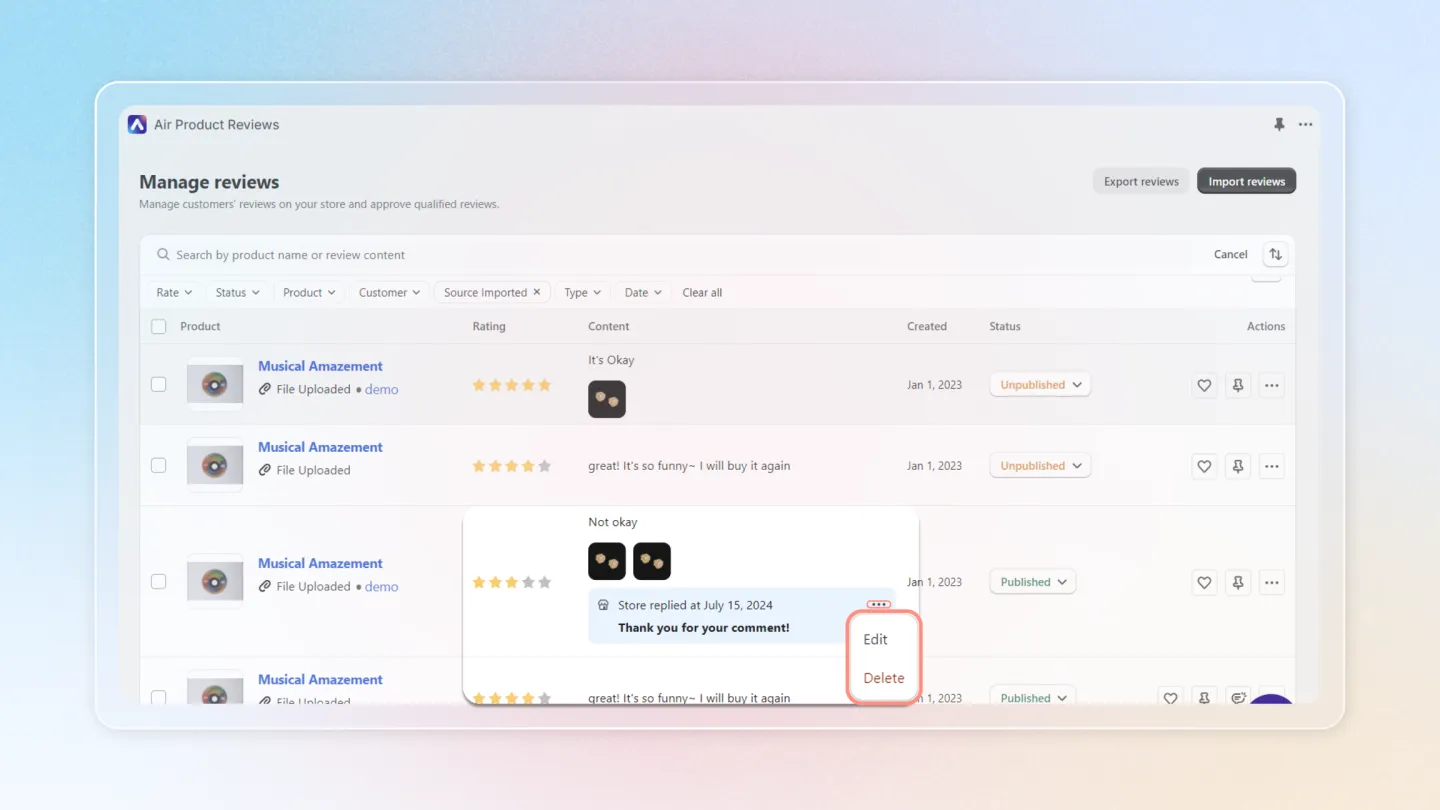
4. Edit or Delete review
After successfully replying to the review, you can click Edit to modify the reply content or Delete to remove the reply.
Taking the time to respond to your customers' reviews demonstrates that you value their feedback and are committed to providing a positive experience.