Migrate reviews by XLSX files
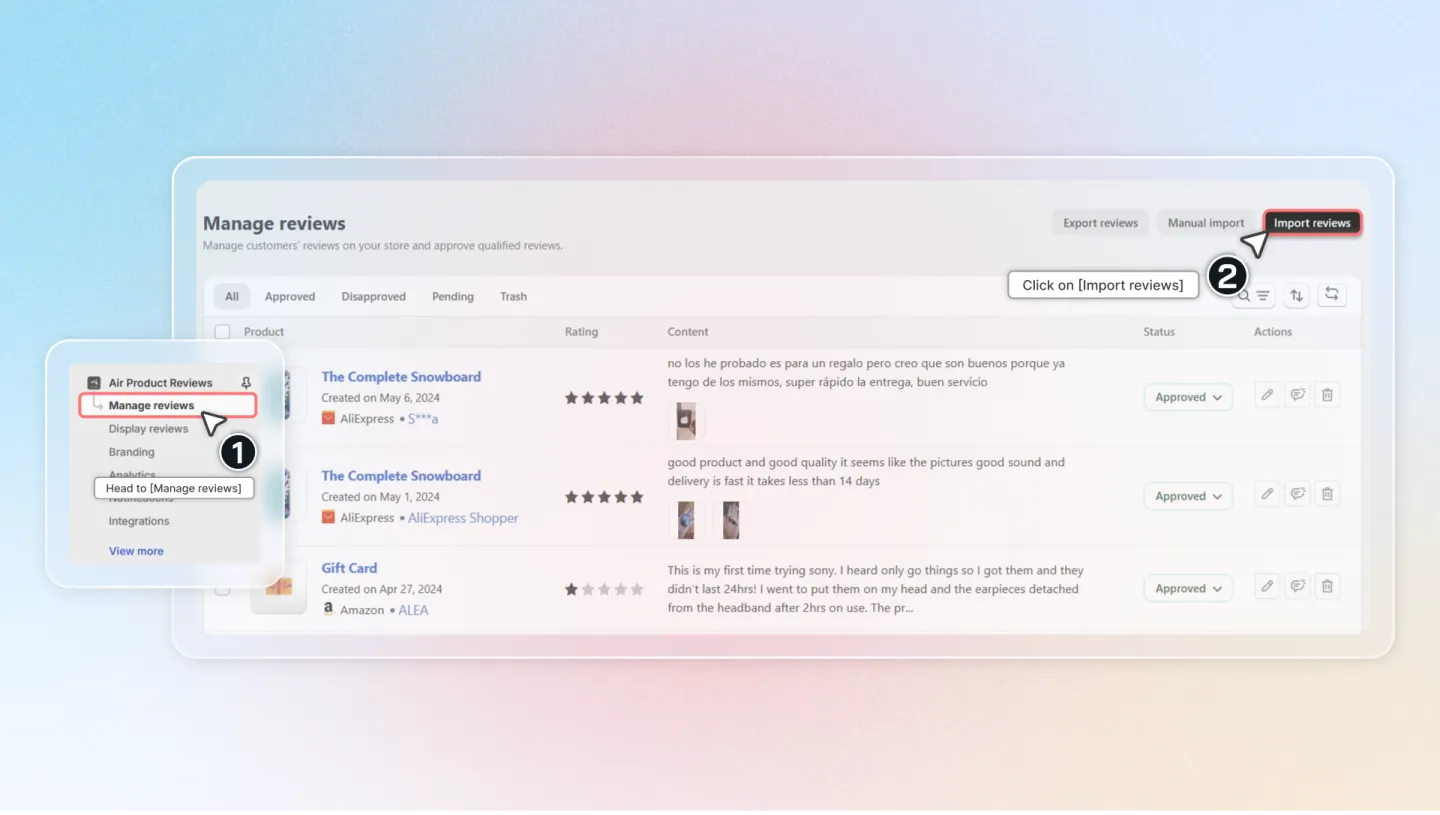
1. Access Air Reviews
Navigate to the Air Reviews app in your Shopify Admin.
Click on 'Manage Reviews', then select 'Import Reviews'.
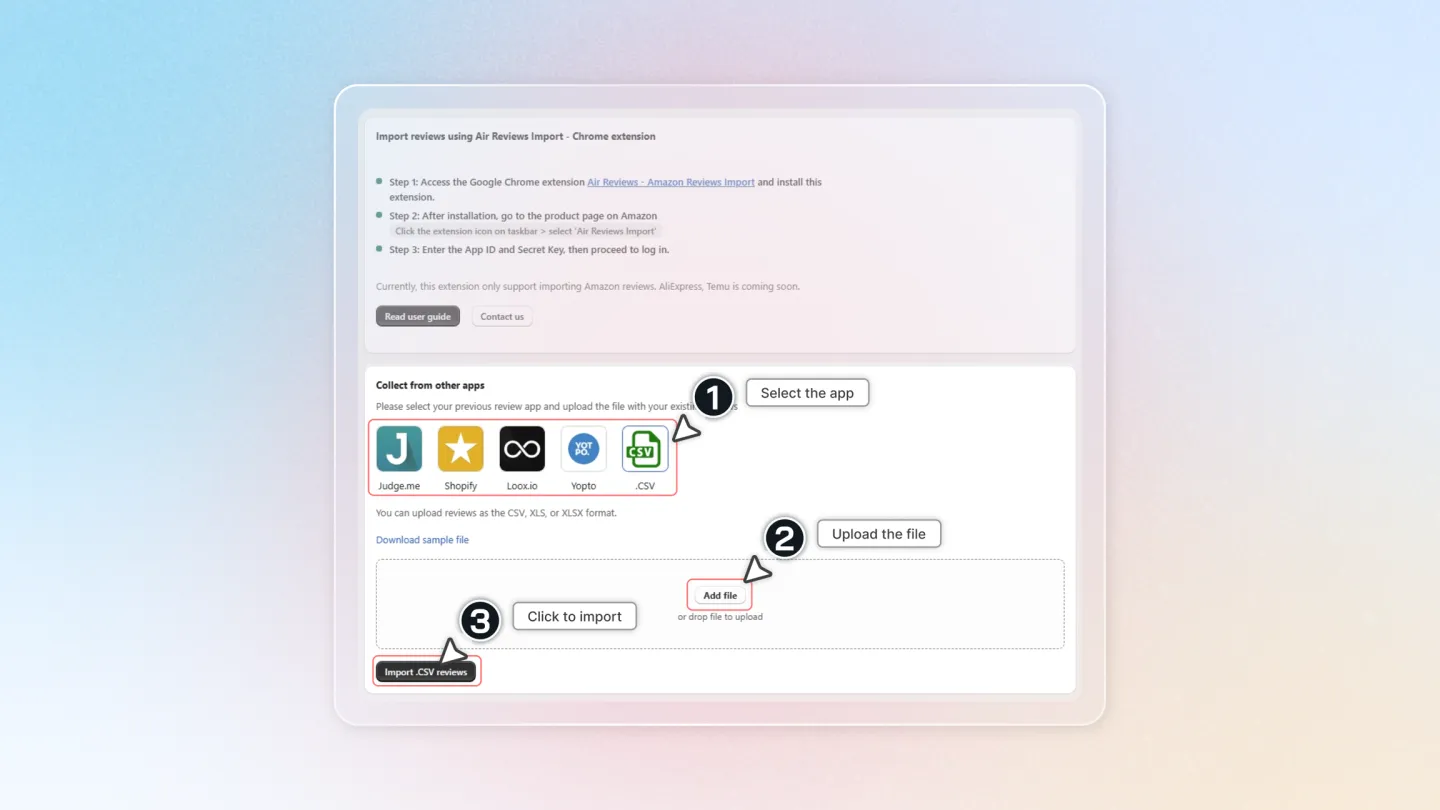
2. Prepare for Import
Choose 'Collect from other apps'.
Select the app from which you want to import reviews and upload the necessary file.
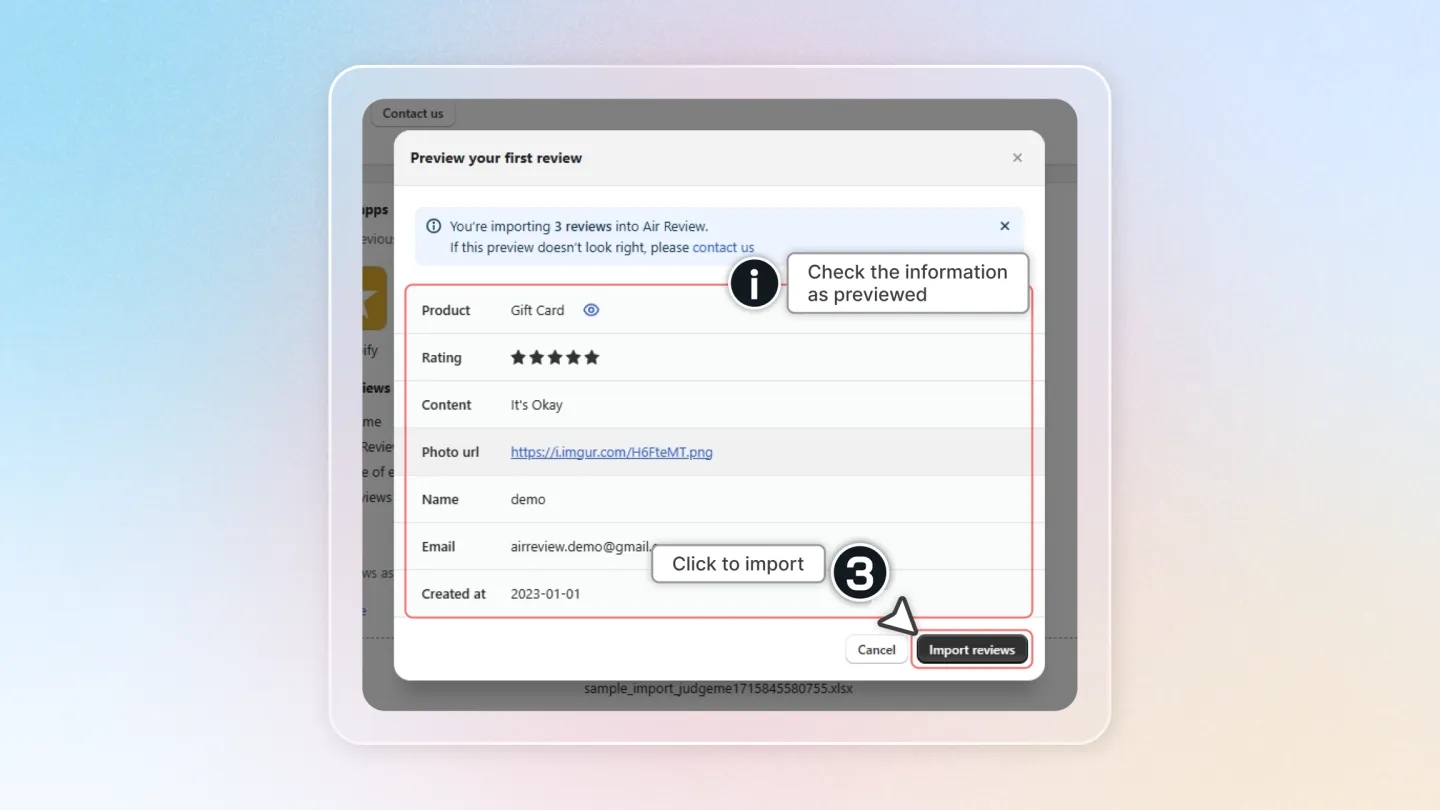
3. Import the Reviews
- Review all the information of the reviews that are about to be uploaded (as in the preview box).
- Click on 'Import Reviews' to start the process.
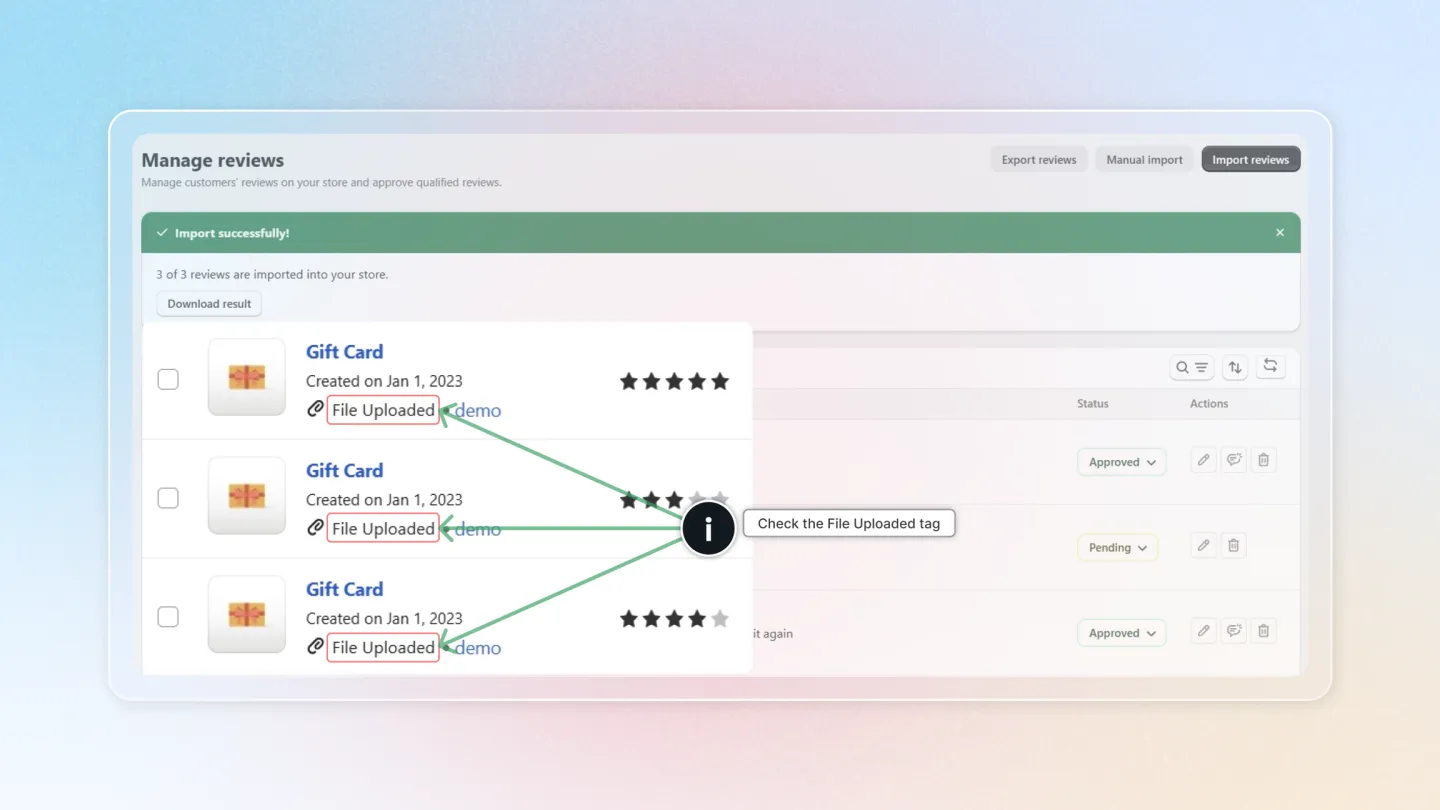
4. Verify the Import
- After importing, go to 'Manage Reviews' to check the imported data.
- Ensure all reviews are correctly displayed and attributed.
There you have it! Importing reviews into your Shopify store is quick and easy with the Air Reviews app. For more tips or assistance, keep following our blog or get in touch with our support team. Enjoy boosting your store's appeal with genuine customer reviews!