Star rating
1. Turn on Star Ratings
Open Air Reviews app.
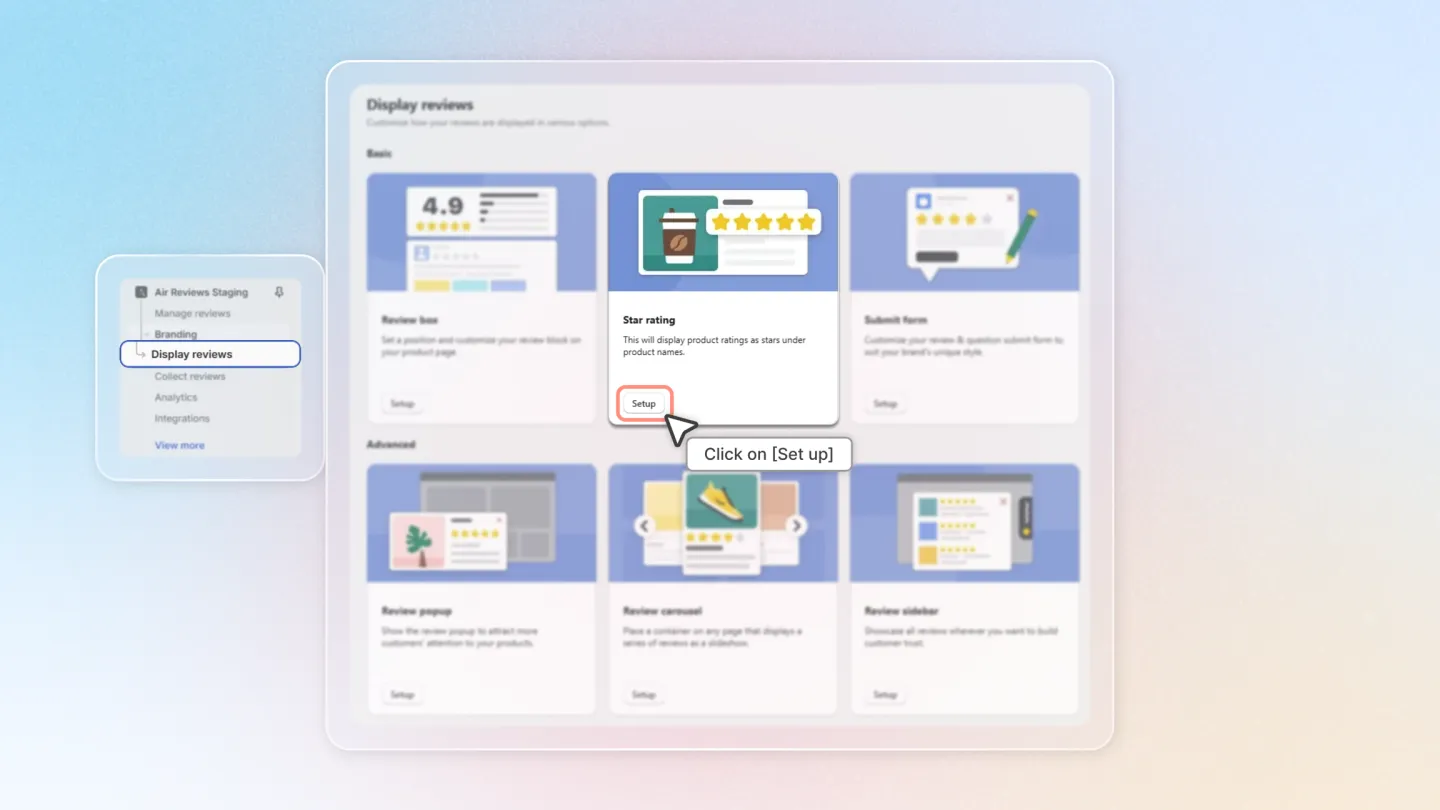
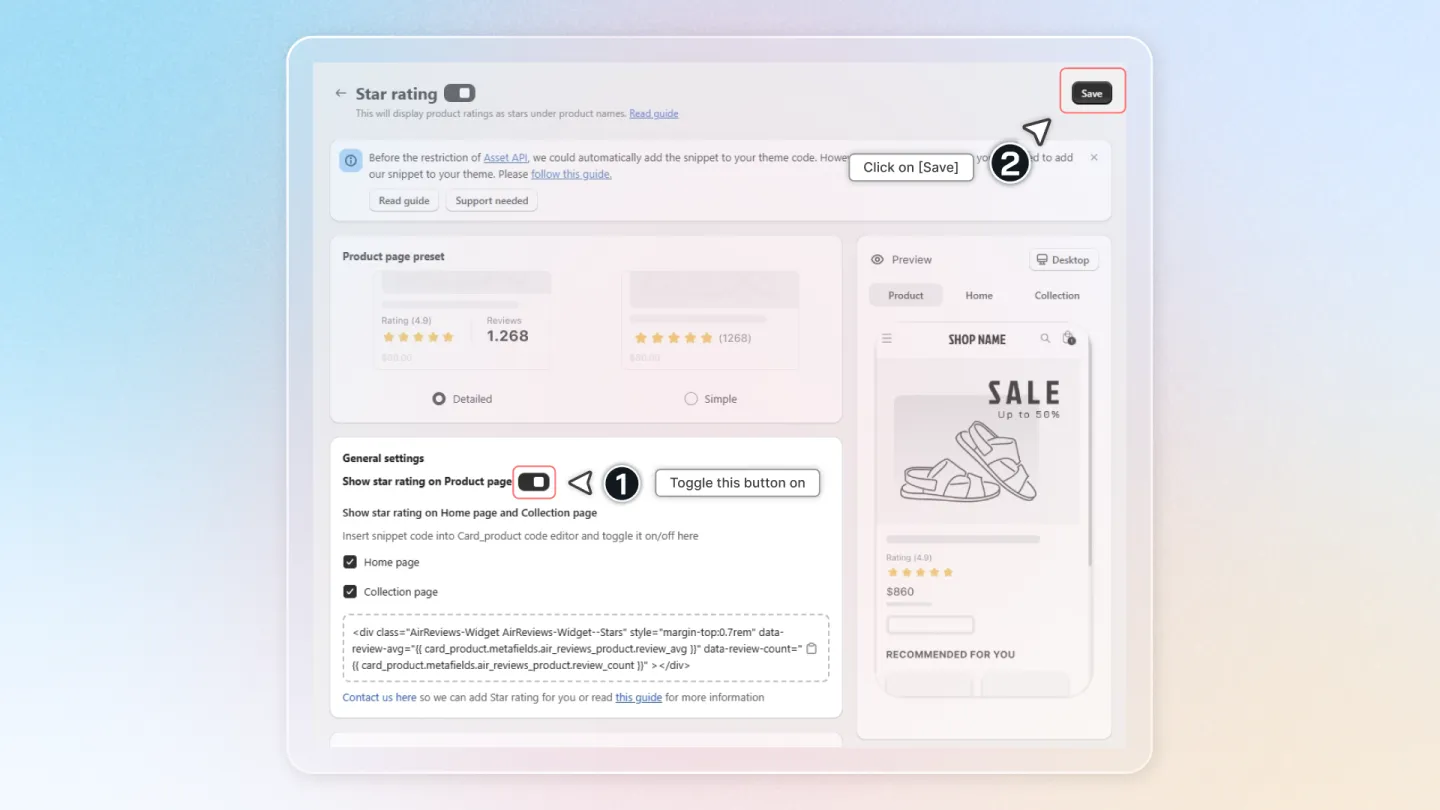
Go to "Display Reviews" and click on "Setup" in the "Star Rating" box.
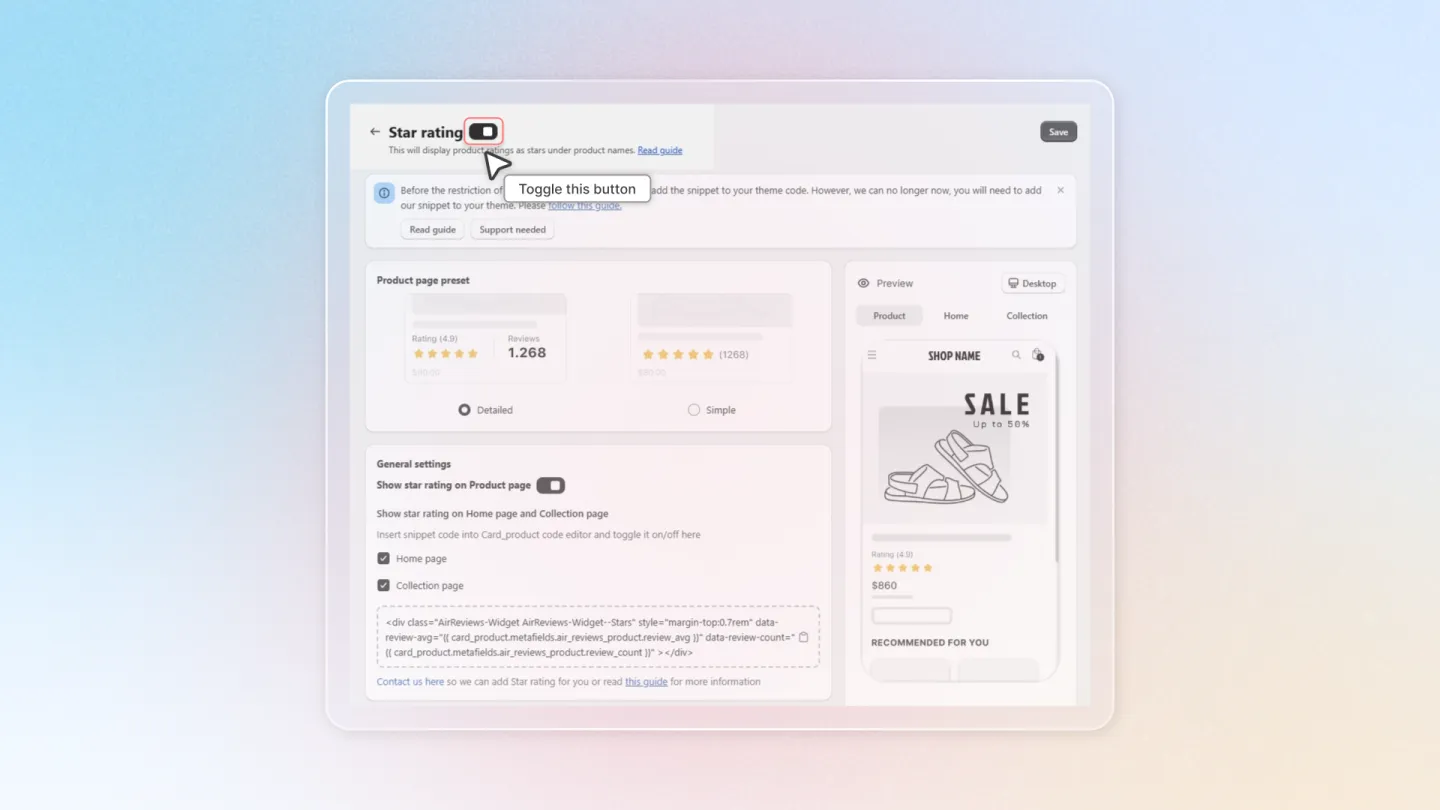
Toggle the "Star Rating" button on to enable Star rating.
2. Show Ratings on Products Page
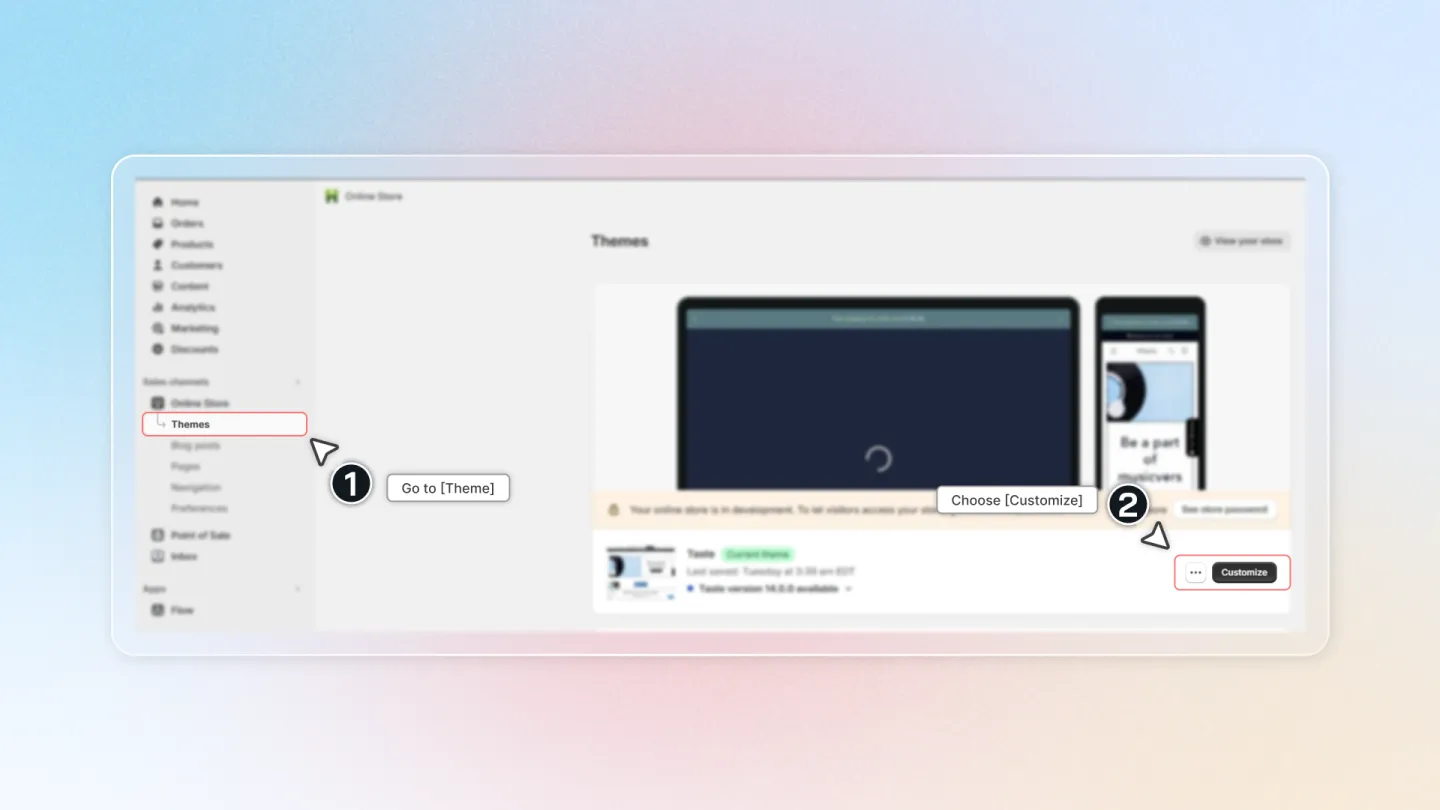
Go to "Theme" and choose "Customize".
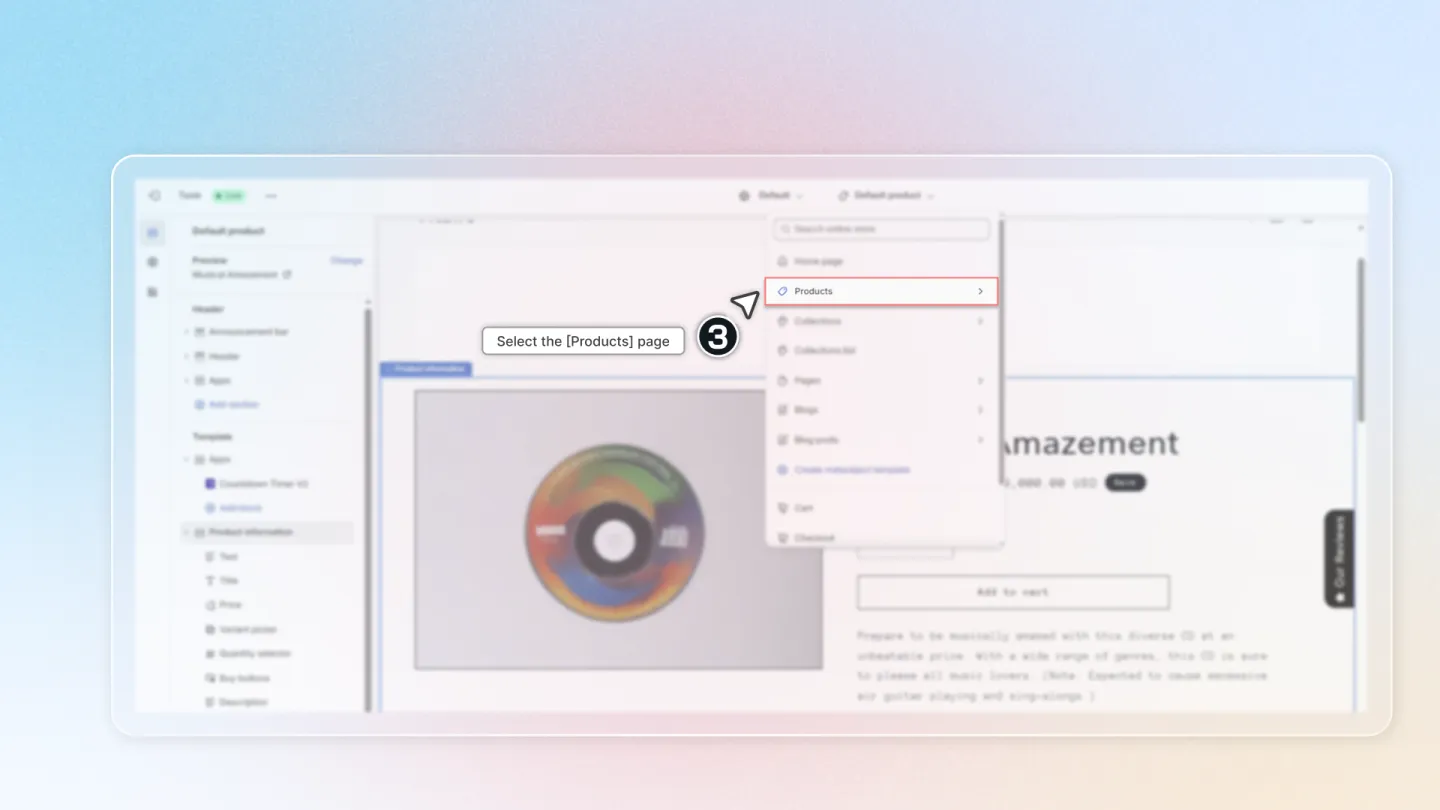
Select "Products page".
Click "Add Block", then click on "Apps", and choose "Stars Rating".
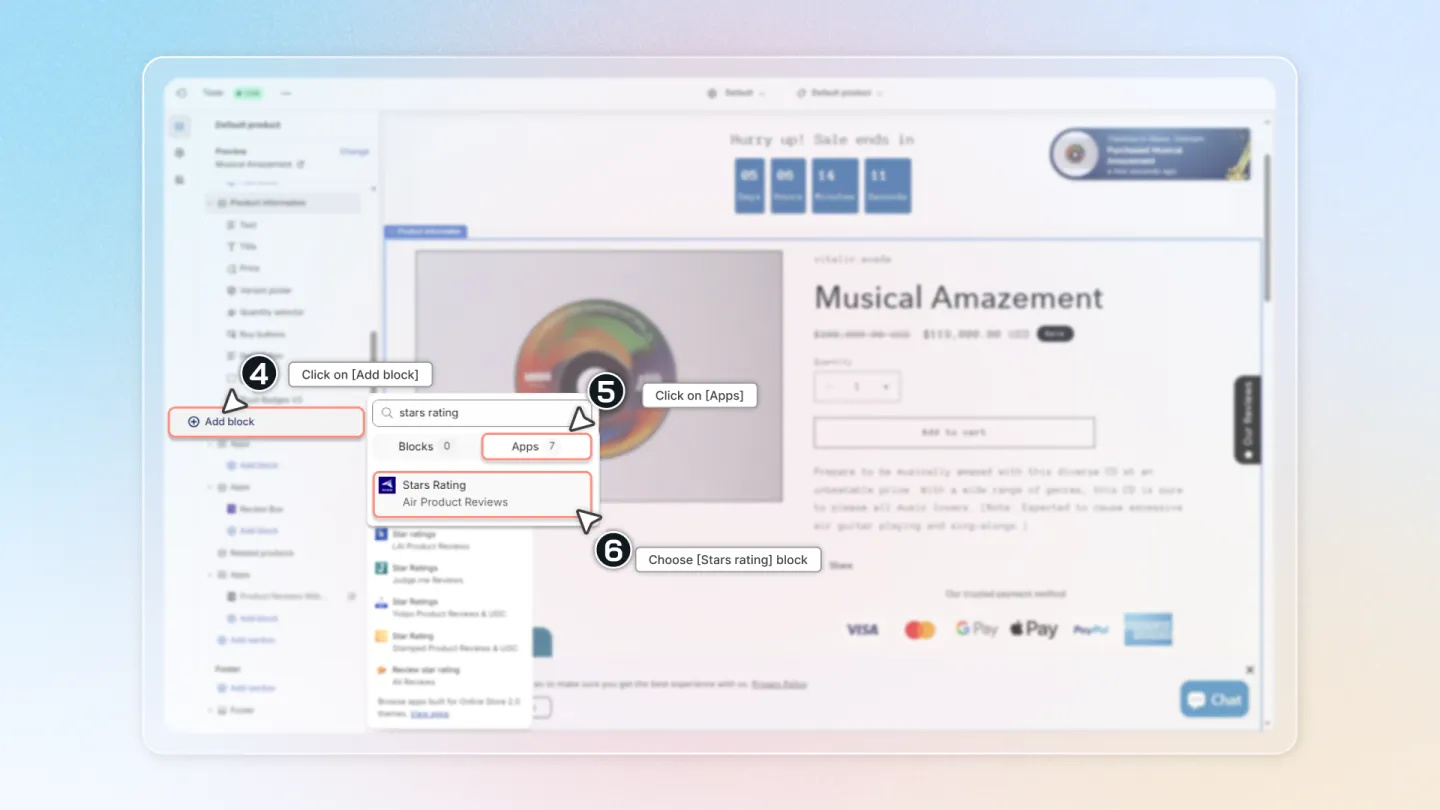
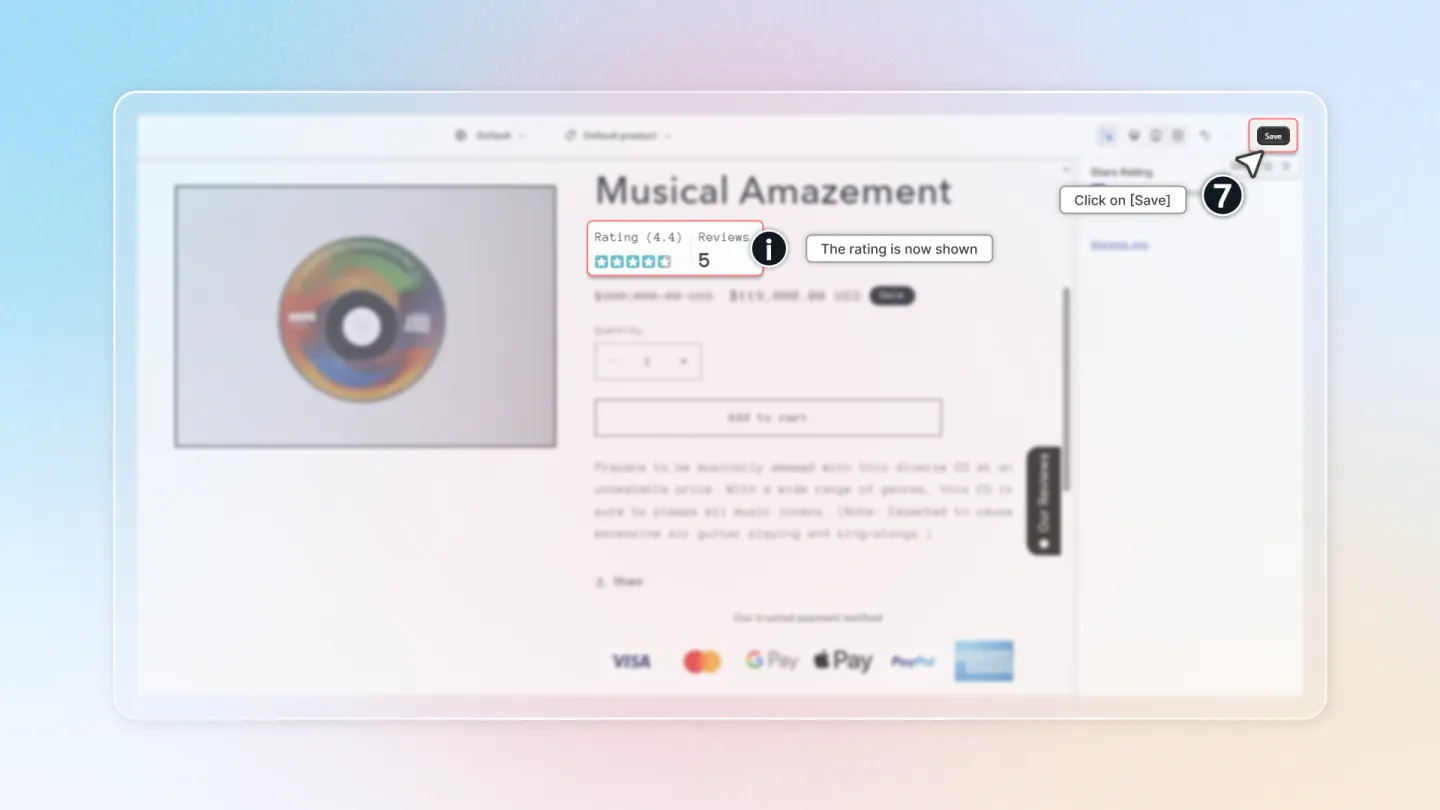
Drag the Stars Rating block to where you want it on the products page.
- Click "Save" to successfully complete the process
With themes that do not support OS 2.0, you just need to enable it in the app and click Save to show star rating on product pages. This is how:
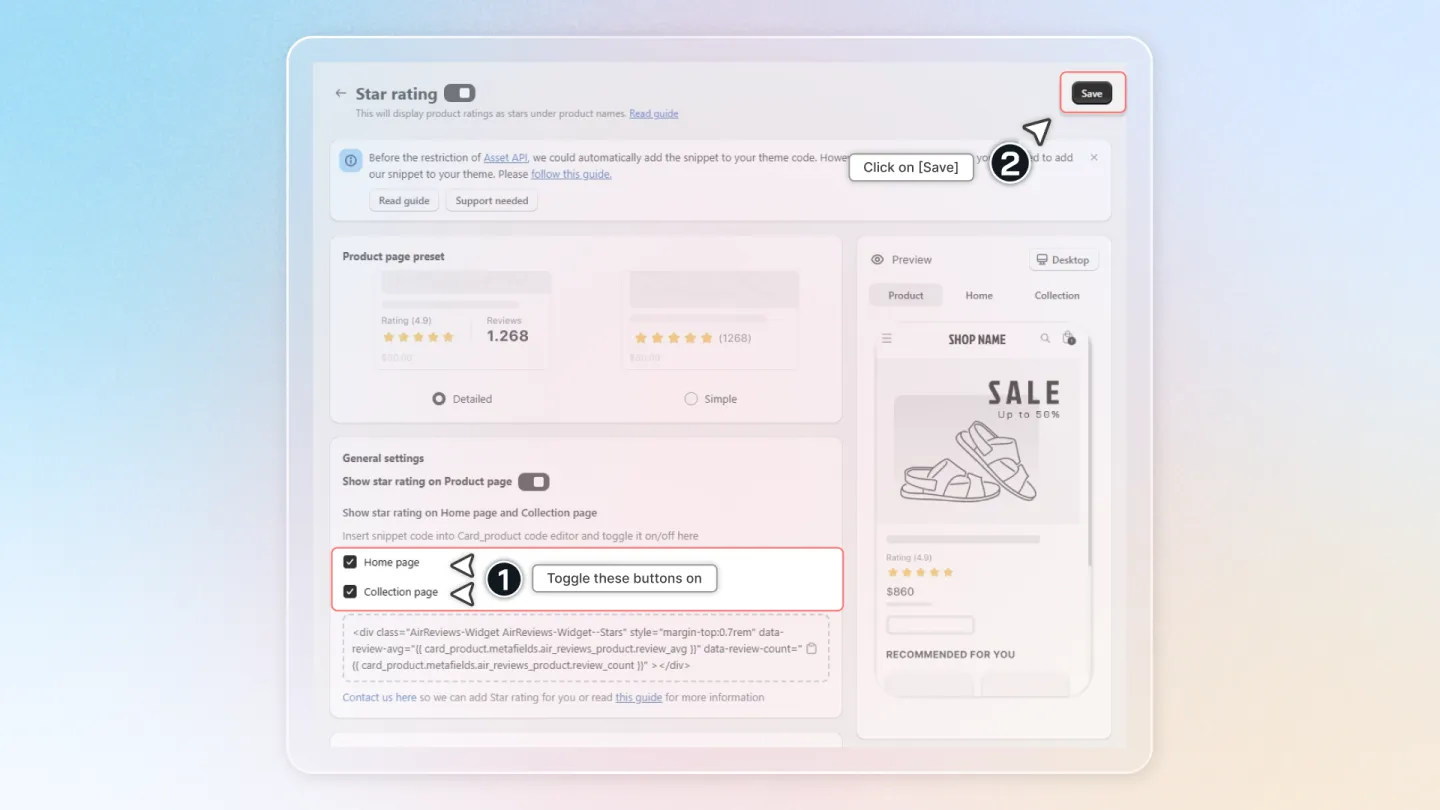
3. Show Ratings on Home & Collection Page
Inside the “Star rating” feature, Turn on the options for "Collection pages" and "Home page"
Note
Before the restriction of Asset API (opens in a new tab), we could automatically add the snippet to your theme code. However, we can no longer now, you will need to add our snippet to your theme. So, to show star rating on Home page và Collection pages, please follow this guide.
4. Customize Ratings on Products Page
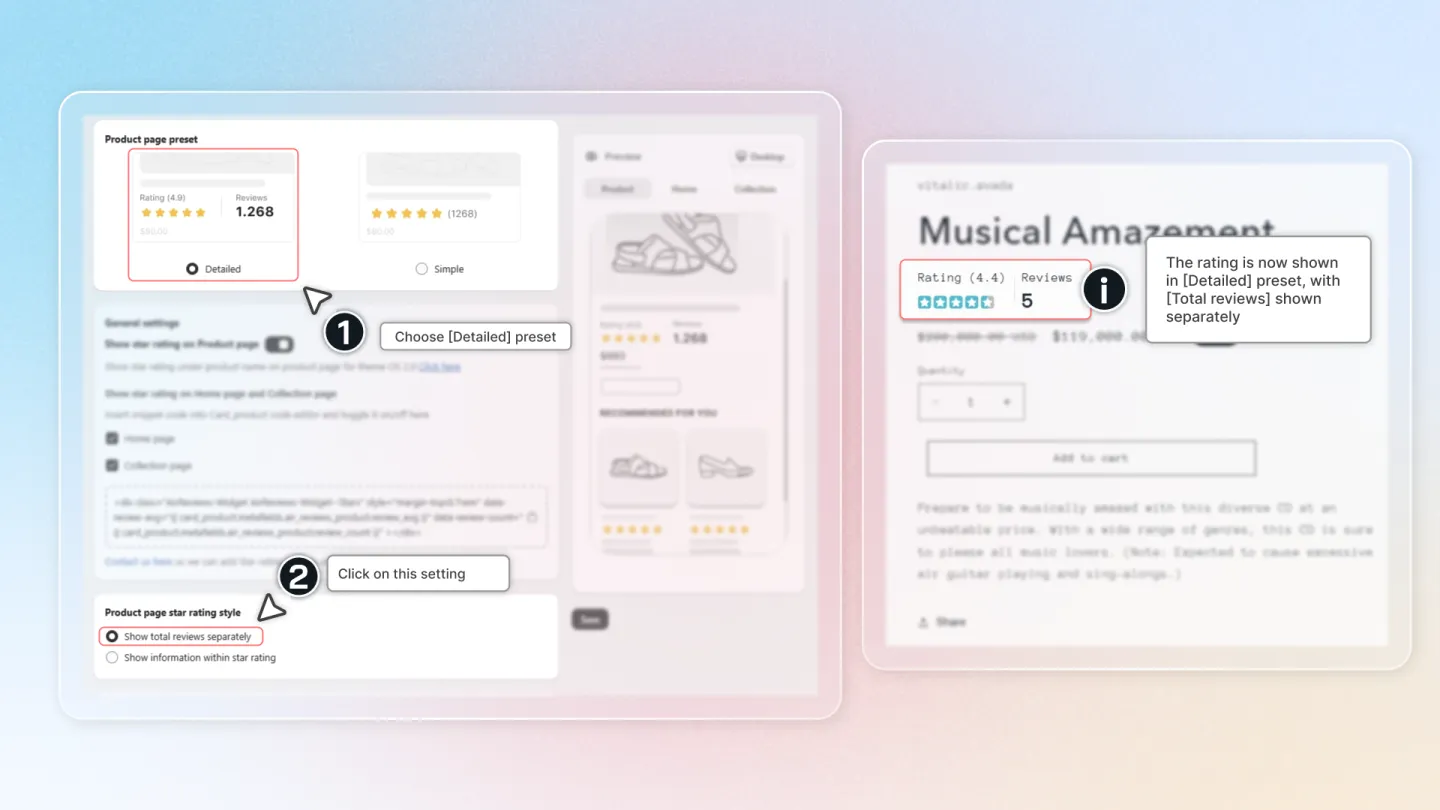
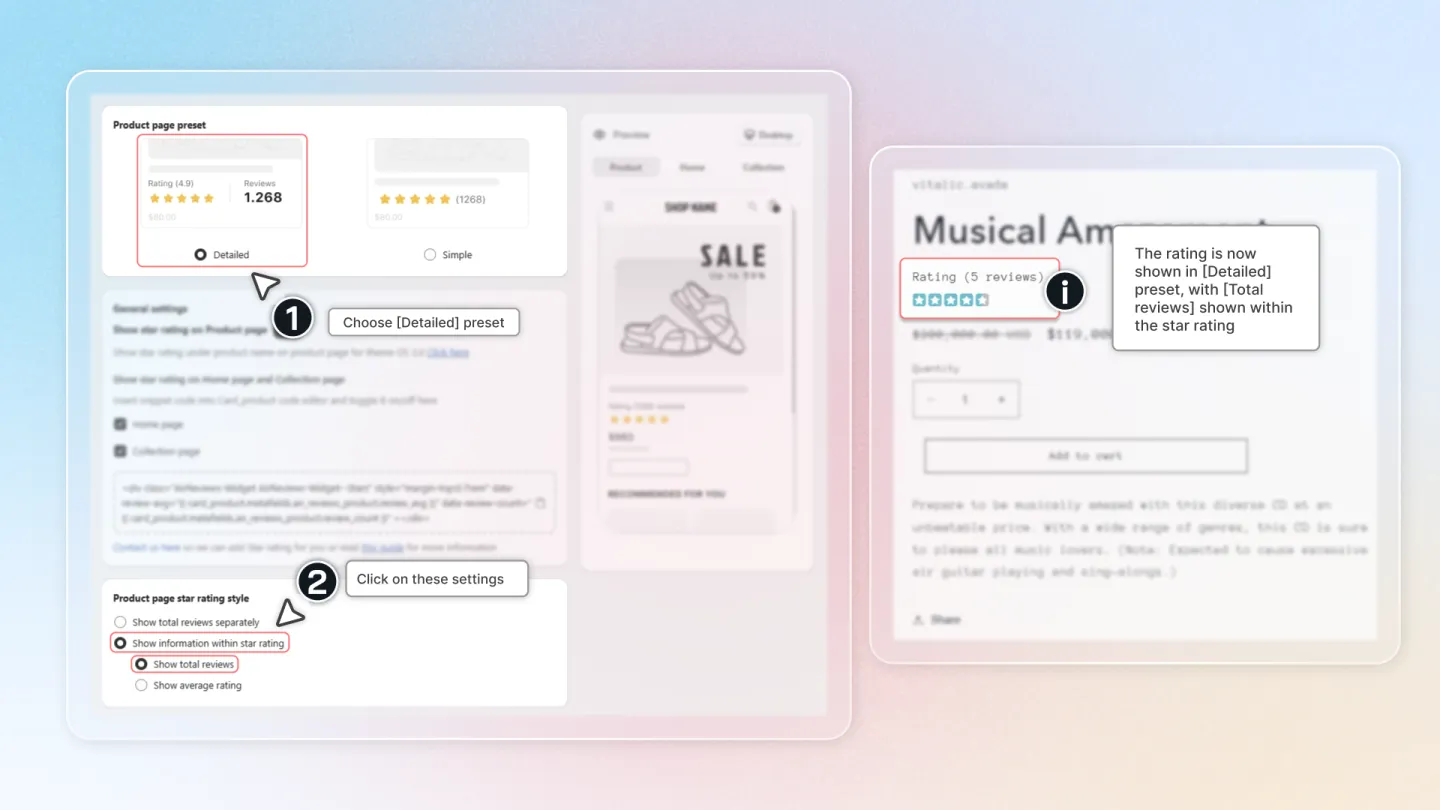
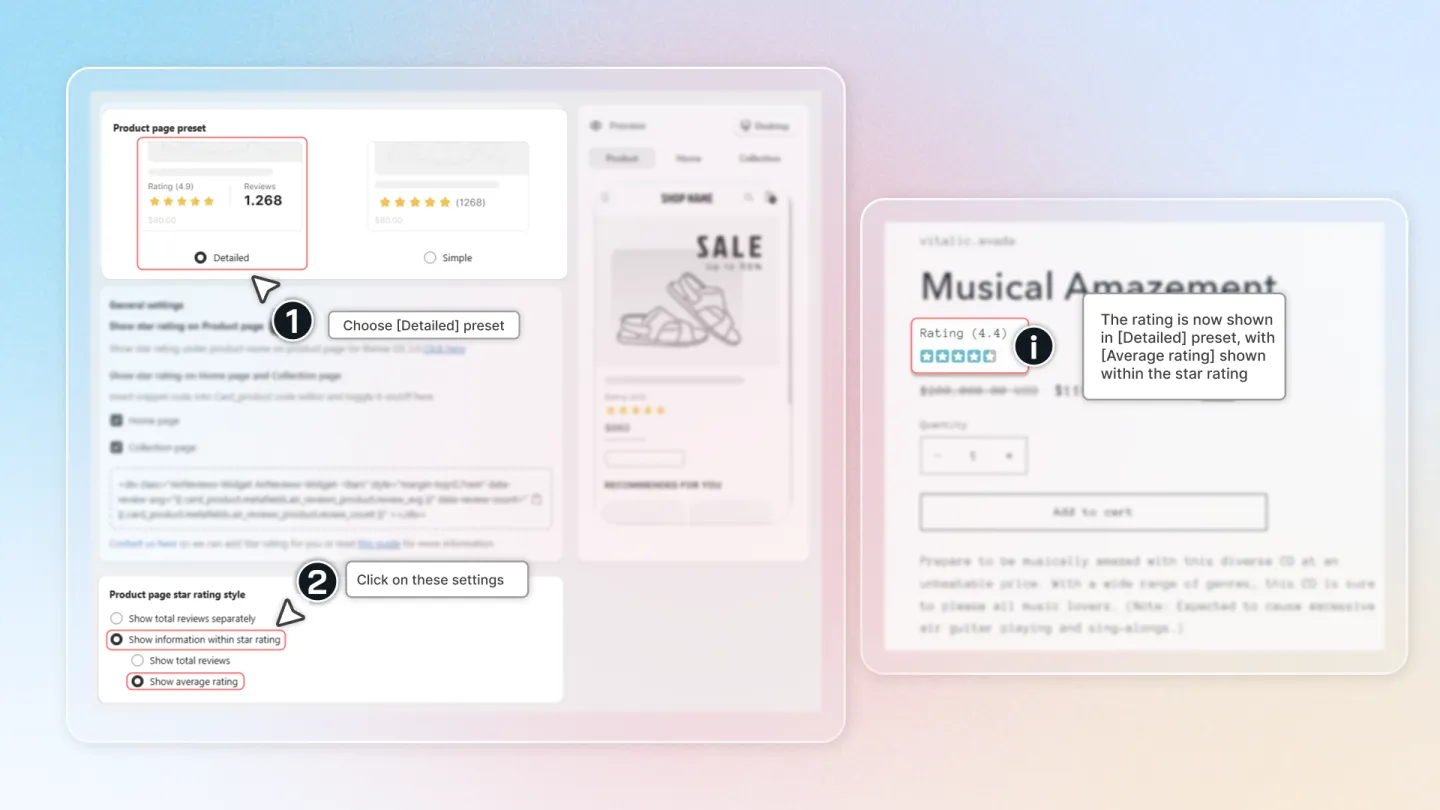
Choose your preset:
- Simple: Shows star rating and review count.
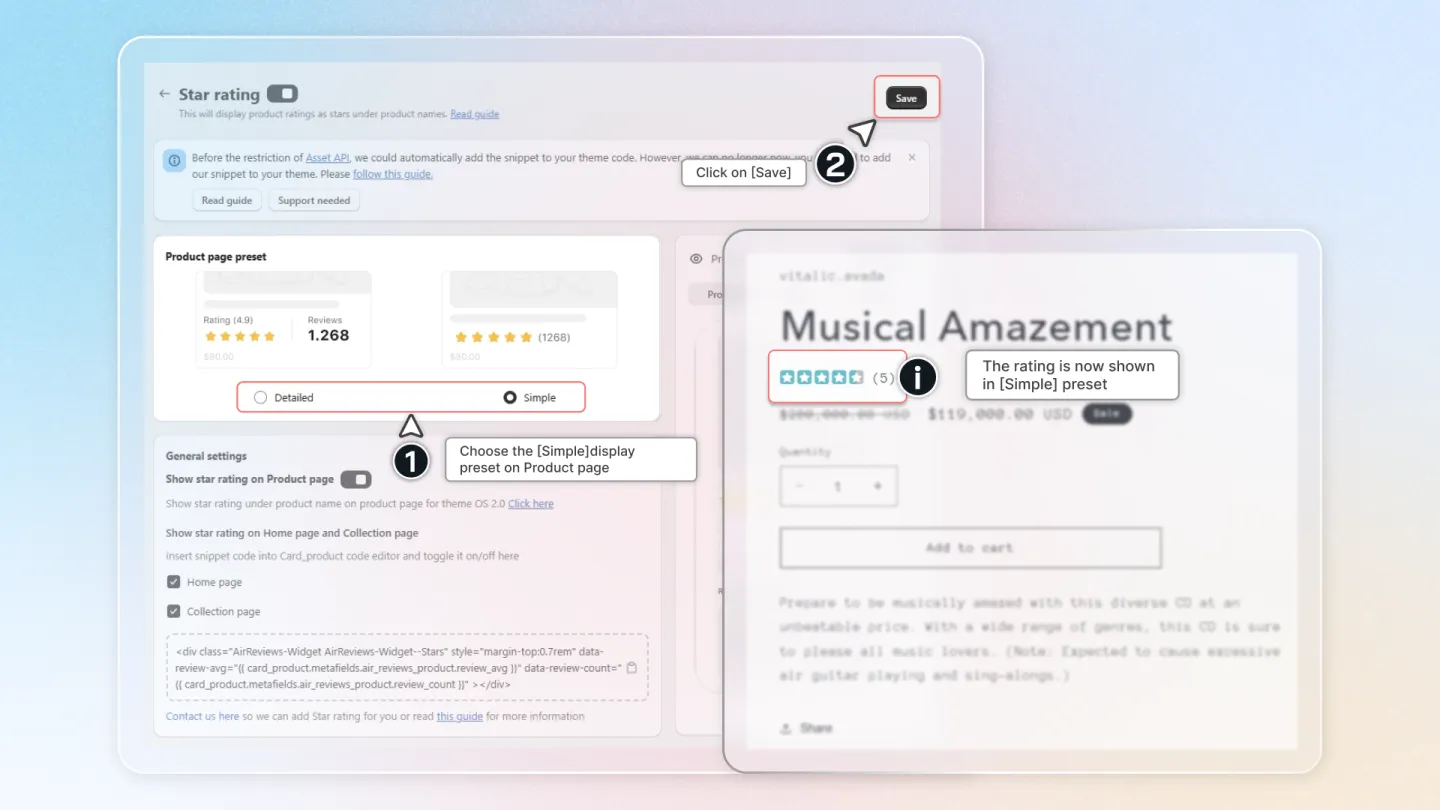
Detailed: Shows star rating, total reviews, average rating, and more.
- Separated total reviews: Shows star rating and review count on separate lines.
- Total reviews in Star Rating: Shows review count within the star rating.
- Average Rating in Star Rating: Shows average rating within the star rating.
5. Advanced Settings
Turn on "Only show review star on products with reviews" to only show ratings for products with reviews.
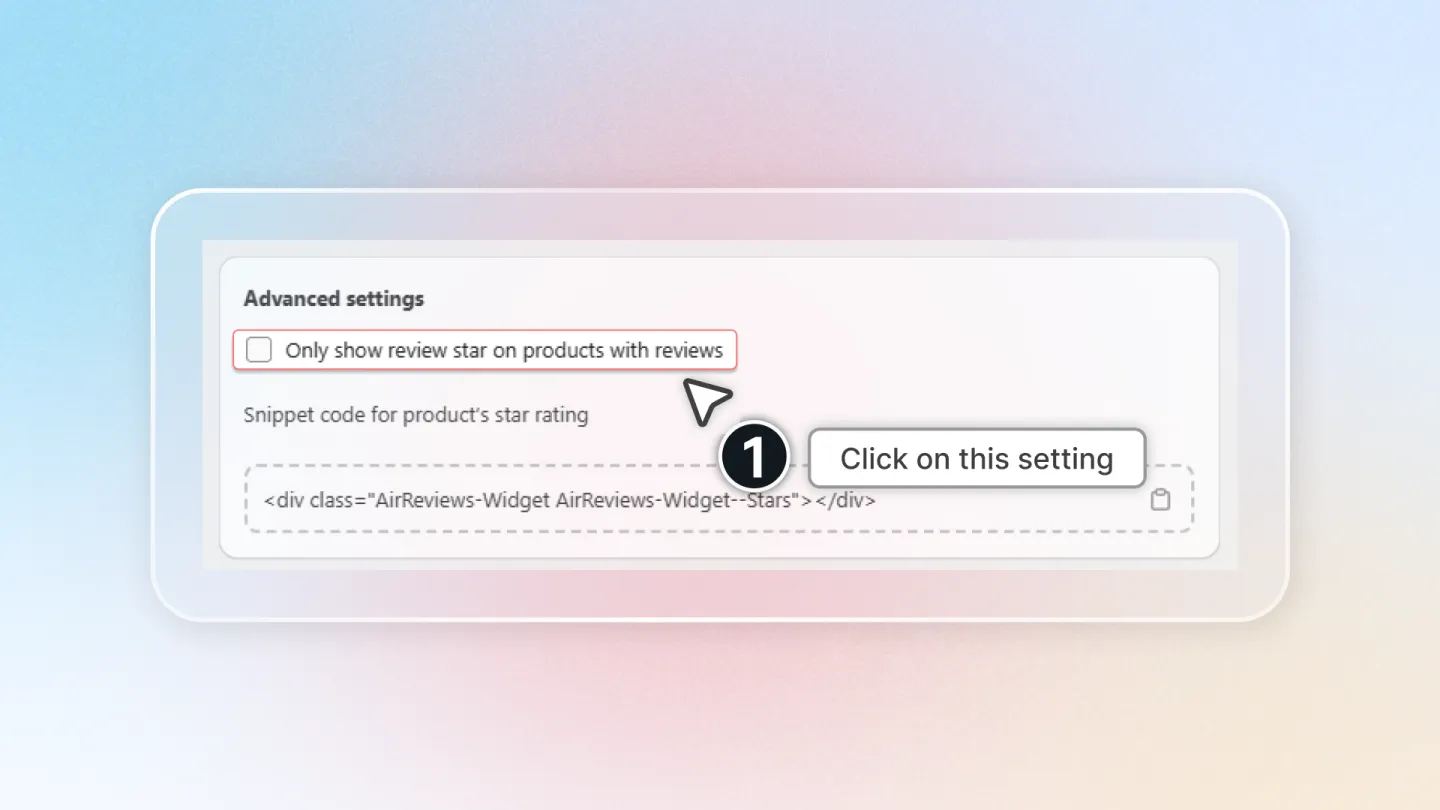
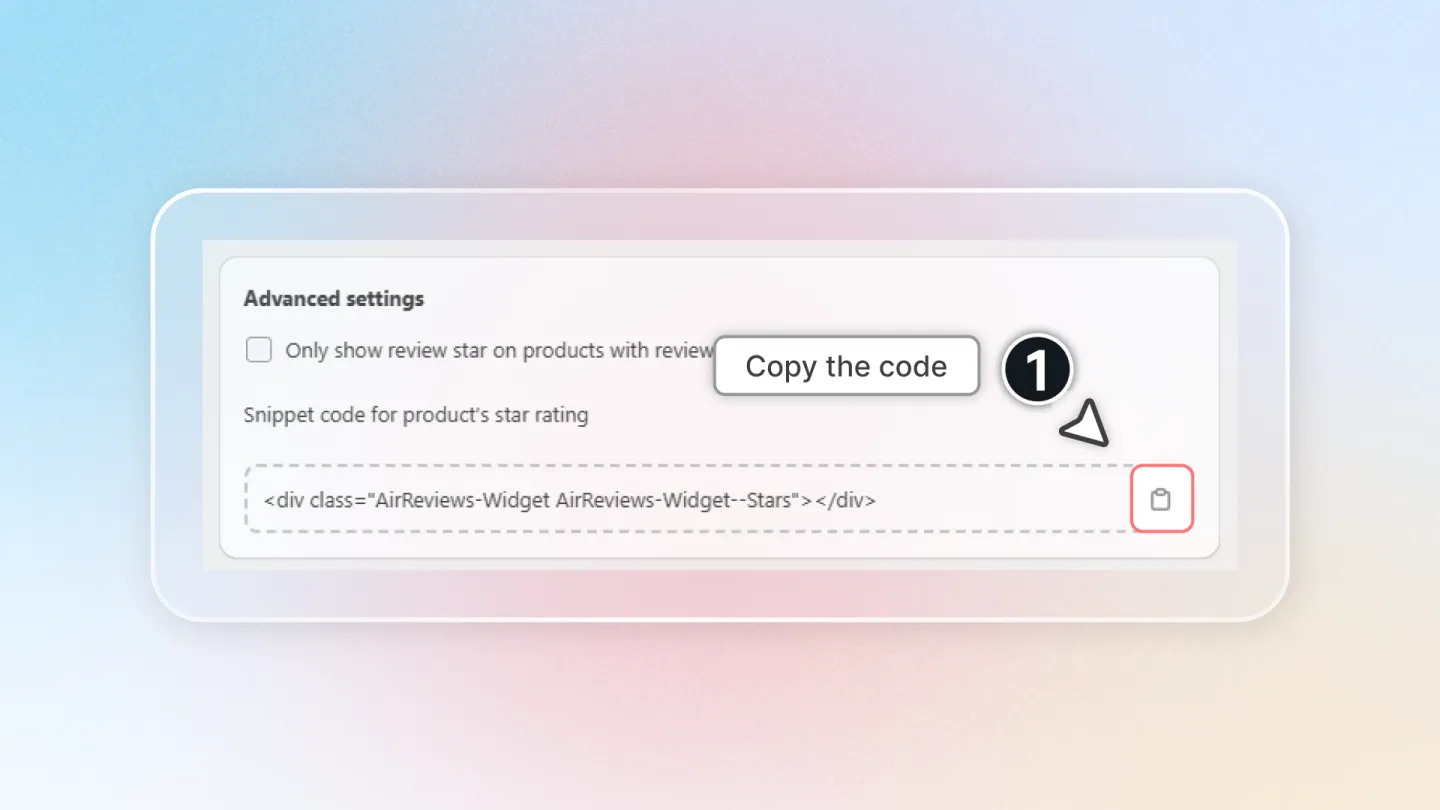
Use the provided snippet code to place the star rating in a specific location on the product page. Here's how:
- Copy the snippet code.
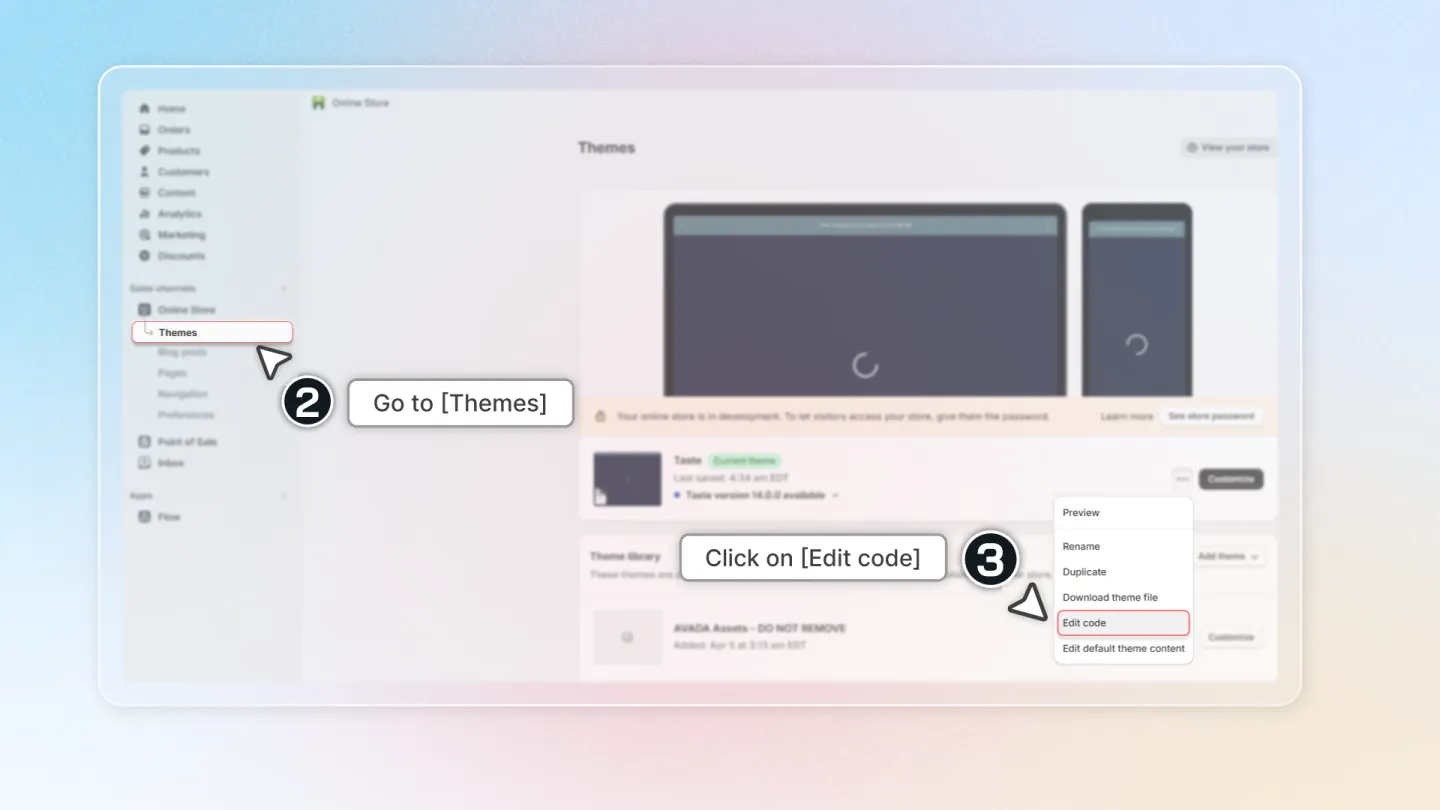
- Go to "Theme",
- In the "Current theme", click on "Actions", and click on "Edit code."
- Select "main-product.liquid" file, then paste the code where you want it, and Save the file.
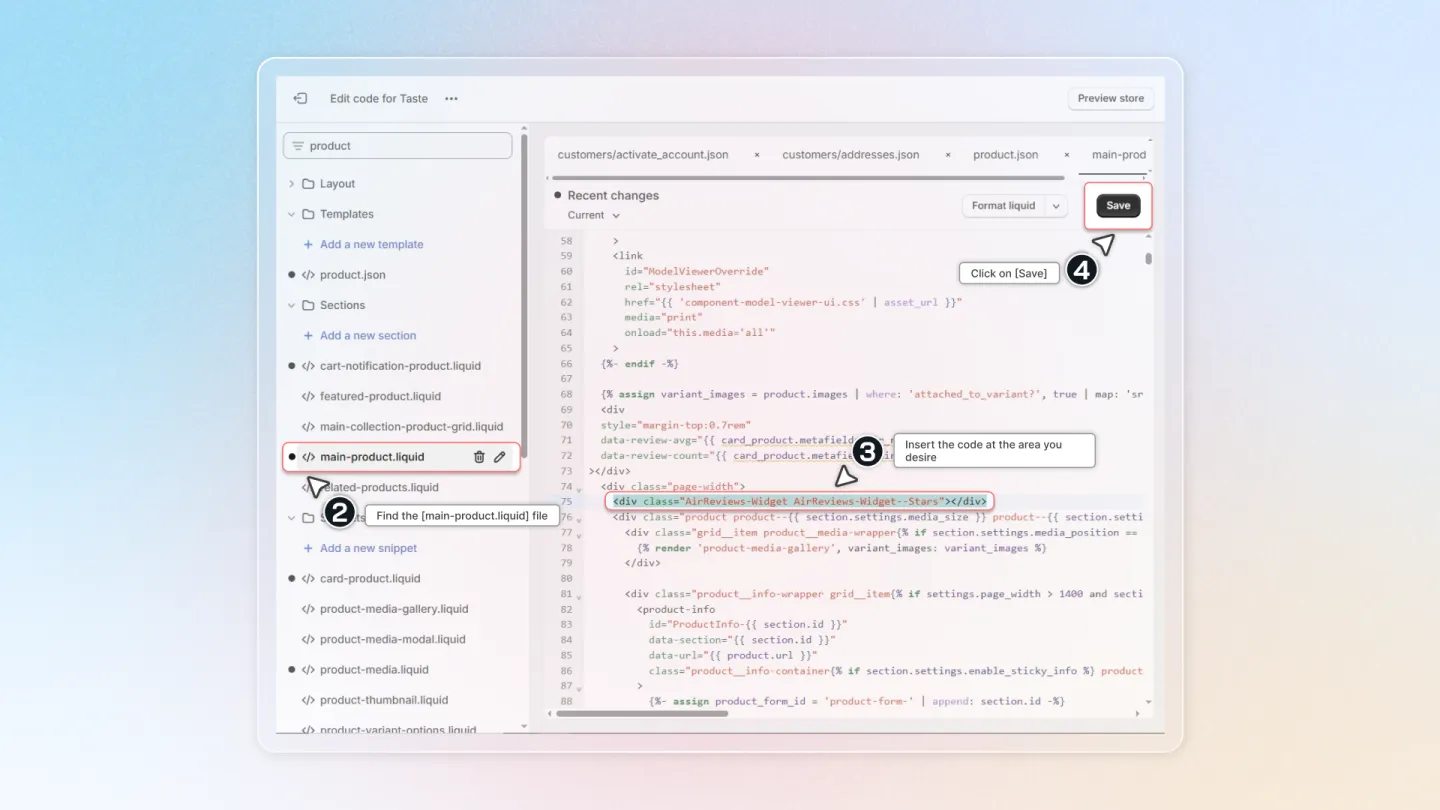
- Have a look at the result.
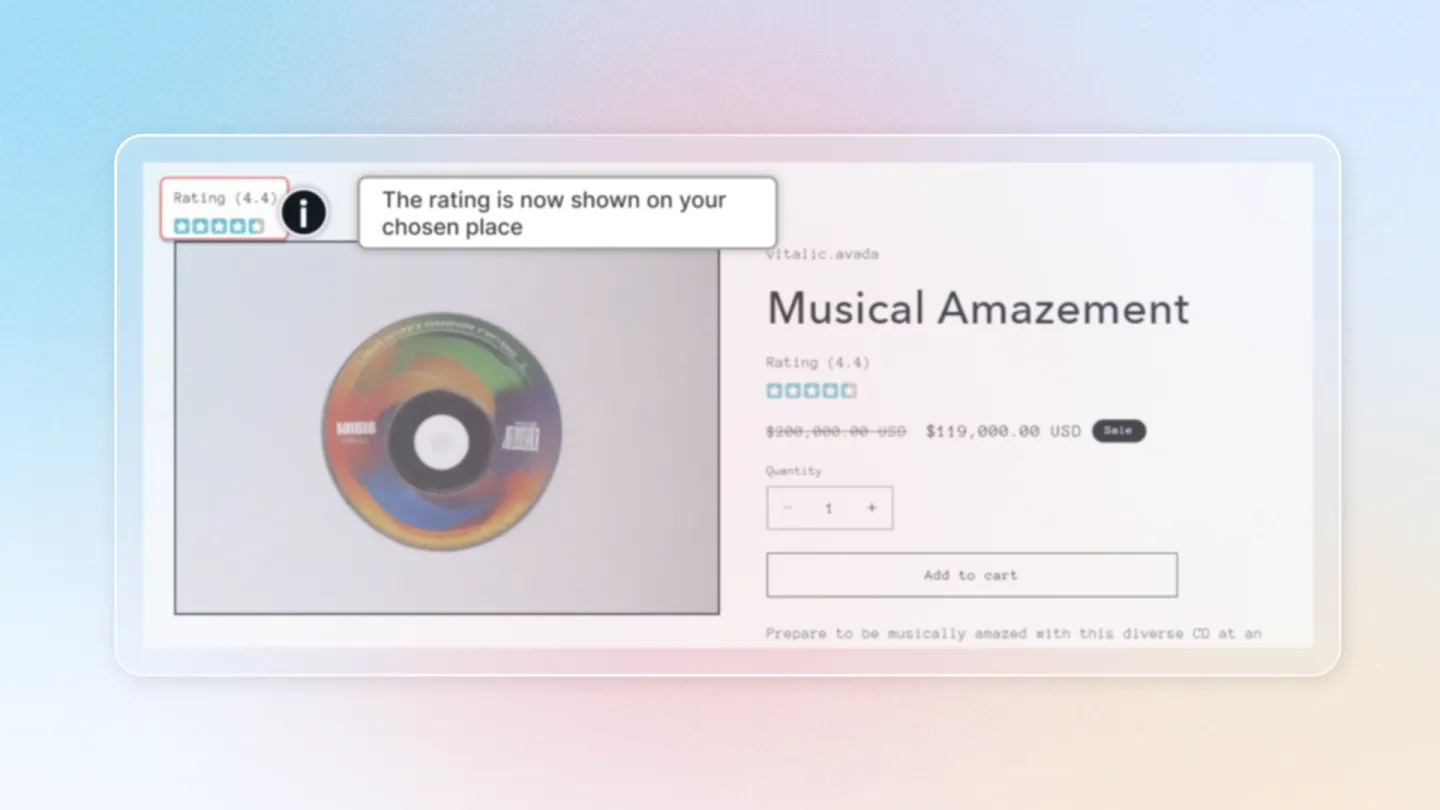
And that's it! You've successfully set up and displayed star ratings on your store. If you have any questions or need further assistance, please don't hesitate to ask. Happy selling!