Shopify Flow
1. Enable Integration
Open the Air Reviews app from your Shopify admin.
Navigate to 'Integrations' from the left menu and select 'Shopify Flow'.
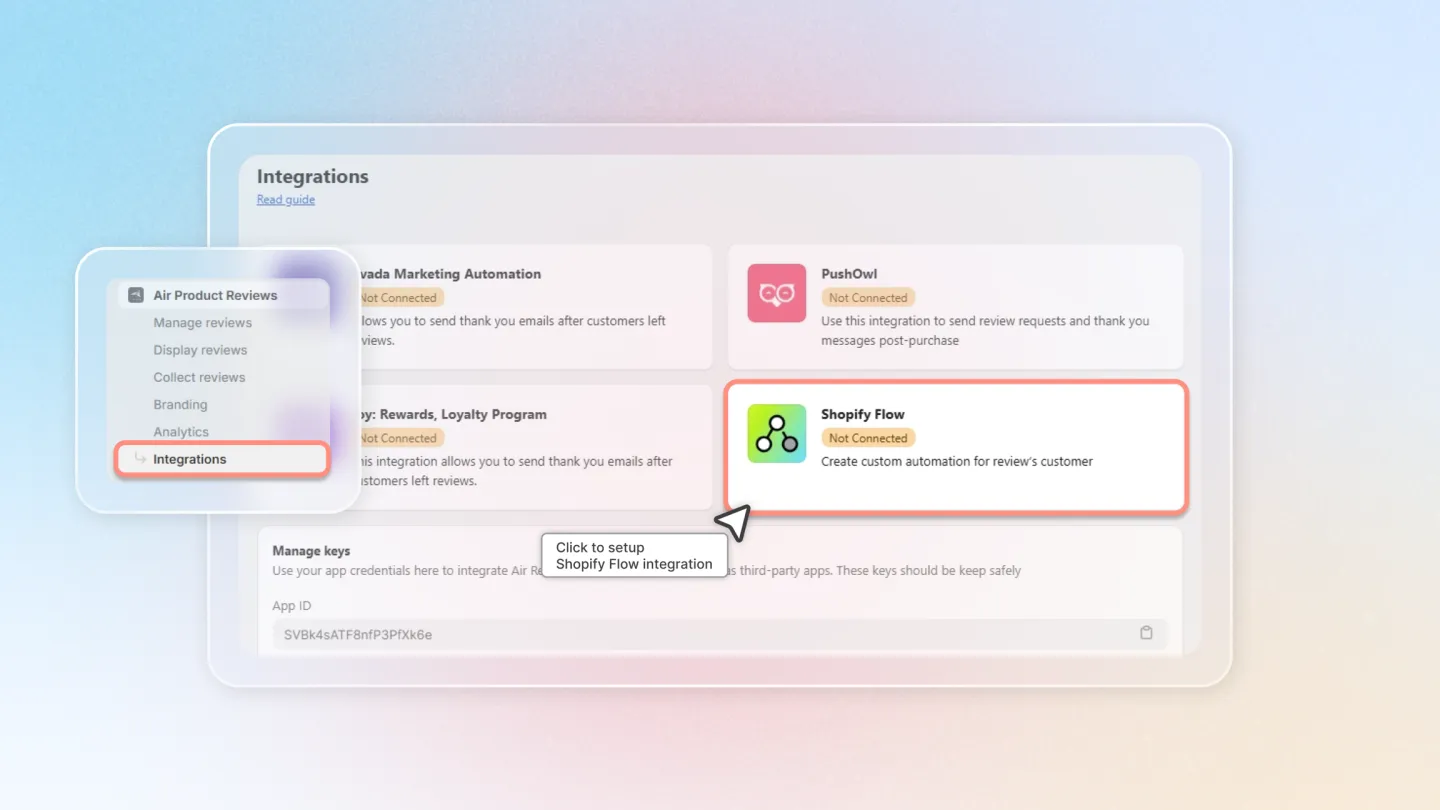
Enable Shopify Flow to complete the integration setup.
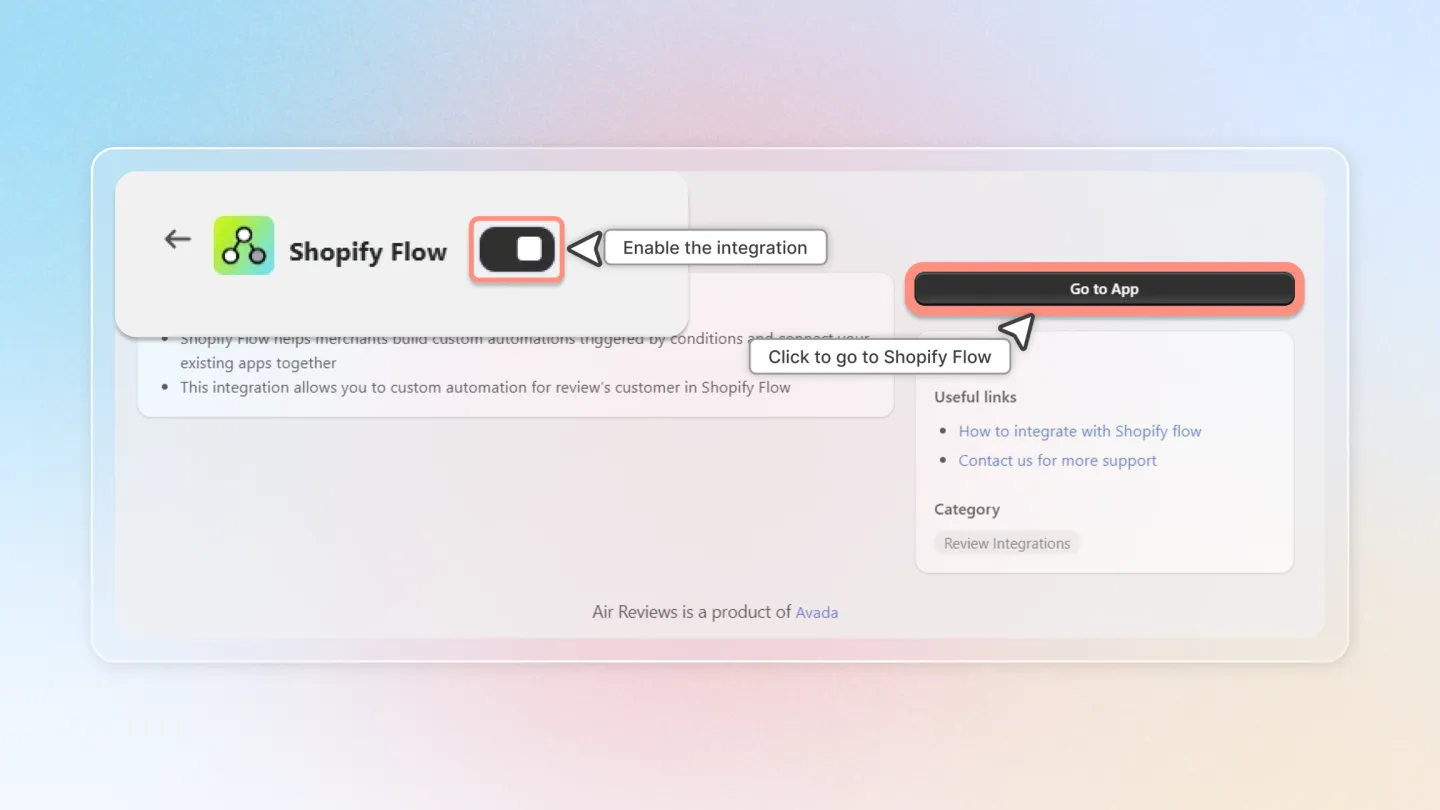
2. Create Workflows in Shopify Flow
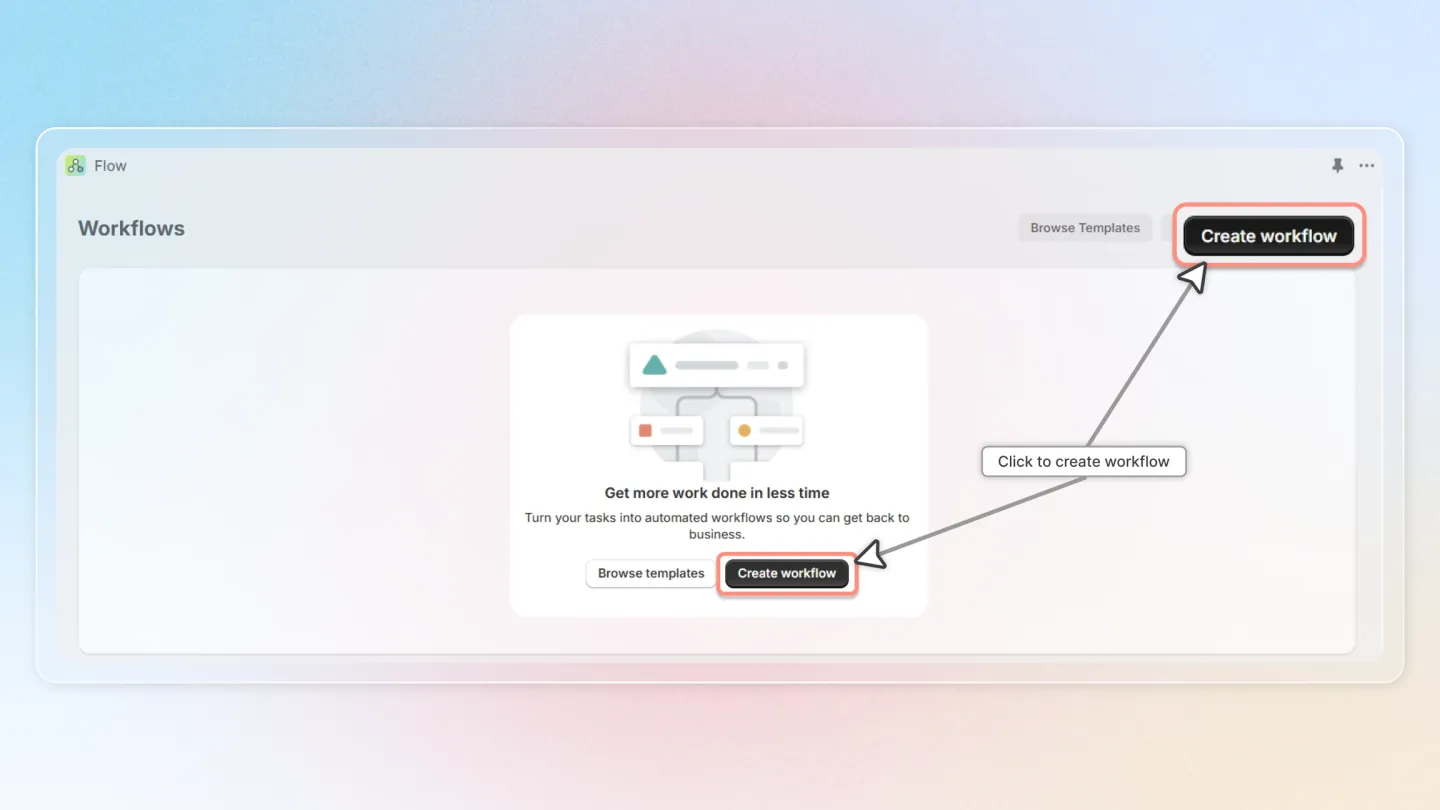
Go to Shopify Flow and click 'Create workflow'.
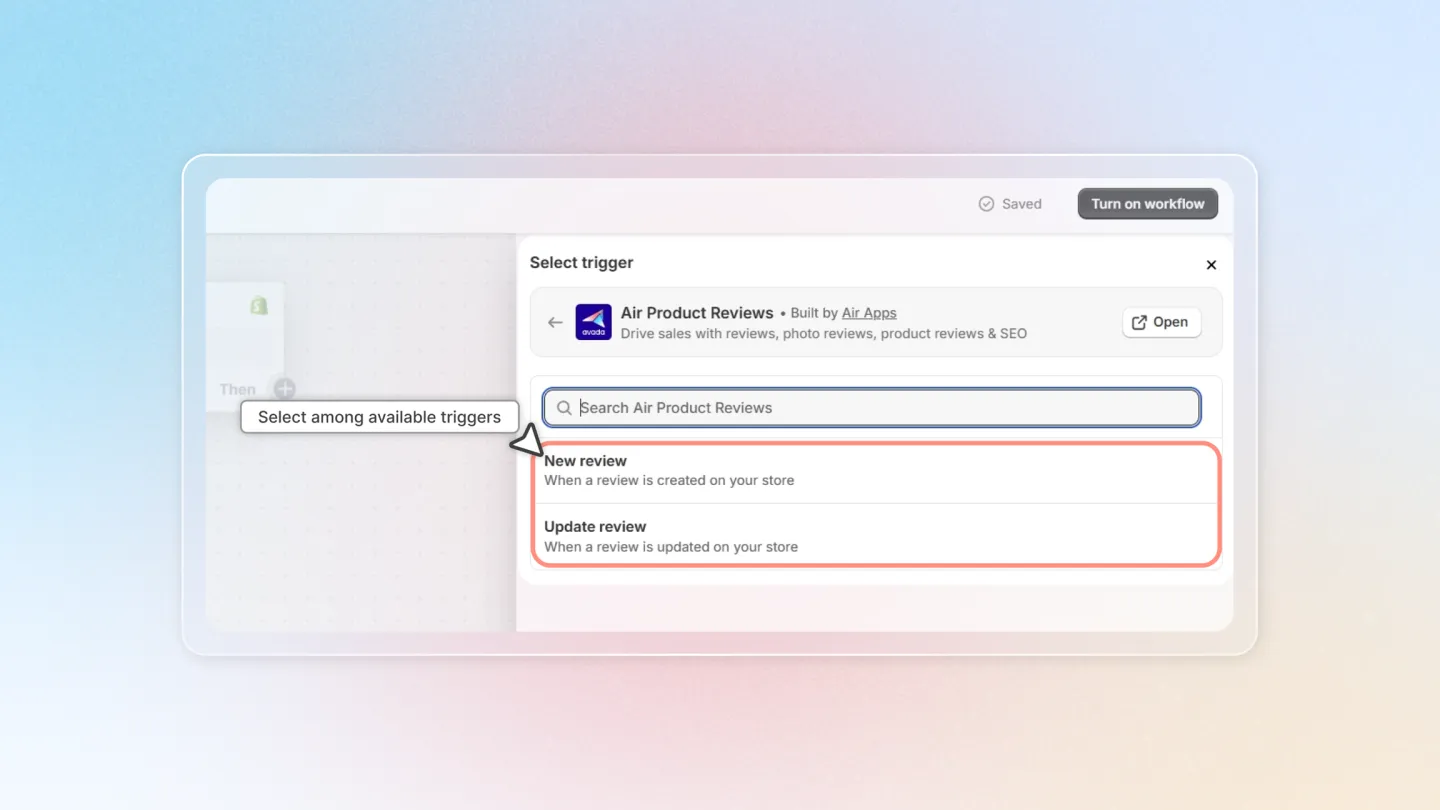
Click on 'Select a trigger'.
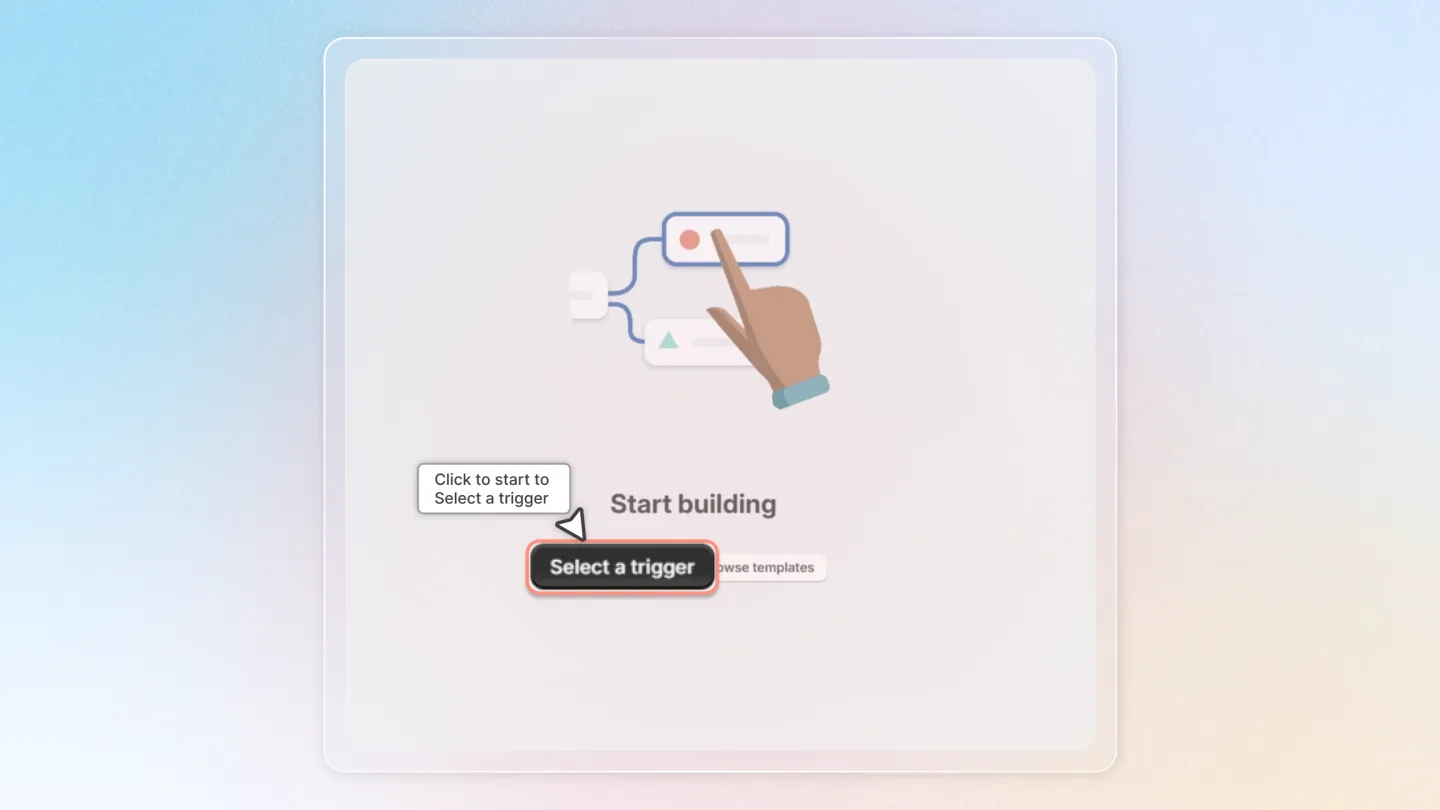
Under 'Select trigger', choose 'Air Product Reviews' and select either 'New review' or 'Update review' as the trigger event.
3. Set Conditions for the Trigger
Click 'Then' and add 'Condition'.
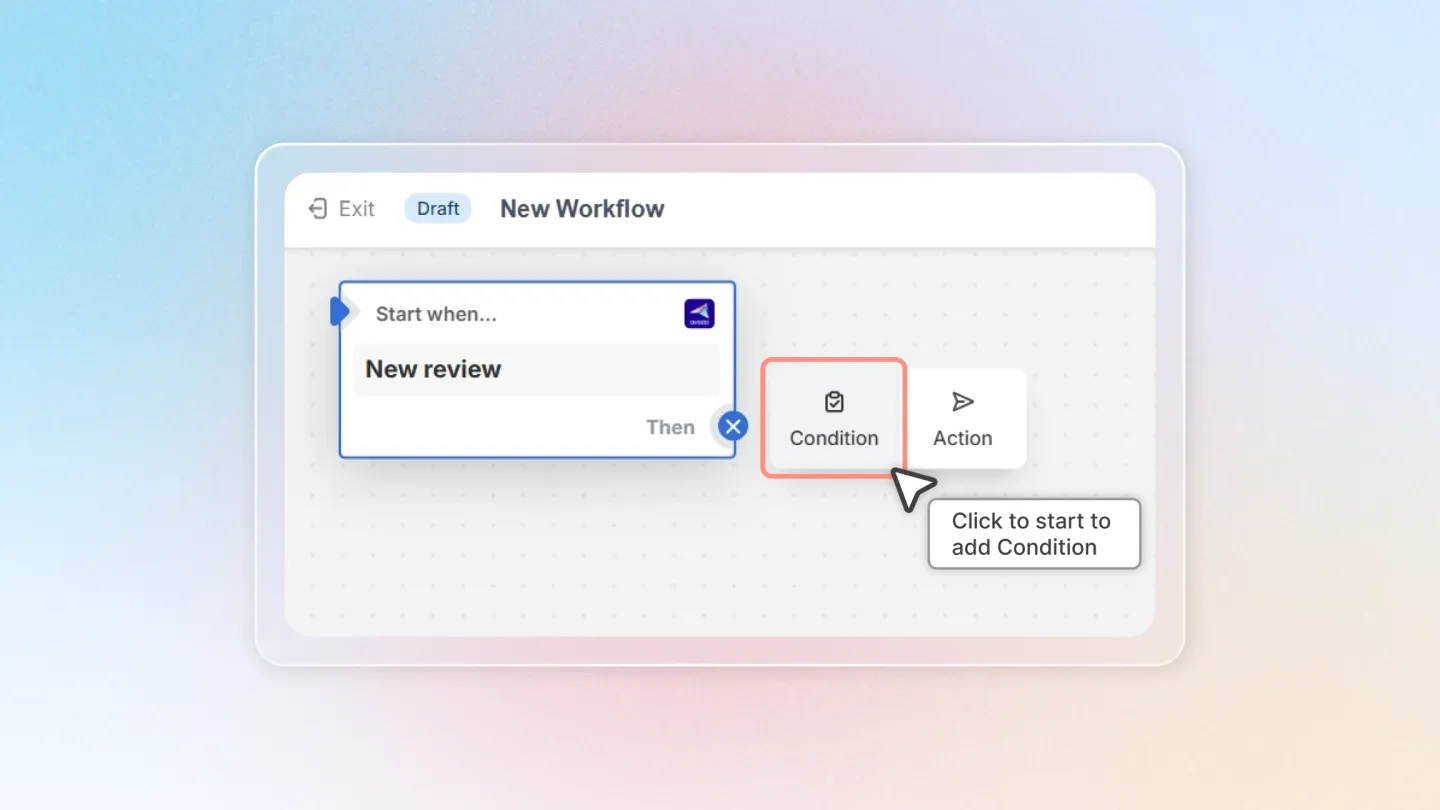
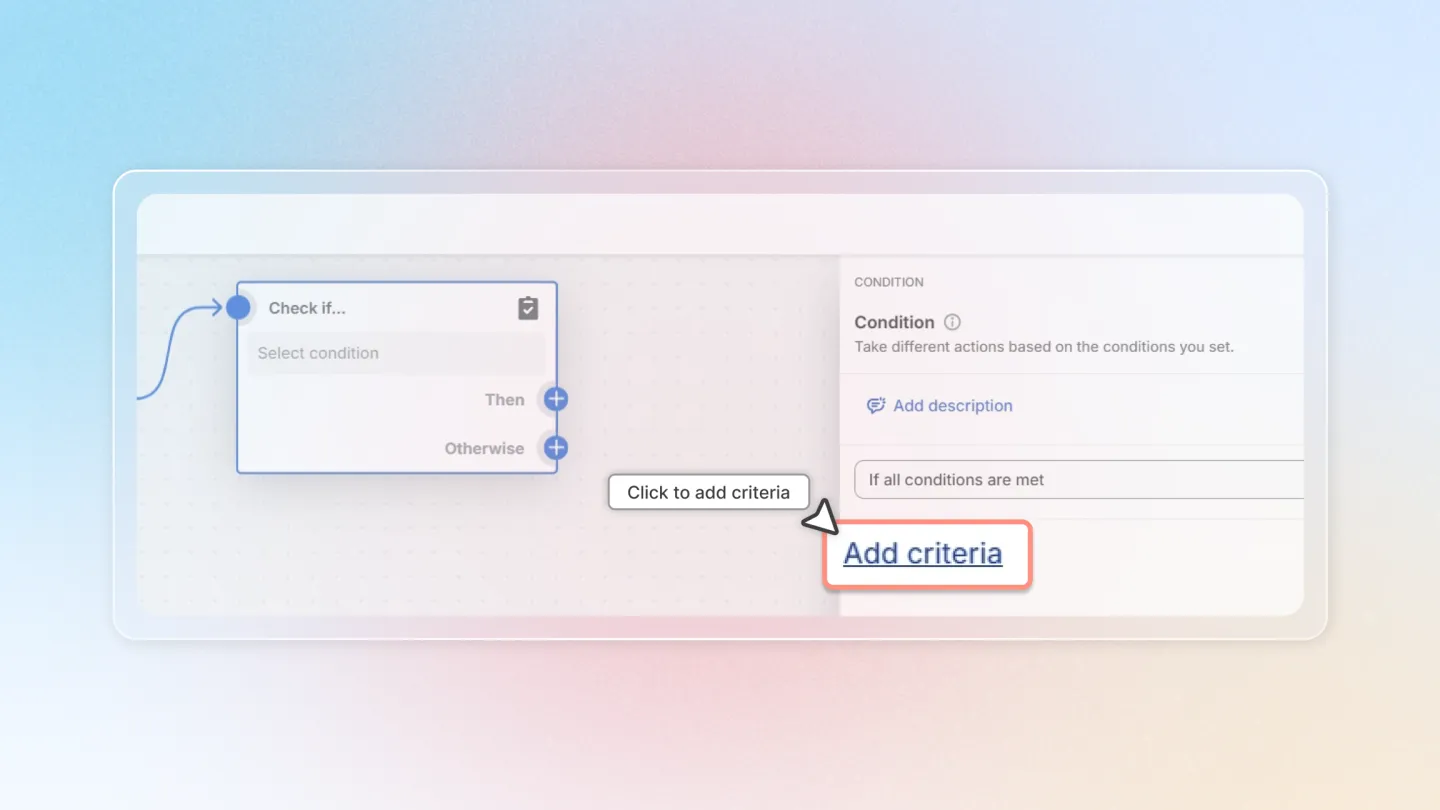
Choose 'Add criteria' to specify the conditions under which the workflow should activate.
You can select variables from options below:
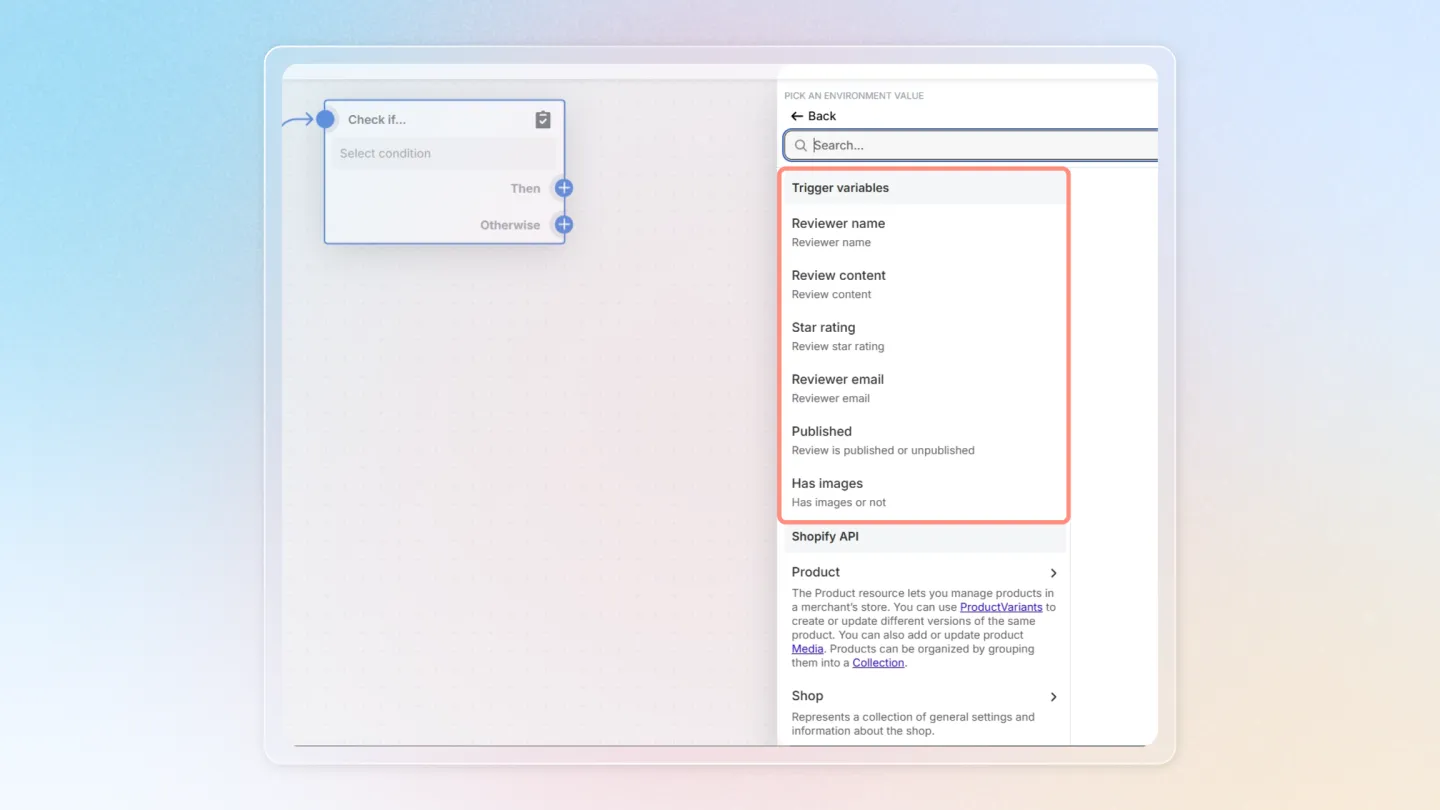
Set up the condition that fits your demand.
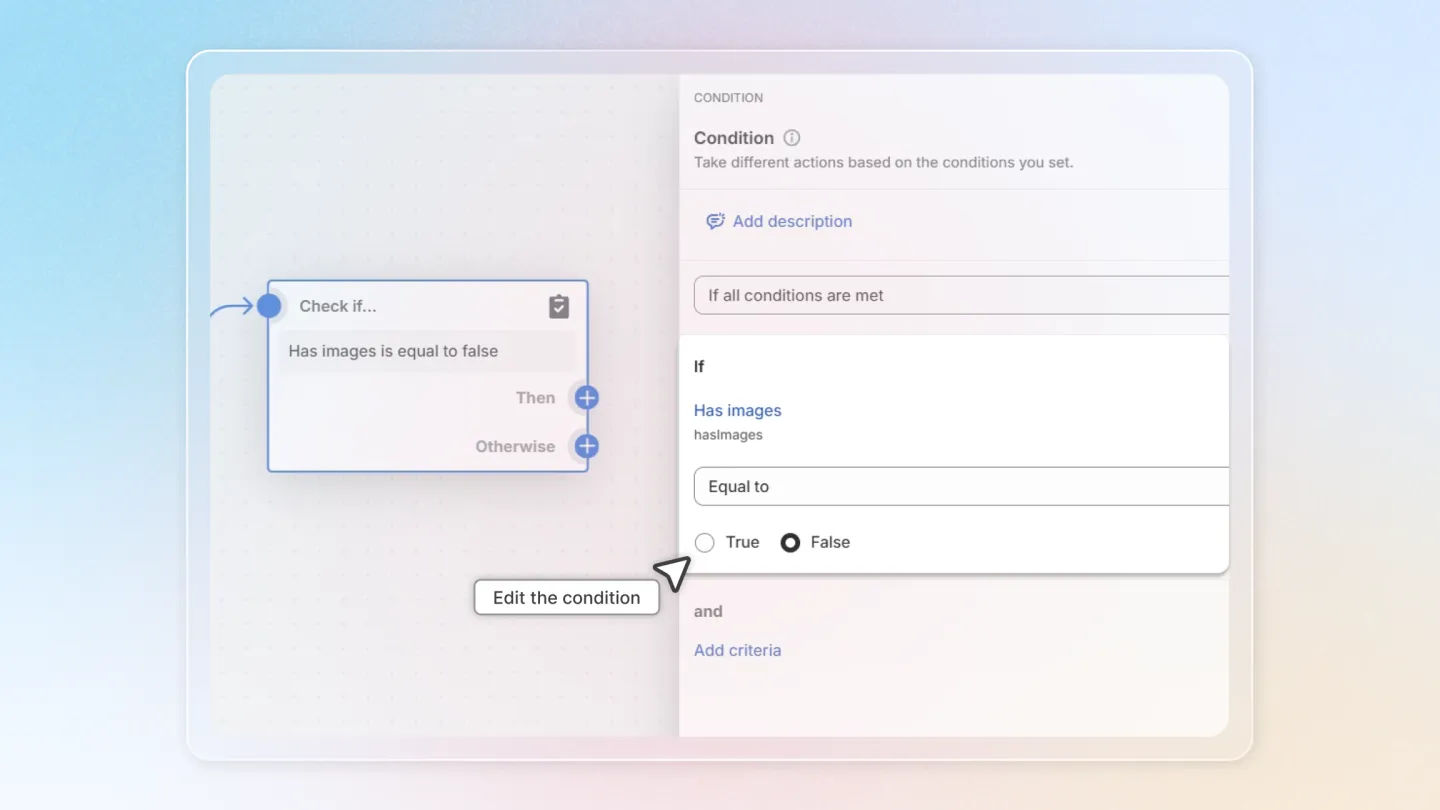
You can choose to add no conditions if you want the workflow to activate for every review.
4. Define Actions Based on Conditions
Click 'Then' and choose 'Action'.
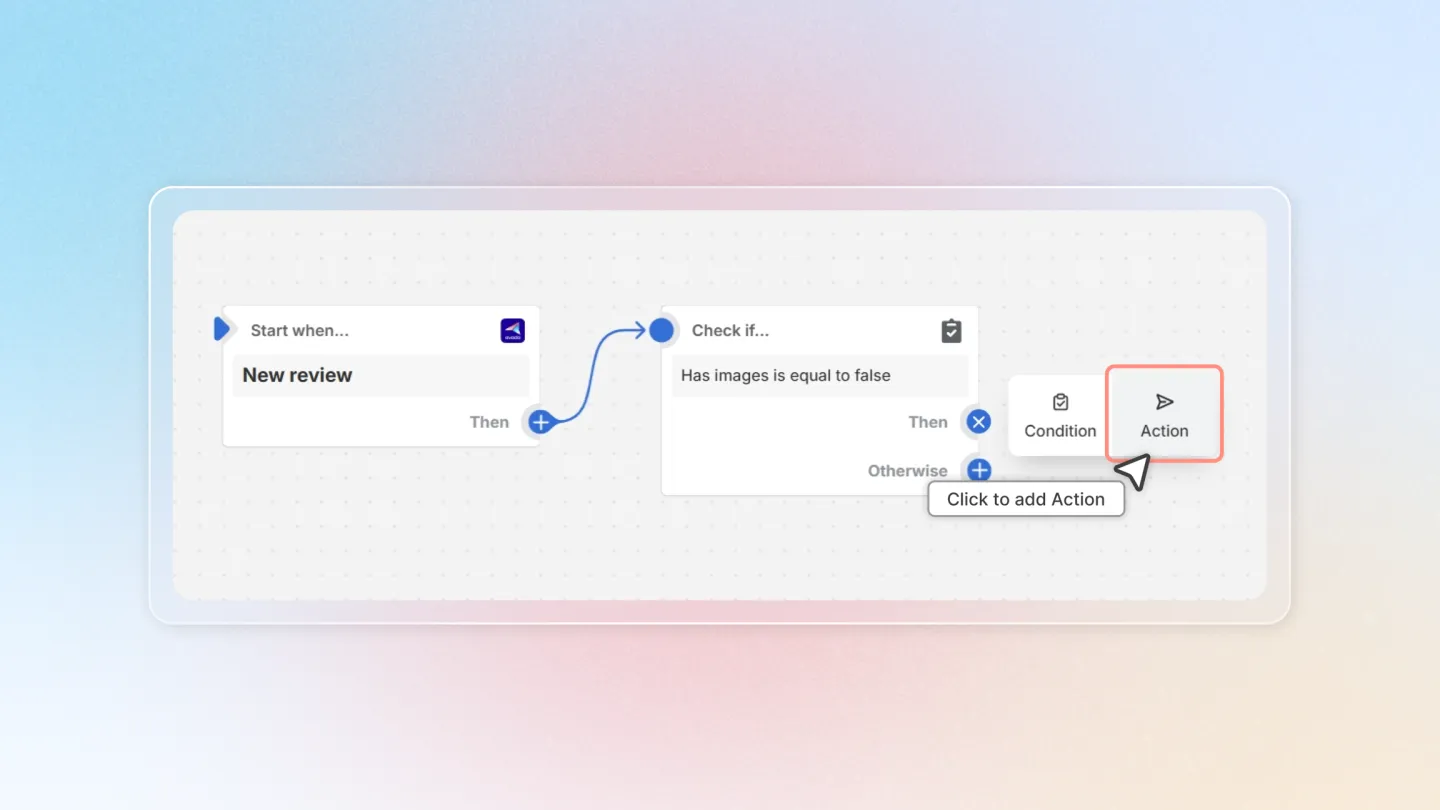
Under 'Install app actions', select 'Air Product Reviews' and click on 'Send review reminder'.
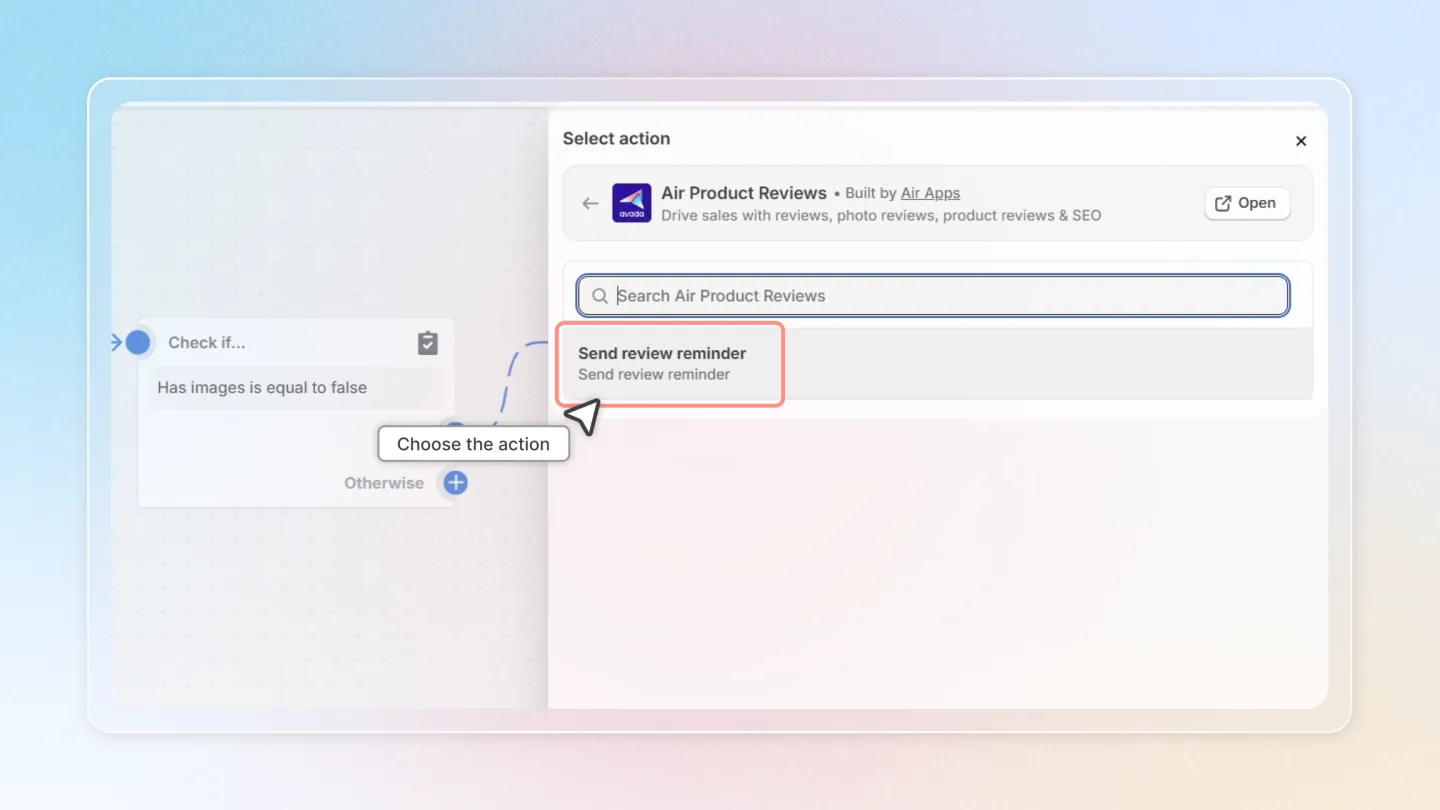
5. Activate the Workflow
Once your workflow is configured, don’t forget to click 'Turn on workflow' to make it active.
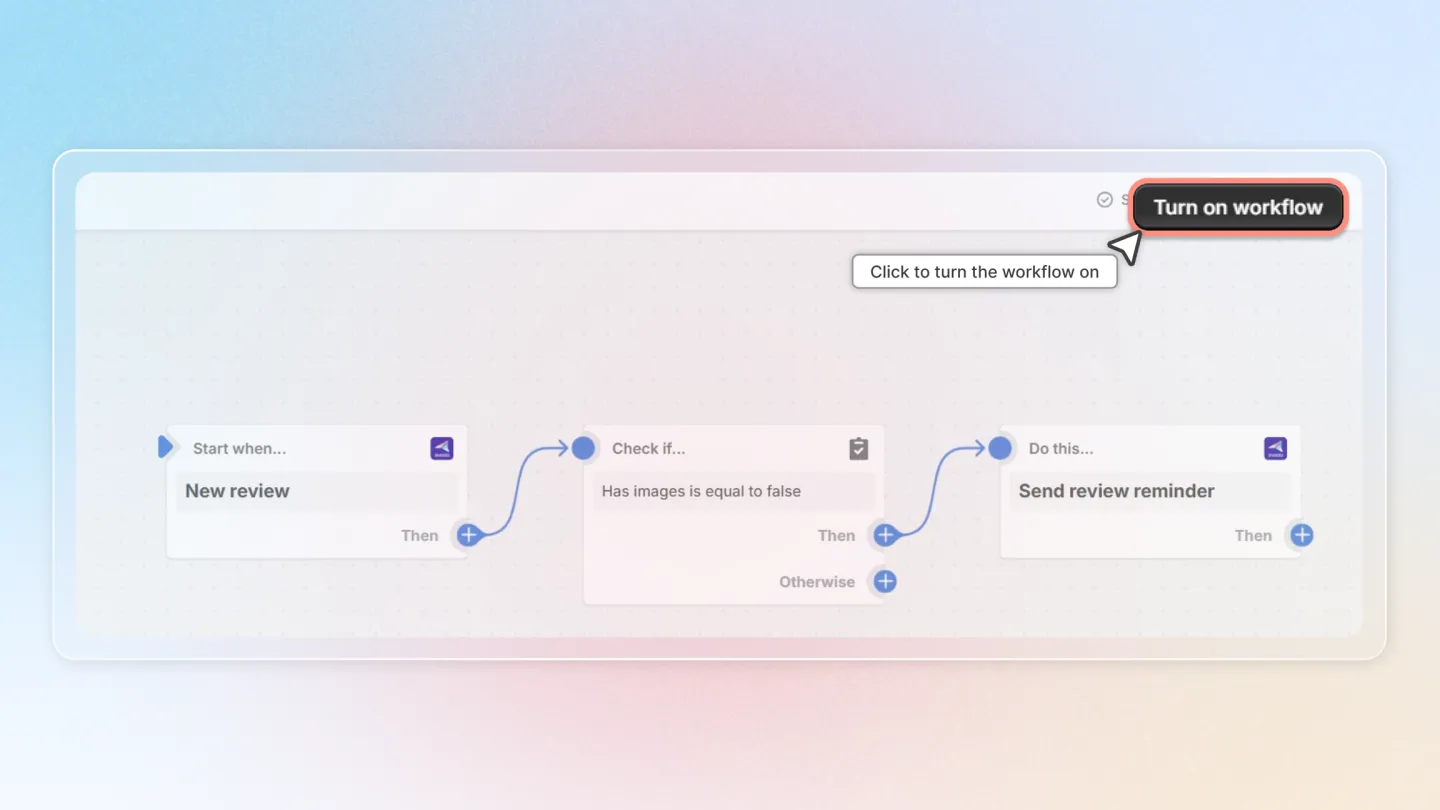
Review reminders will now be sent automatically when a customer’s review meets the defined conditions.
This guide provides a straightforward approach to integrating Air Reviews with Shopify Flow, empowering you to automate your customer review processes efficiently!