Avada Marketing Automation
1. Obtain App ID and Secret Key from Avada Marketing Automation
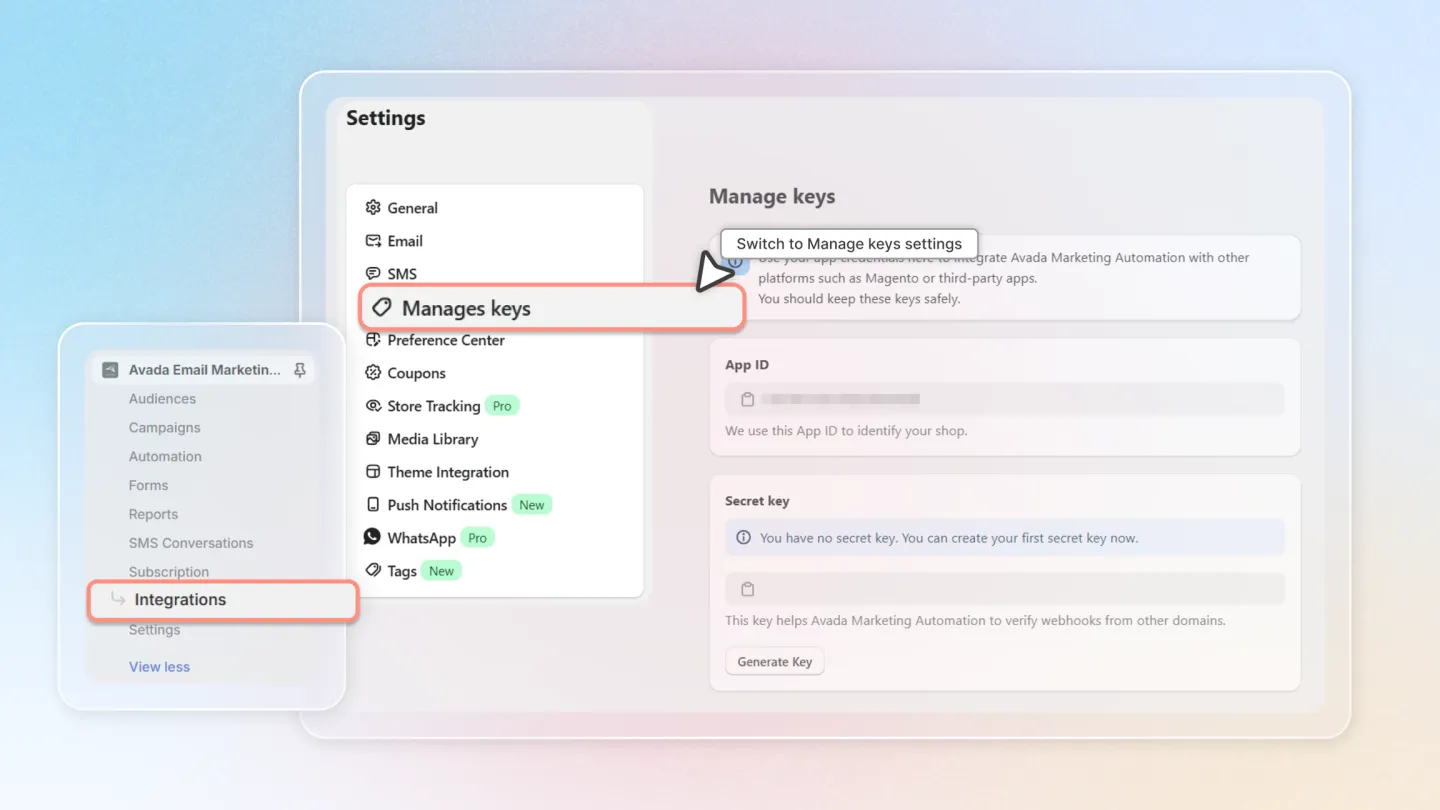
Go to the Avada Marketing Automation app in your Shopify admin (Click here (opens in a new tab) to download).
Navigate to 'Settings' and select 'Manage keys'.
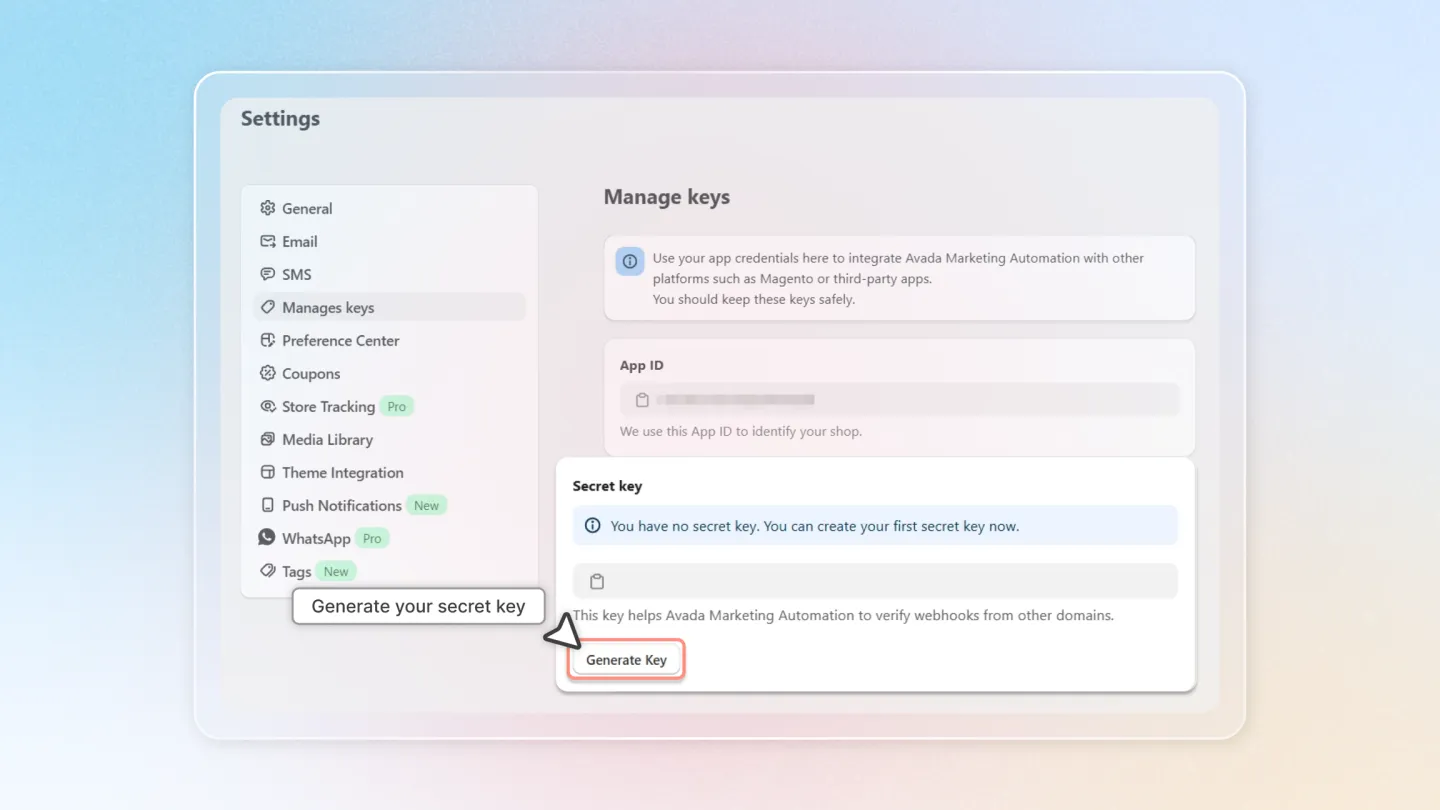
Generate your Secret key if you haven't had an available one.
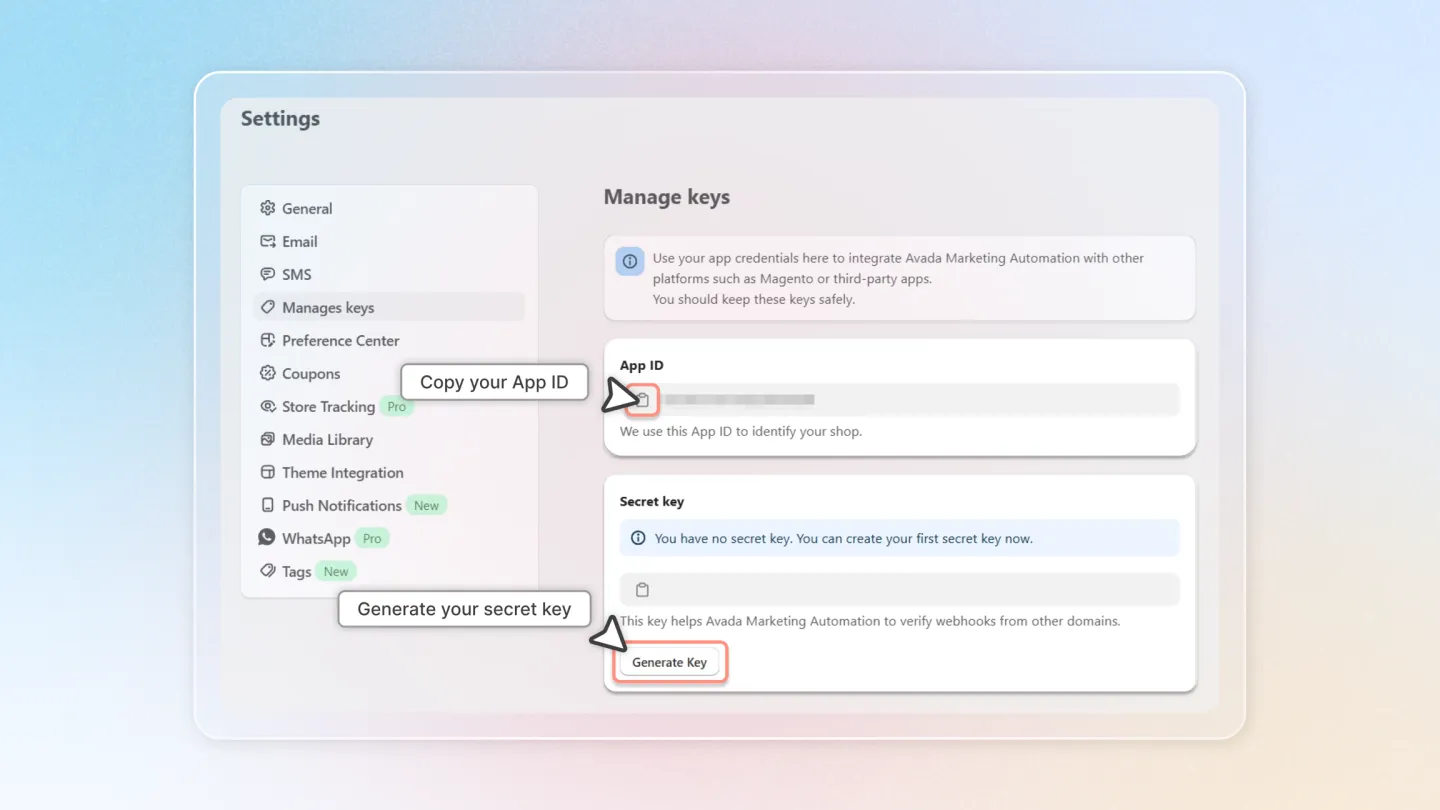
Copy the 'App ID' and 'Secret Key' provided.
2. Configure Air Reviews with Avada Credentials:
Open the Air Reviews app and select 'Integration' from the left menu.
Choose 'Avada Marketing Automation'.
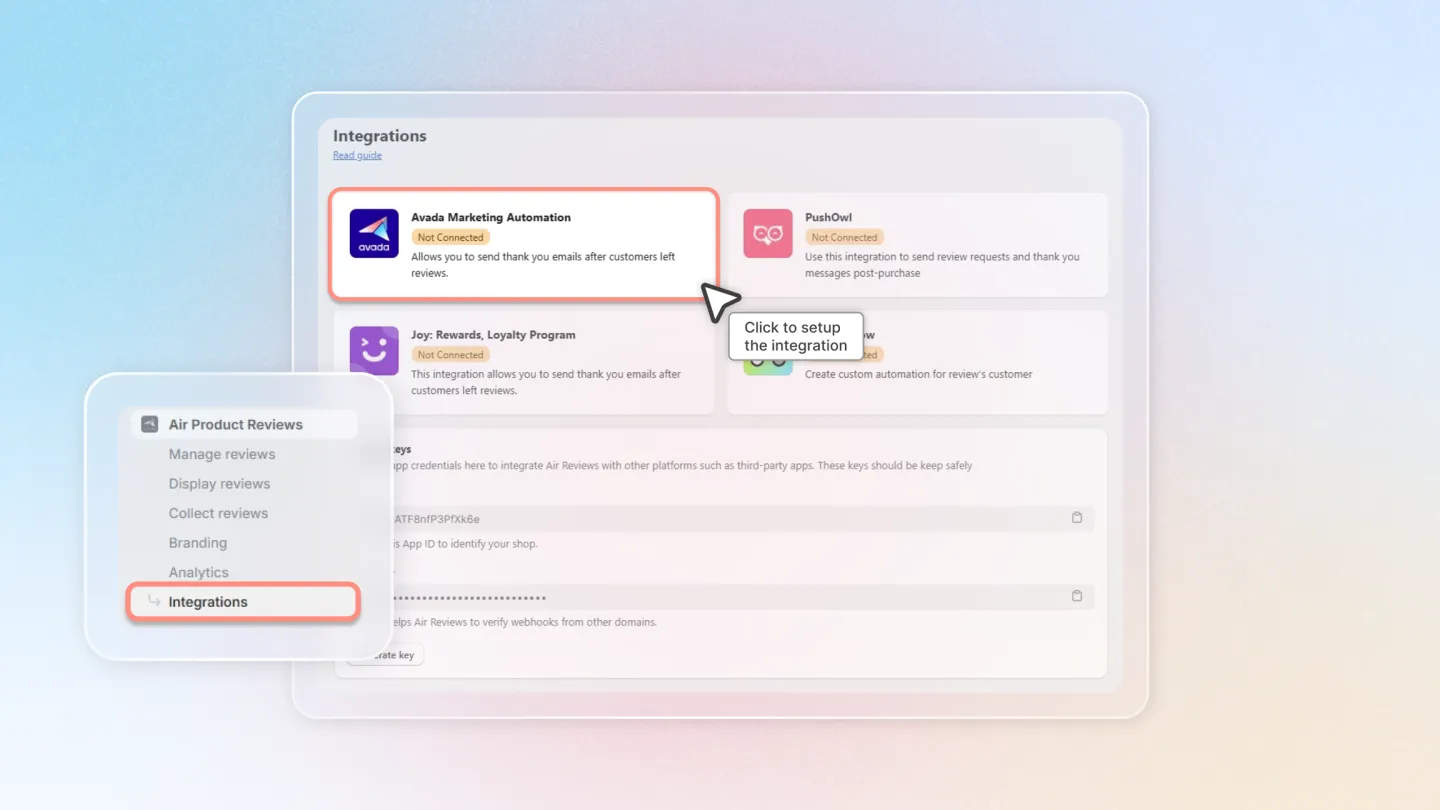
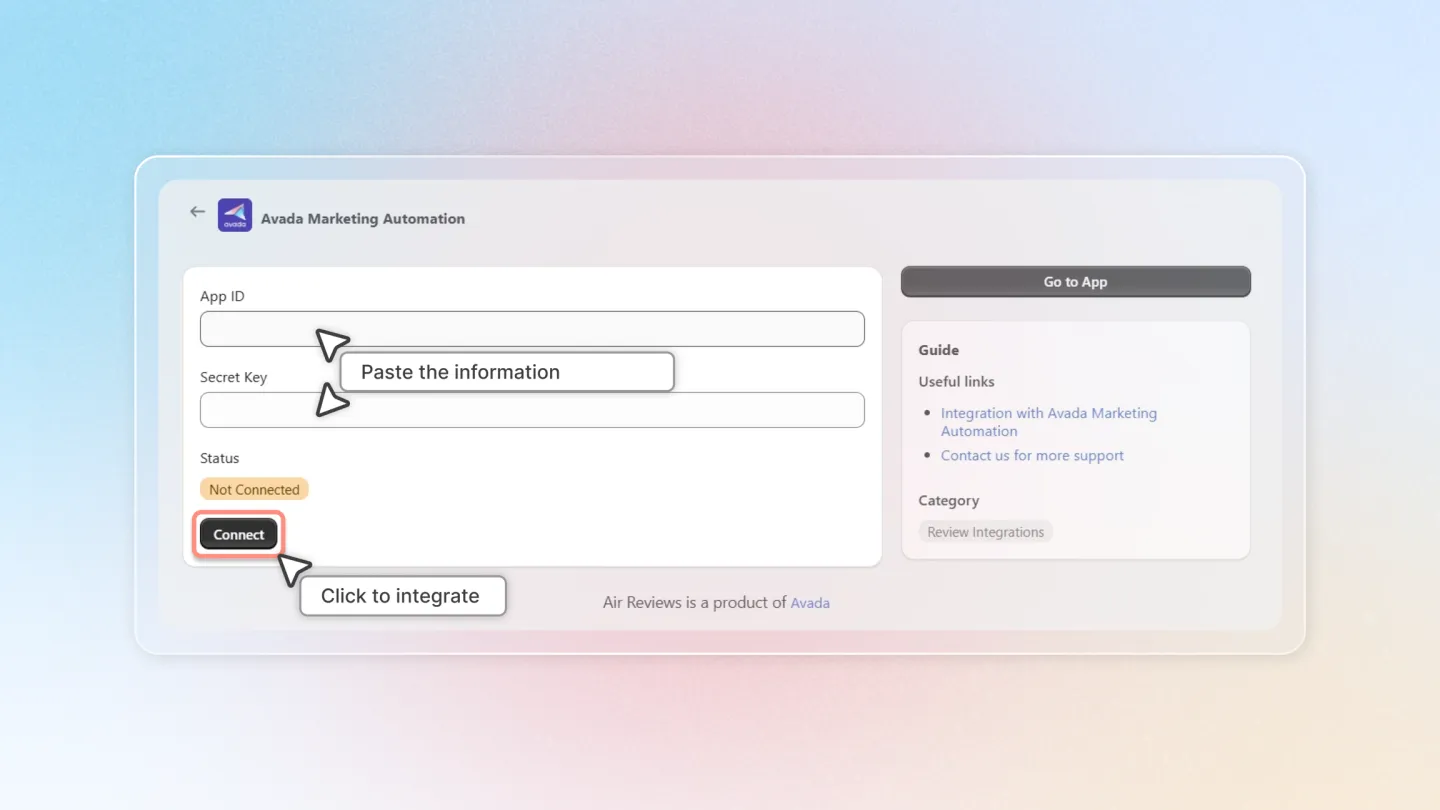
Paste the copied 'App ID' and 'Secret Key' into the respective fields and click 'Connect'.
To prevent overwhelming your customers with emails (which may cause spam), it’s advisable to integrate either Avada Marketing Automation for Review reminders or Photo review reminder only.
By following these straightforward steps, you can ensure that your review and marketing processes work in harmony, providing a seamless experience for both you and your customers.