Analytics
1. Key Metrics at a Glance
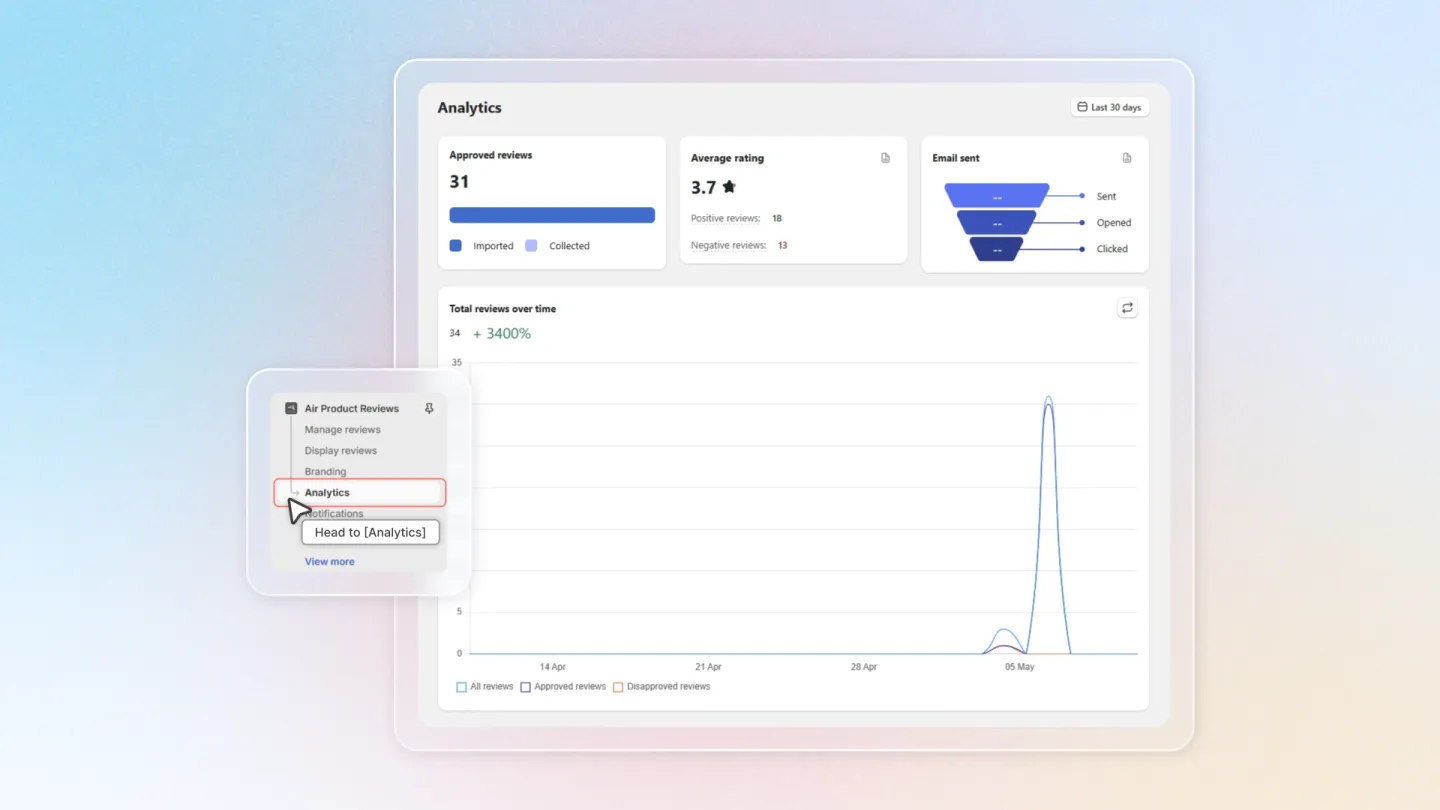
Head to the Air Reviews app and select "Analytics" from the left-hand menu.
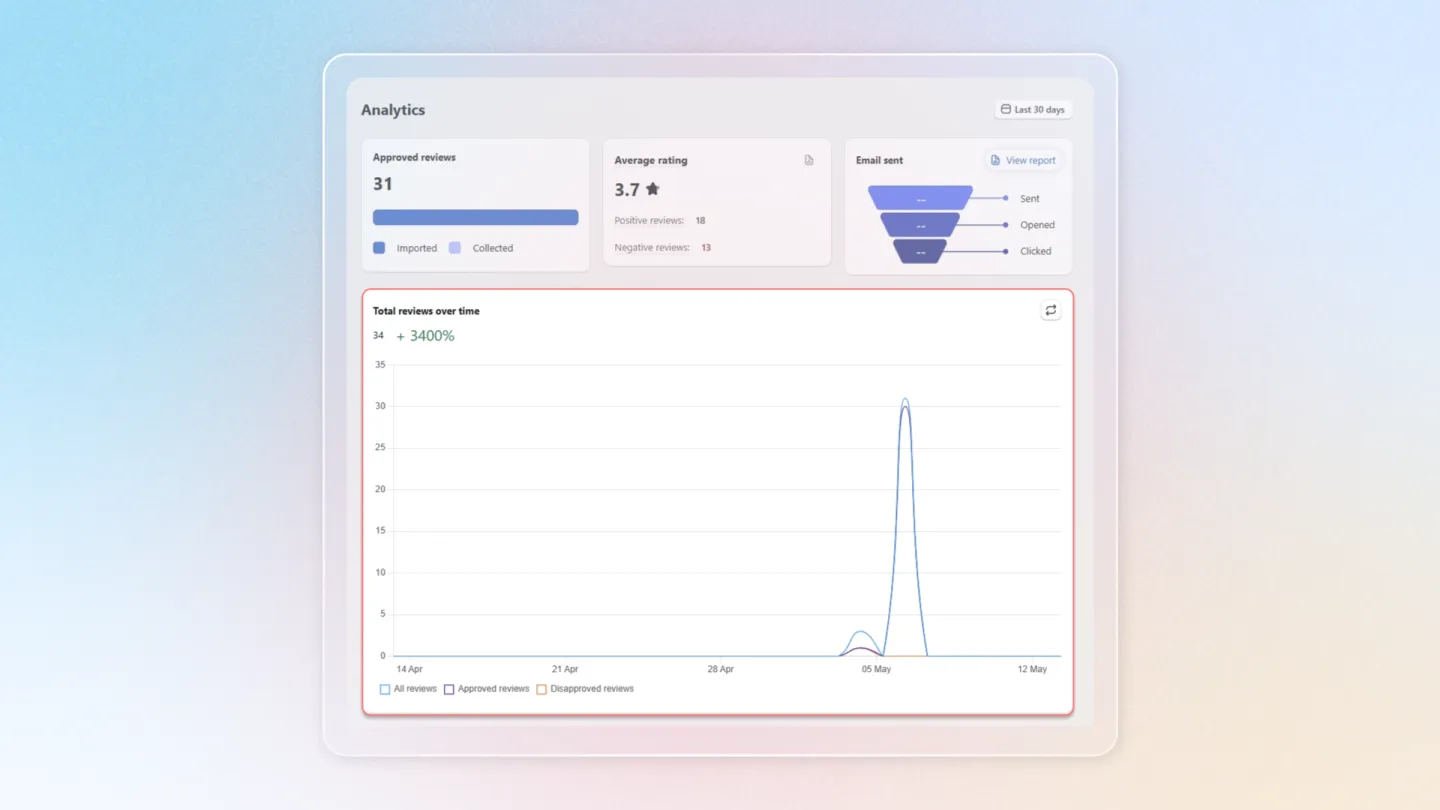
- Approved Reviews: Total number of published reviews displayed on your store.
- Average Product Rating: Overall customer satisfaction rating across your products.
- Emails Sent/Opened/Clicked: Track the effectiveness of your review request emails.
2. Monitor Your Performance
This dashboard provides a clear overview of key metrics, including:
Customize Your View
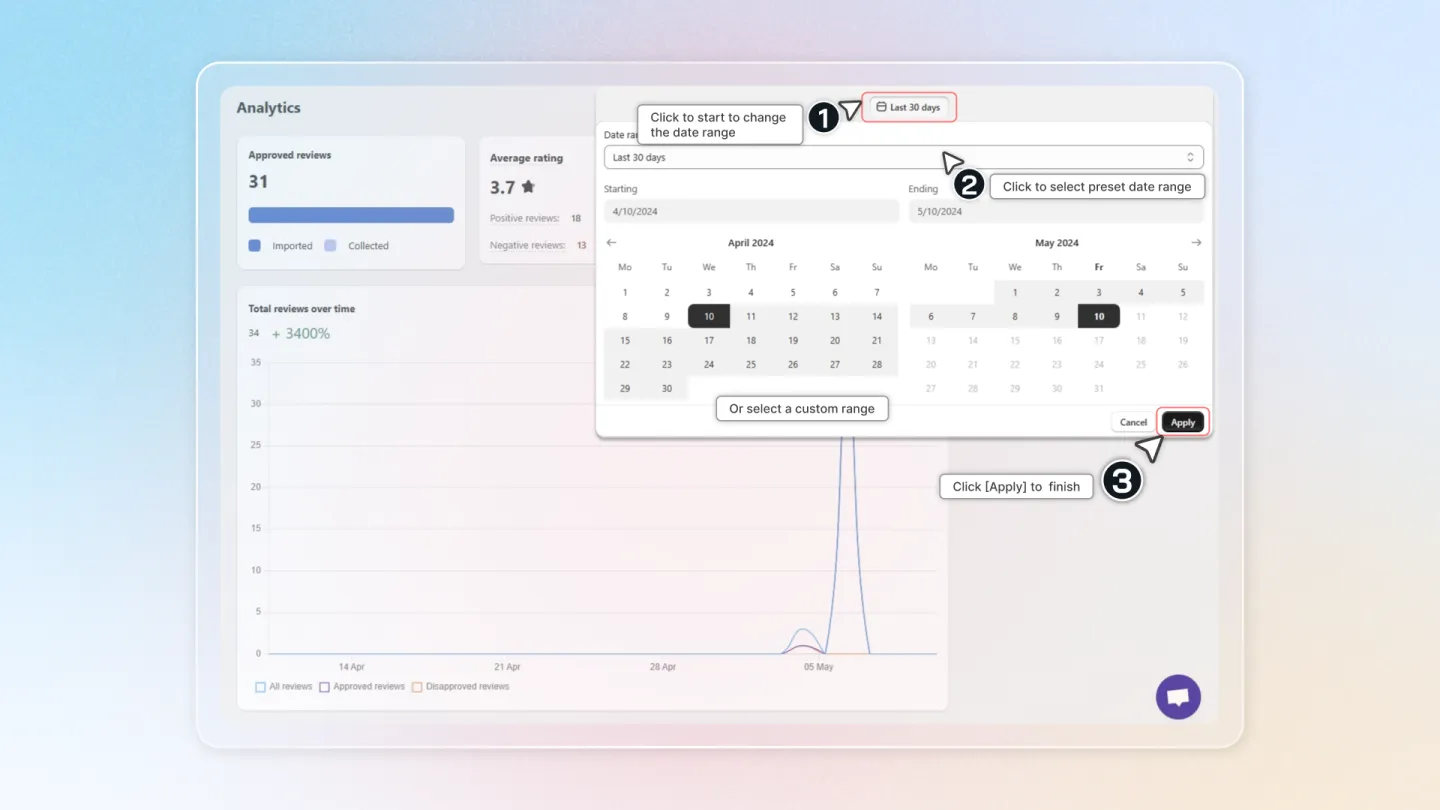
- Date Range: Click the calendar icon to select a specific timeframe and analyze trends.
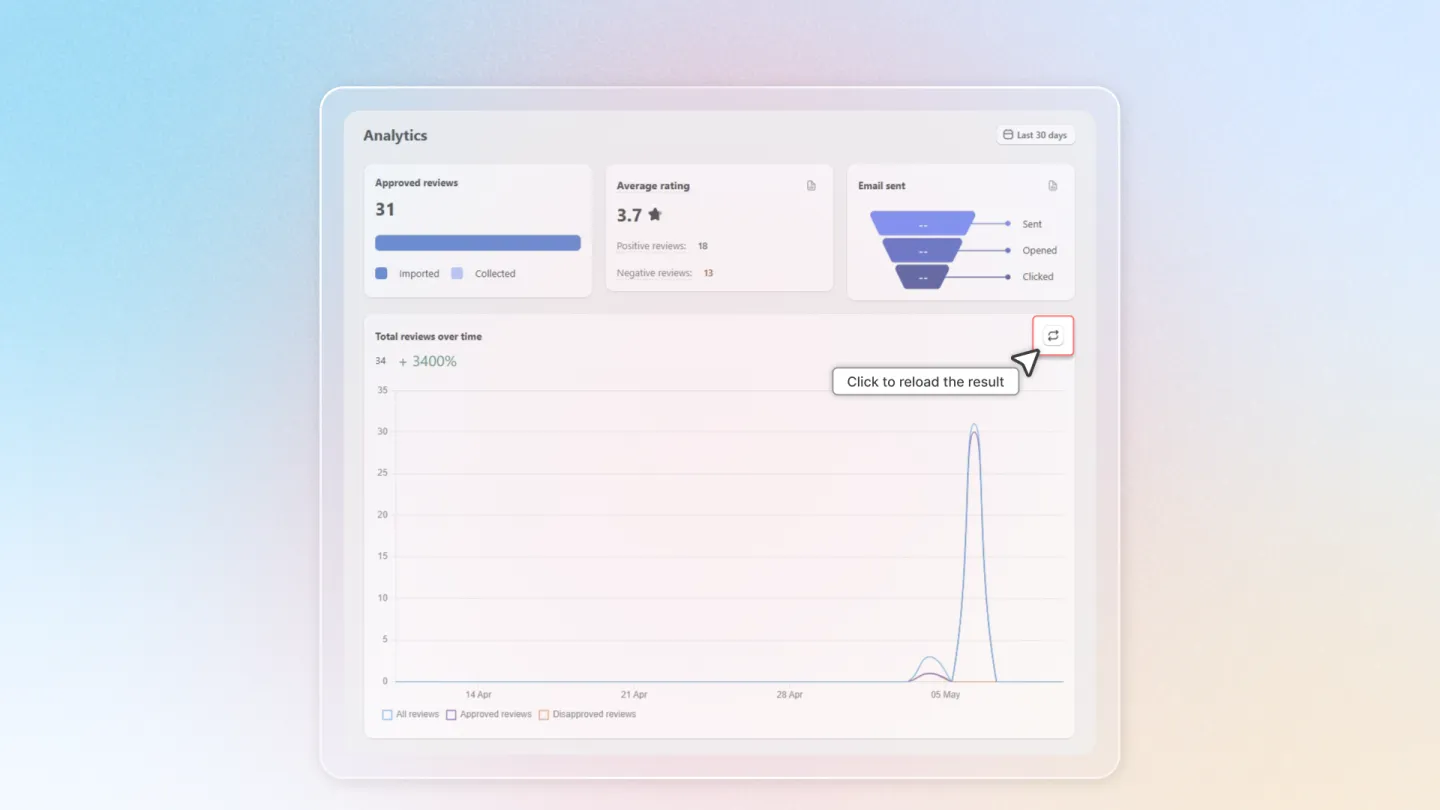
- Refresh Data: Click "Reload" to ensure you're viewing the most recent information.
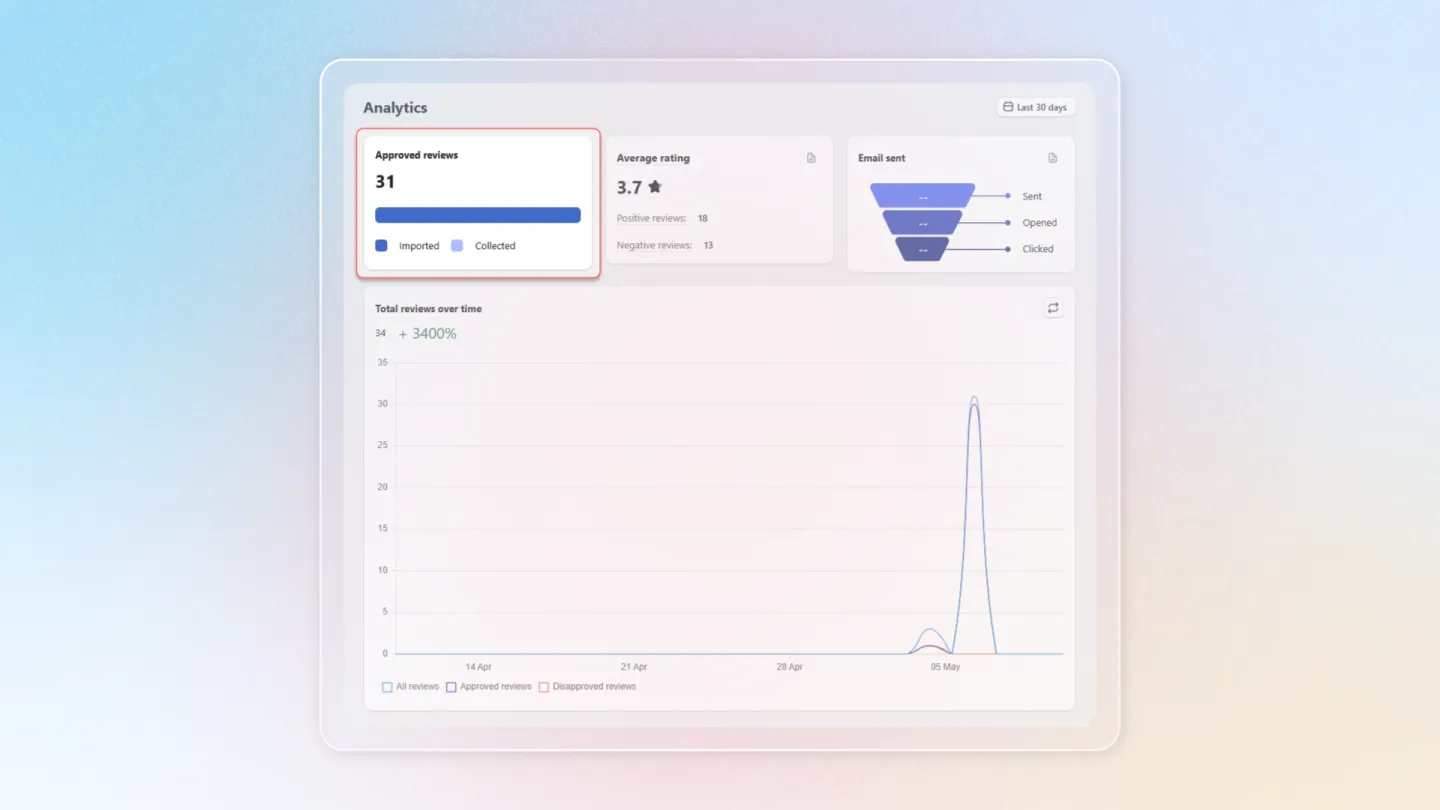
Review Breakdown
- Approved Reviews: See how many reviews were imported from sources like files or platforms (AliExpress & CJDropshipping) and those written directly by customers.
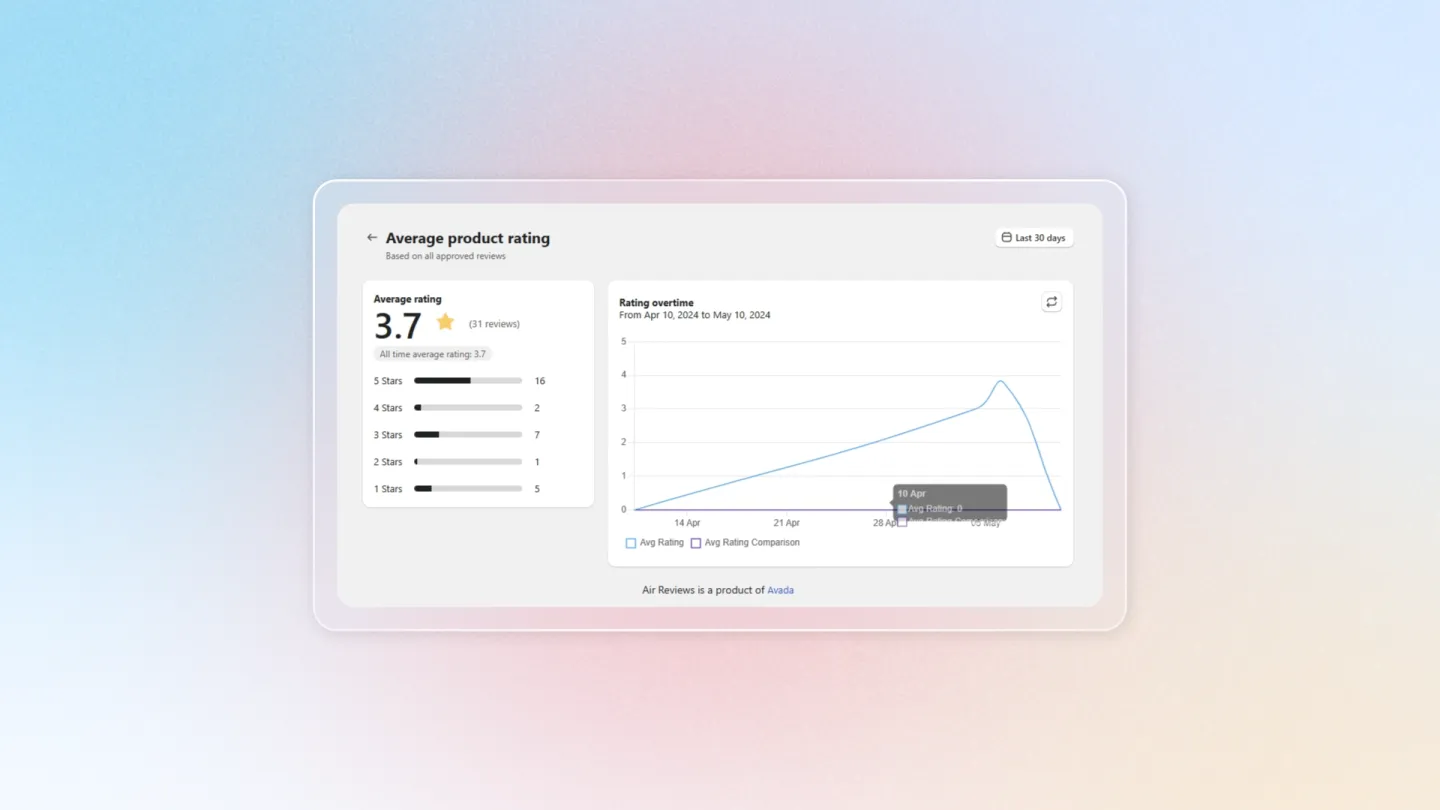
- Average Product Rating:
- Take a look at overall customer satisfaction rating across your products.
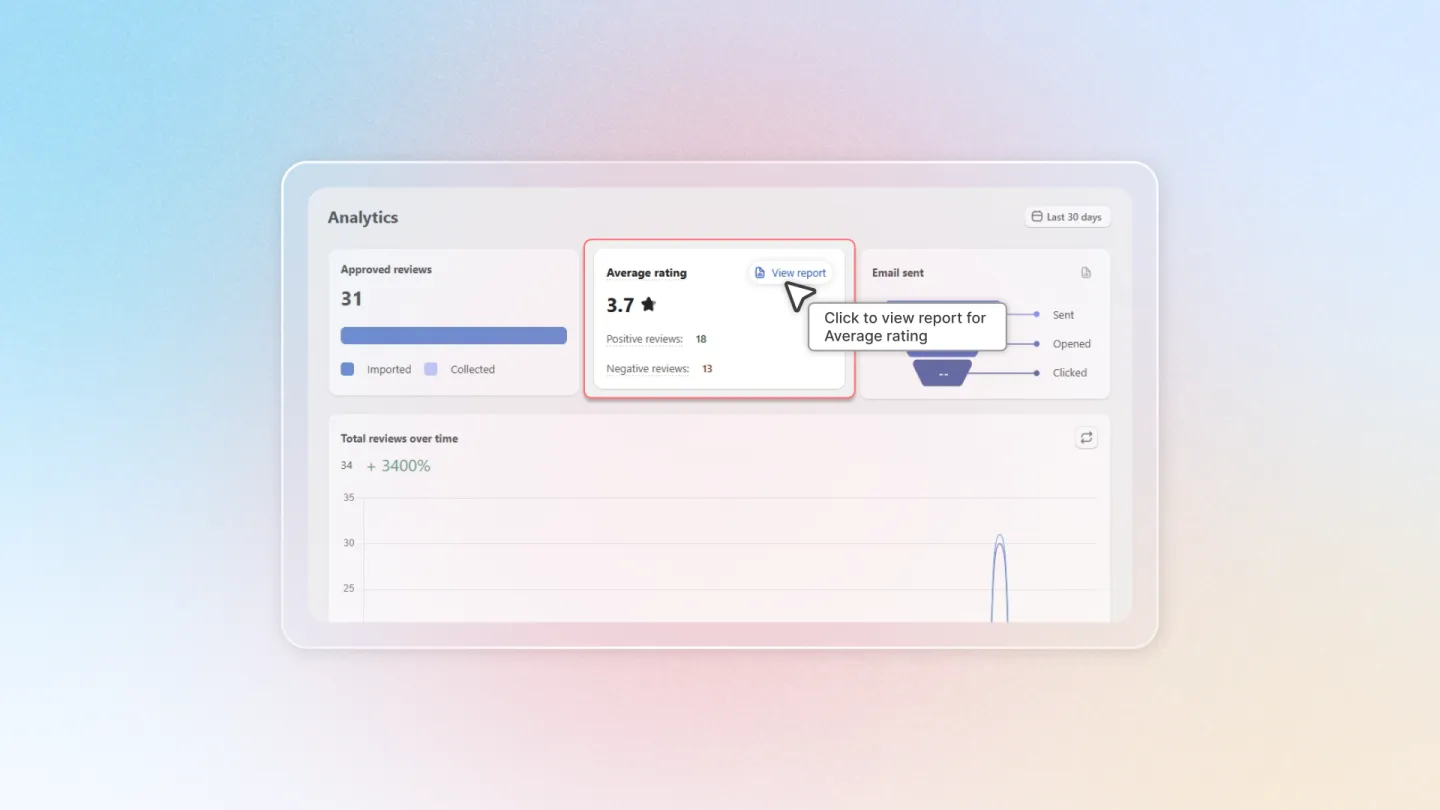
- Click "View report" to access a detailed breakdown of positive, negative, and neutral ratings.
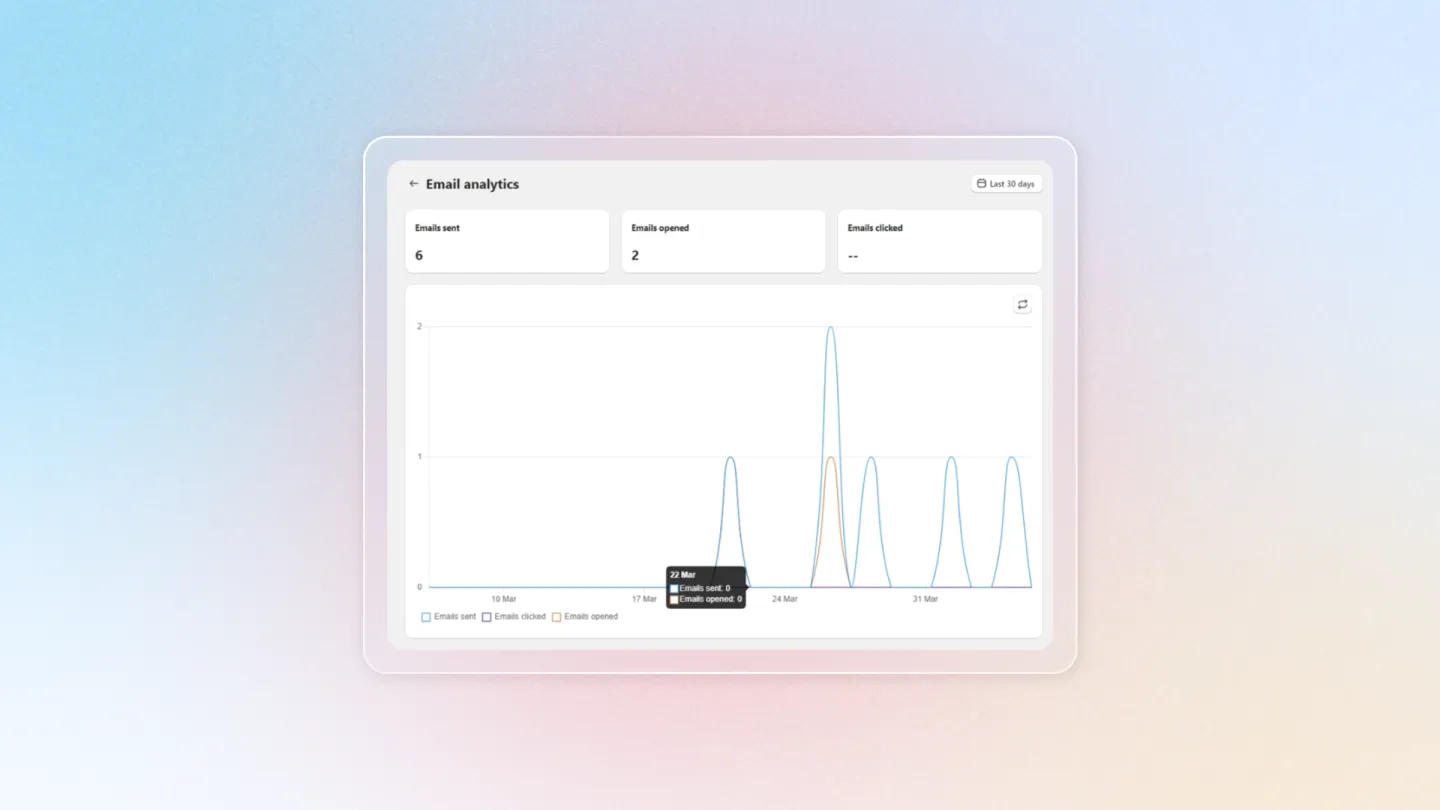
- Email Analytics:
- Take a glance at insights into customer engagement with your review request emails.
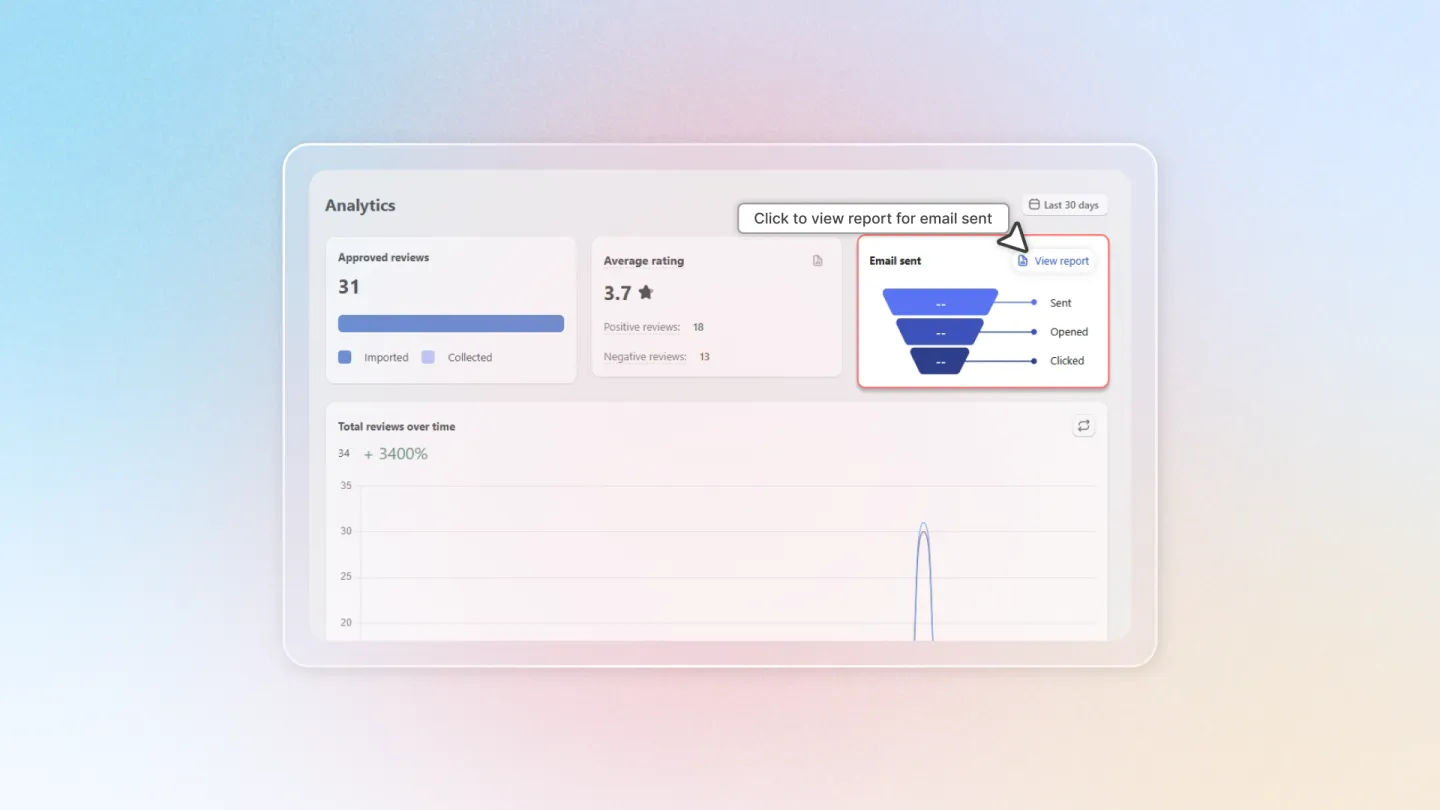
- Click "View report" to delve deeper into email campaign performance data.
- Review Volume Over Time: Track the overall growth and trends in your customer reviews over time.
Transforming Feedback into Success
💡
Air Reviews Analytics empowers you to make data-driven decisions to improve your customer experience and boost sales. By leveraging these valuable insights, you can:
- Identify areas for improvement based on customer feedback.
- Encourage positive reviews by addressing customer concerns.
- Track the impact of review request email campaigns.
- Monitor overall customer sentiment towards your products and brand.
Take control of your customer feedback! Start exploring Air Reviews Analytics today and unlock the power of data-driven insights.