Add star rating to product card
Before the restriction of Asset API (opens in a new tab), we could automatically add the snippet to your theme code. However, we can no longer since the recent update of Shopify, you will need to add our snippet to your theme in the meantime.
We are actively asking for the whitelist of the Asset API. We will soon bring this back to the automatic mode.
Option 1: Use Theme Default Star Rating
For products that meet Shopify's standards, you can use the default star rating display from review apps.
This option aligns with your theme design but may not be as visually appealing and won't show for products without reviews.
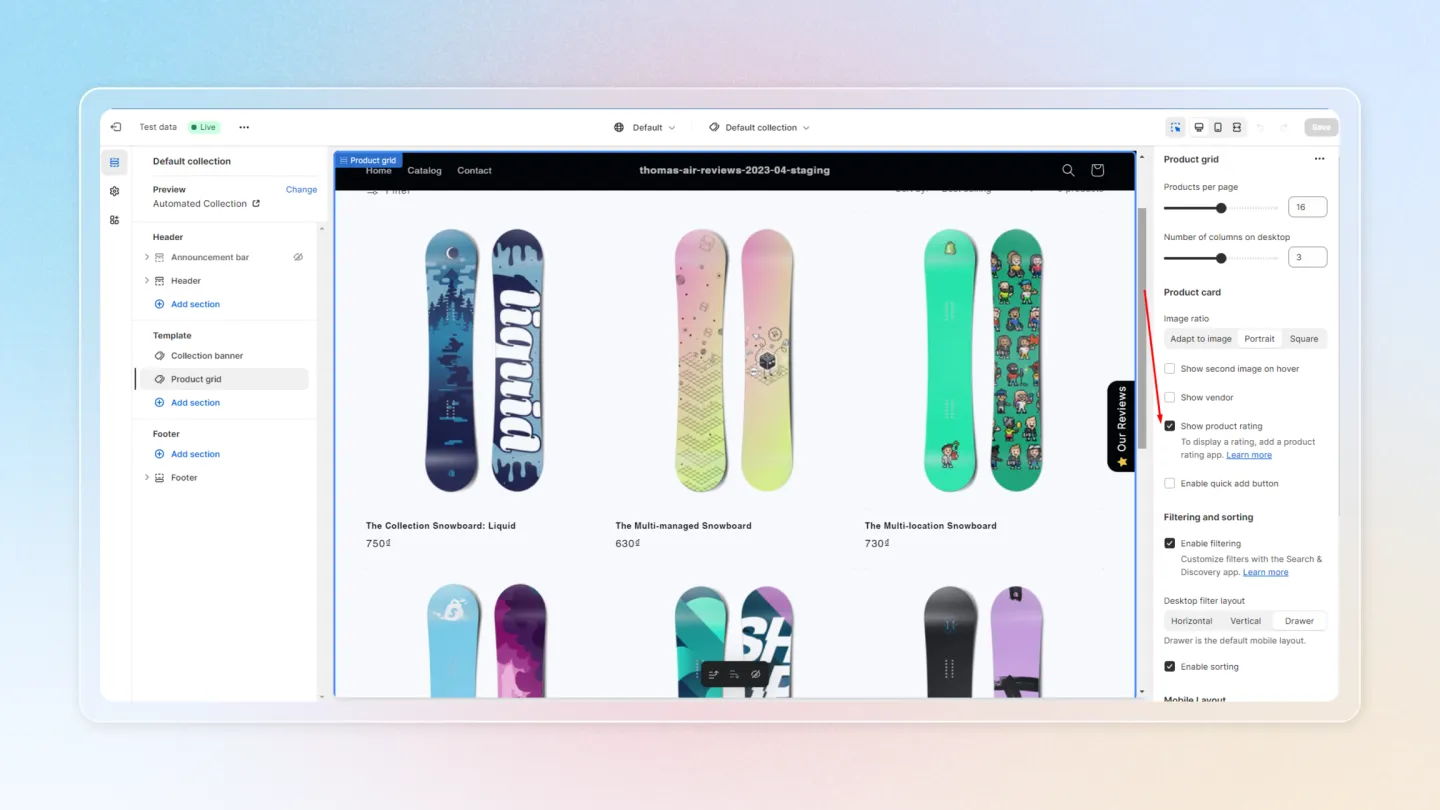
Option 2: Add Our Snippet to Your Theme Code
Shopify encourages merchants to manually add custom liquid blocks for transparency. Here’s how to add the star rating snippet to your theme, specifically using the Dawn theme as an example.
Find the Product Card Liquid File and Insert Snippet
- Locate the Product Card Liquid File: In the Dawn theme, find the position before the theme rating display.
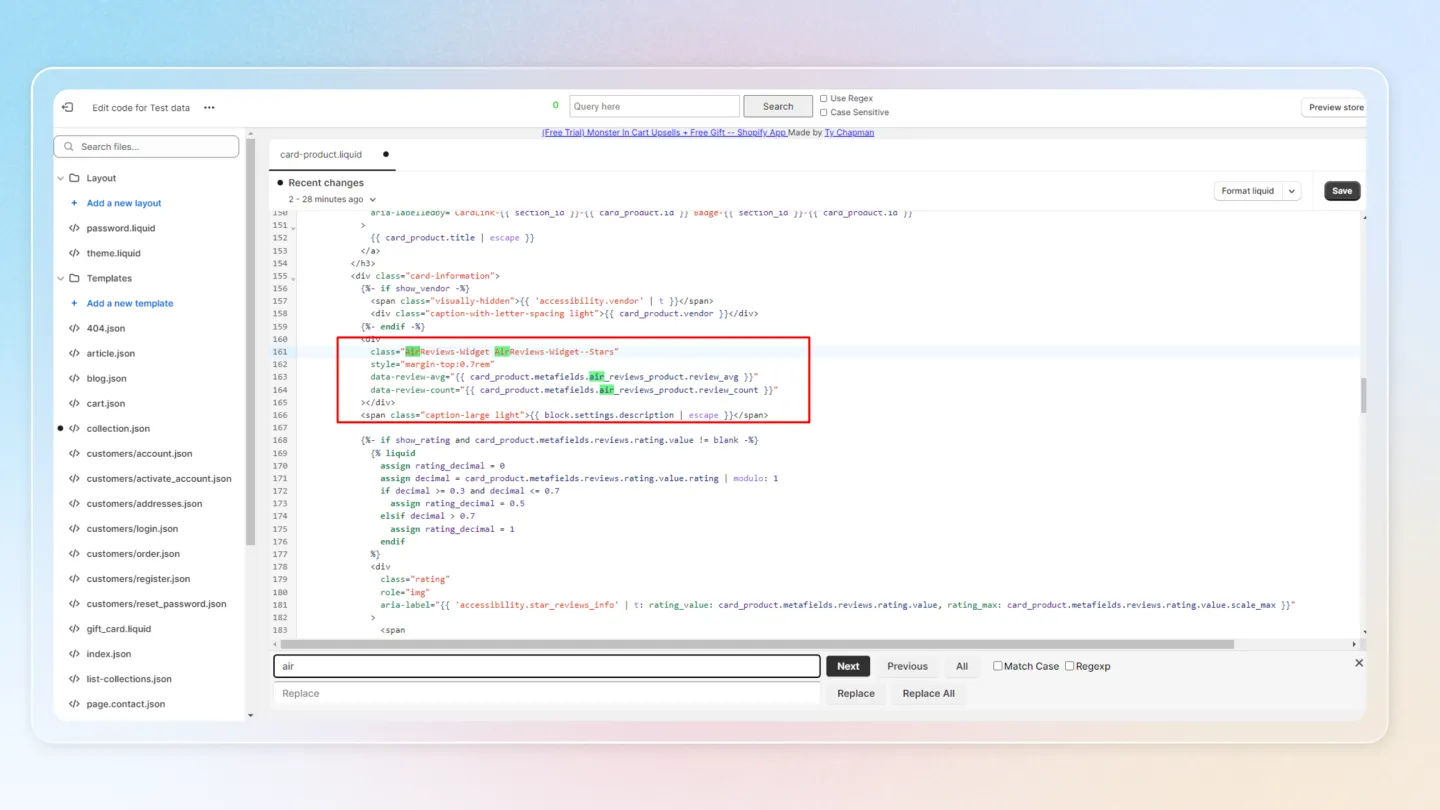
- Insert the Snippet:
<div
  class="AirReviews-Widget AirReviews-Widget--Stars"
  style="margin-top:0.7rem"
  data-review-avg="{{ card_product.metafields.air_reviews_product.review_avg }}"
  data-review-count="{{ card_product.metafields.air_reviews_product.review_count }}"
></div>
Ensure the card_product object matches your theme’s product object (e.g., product_card, product).
- Save Your Changes: Save the file and check your store to see the star ratings displayed.
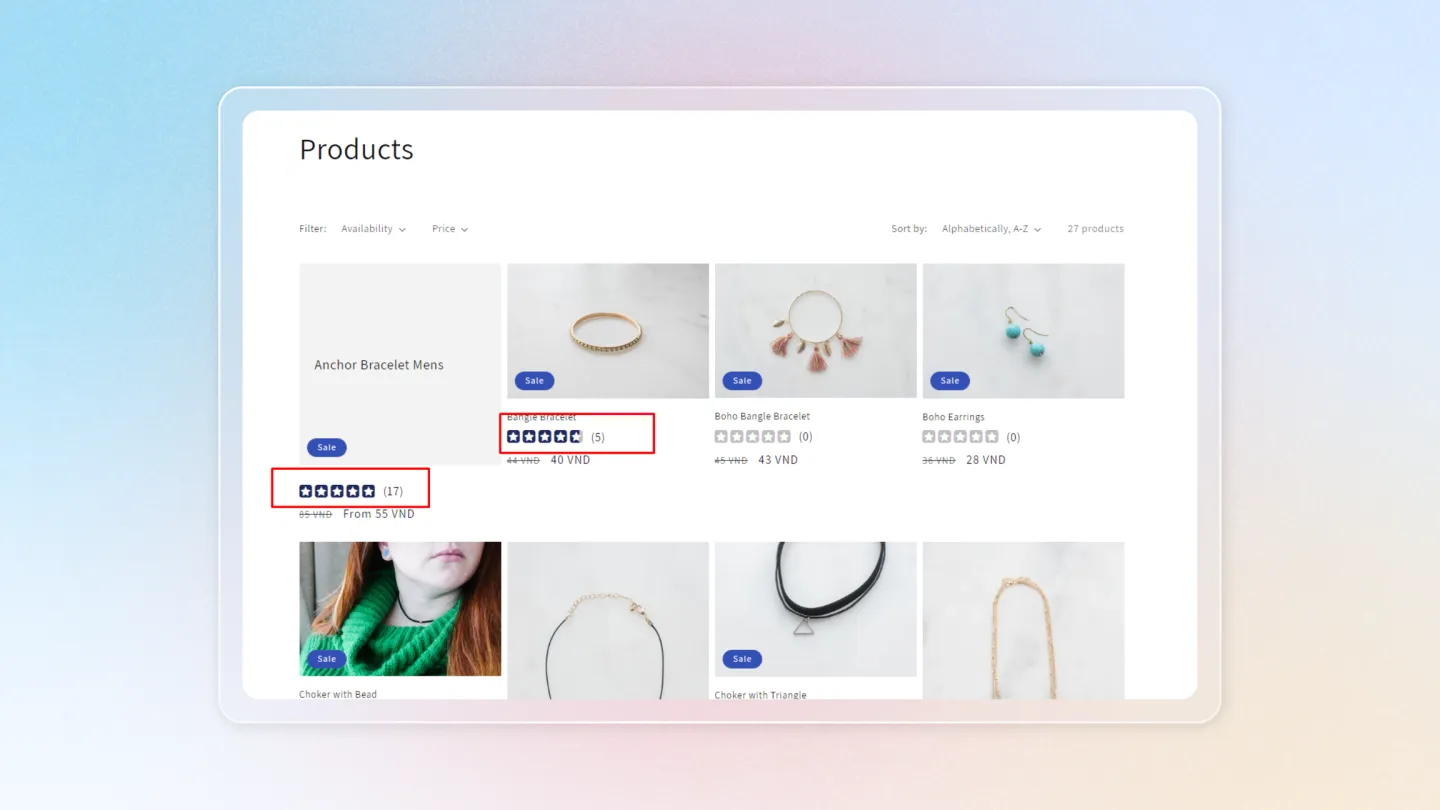
By following these steps, you can effectively add star ratings to your product cards, enhancing the overall shopping experience on your Shopify store.