Multi-language store
Introduction
Multi-language store is a feature that enables your store to display review widgets in multiple languages, enhancing the shopping experience for your international customers.
You can go to the Multi-language store feature here (opens in a new tab)
Requirements
- Multiple languages (opens in a new tab) set up in your Shopify store
- Your store's primary language must be set up in Shopify translations
Supported Languages
Air Reviews currently supports widget translation in:
- English
- Spanish
- Hindi
- French
- Dutch
- Japanese
- Korean
- Italian
- German
- Vietnamese
- Russian
- Serbian
- Portuguese (Portugal)
- Portuguese (Brazil)
- Chinese (Traditional)
- Estonian
- Finnish
- Arabic
- Czech
- Slovenian
- Romanian
If your store uses languages not listed above, widgets will display in your selected language in the Translation settings
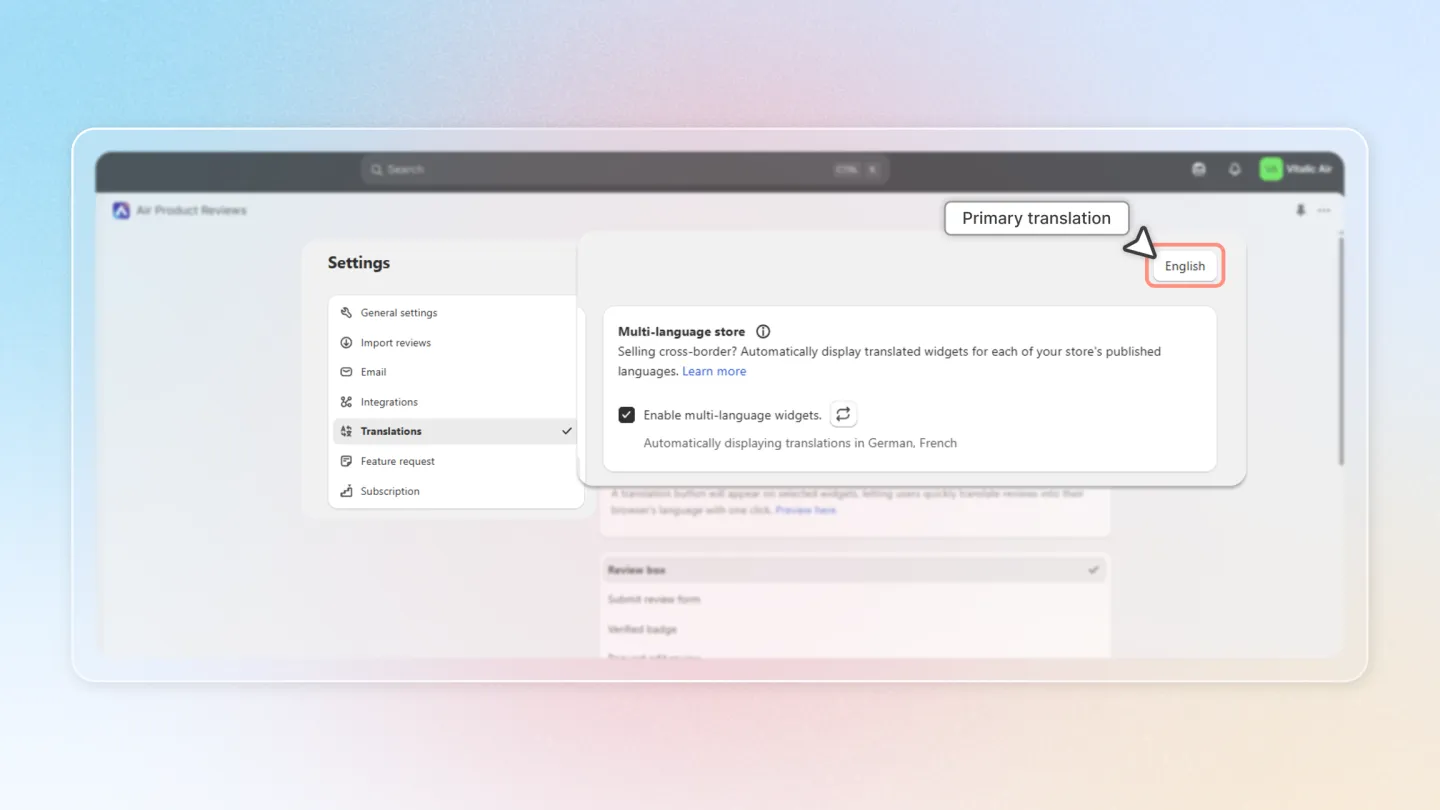
Setup Process
Step 1: Configure Languages in Shopify
Before enabling multi-language widgets in Air Reviews, you need to set up additional languages in your Shopify store:
Configure your store's supported languages in Shopify settings first. Add and publish all desired languages through your admin panel.
Step 2: Enable Multi-language Widgets
After setting up languages in Shopify: Enable multi-language support in Air Reviews settings by activating the widget feature and saving your changes.
Once enabled, your review widgets will automatically display in your customers' selected language when they browse your online store.
Enable Multi-language store feature (opens in a new tab)
Important Notes
- The app will automatically detect your customers' language preferences based on their store language selection
- For unsupported languages, widgets will default to your store's primary language set in Shopify translations
- All language translations are handled automatically by the app - no manual translation is required
- Language settings sync with your Shopify store's language configurations
Conclusion
By configuring the translations in Air Reviews, you ensure your store's content is displayed in the most appropriate language for your customers, whether through auto-detection or default settings. Customize widget labels and easily manage multiple languages to enhance the user experience. If you have any questions, feel free to reach out to our support team.