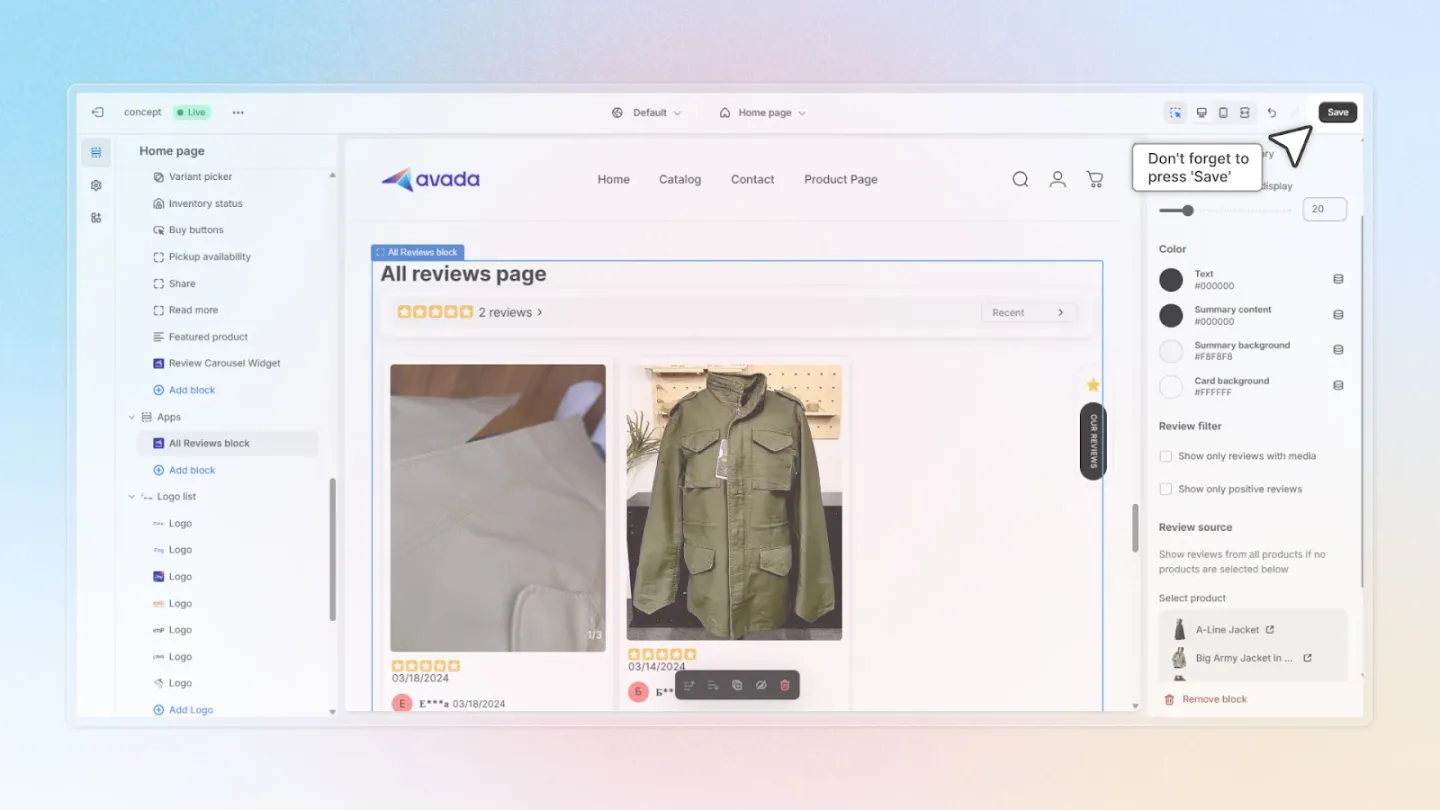
Configure All Reviews Page
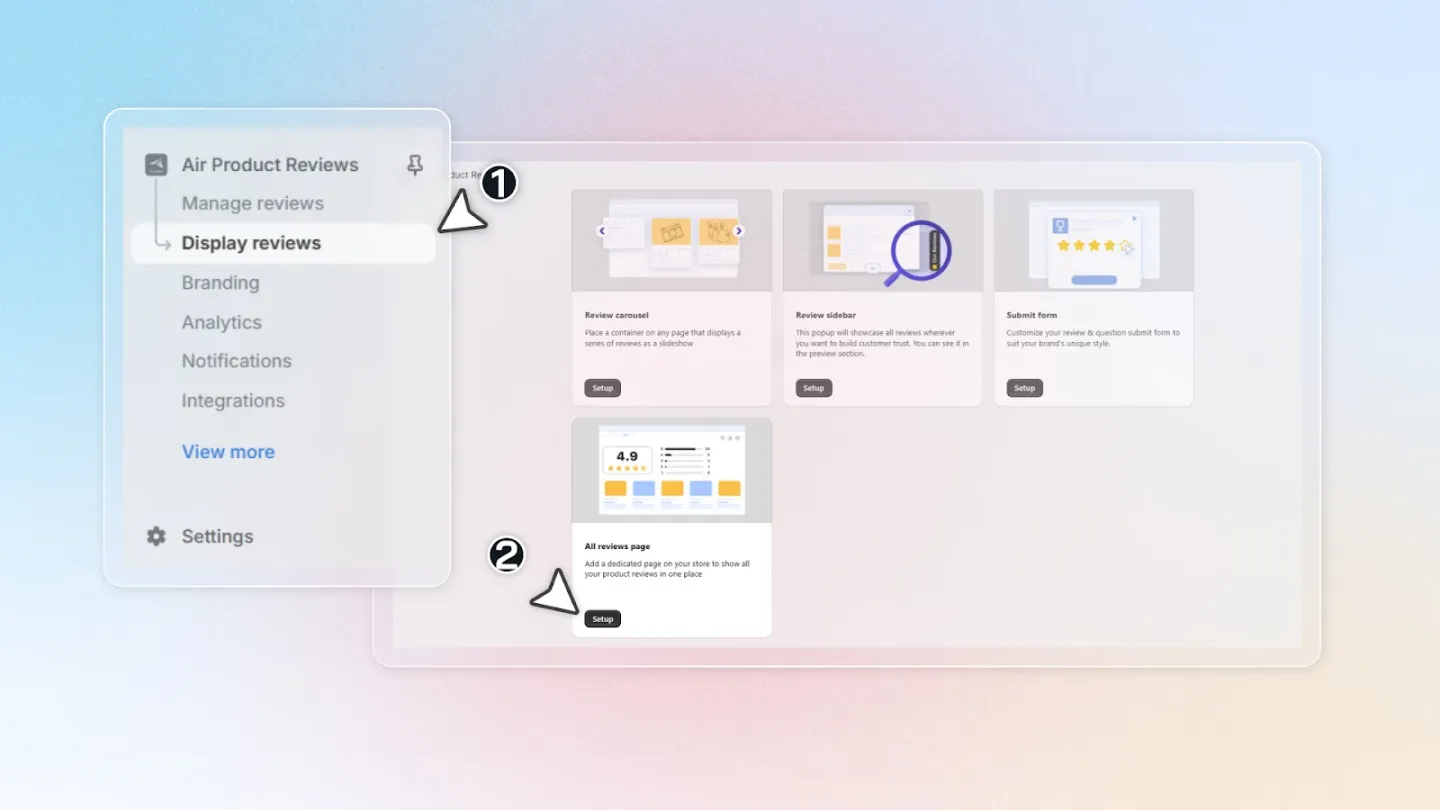
1. Access the Theme Settings
Go to 'Display Reviews' within the Air Reviews app.
Click 'Edit in theme' to start to edit the All Reviews page.
2. Customize Page Elements
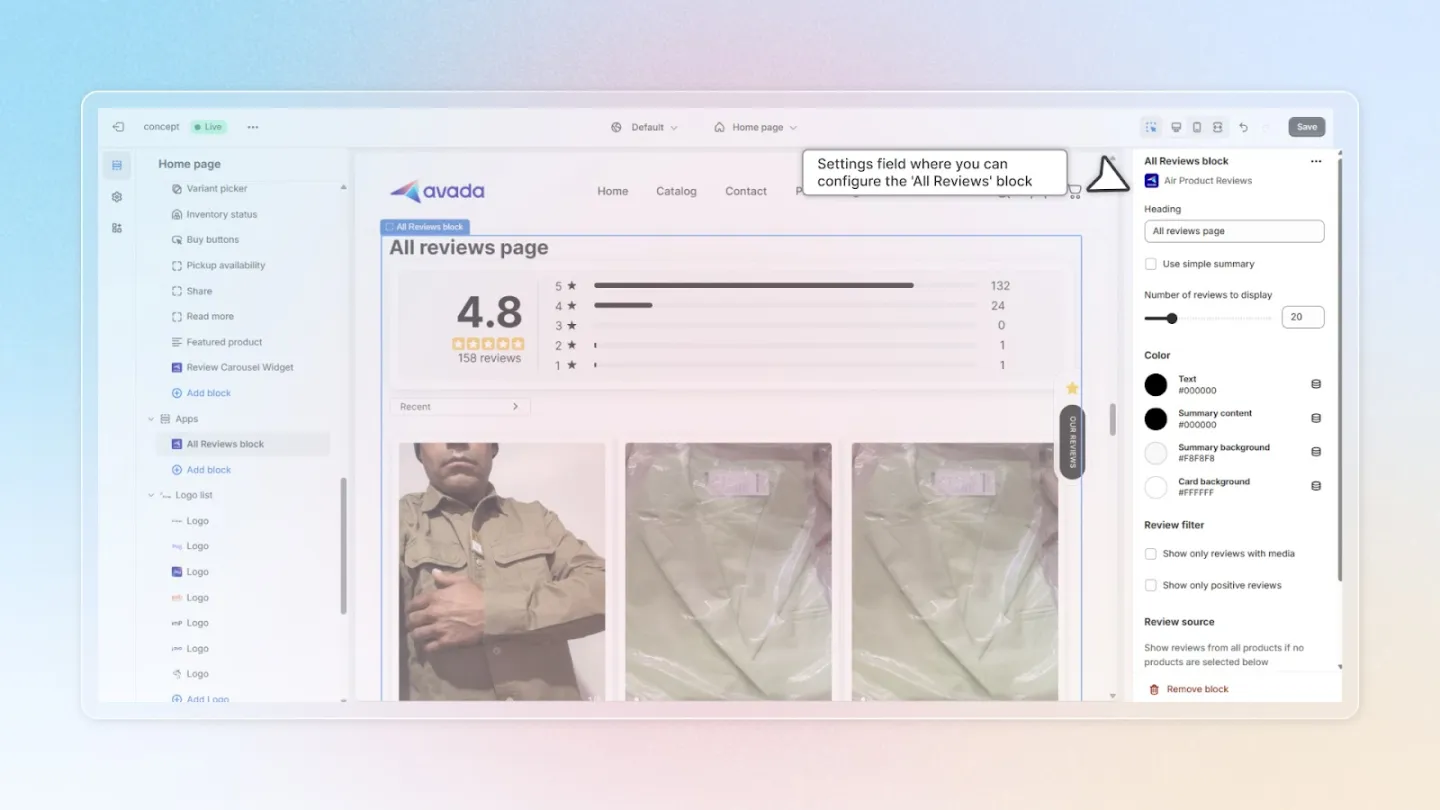
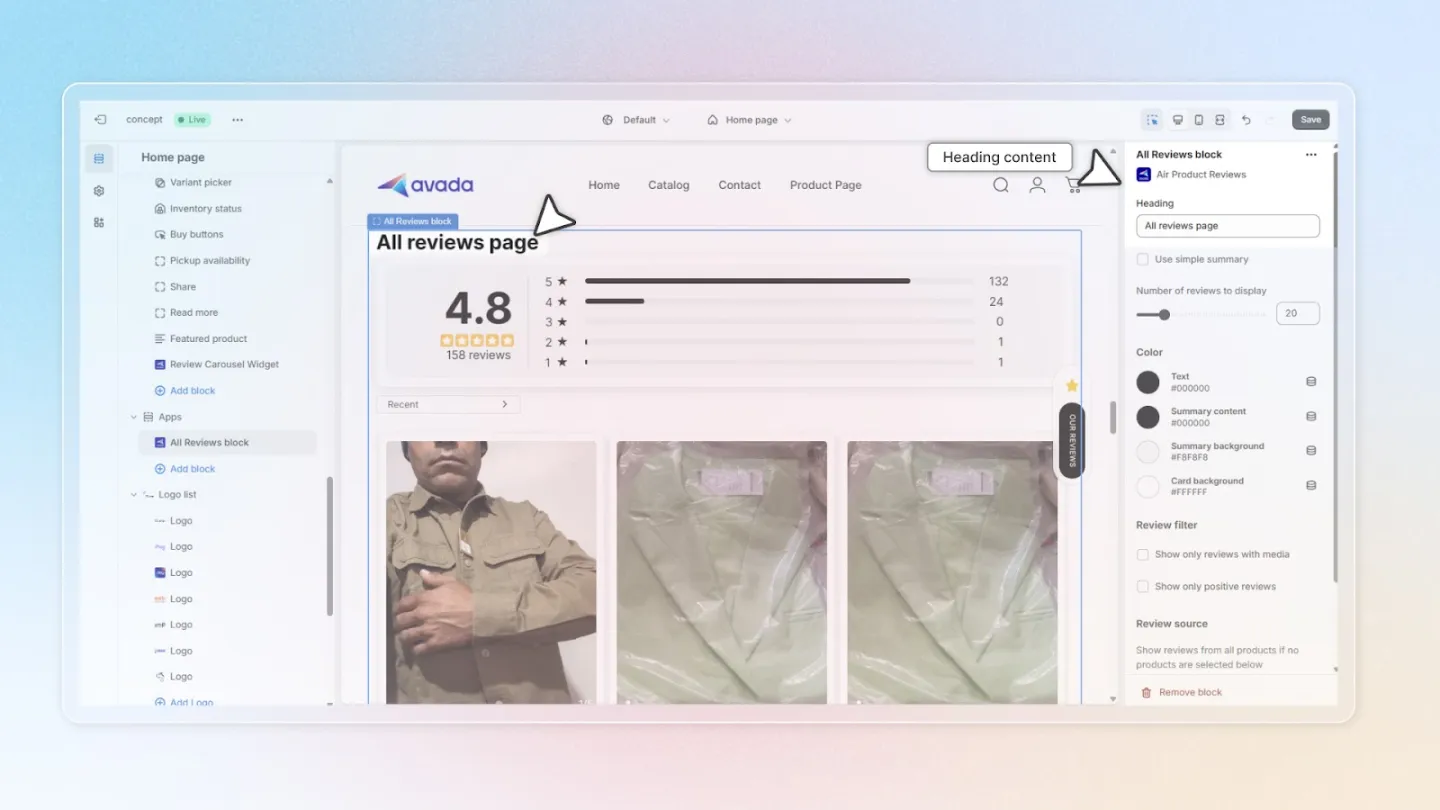
Heading: Input the text for the page heading to reflect the content of the reviews.
Use Simple Summary: Check this option to display review summaries in a simplified card format.
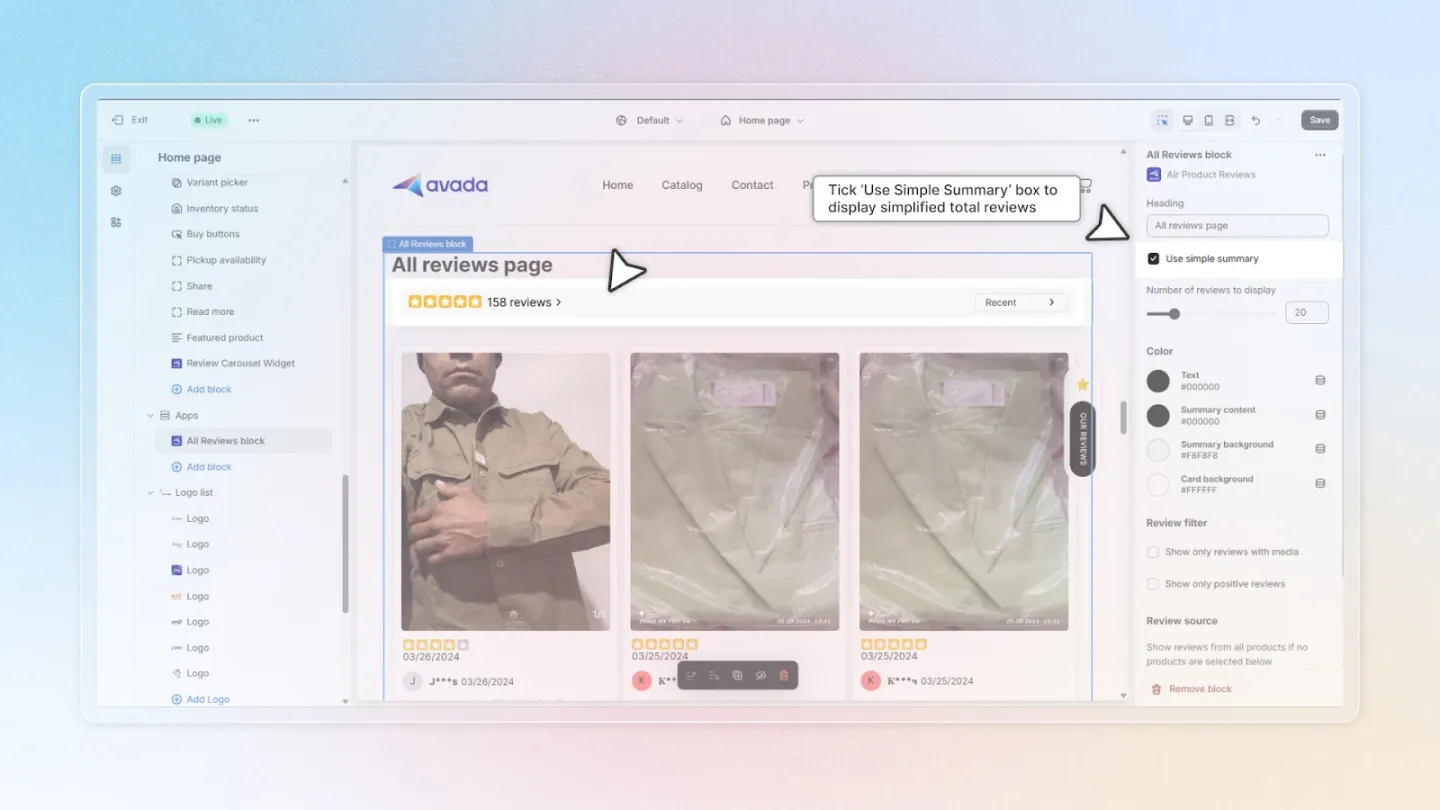
Number of Reviews: Choose how many reviews to display, up to a maximum of 100 per page.
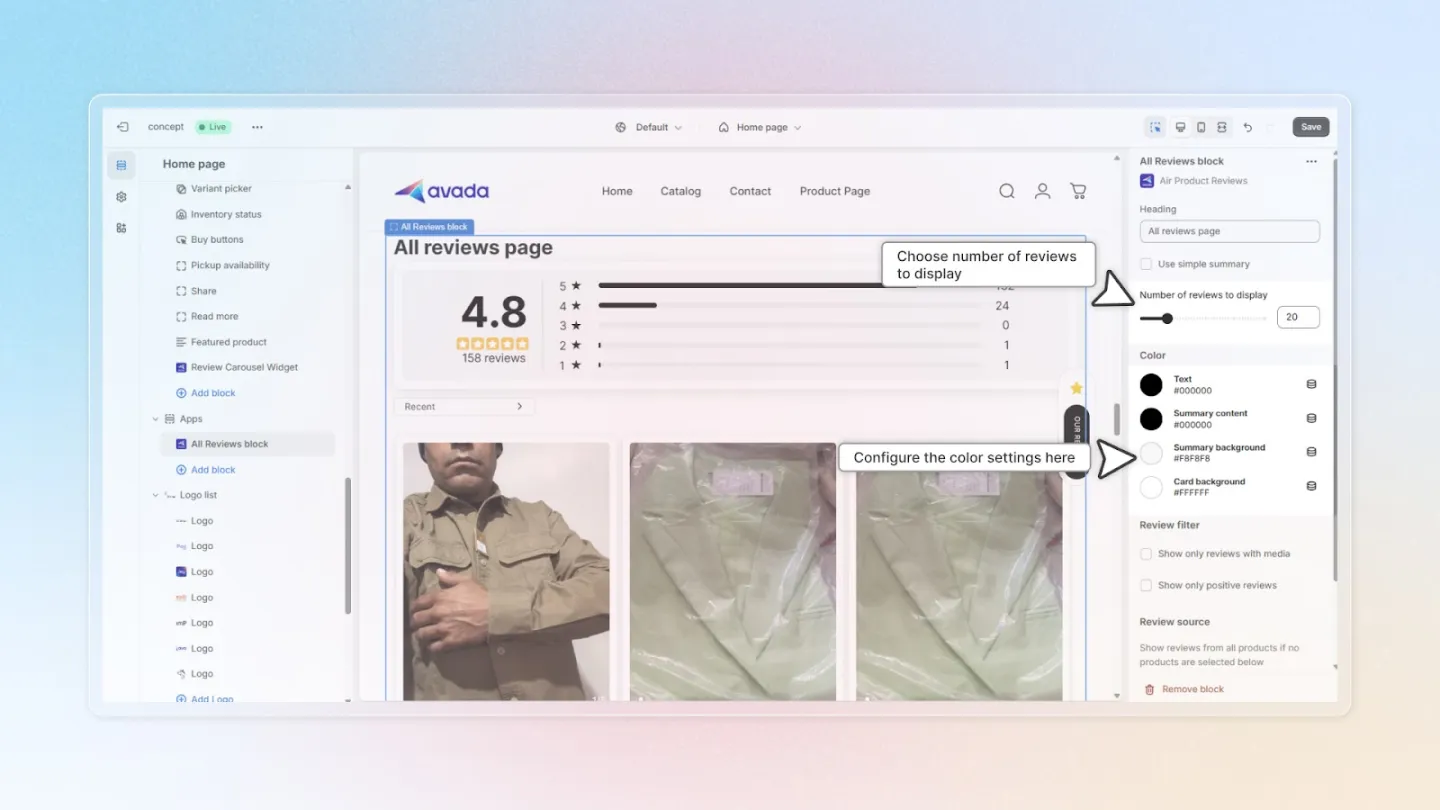
4. Adjust Color Settings
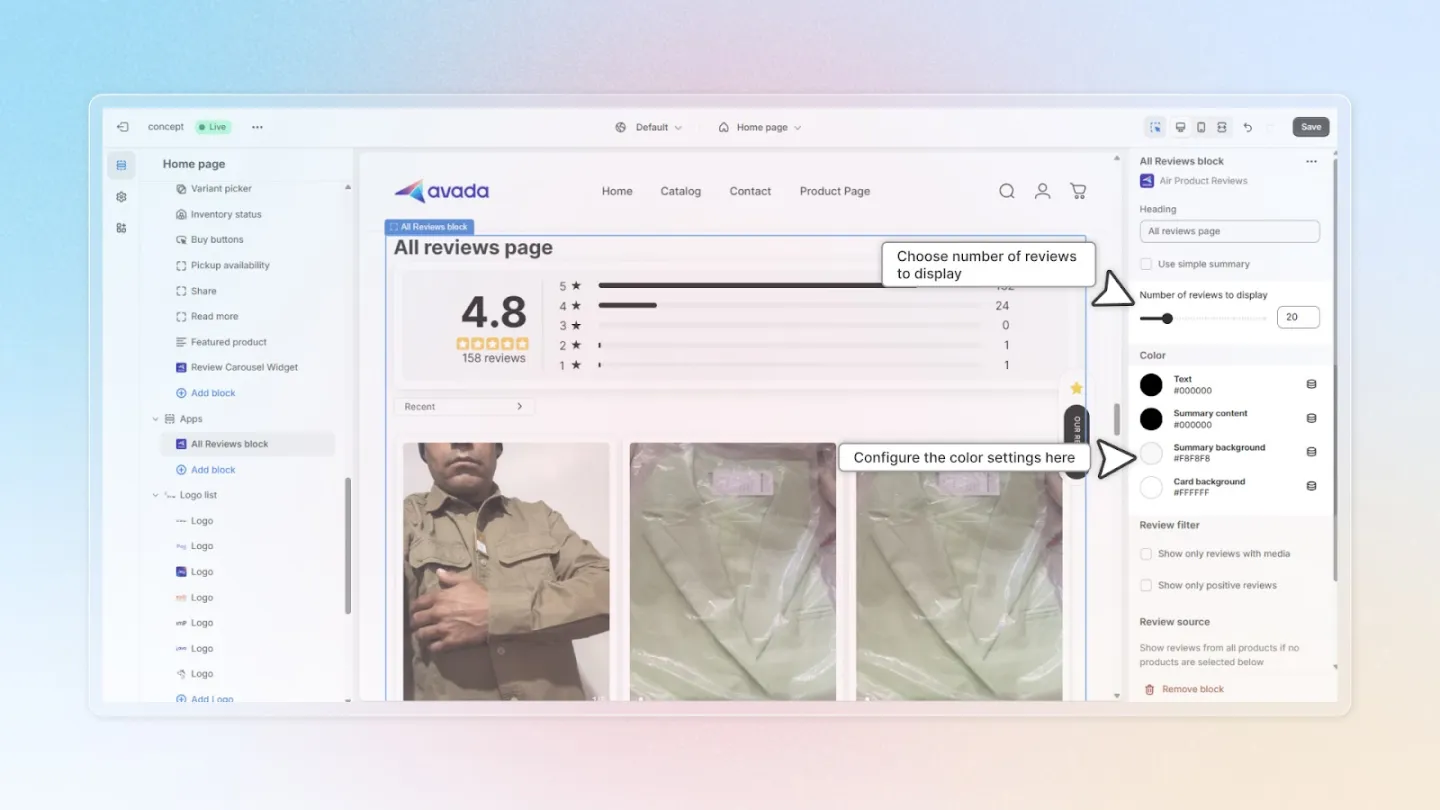
You can fully customize the color settings for your All reviews page, including these variables:
- Text Color: Select the color for text on the review cards.
- Summary Content Color: Choose the color for text in the summary cards.
- Summary Background Color: Set the background color for the summary cards.
- Card Background Color: Decide the background color for the review cards.
5. Filter Reviews
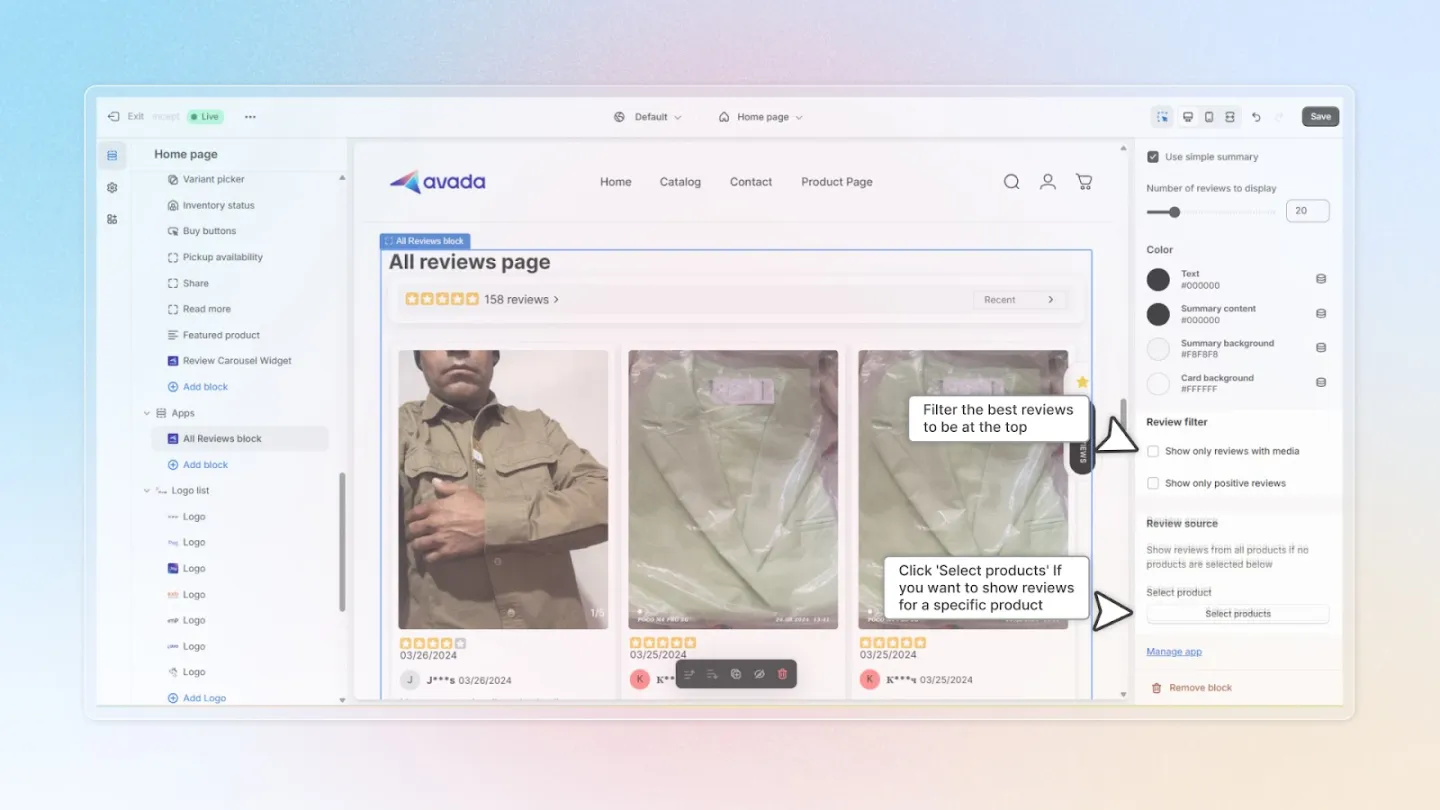
There are 2 options for you to filter your reviews shown on All reviews page:
- Show Only Reviews with Media: Enable this to display only reviews that include media (photos or videos).
- Show Only Positive Reviews: Opt to show only 5-star reviews for a positive impact.
6. Specify Review Source
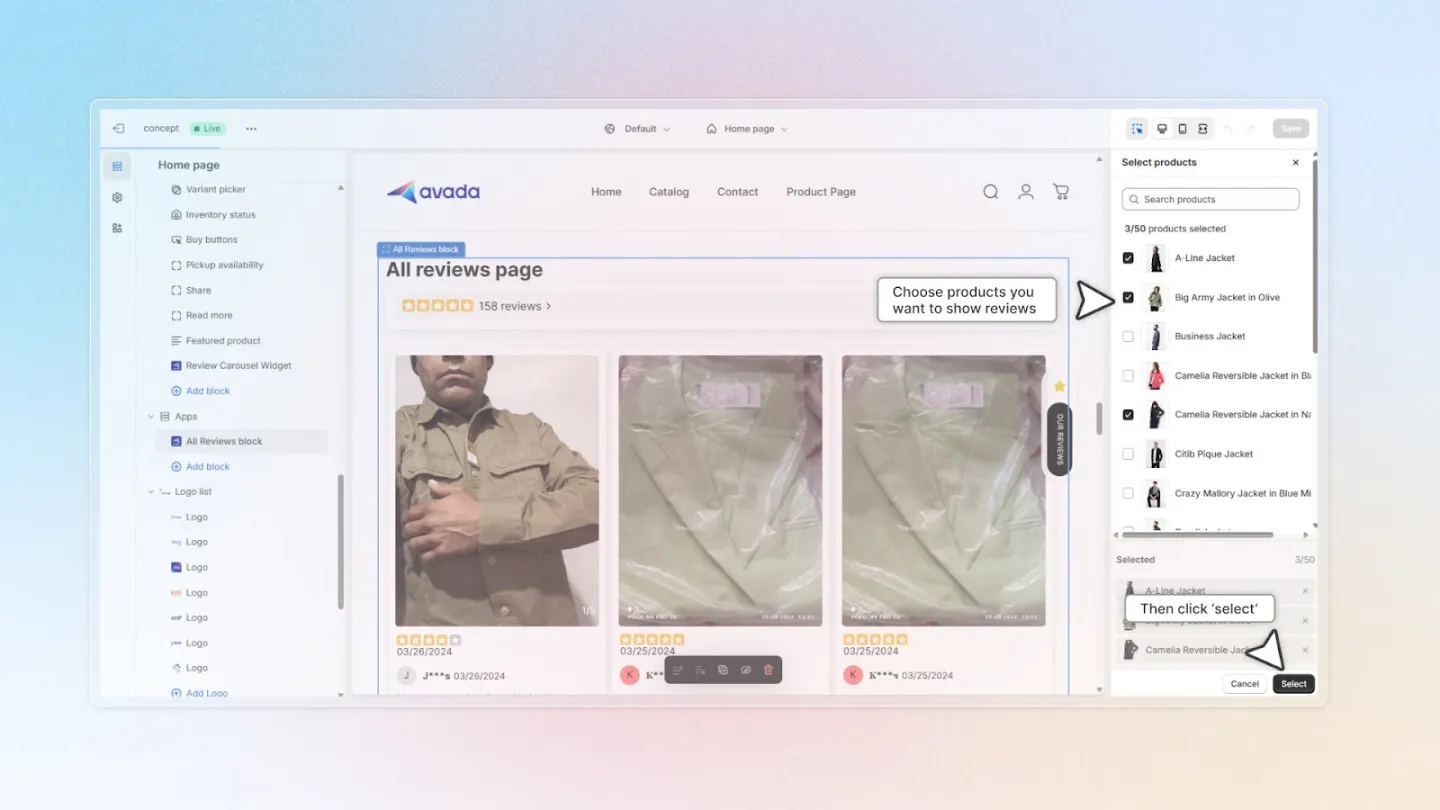
If you prefer to display reviews from specific products, click 'Select products'.
Choose the products whose reviews you want to feature and click 'Select'.
7. Save Your Settings
Don’t forget to hit 'Save' after making your adjustments to apply the changes.