Request to edit reviews
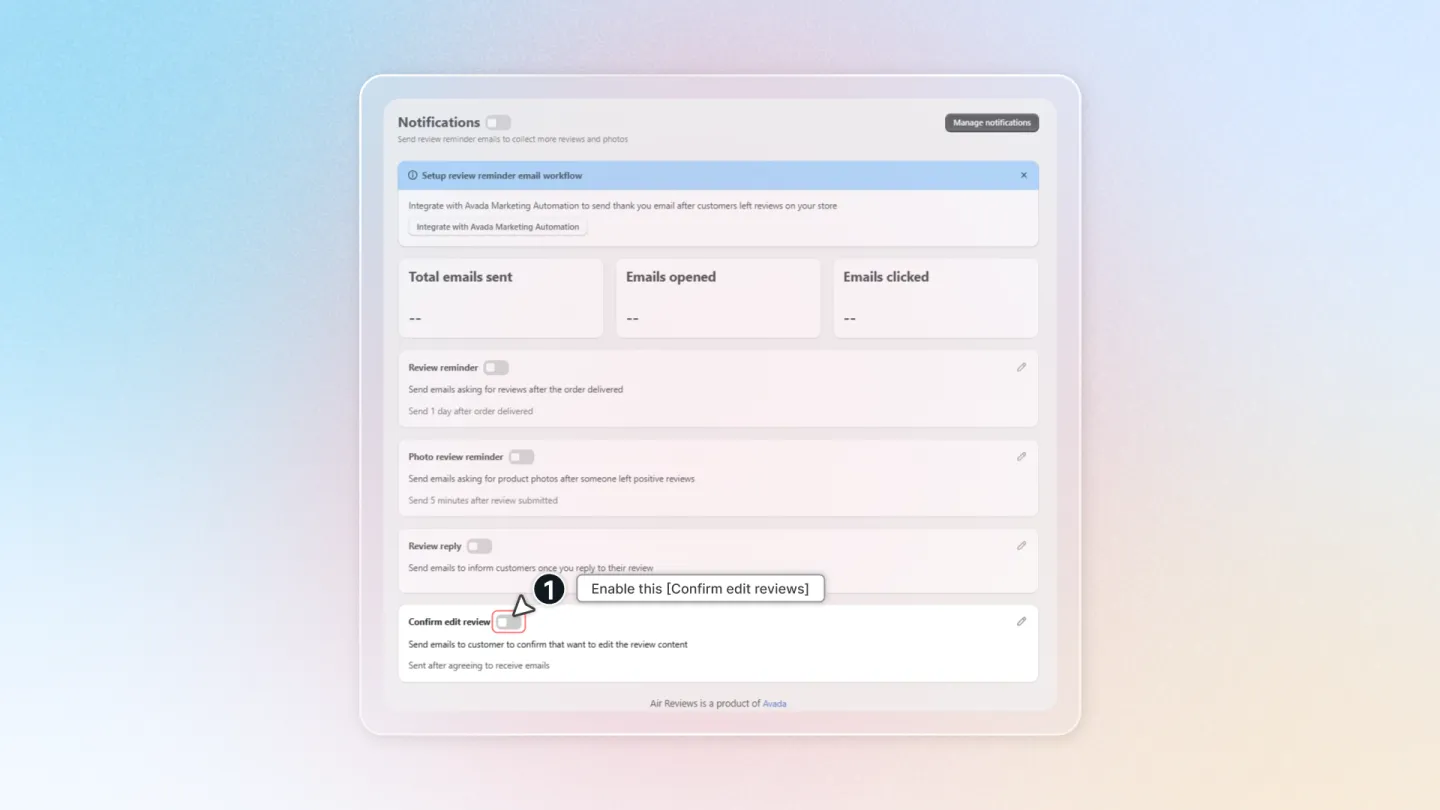
Enabling "Confirm Edit Review" Notifications
This step is required for requesting edits
Step 1: Access the Air Reviews app settings.
Step 2: Locate the "Notifications" section.
Step 3: Enable the "Confirm edit review" option.
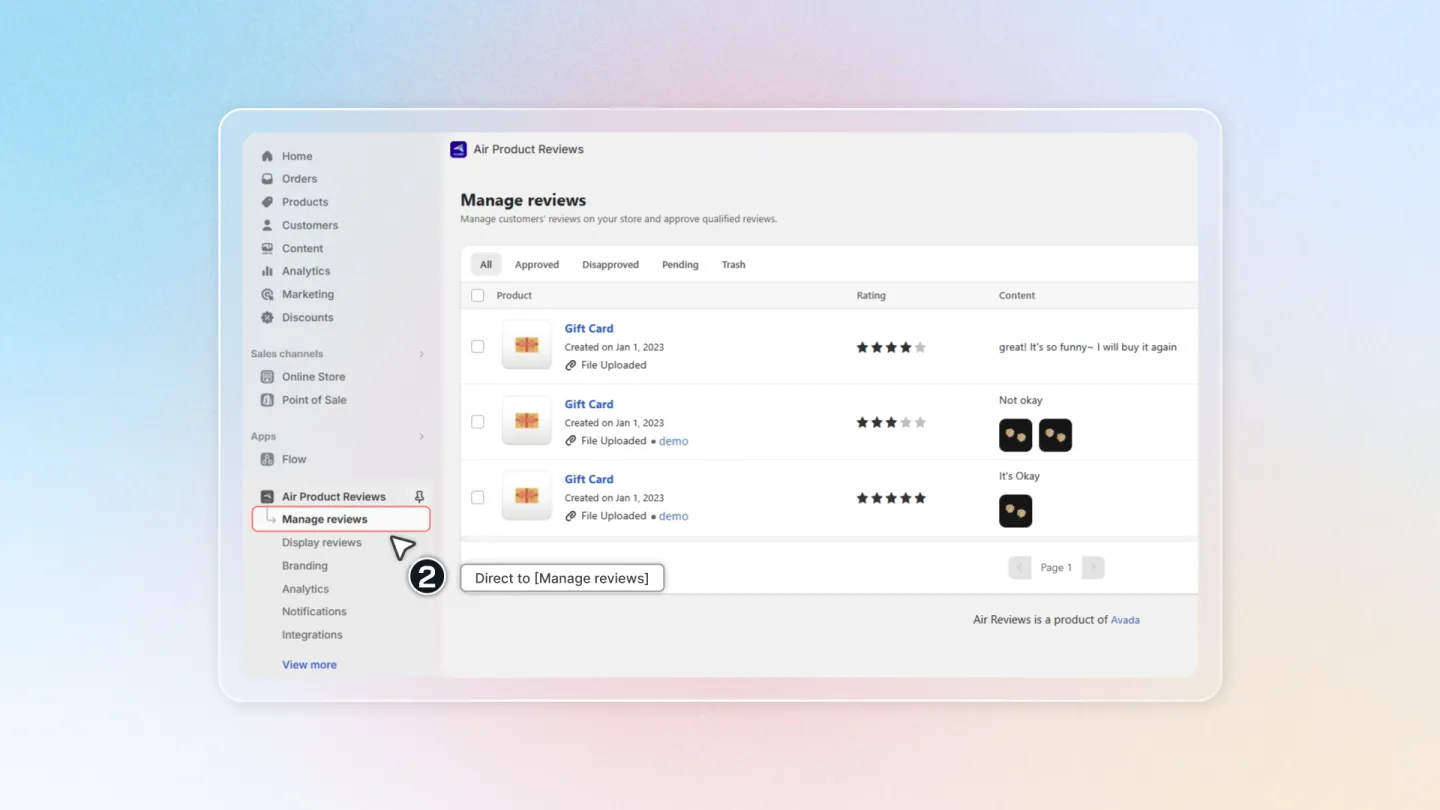
1. Navigate to Manage Reviews
Head to the Air Reviews app and select "Manage Reviews" from the left-hand menu.
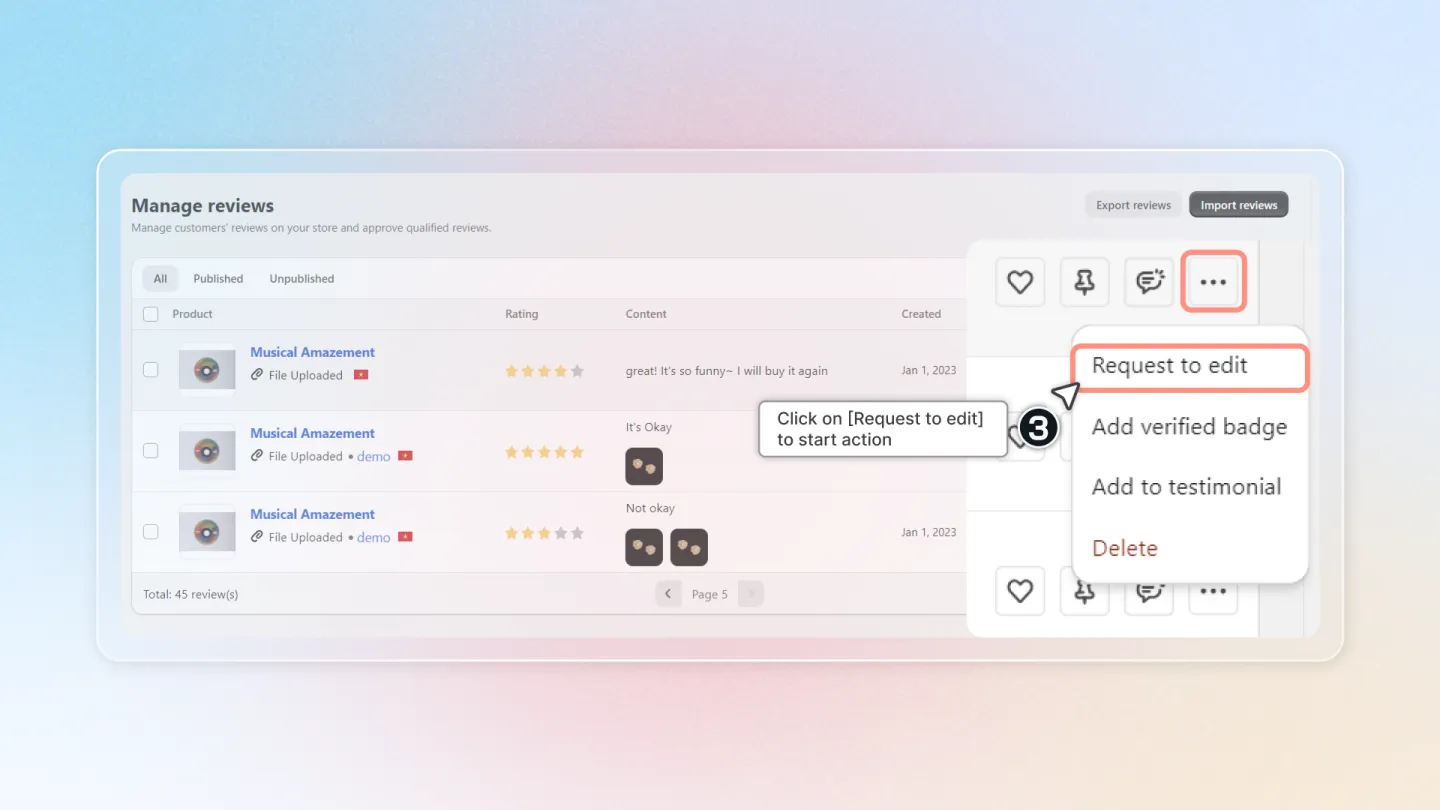
2. Request Edit
Locate the review you want to request an edit for.
Click the "Request to edit" button within the review's action menu.
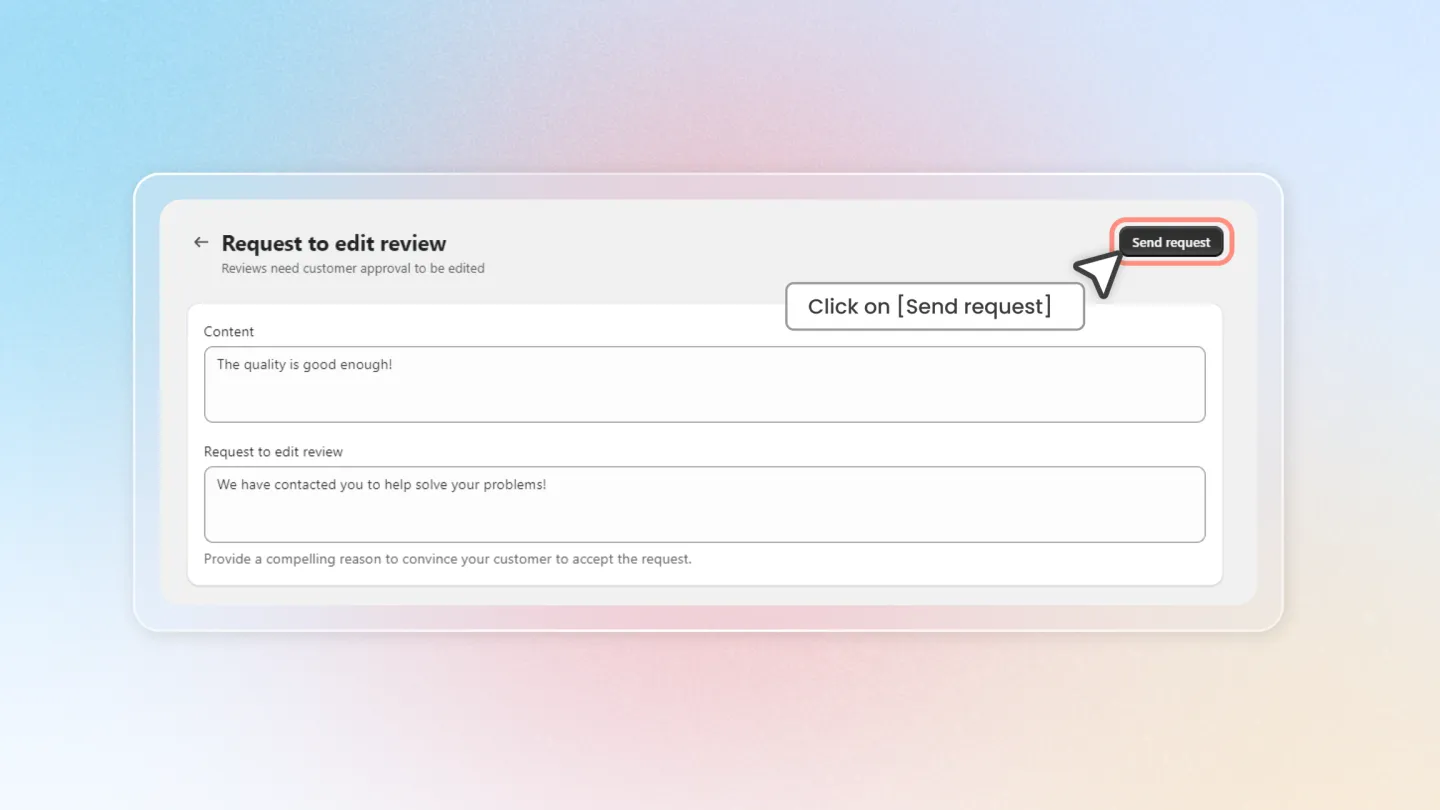
3. Edit Details
Make any necessary changes to the content.
State your request clearly in the box "Request to edit review" and explain why the change is needed and encourages customer approval.
Once satisfied with your edits, click "Send request" to send an email notification to the customer.
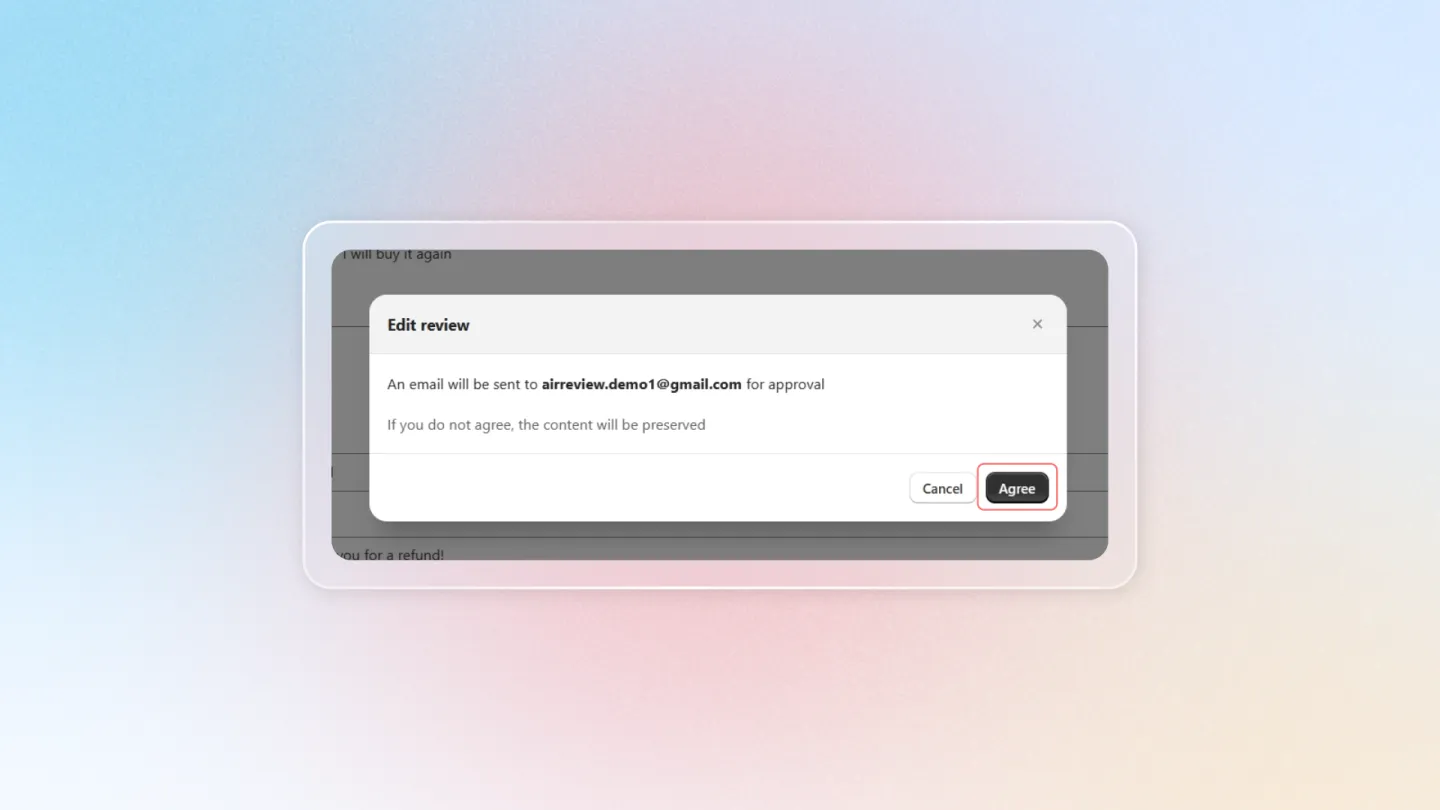
4. Confirm Request
A final confirmation pop-up appears. Click "Agree" to send the edit request to the customer.
By following these steps, you can easily request edits to customer reviews while ensuring a smooth and transparent communication process!