Settings
1. General settings
Head to the Air Reviews app and navigate to "Settings" from the left-hand menu.
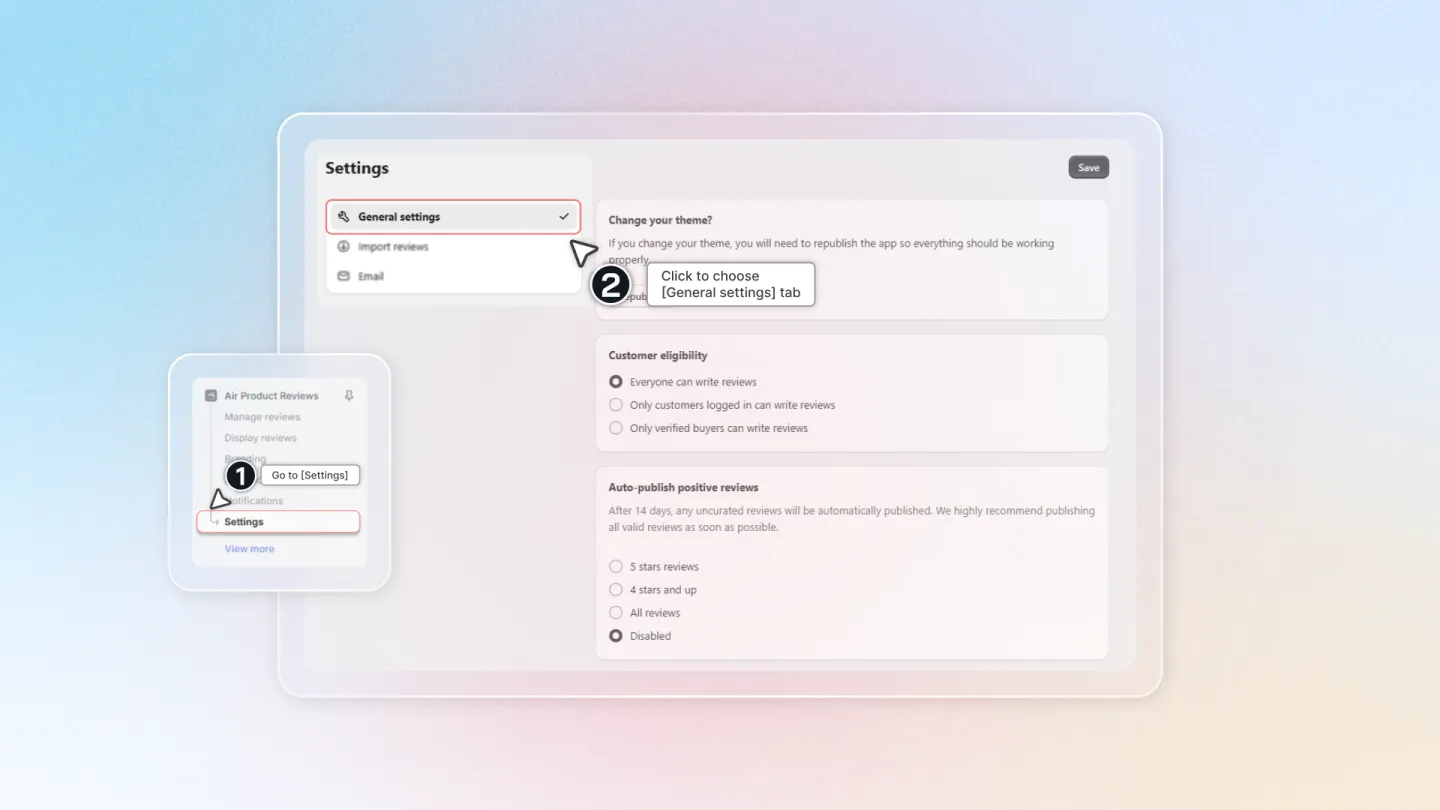
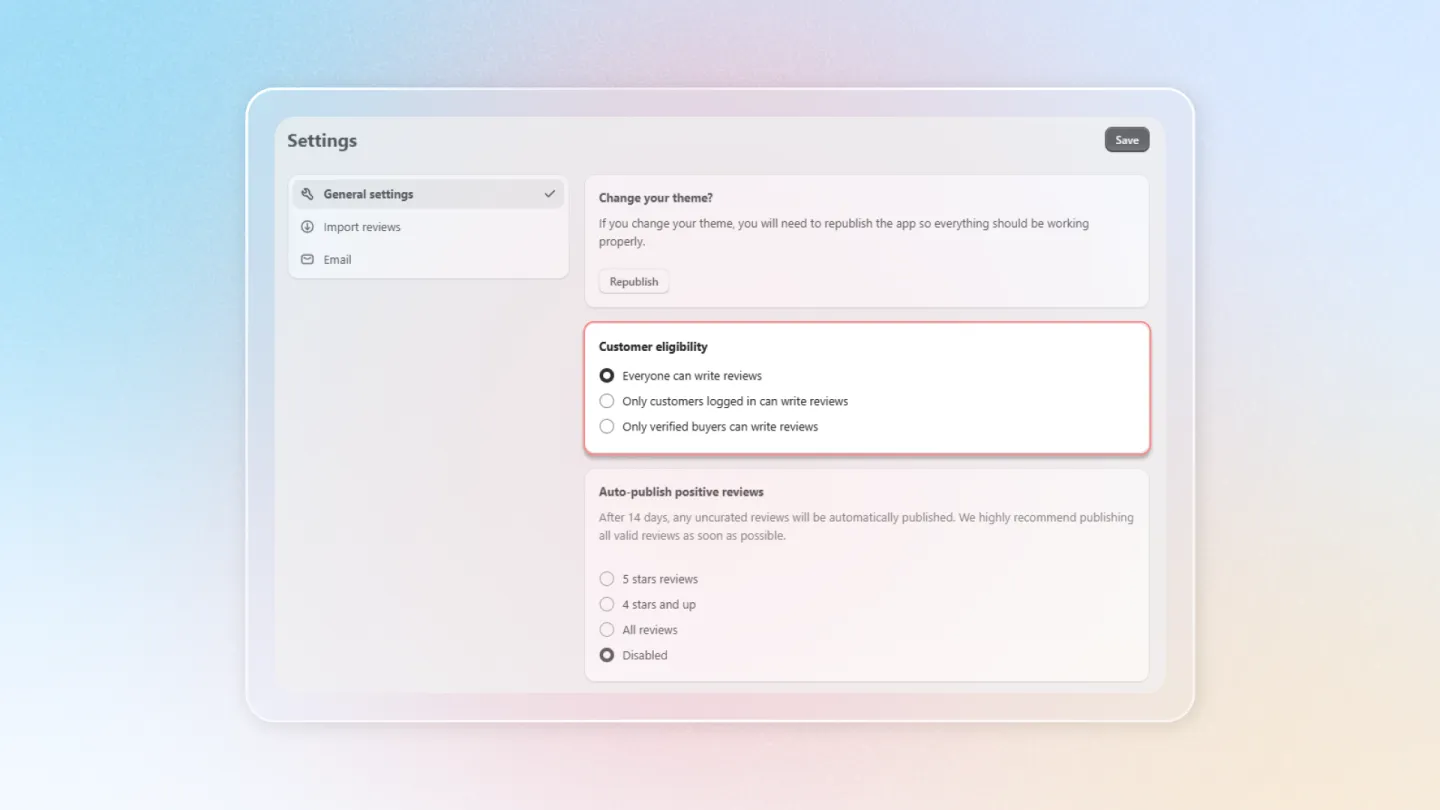
1.1 Customer eligibility
This setting helps decide who can submit a review.
- Everyone can write reviews: Anyone visiting your store can leave reviews for your products.
- Only logged customers in can write reviews: Only customers with an account can submit reviews.
- Only verified buyers can write reviews: Customers who have purchased any product from the store can leave reviews.
1.2 Auto-publish positive reviews
Choose conditions to automatically publish reviews when submitted at the store.
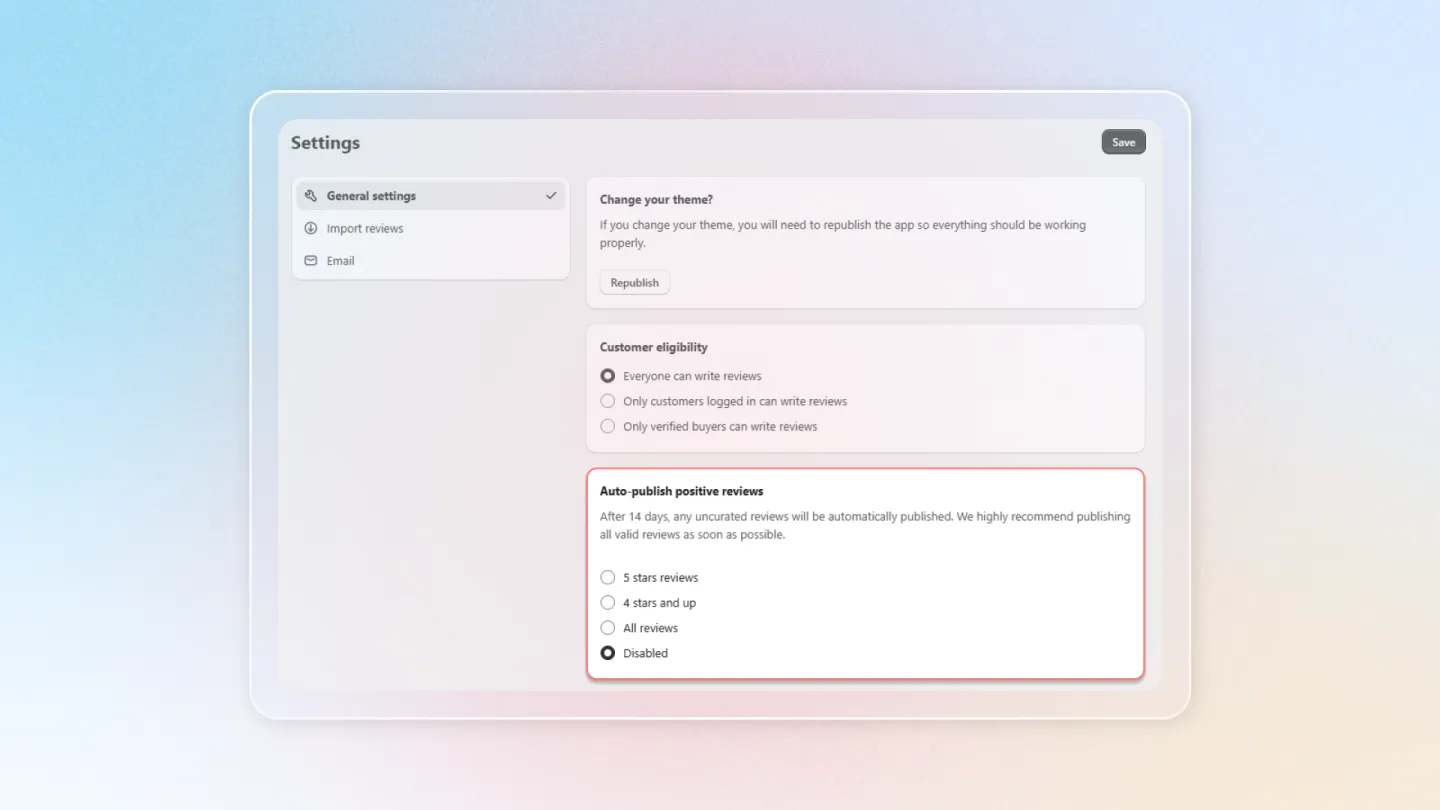
Note: All uncurated reviews will be published automatically after 14 days.
1.3 Trash
Trash helps customers recover deleted reviews, or reviews that were mistakenly deleted.
- Permanently deleted after 15 days: review will be permanently deleted after 15 days from the date it is moved to Trash.
- Permanently delete after 30 days: review will be permanently deleted after 30 days from the date it is moved to Trash.
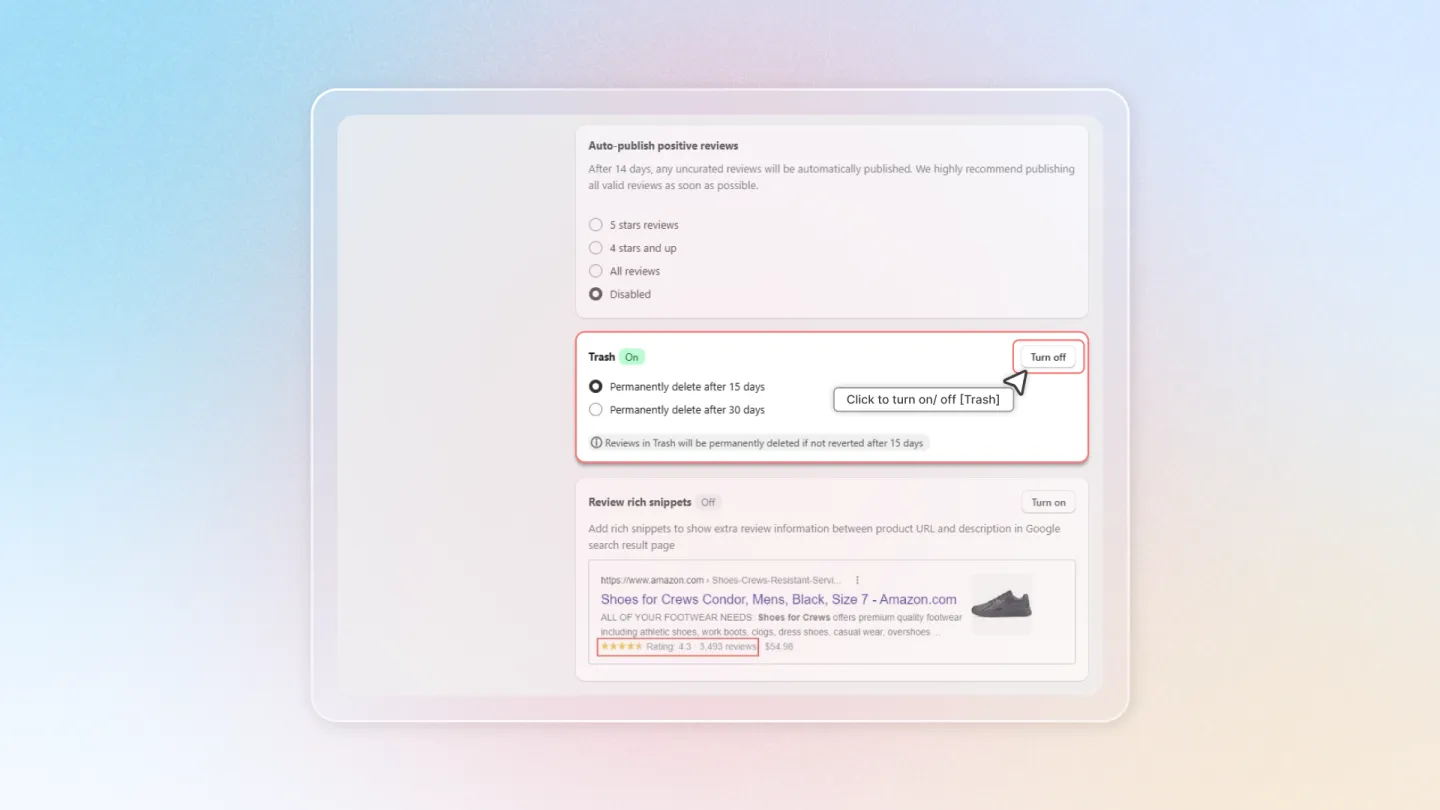
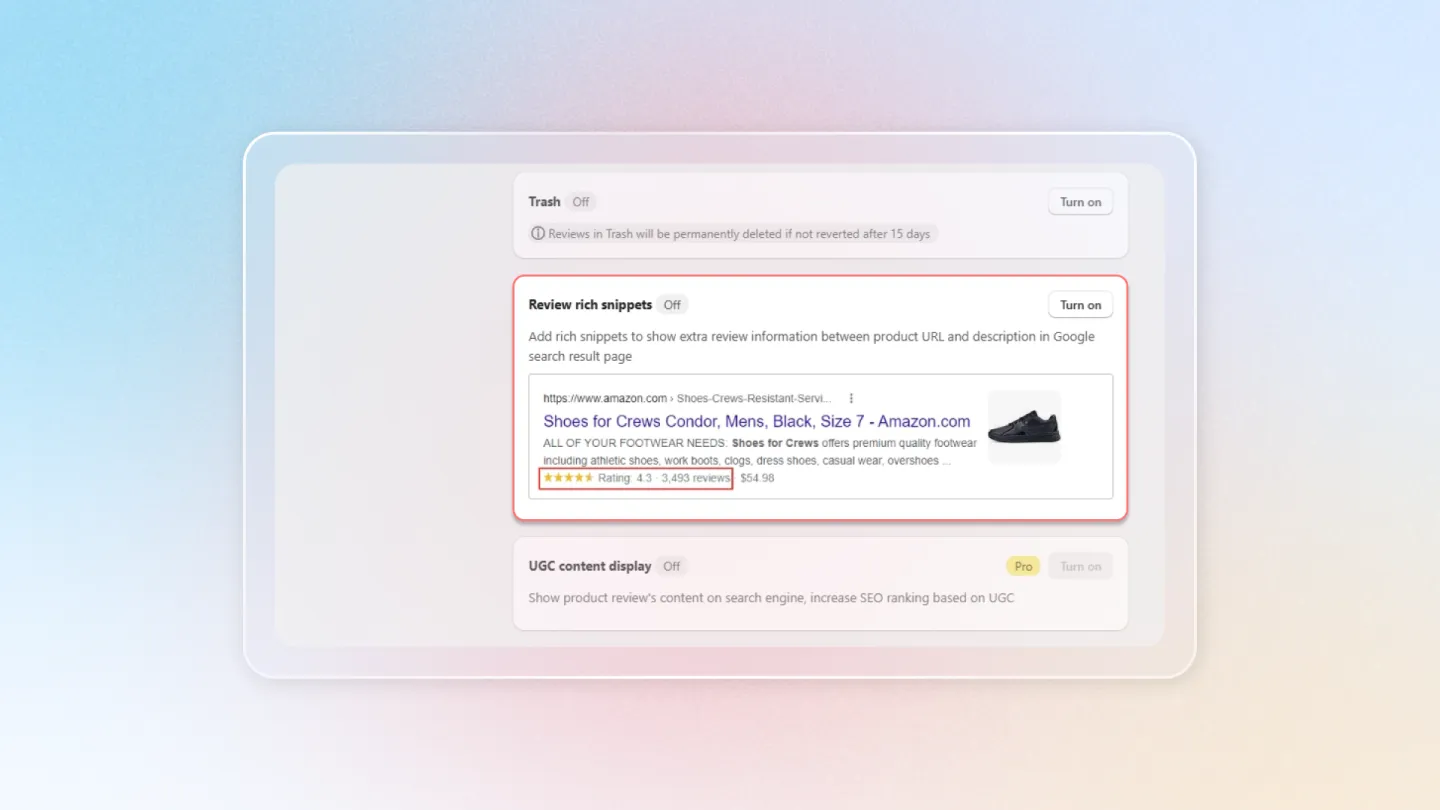
1.4 Review rich snippets
Turn on Review Rich Snippets to showcase star ratings and review counts in search results.
2. Email
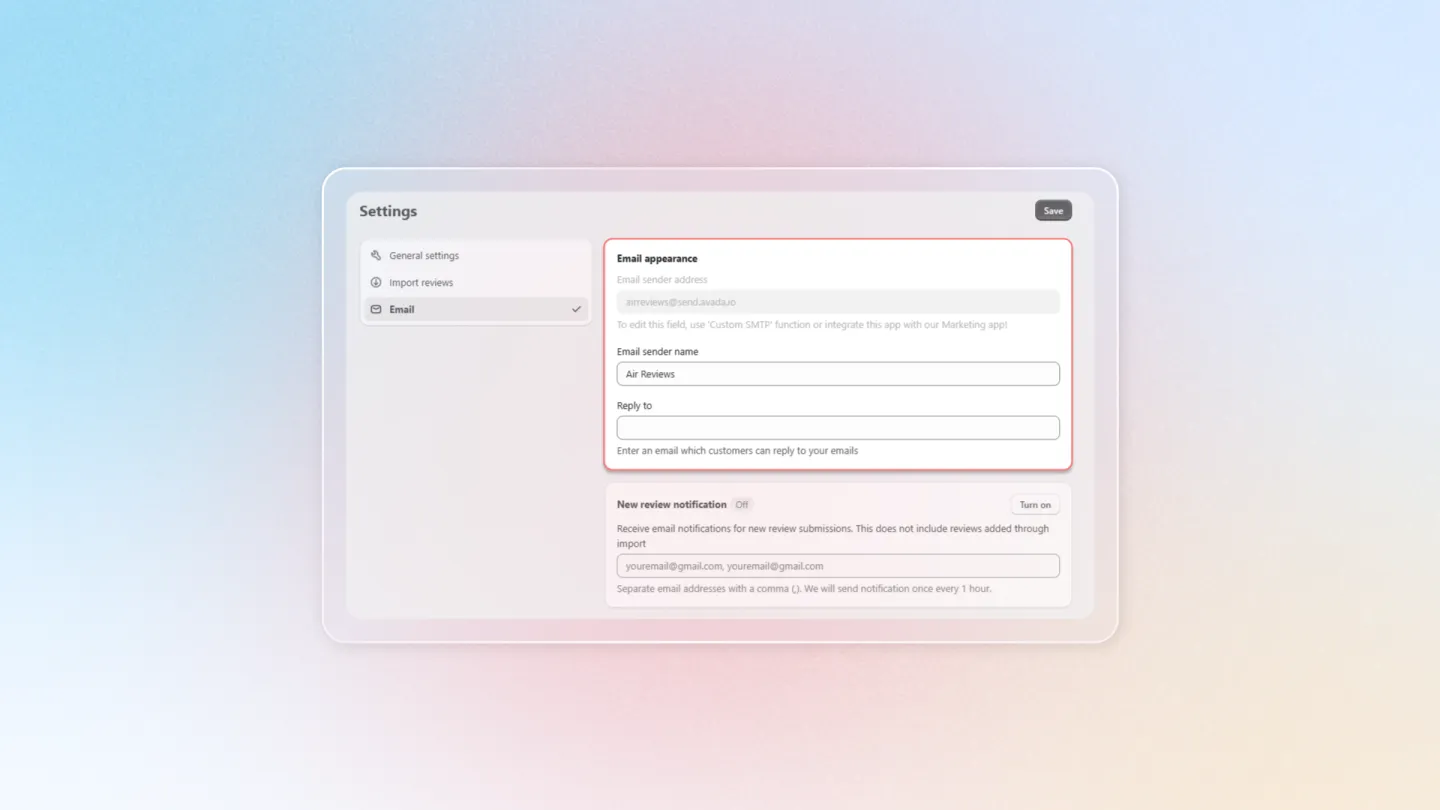
2.1 Email appearance
- Email sender address: Enter the sender's email address.
- Email sender name: Enter the email sender name.
- Reply to: Enter email to receive notifications when customers reply.
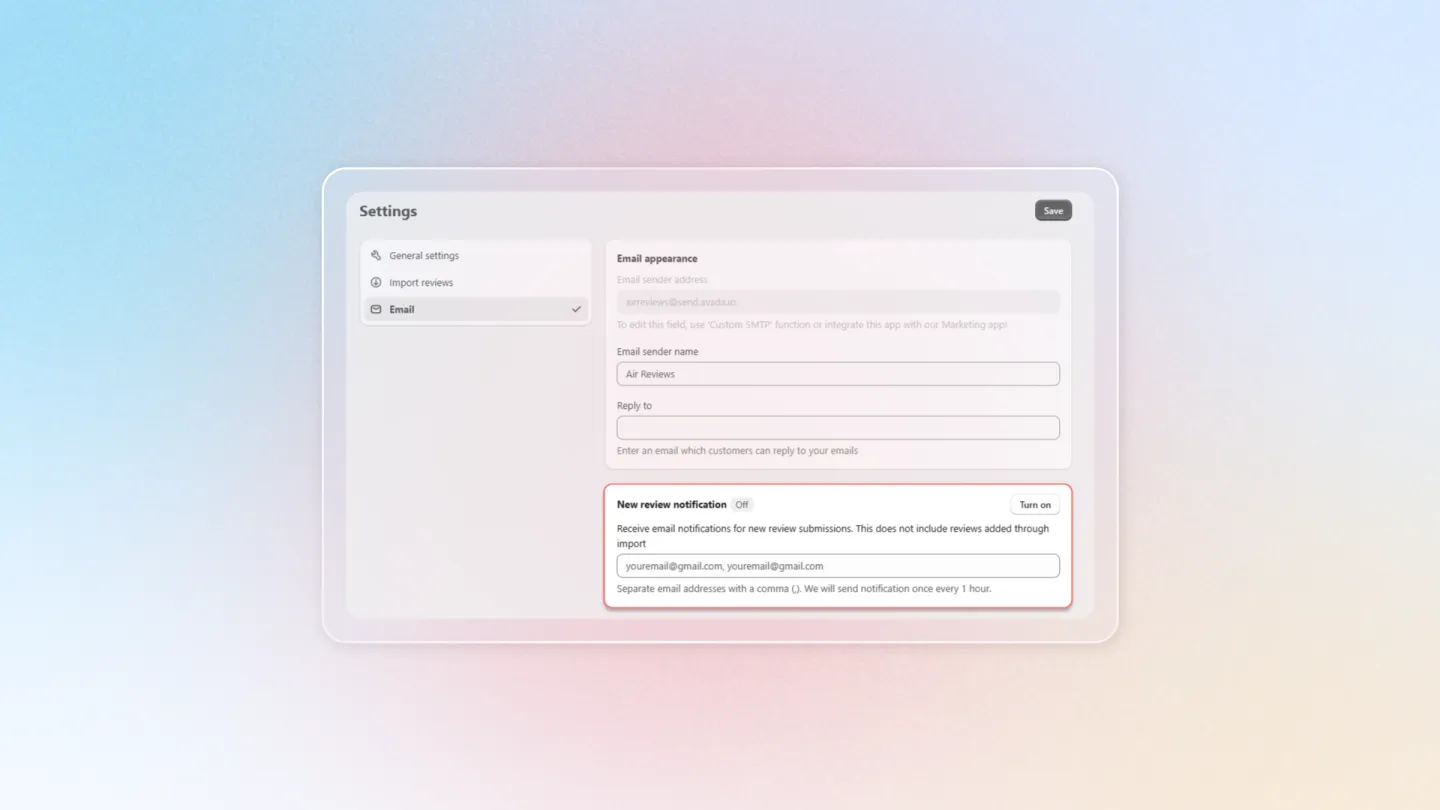
2.2 New review notification
- Turn on this feature to receive email notifications for the latest reviews that customers leave at your store. Email will be sent every hour when the store has a new review.
- Enter the email address you want the app to send the notification to (you can enter multiple email addresses at the same time).
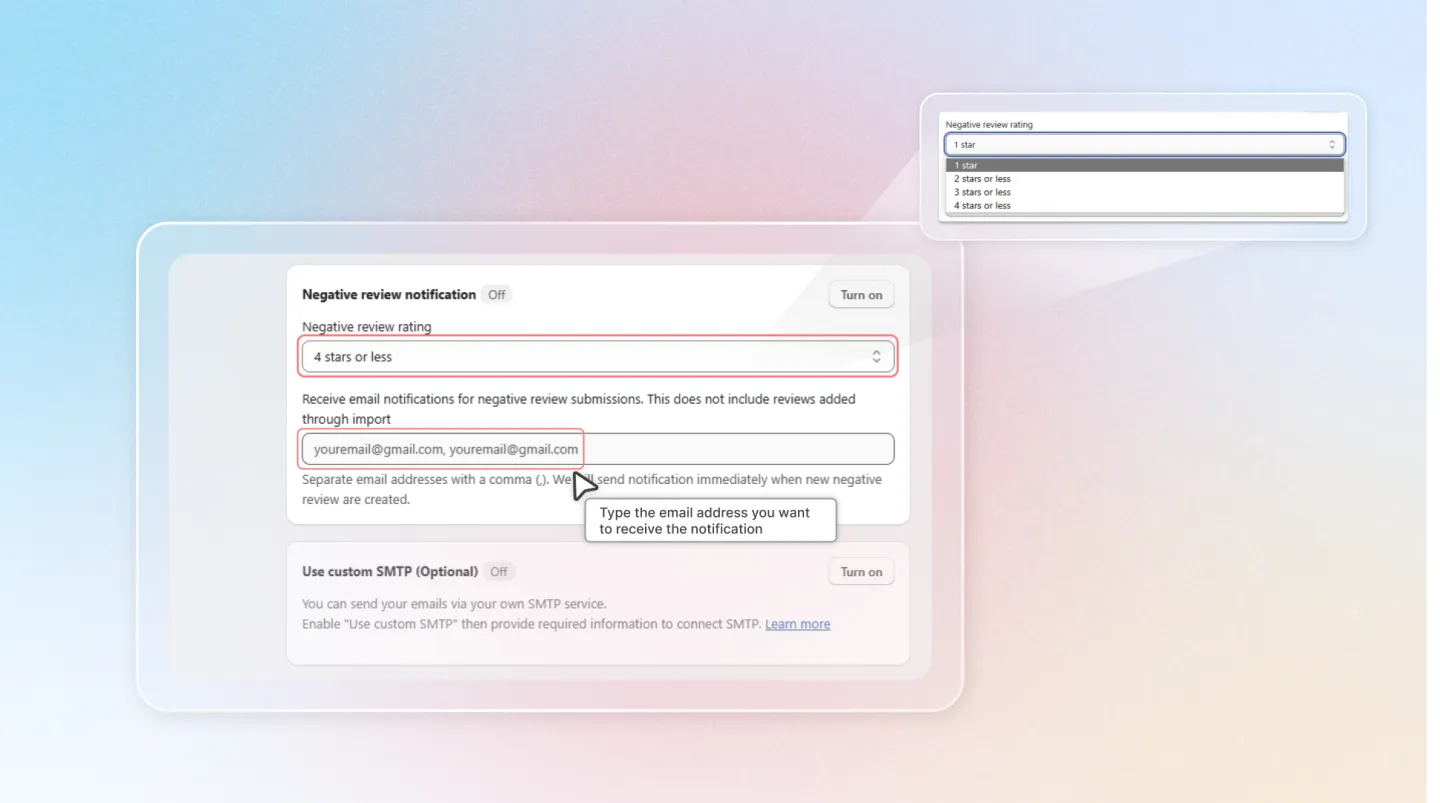
2.3 Negative review notification
Turn on this feature to receive email notifications for negative reviews that customers leave at your store.
There are 4 options setting negative review rating:
- 1 star
- 2 stars or less
- 3 stars or less
- 4 stars or less
Enter the email address you want the app to send the notification to (can enter multiple email addresses at the same time).
2.4 Use custom SMTP (Optional)
- Turn on (or turn off) SMTP connection.
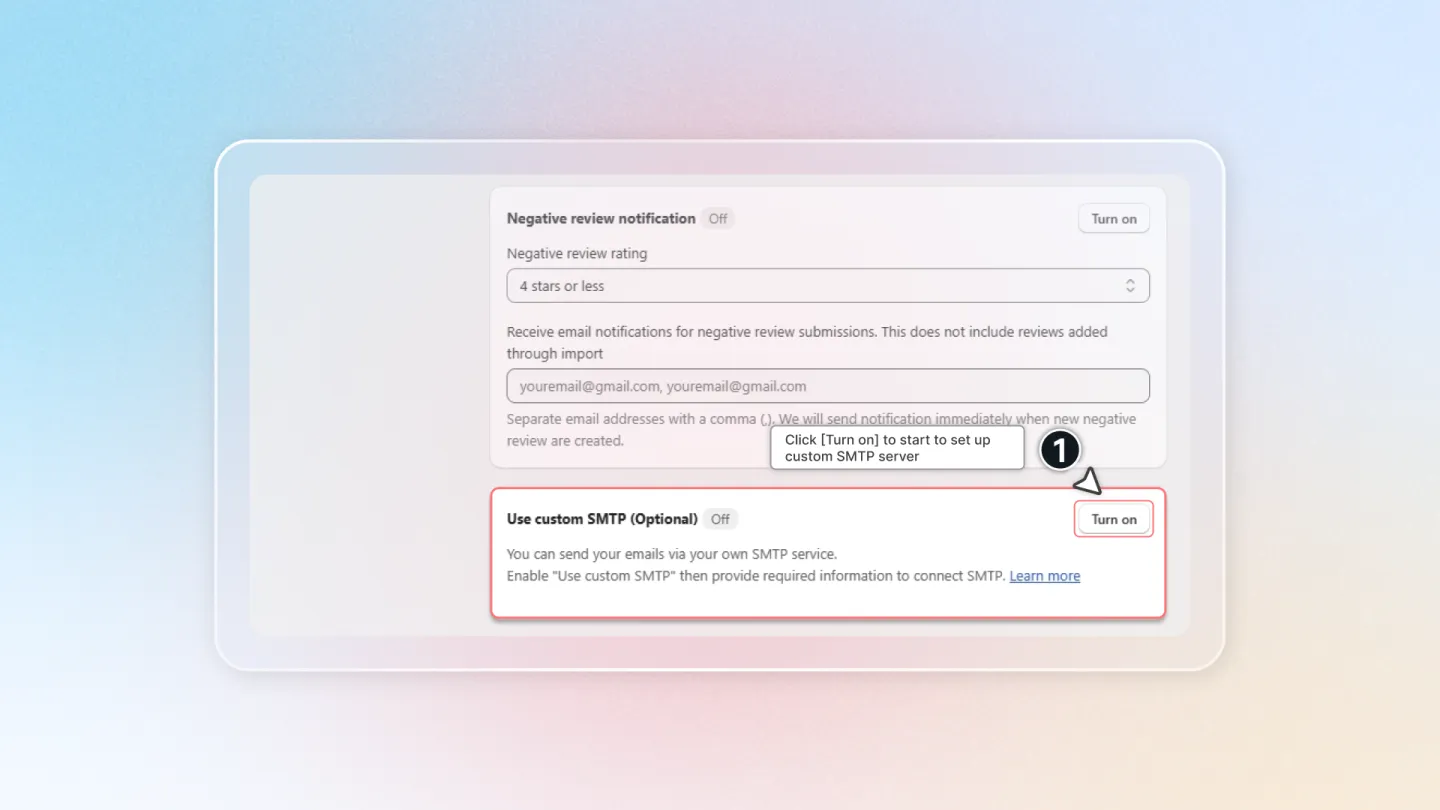
- Host: Click on "Load settings" to select a Pre-defined SMTP Server of your choice.
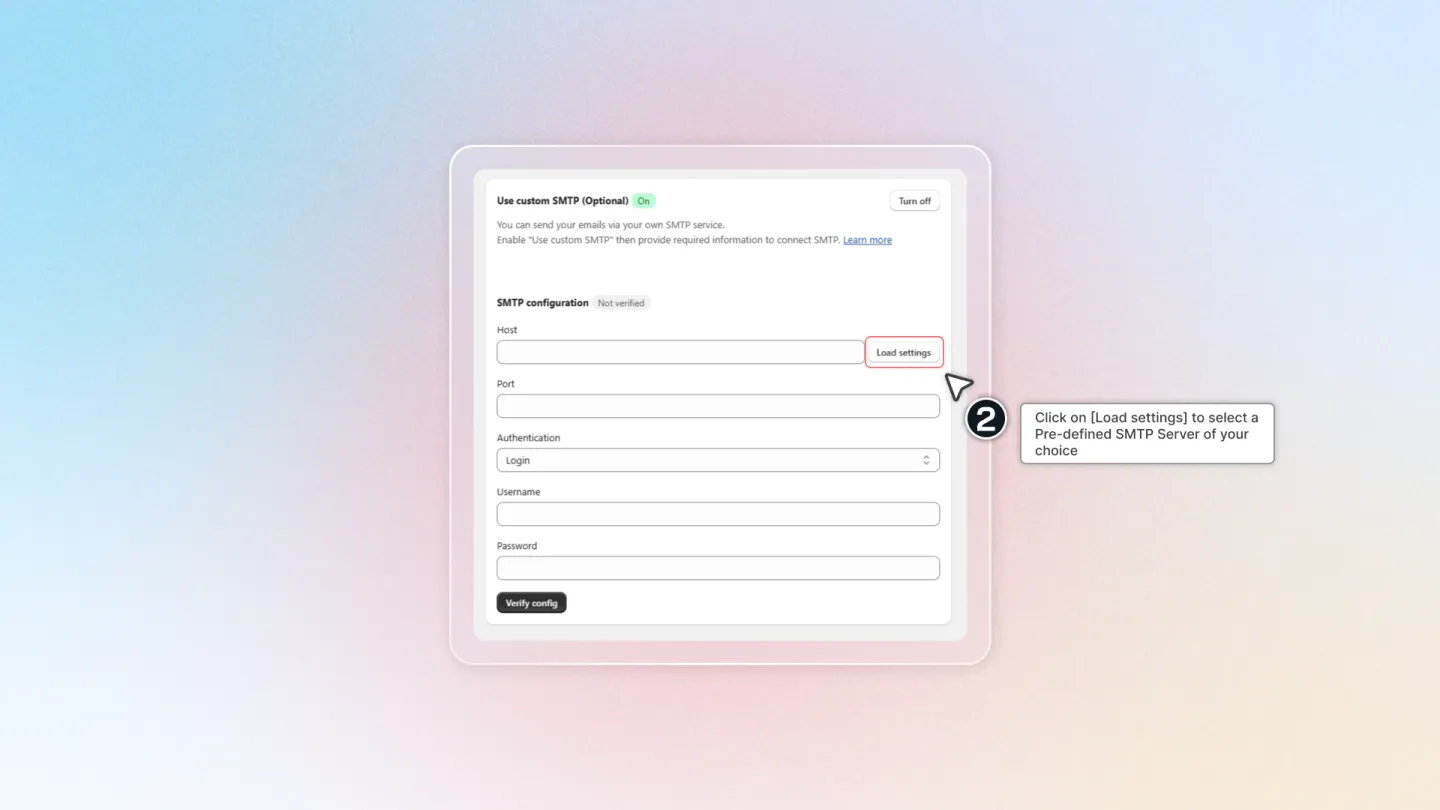
- Port: Fill the port.
- Authentication: Switch between Login/ None.
- Type Username & Password.
Ready to Test Your Custom SMTP?
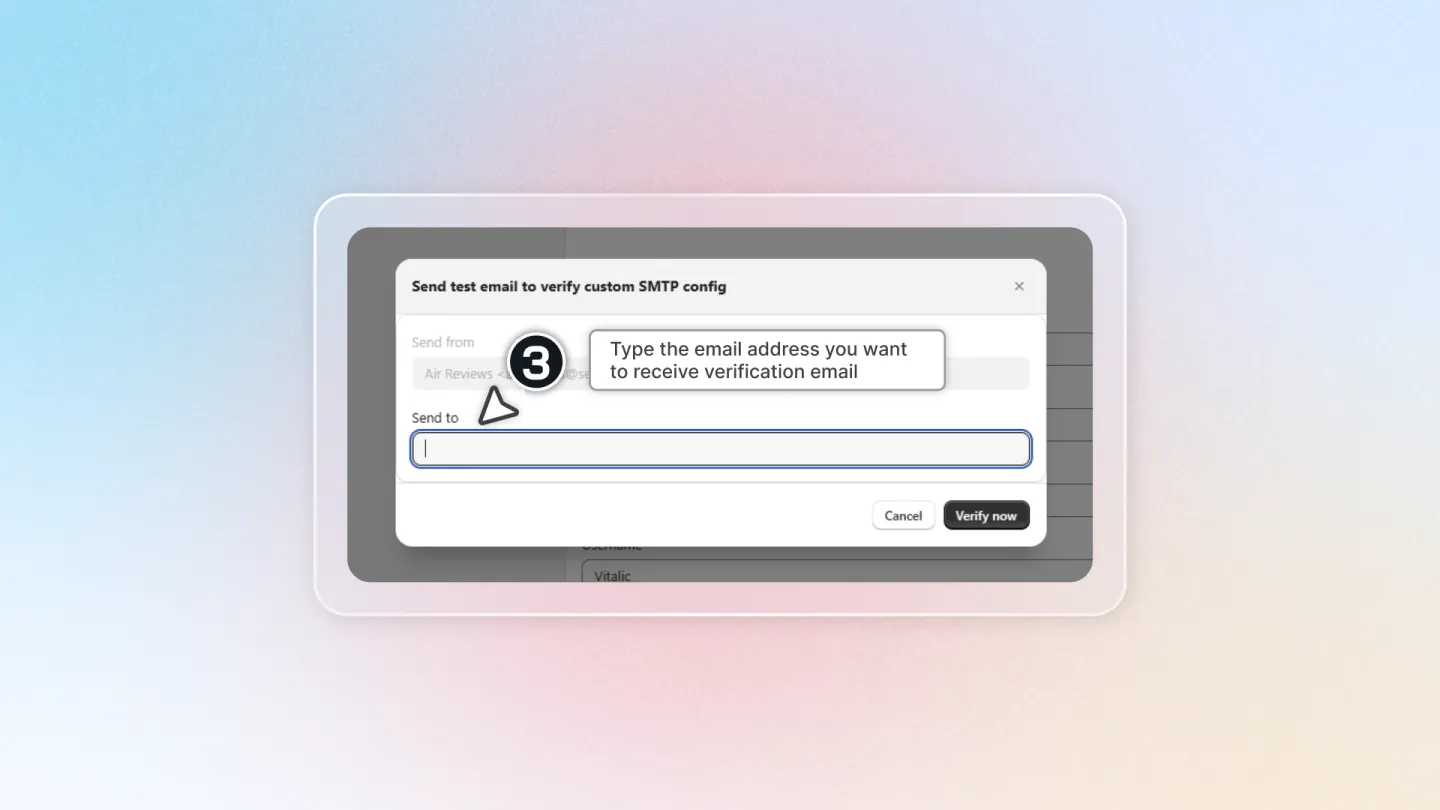
- Once you've entered all the required information, click Verify Config.
- In the Send to field, enter the email address where you'd like to receive a notification if the connection is successful.
- Click Verify Now.
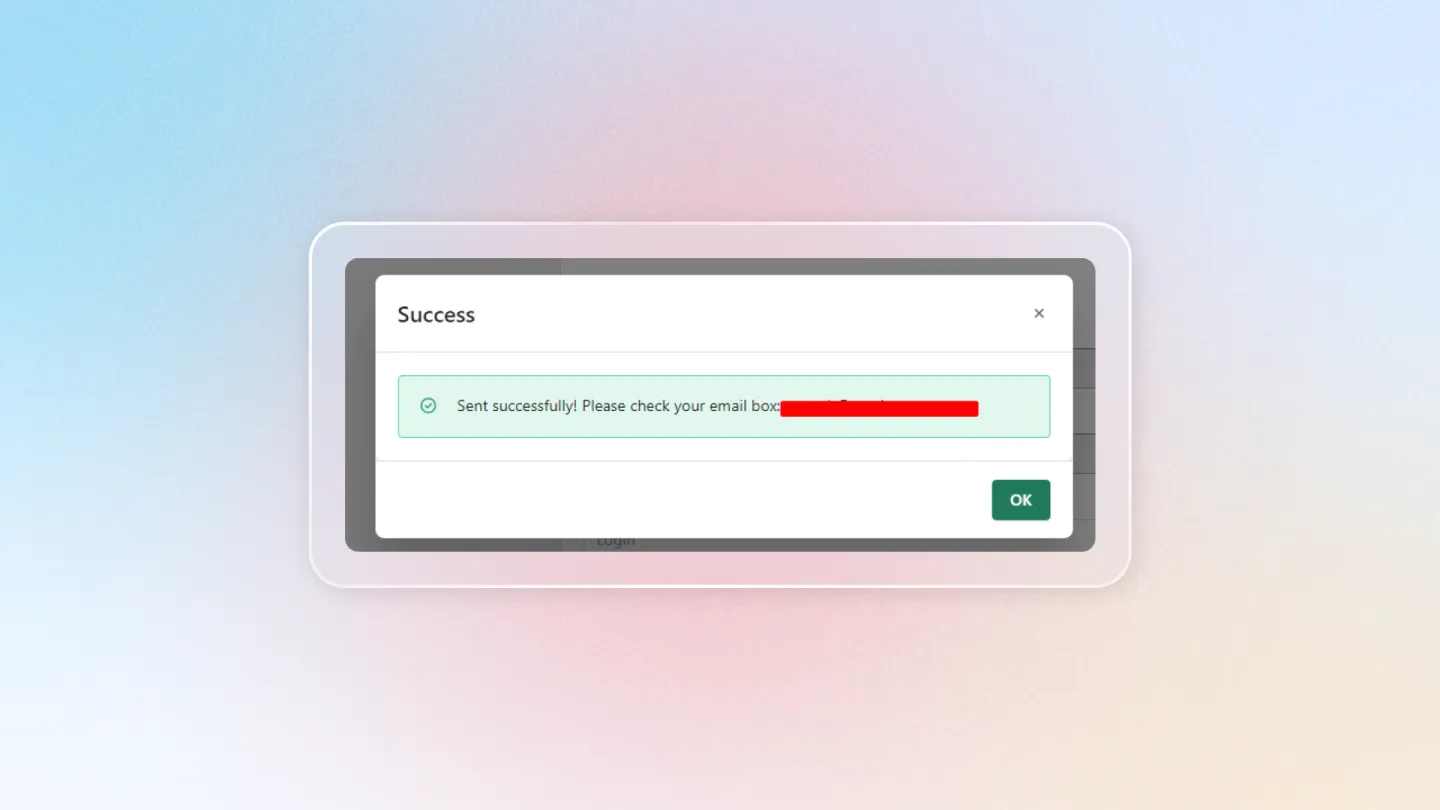
Success!
If the verification is successful, the app will display a notification pop-up. You'll also receive a confirmation email in your inbox (don't forget to check your spam folder!).
Congratulations! You've mastered your Air Reviews settings. By using these options effectively, you can tailor the app to your store and unleash the potential of customer reviews.