Quick start
The Air Reviews app starts from the homepage, and it acts as your central hub, giving you everything you need to manage your customer reviews and boost your store's success. Here's what you can find:
This is where you are in! Our user-friendly Quickstart guide walks you through the essential steps of setting up Air Reviews. Get started collecting valuable customer feedback in no time.
View Quickstart by scrolling down this page.
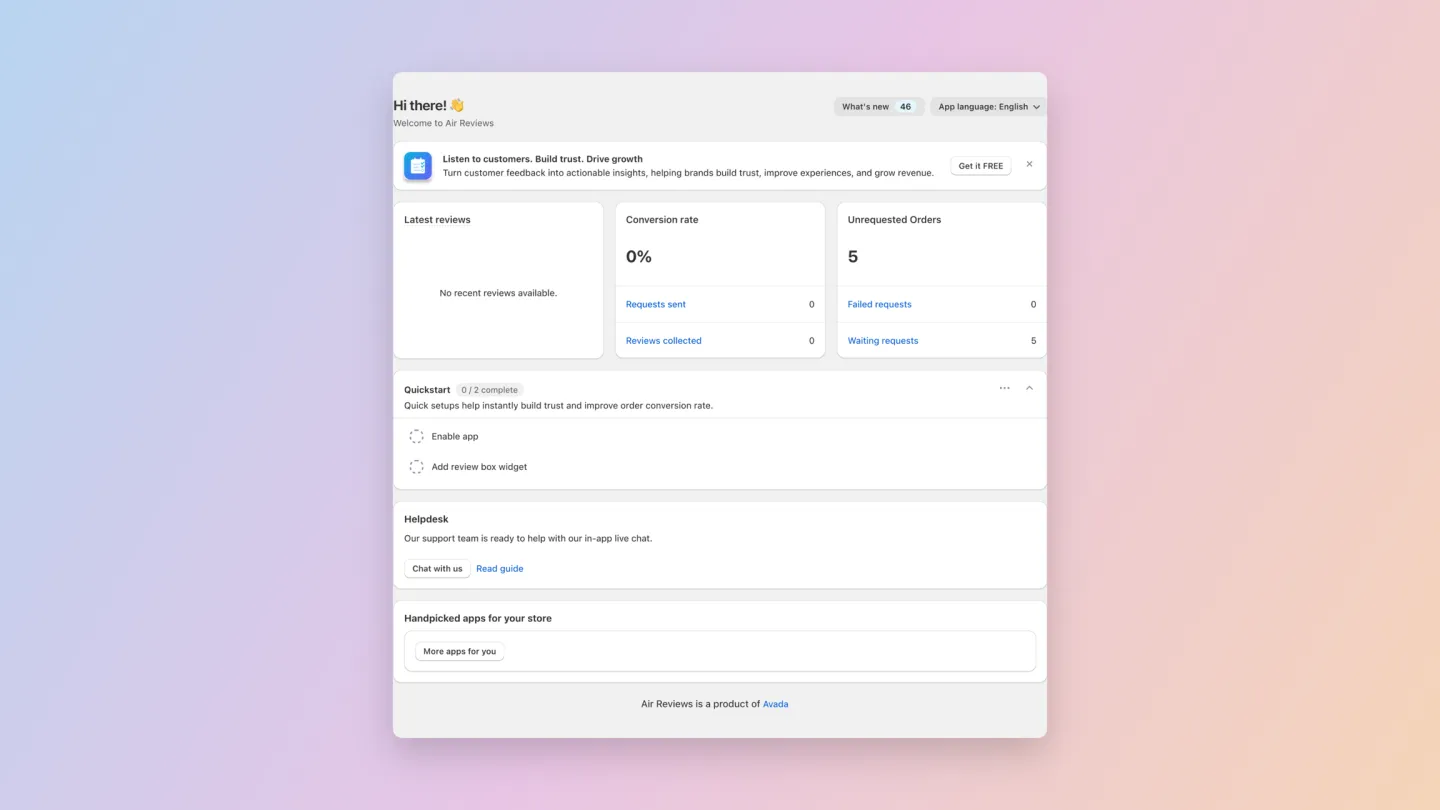
At a glance
The metrics row at the top of the homepage gives you a snapshot of your review program:
- Latest reviews — the most recent reviews customers have submitted
- Conversion rate — % of review requests that turned into a published review, with quick links to Requests sent and Reviews collected
- Unrequested Orders — orders that haven't been asked for a review yet, plus Failed requests and Waiting requests
Quickstart (2 steps)
The Quickstart card walks you through the minimum setup to start showing reviews on your store.
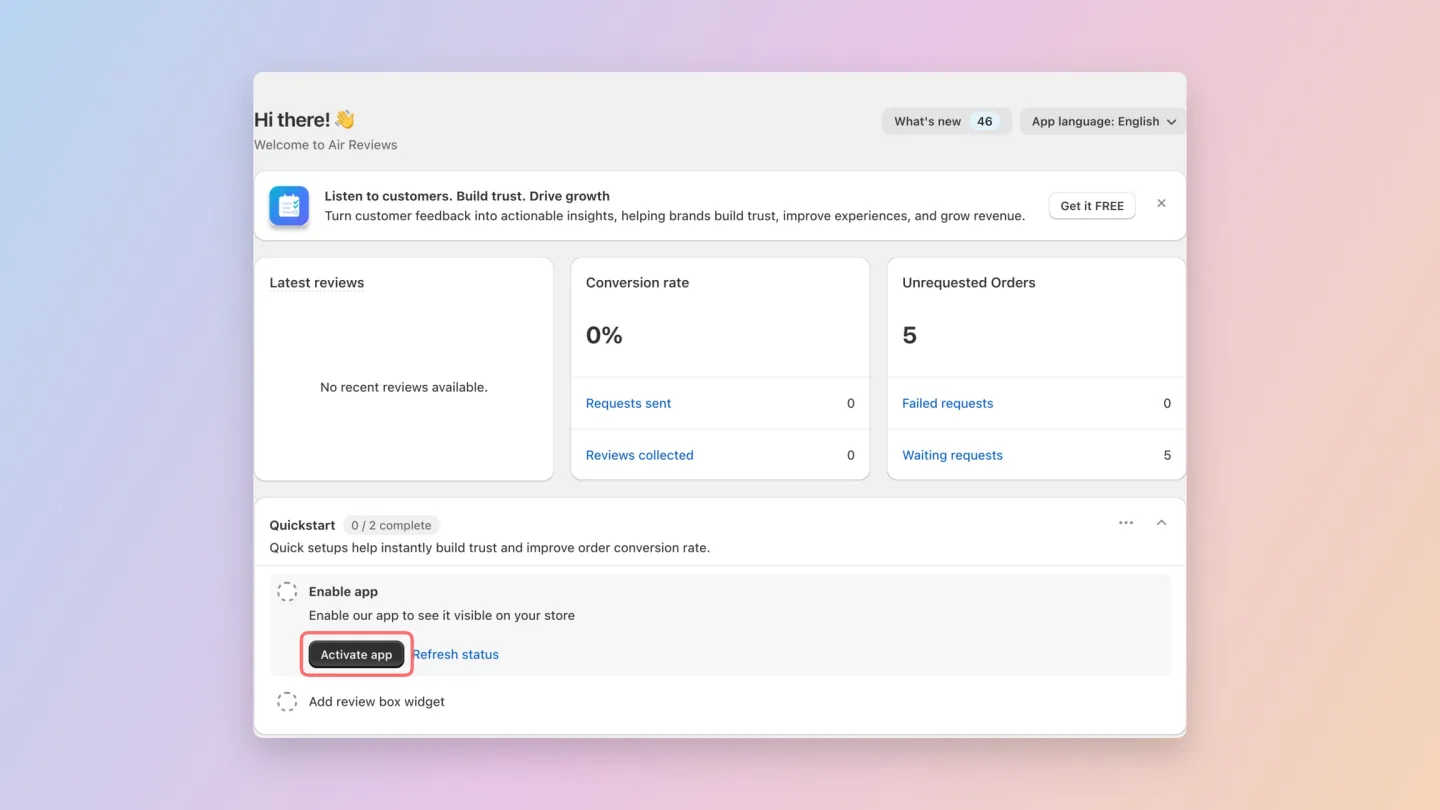
Step 1 — Enable app
Click Activate app on the Quickstart card. This automatically turns on the Air Reviews app embed in your active theme — no need to open the theme editor manually.
After it runs, click Refresh status to confirm.
Step 2 — Add review box widget
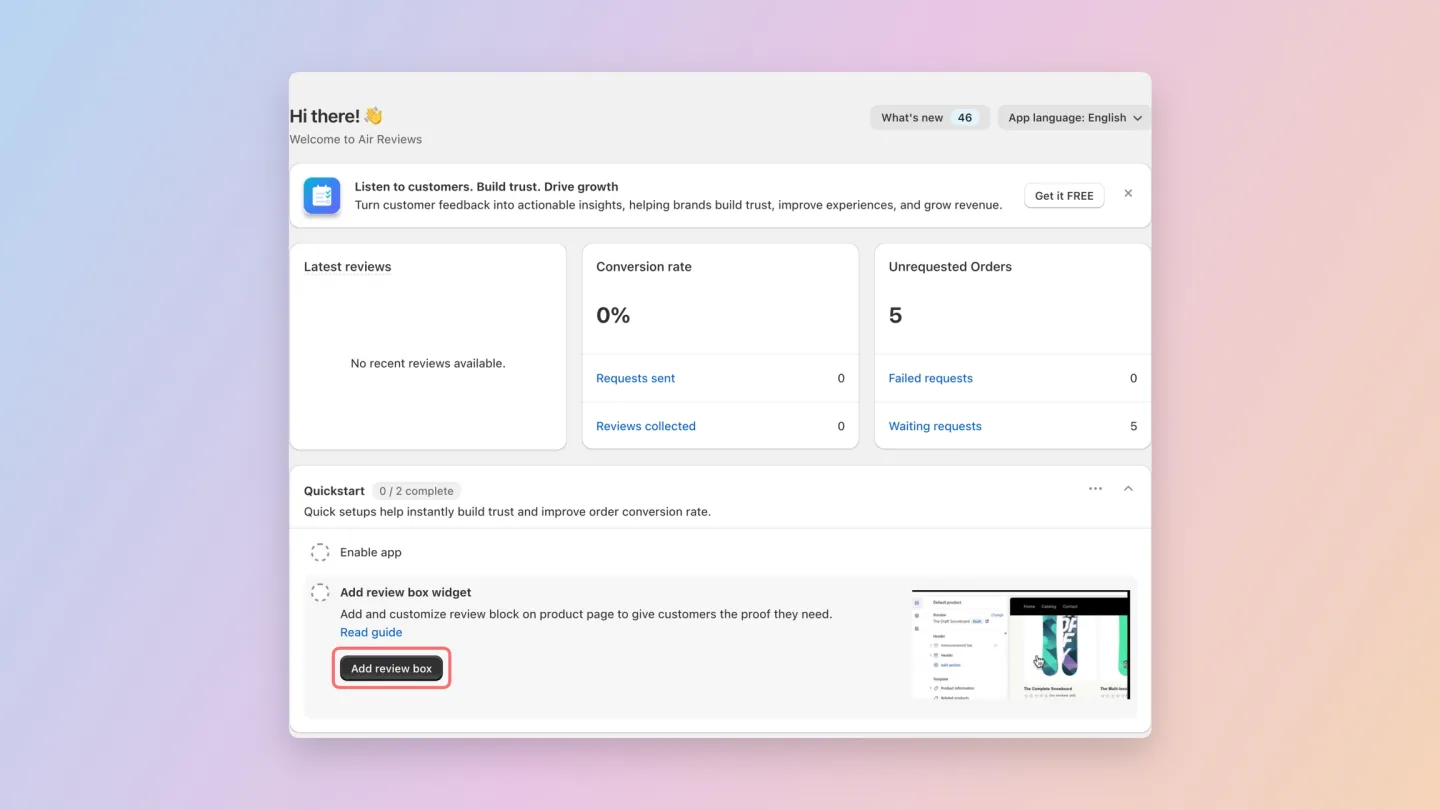
The review box is the main widget that displays reviews on your product pages.
Click Add review box on the Quickstart card. You'll be taken straight to your theme editor with the review box block pre-loaded — choose where you want it on the product page and click Save.
For more layout / styling options, see Display Reviews section > Review box.
What to do next
Once the 2-step Quickstart is done, common next steps are:
- Collect more reviews — set up automatic Review request emails, or import existing reviews from AliExpress, Amazon, .XLSX, etc.
- Customise the look — adjust colors and typography in Branding
- Add more widgets — Star rating, Review carousel, All reviews page, and more
Get help
- Chat with us — in-app live chat from the Helpdesk card on homepage
- Read guide — opens this help center
- What's new — click the What's new button at the top of the homepage to see the latest features (currently 46 updates available)
- Change language — use the App language selector at the top right to switch the admin UI language
Can't find what you're looking for? Reach out to our Customer Success team for 24/7 assistance via email and in-app live chat.
Or browse our Frequently Asked Questions (FAQs) for answers.