Recycle bin
1. Enabling the Recycle bin Feature:
Before you can access the Recycle bin functionality, you need to activate it within the settings.
Access "Settings".
Navigate the "General Settings" section.
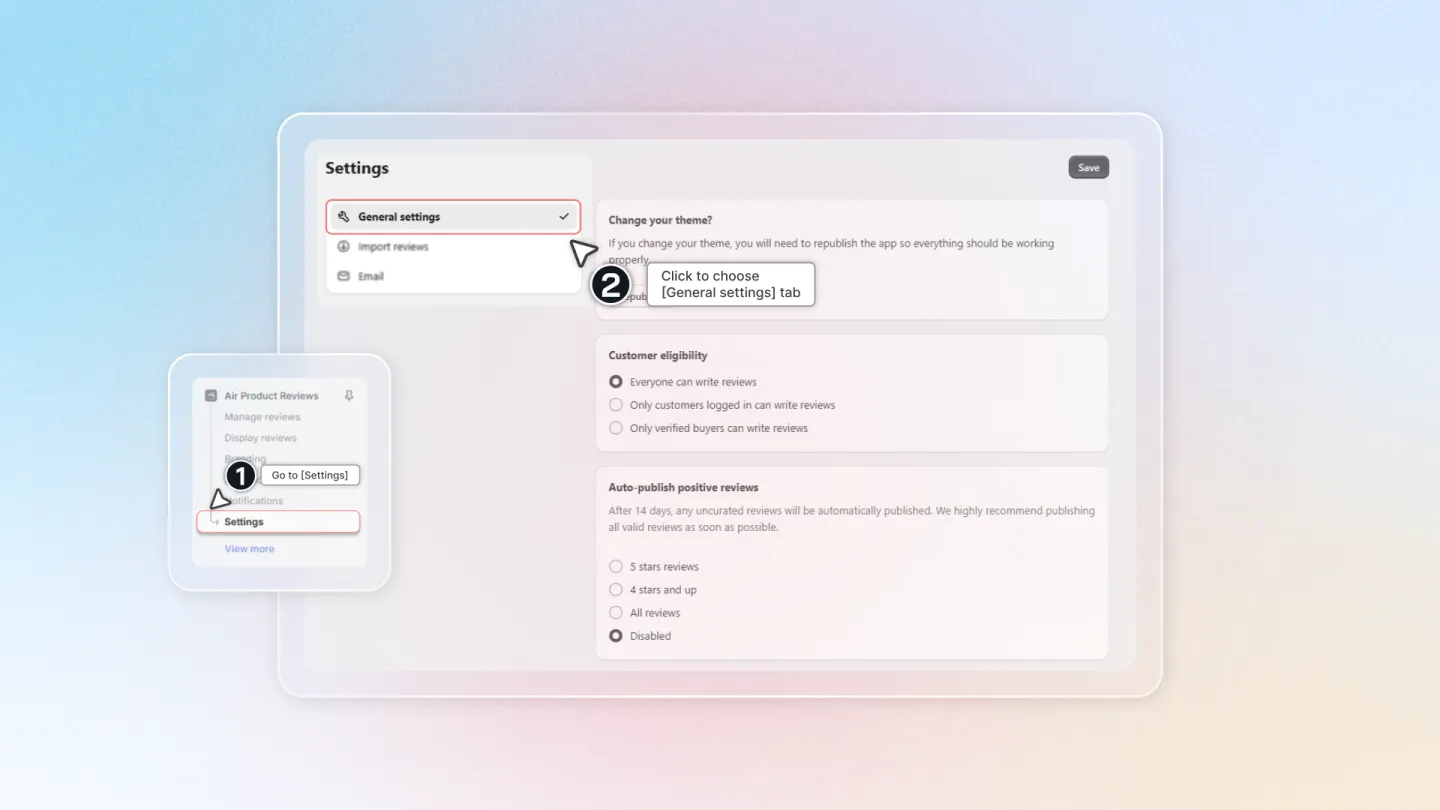
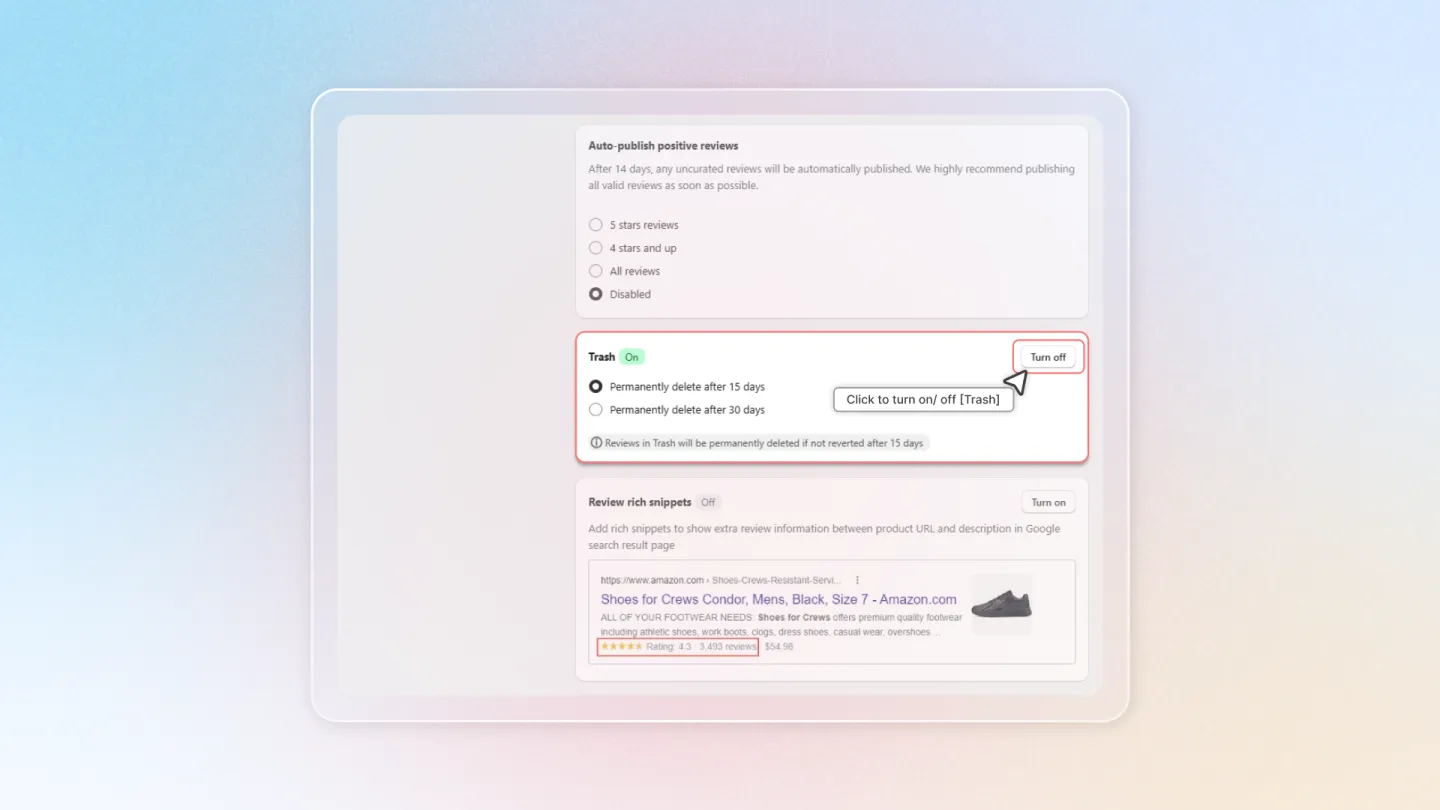
In "General Settings", find the "Recycle bin" option and turn it on.
- Choose your preferred deletion timeframe (15 or 30 days) from the provided options. Click "Save" on top left area of page.
2. Recycle bin Function
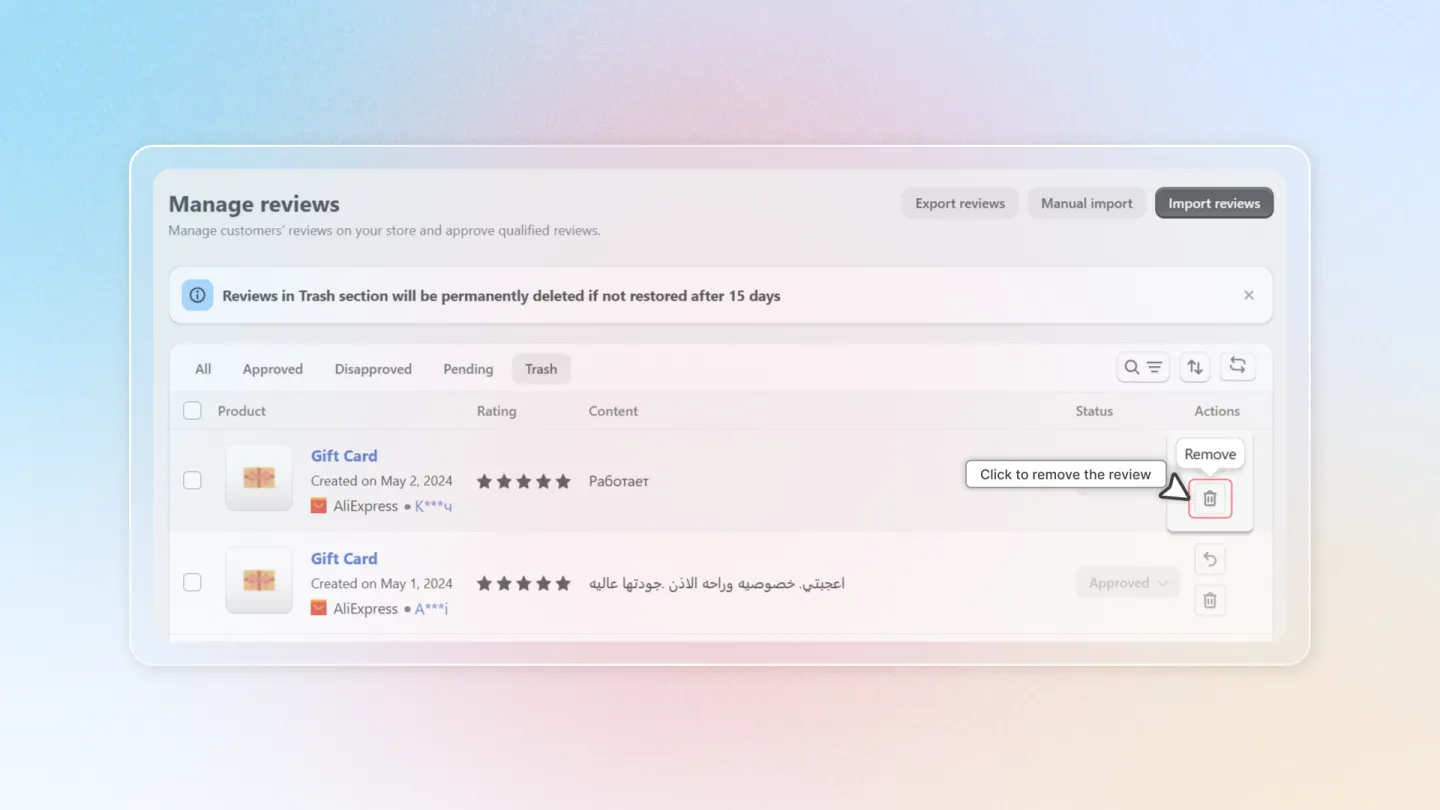
Head to "Manage Reviews" and switch to "Recycle bin" tab
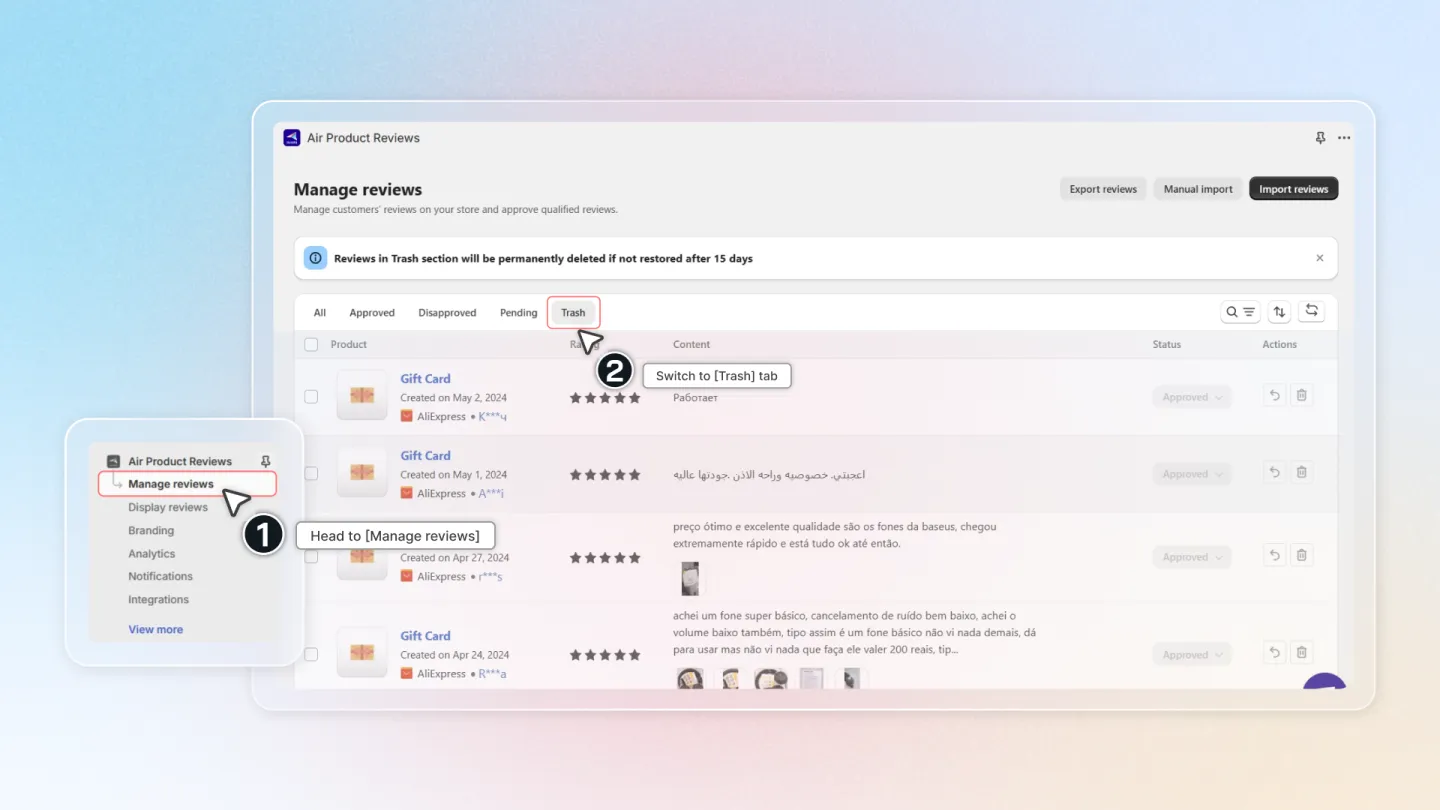
Understand Recycle bin function
This tab houses reviews that have been deleted but can still be recovered if needed.
3. Actions Within Recycle bin**:**
Revert: This action allows you to restore a deleted review and bring it back to its original state.
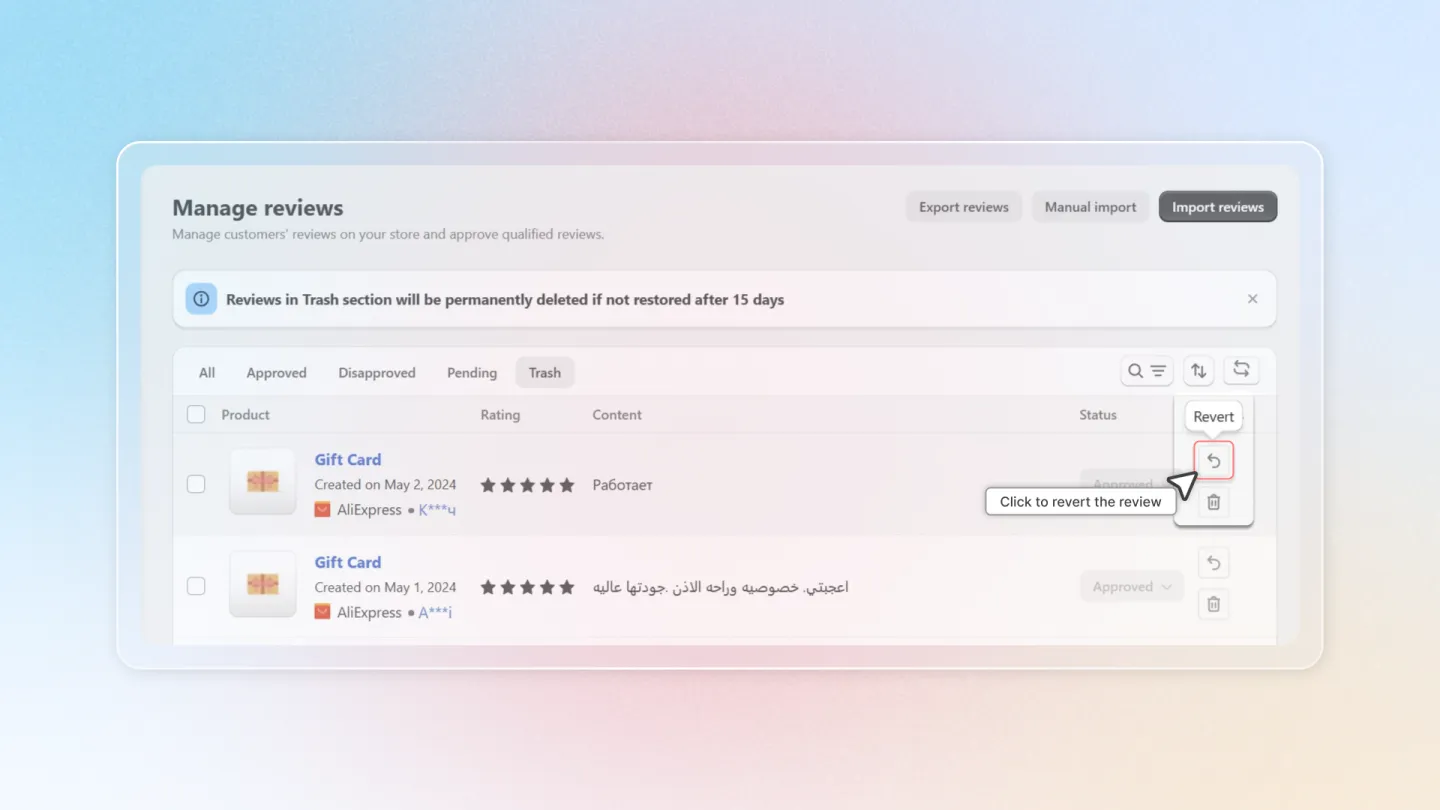
Delete: This action permanently removes the review from your system. Use this option with caution, as deleted reviews cannot be recovered after this point.
Benefits of Using Recycle bin:
- Prevents Accidental Deletion: The Recycle bin acts as a safety net, allowing you to restore accidentally deleted reviews.
- Improved Organization: Keeps your "Manage Reviews" section organized by separating deleted reviews from active ones.
By enabling and utilizing the Recycle bin function effectively, you can maintain a clean and organized review management system within Air Reviews!