QR code generator 🆕
1. Access the feature
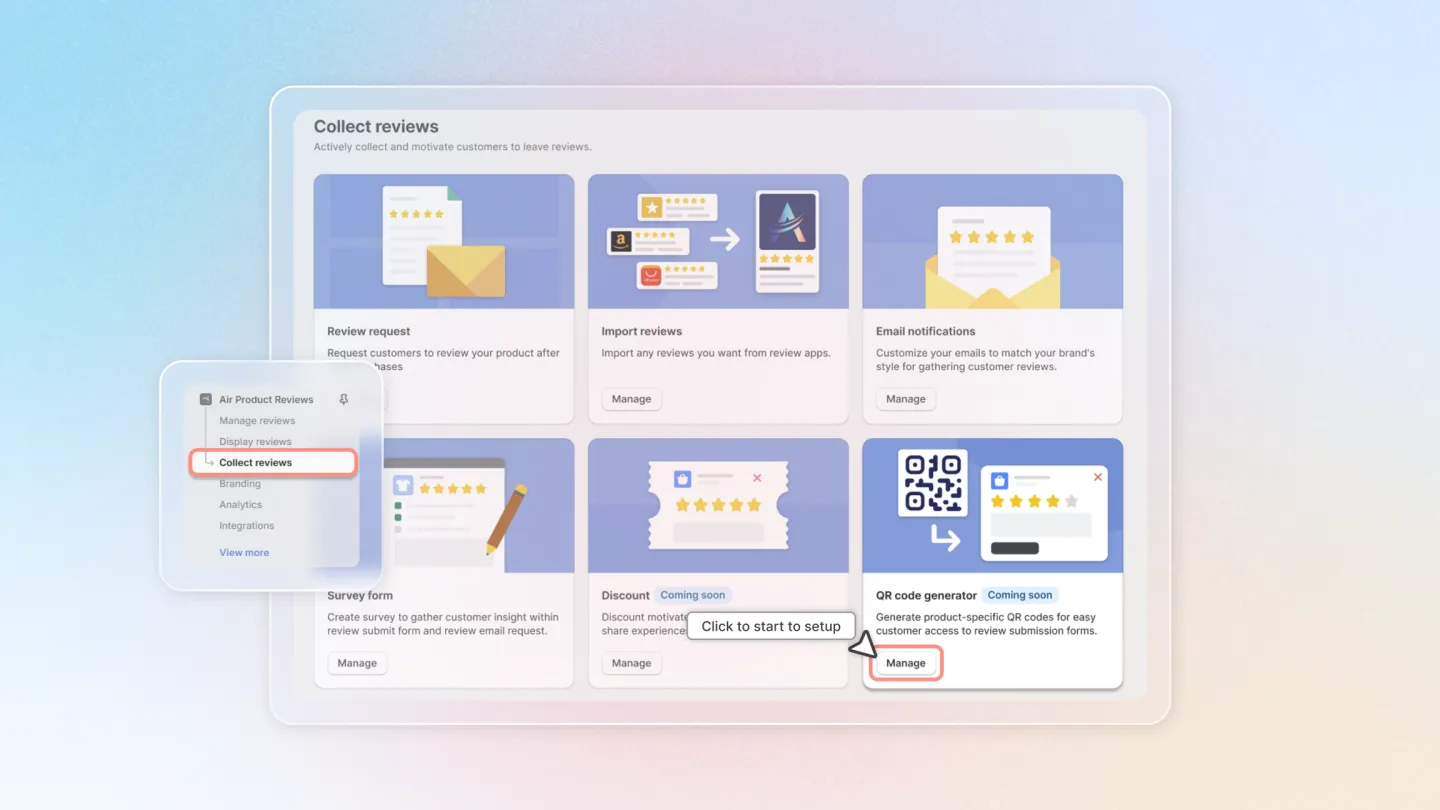
Open the Air Reviews app in your Shopify admin, then head to 'Collect reviews' feature group.
Click on 'Manage' button ‘QR code generator’ to start setting up your email templates.
2. Customize product QR design
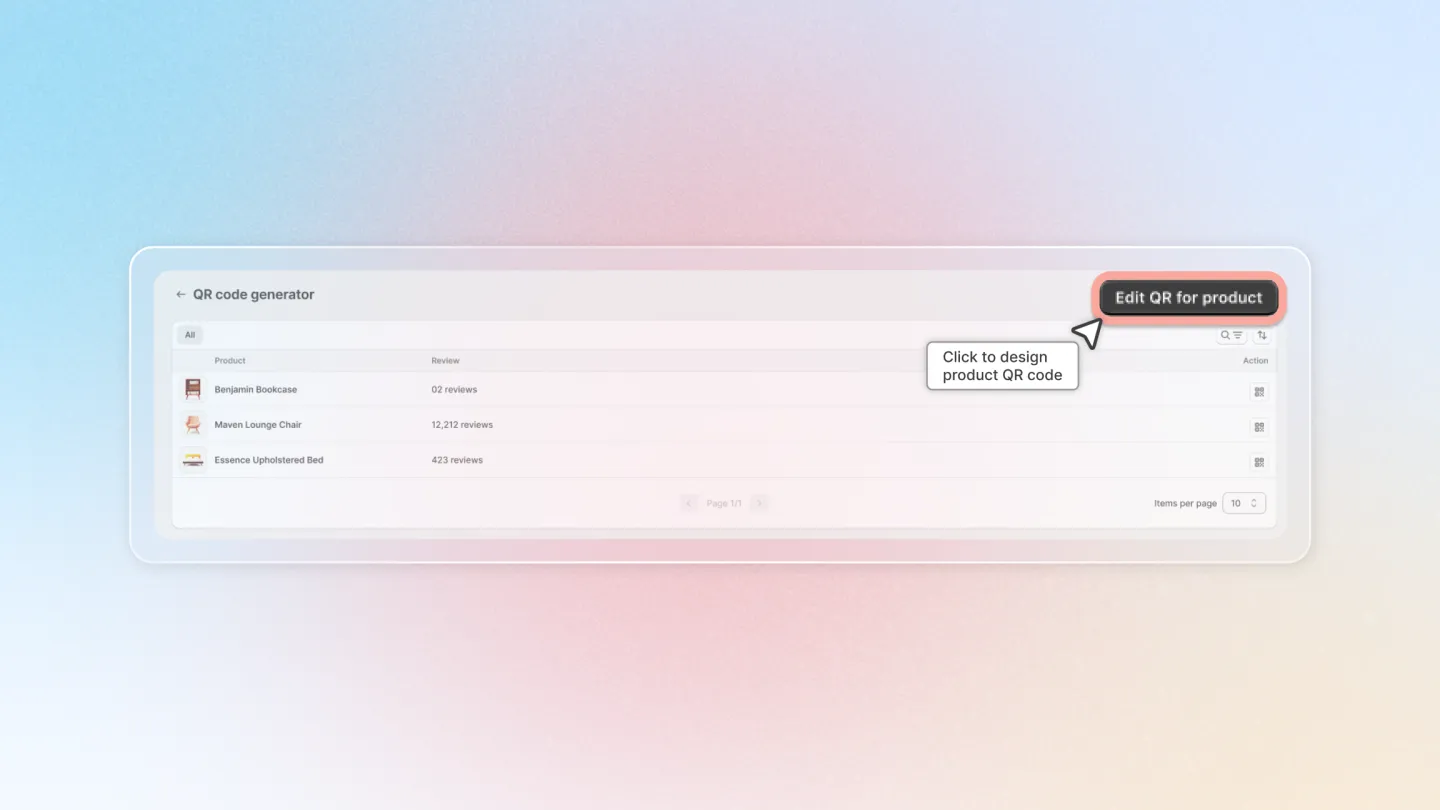
Click on 'Edit QR for product' button to start to design your general product QR code appearance.
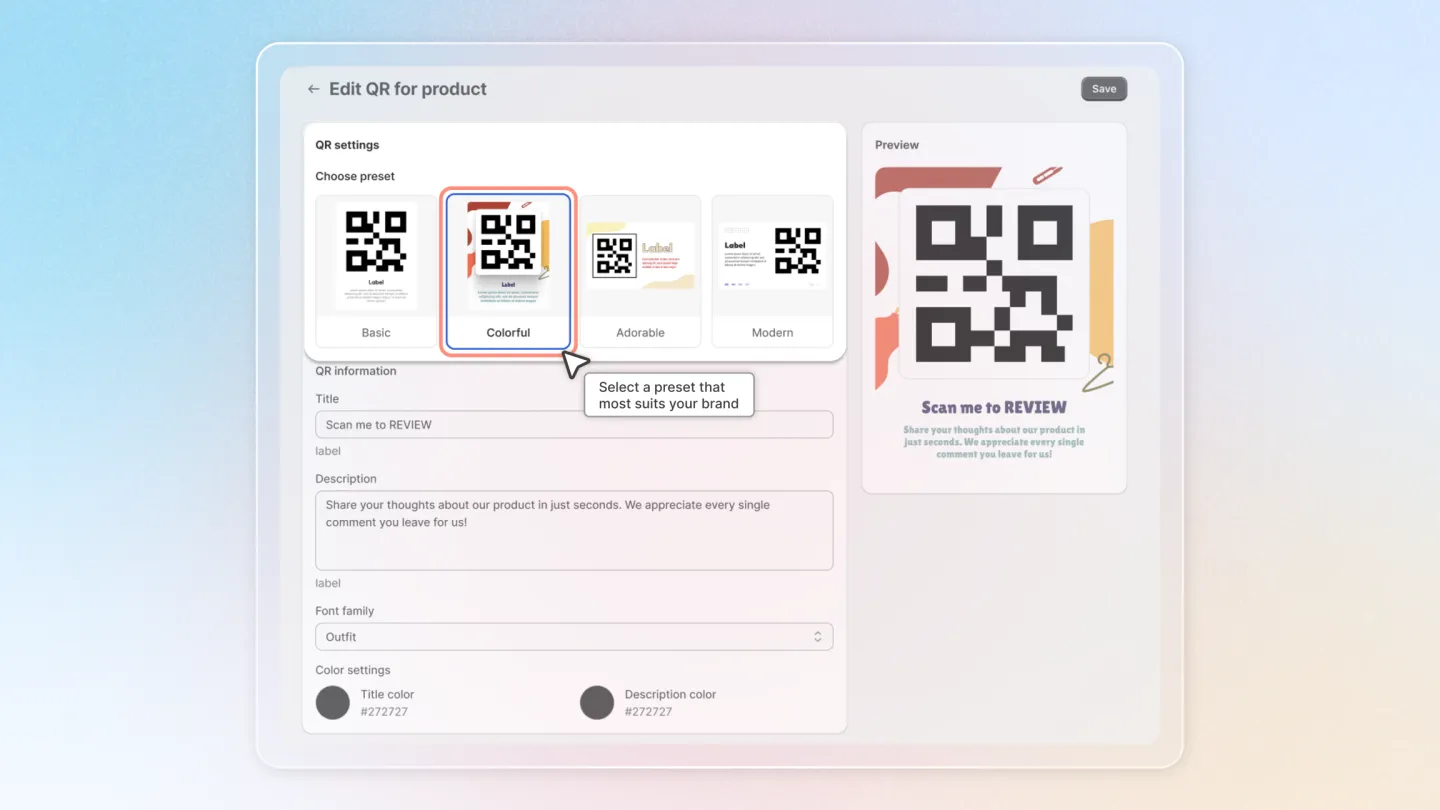
Choose a preset (style) that most fits your brand.
Edit the Title and Description of your choice if necessary.
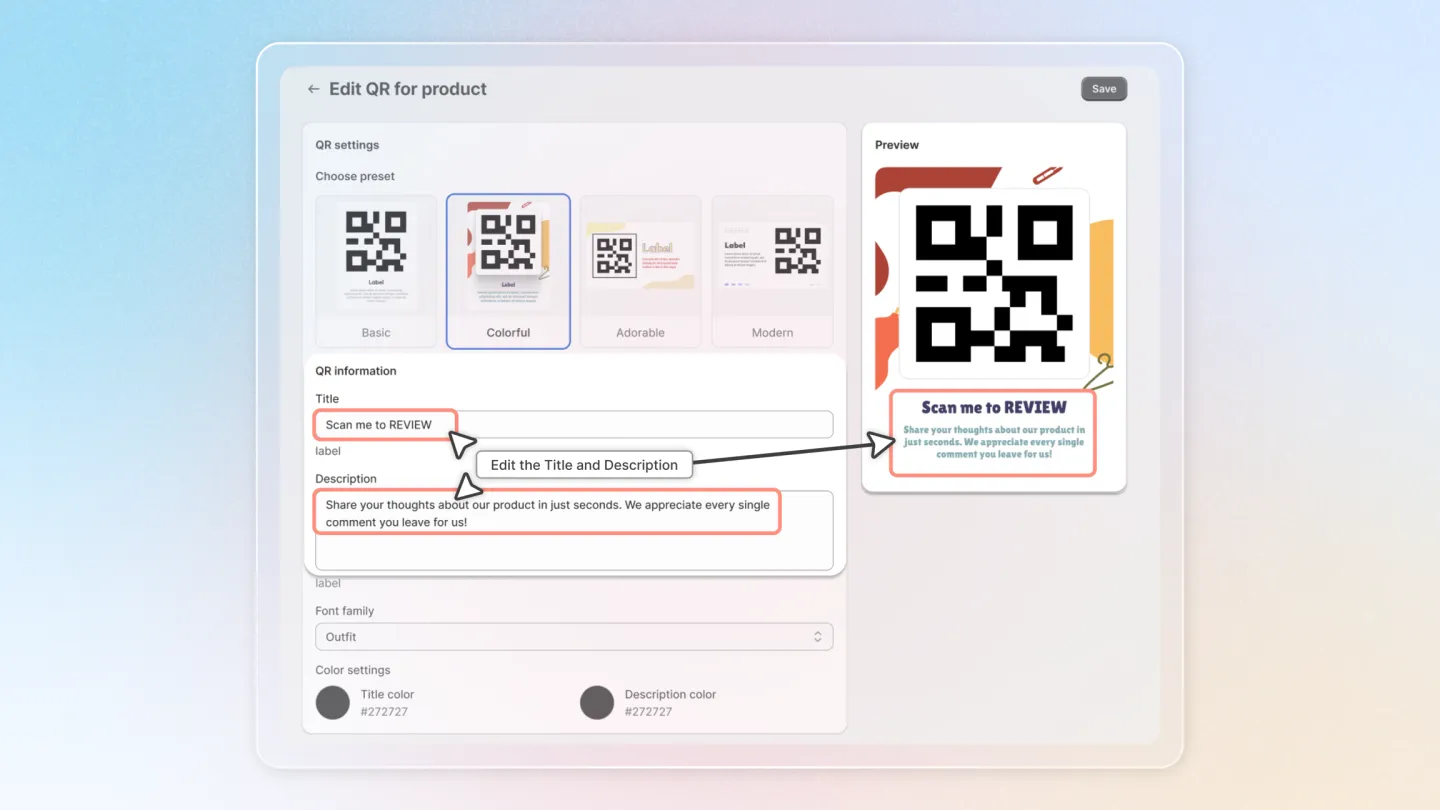
You can leave them blank and the QR will still work!
You can choose another Font for your Title and Description.
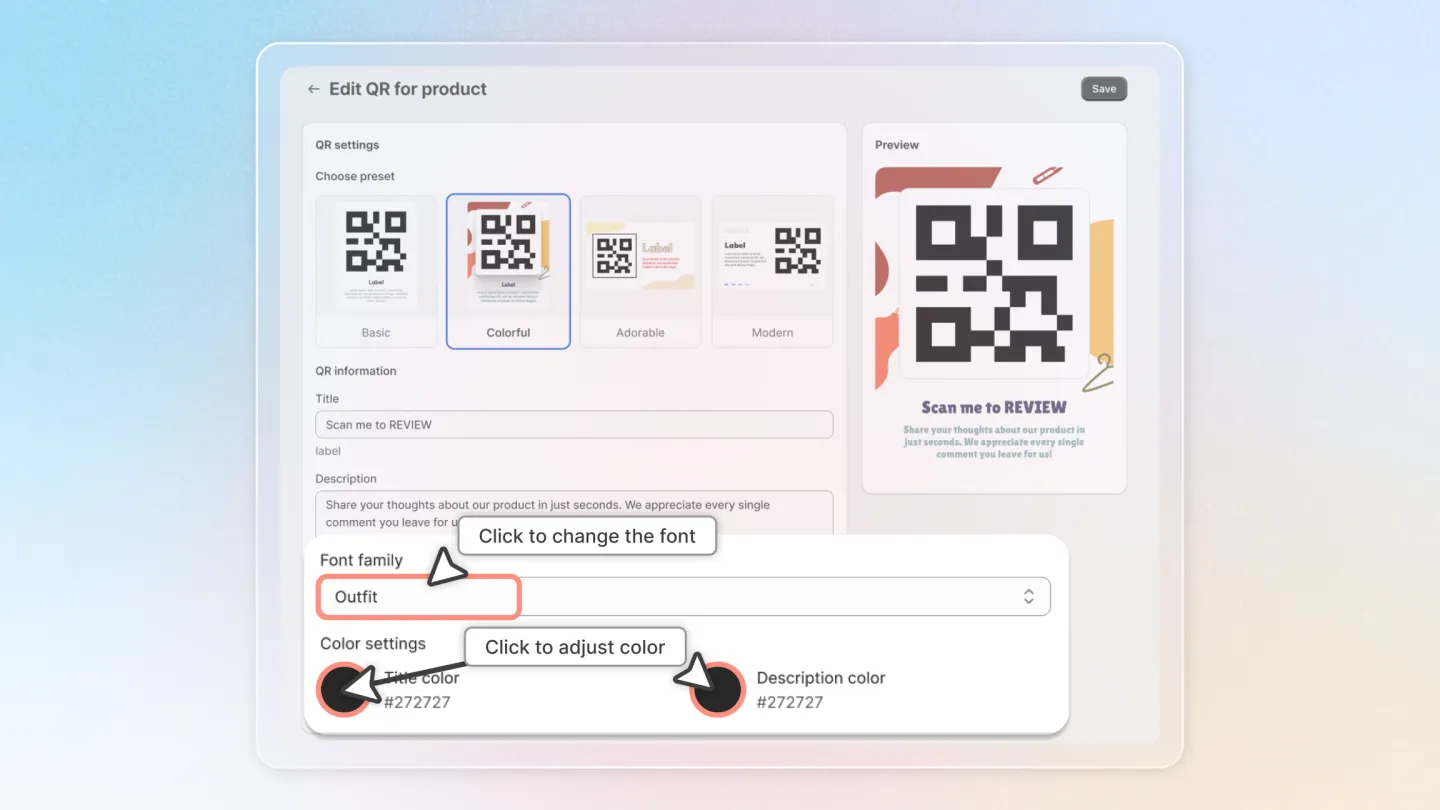
Adjust the color of the QR's Title and Description, if needed.
3. Print or Download QR
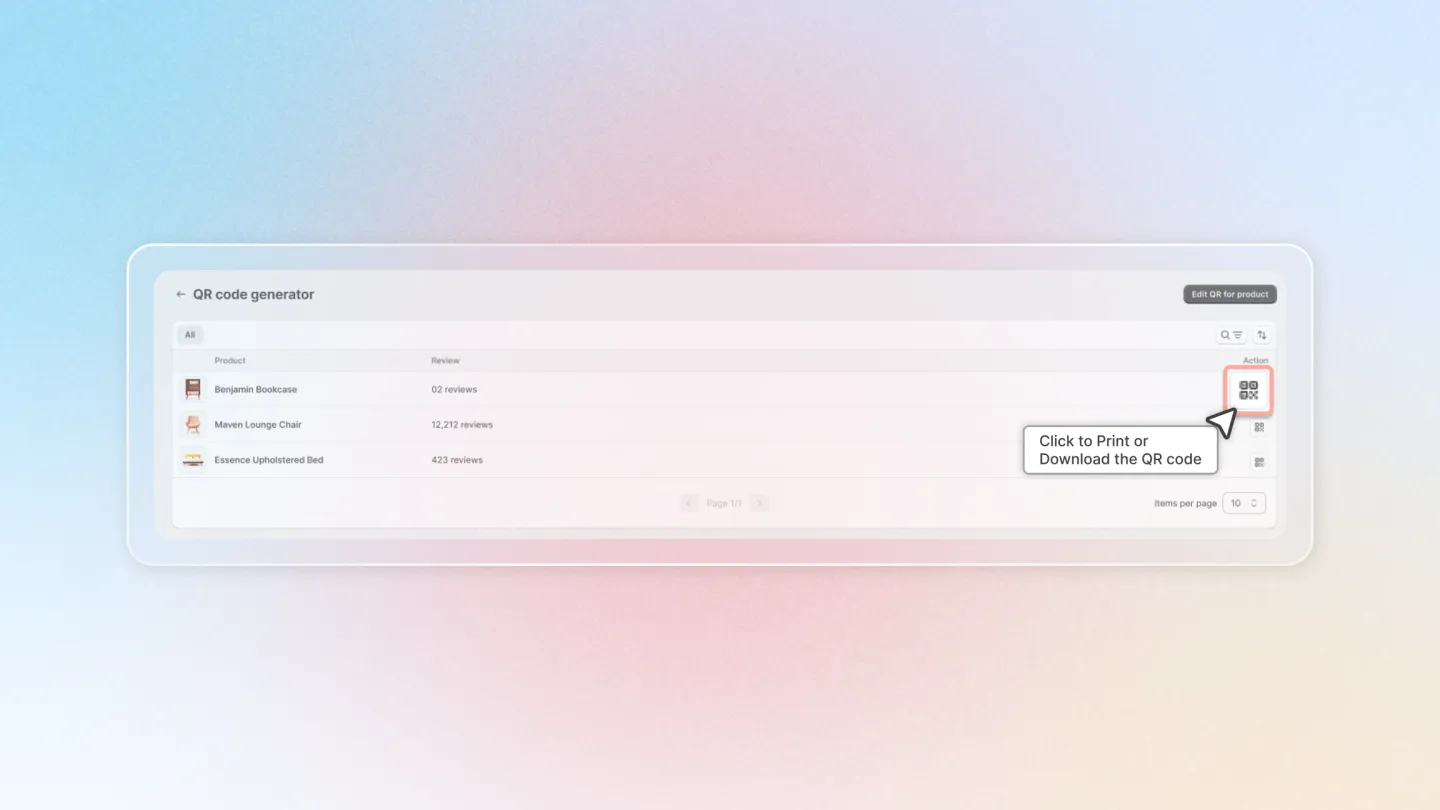
Return to the QR manager screen.
Click on the QR button to the right hand of the product of your choice to preview the QR.
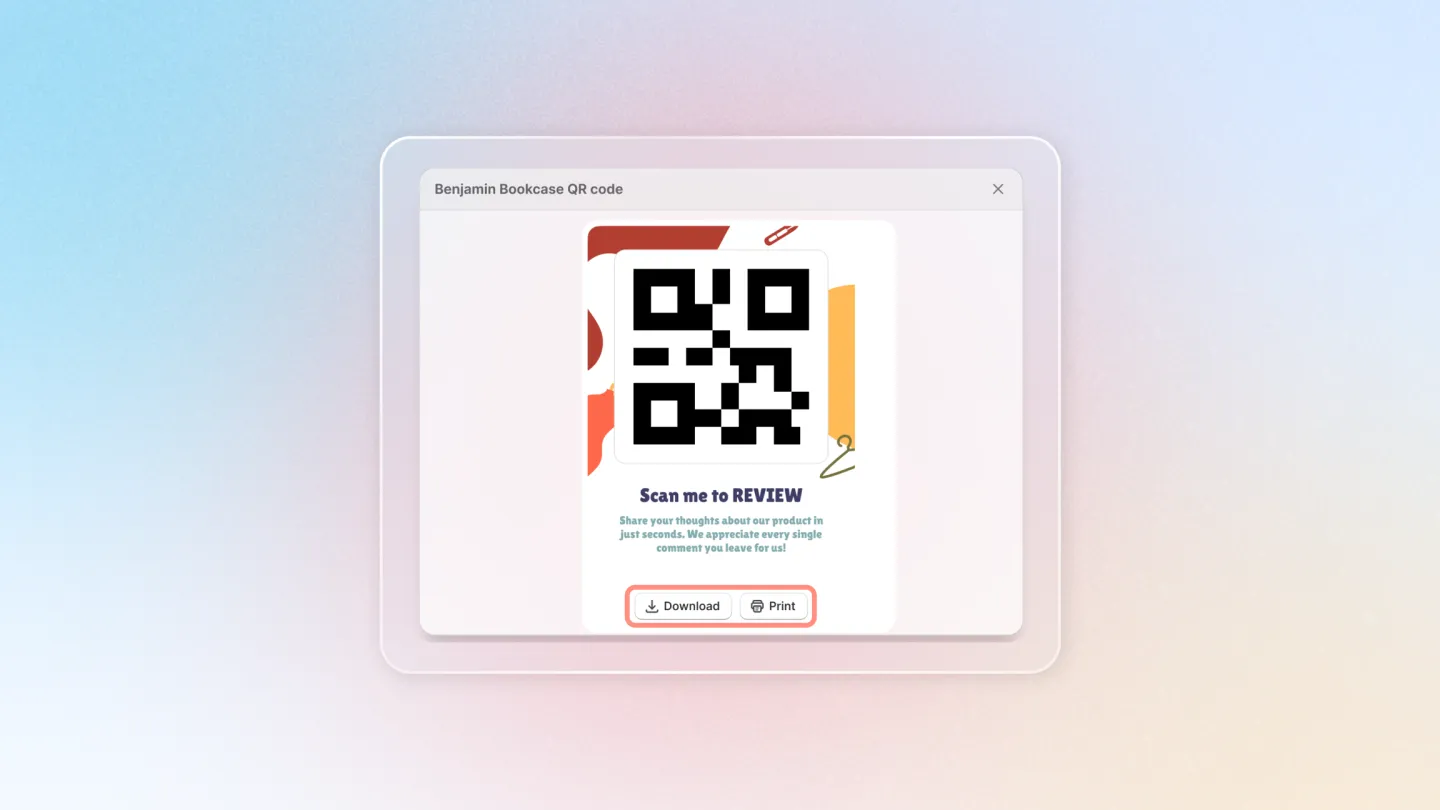
Click Download or Print to use your product QR code.
By following these steps, you’re enhancing product engagement and leveraging reviews effectively, thus fostering trust and encouraging more informed purchase decisions among your customers.