Review sidebar
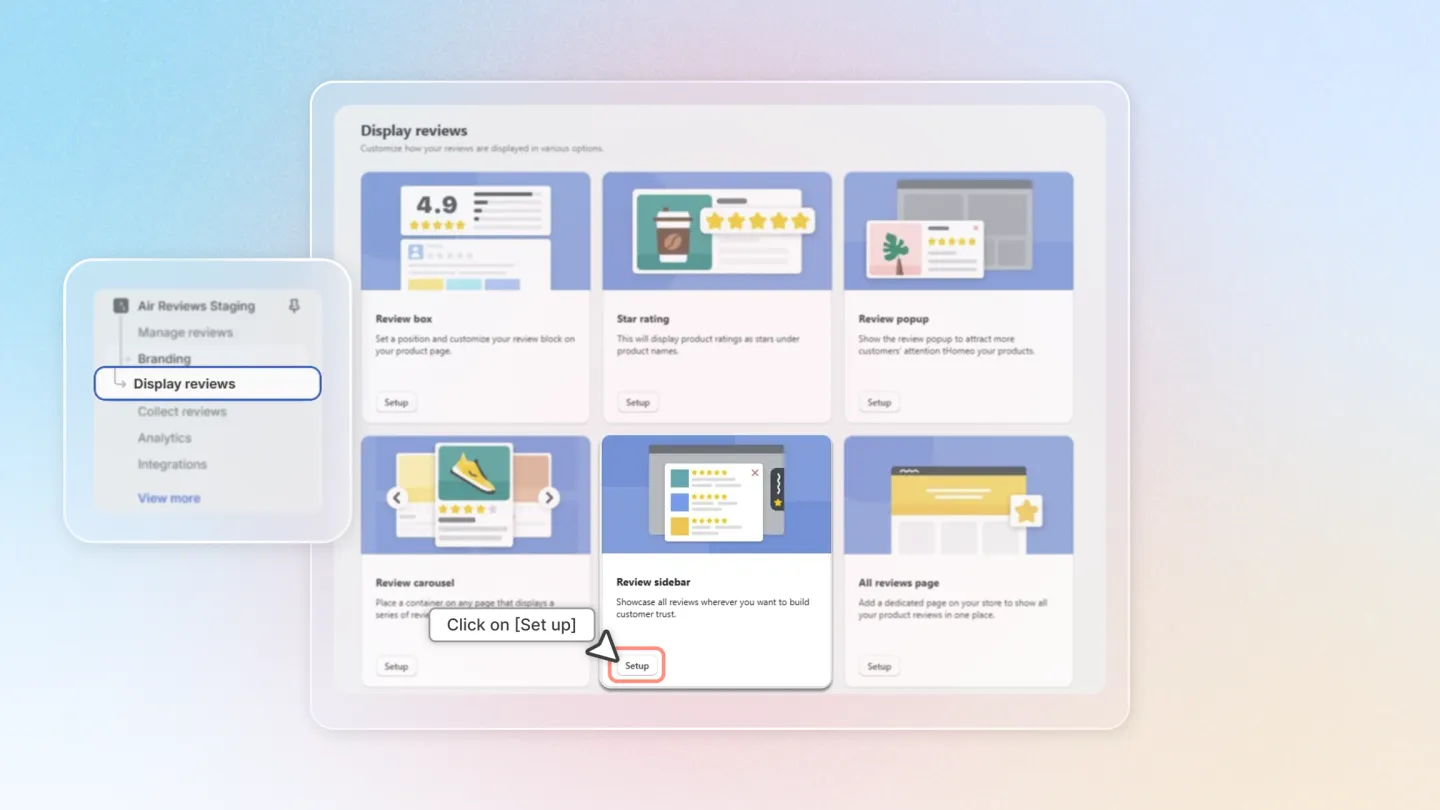
1. Access Sidebar Settings
Open the Air Reviews app within your Shopify admin.
From the left menu, select 'Display Reviews'.
Click on 'Setup' next to 'Review sidebar'.
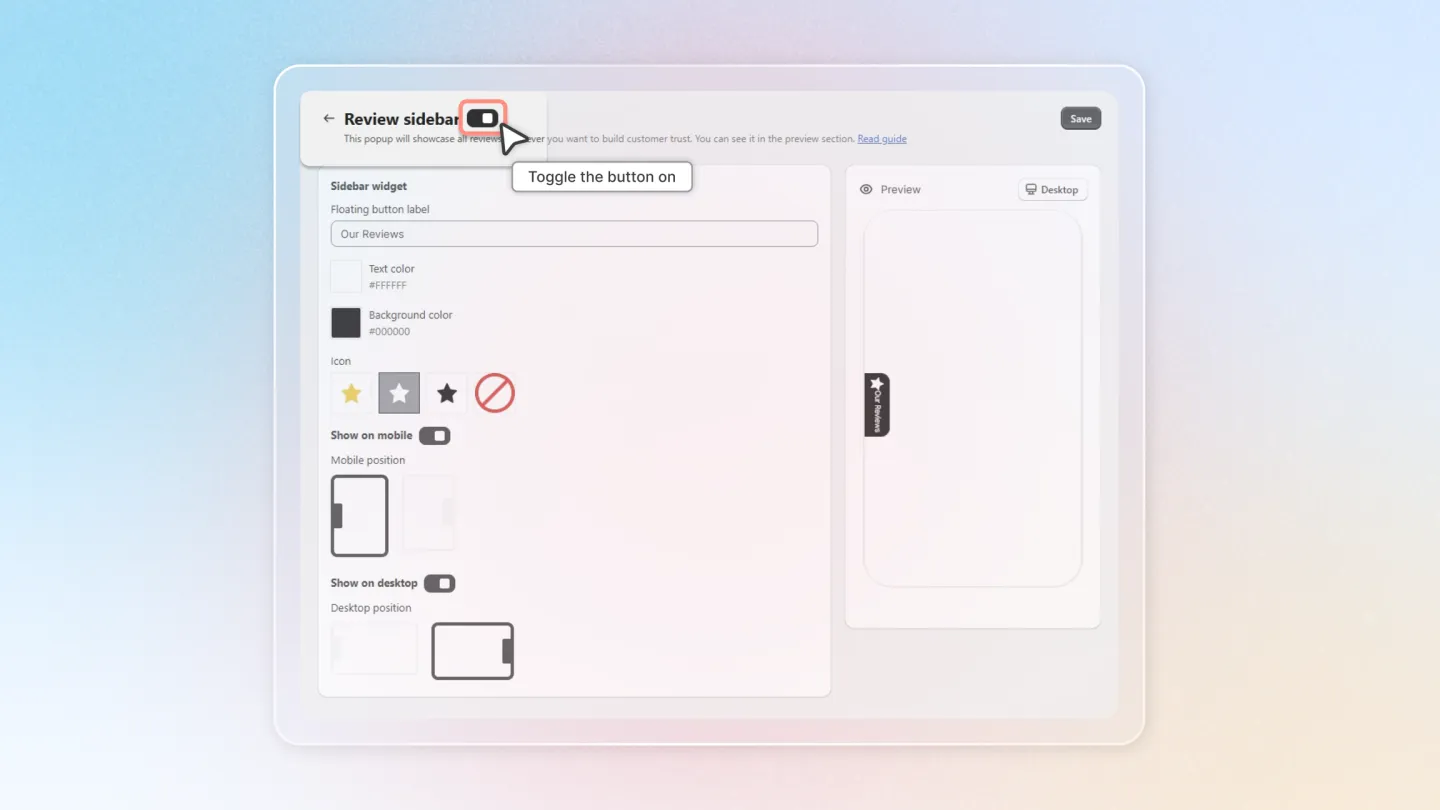
2. Enable the Sidebar
Toggle 'Enable' to activate the sidebar display on your store.
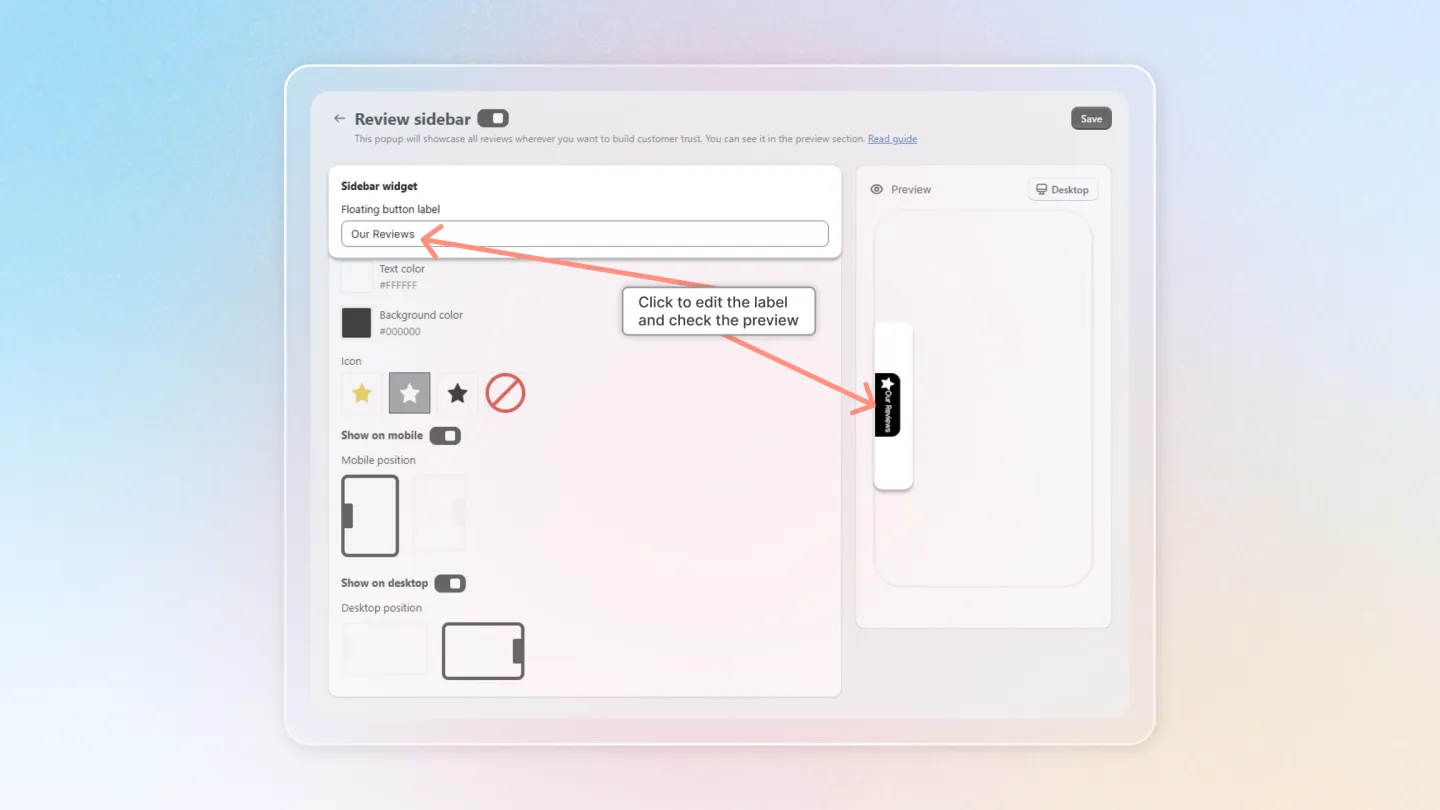
3. Customize the Floating Button
Floating Button Label: Enter the text that will appear on the floating button.
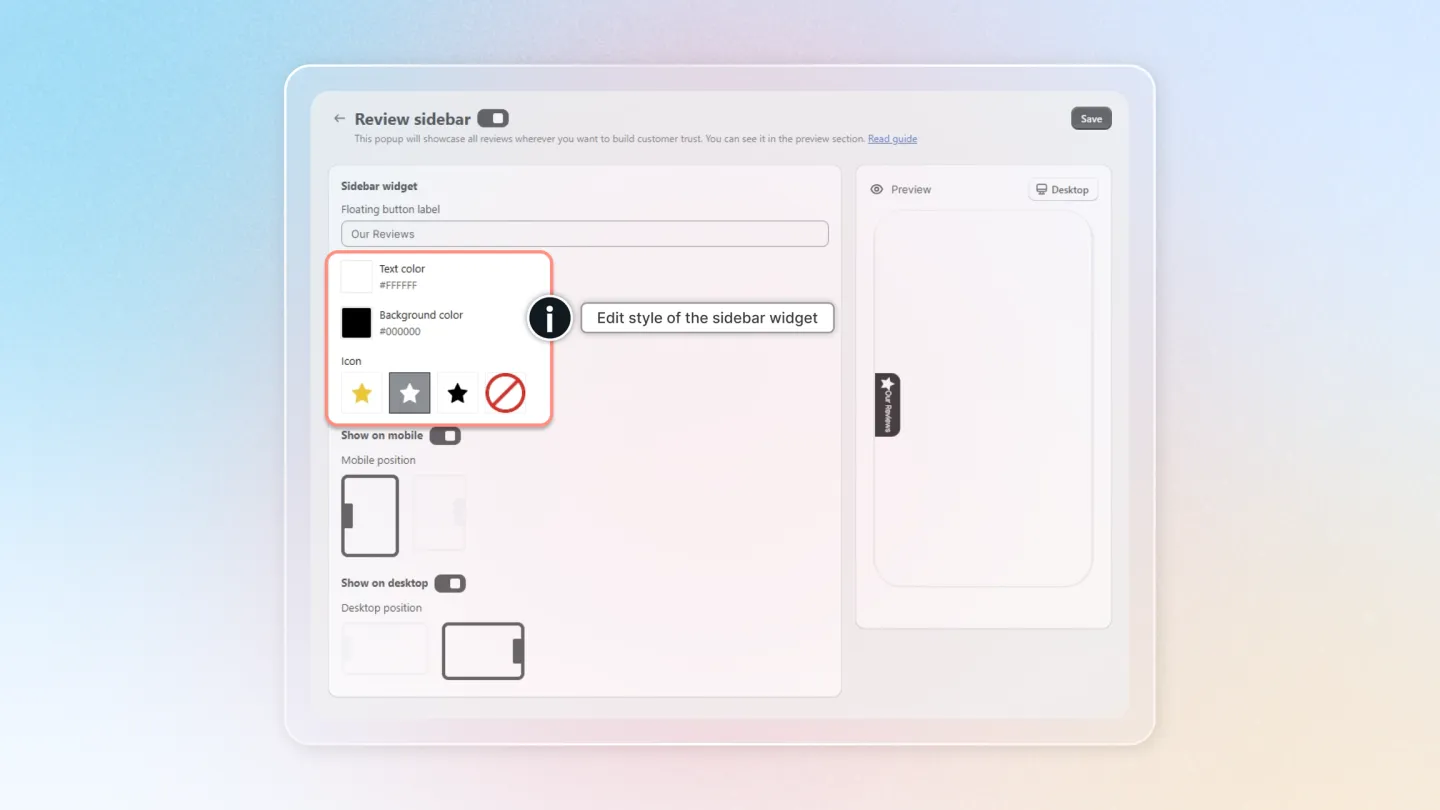
Text Color: Choose a color for the button text.
Background Color: Select a background color for the button.
Icon: Pick an icon to display on the floating button.
4. Device-Specific Display Settings
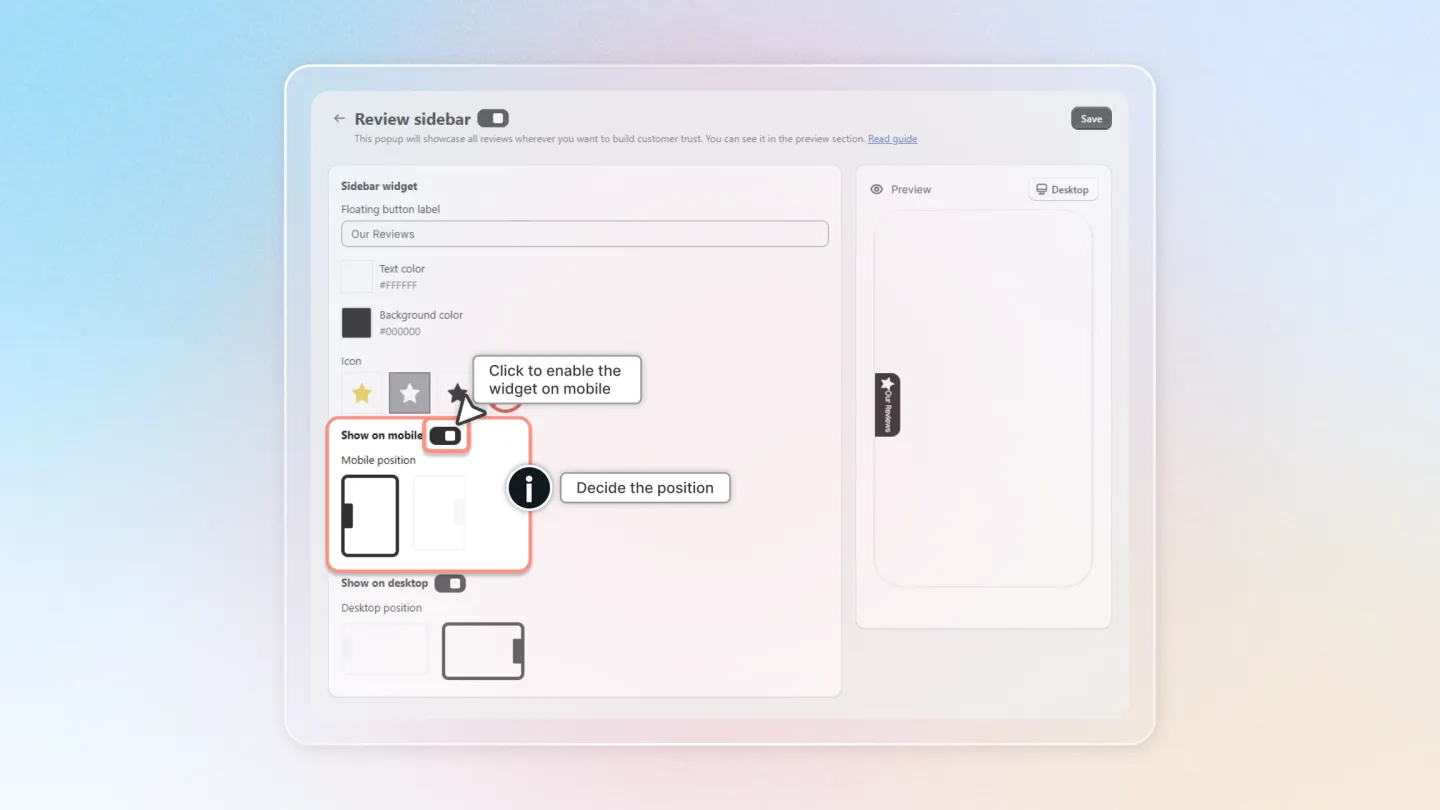
Show on Mobile: Toggle this to enable the sidebar on mobile devices.
Choose the position where it should appear under 'Show on mobile'.
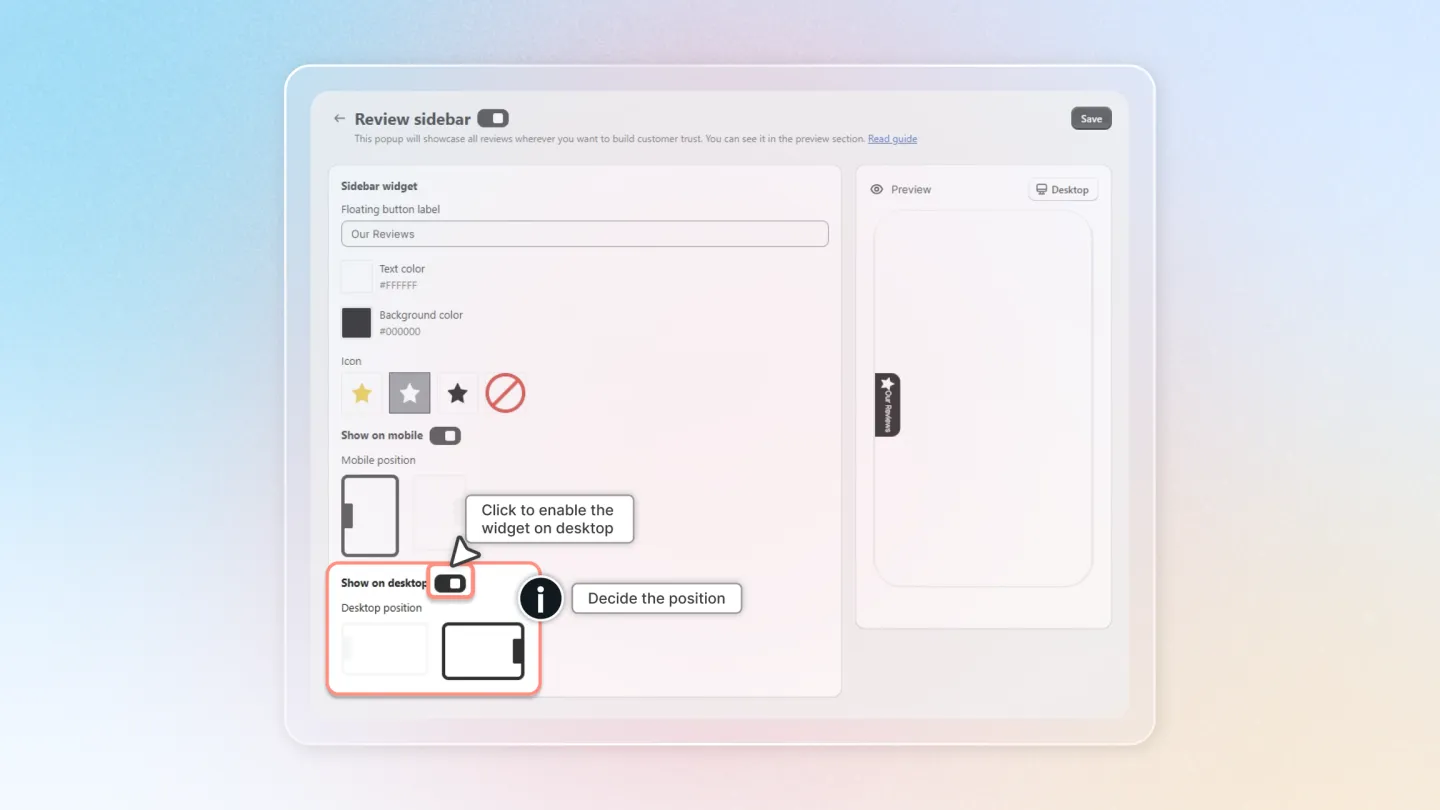
Show on Desktop: Enable this to display the sidebar on desktop.
Select the desired position under 'Show on desktop'.
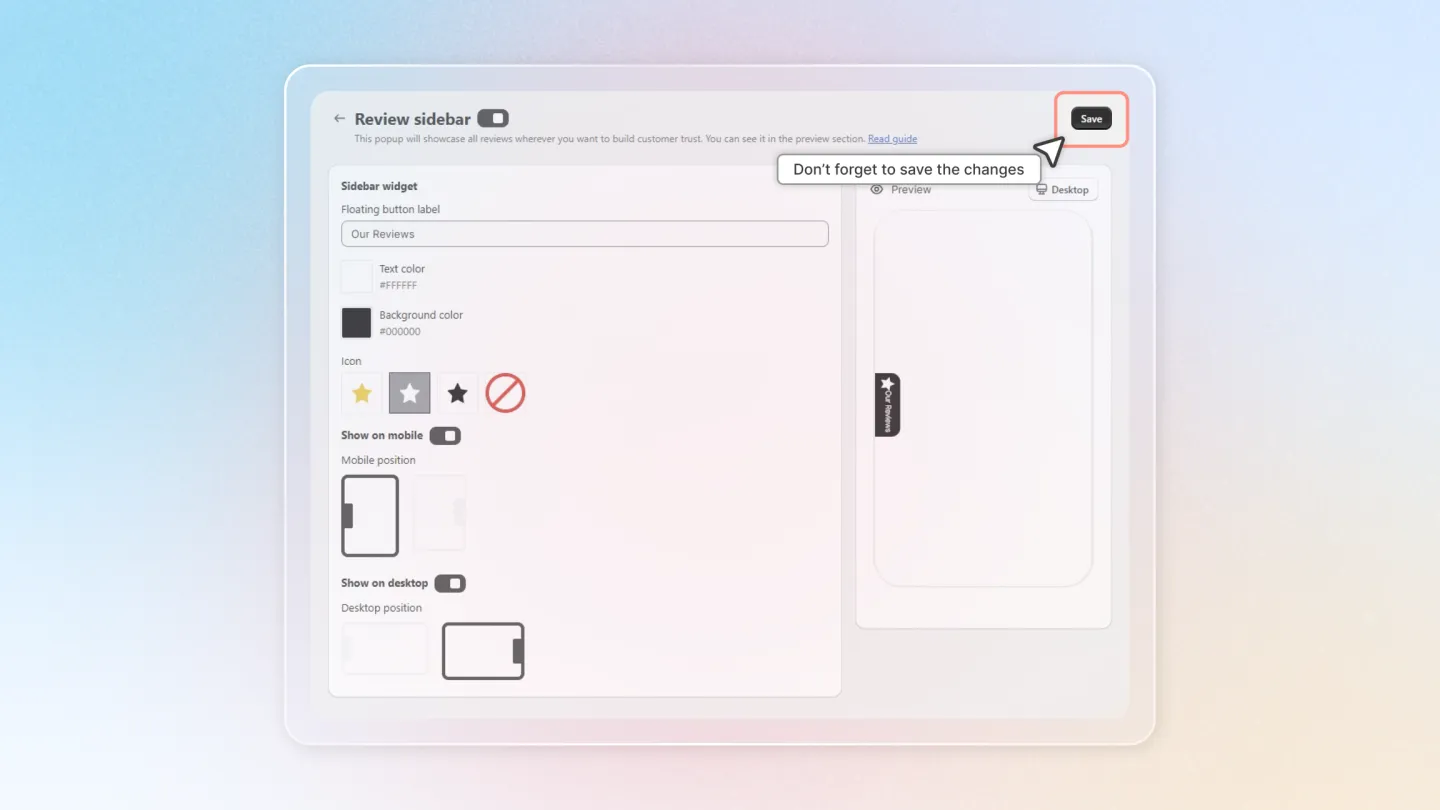
Don't forget to save your progress.
This guide aims to streamline the process, making it easy for you to implement and customize the Review Sidebar to fit the unique style and needs of your Shopify store.